

私的AI研究会 > ComfyUI9
「ComfyUI」を使ってローカル環境でのAI画像生成を検証する
| 2026年1月発表された音声対応の動画生成モデル「LTX-2」が巷で話題になっている。 「ConfyUI」標準対応となって使いやすく、低 VRAM 環境でも工夫すれば動作可能らしいので検証してみる |
📂ComfyUI
  ├─📂input              ← ワークフローに含まれる入力画像
  └─📂user
        └─📂default
              └─📂workflows        ← ワークフローの保存場所
                    ├─📂_audio
                    ├─📂_base
                    ├─📂_base_i2i
                    ├─📂_base_t2i
                    ├─📂_prompt
                    ├─📂_utility
                    ├─📂_video
                    └─📂test
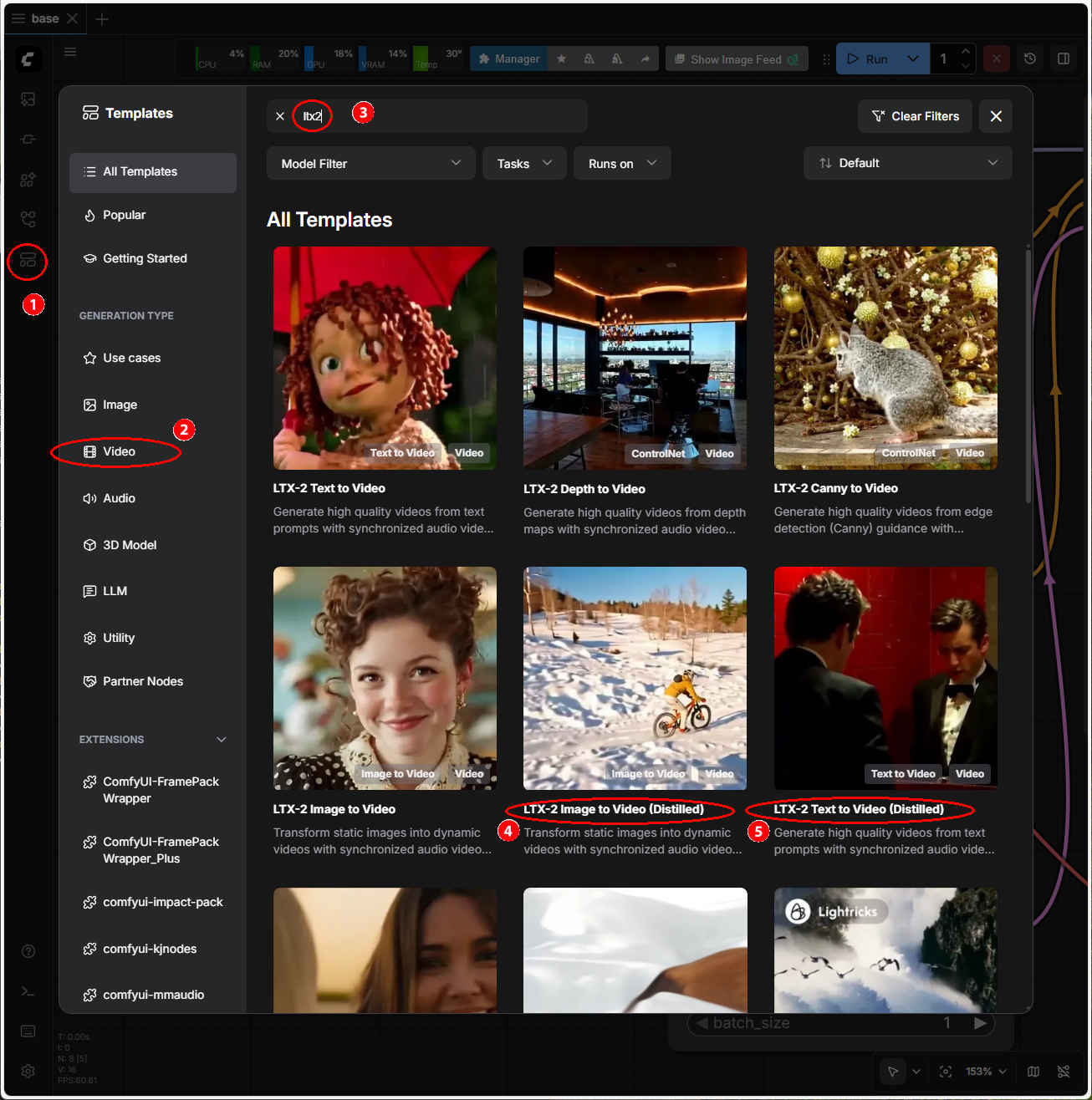
・解凍してできる「ComfyUI/」フォルダを「StabilityMatrix/Data/Packages/ComfyUI」へ上書きコピーする| ワークフロー | 機 能 | モデル | CPU | CPU | |||||
| RTX 4070 | RTX 4060 | RTX 4060L | RTX 3050 | GTX 1050 | i7-1260P | i7-1185G7 | |||
| video_ltx2_i2v_001.json | 静止画から動画生成 | 蒸留版 fp8 | 01:16.64 | 03:26.27 | 05:42.91 | 13:38.81 | × | × | × |
| video_ltx2_t2v_001.json | テキストから動画生成 | 01:56.49 | 03:56.71 | 05:06.04 | 17:28.08 | × | × | × | |
| video_ltx2_i2v_dev_003.json | 静止画から動画生成 | 通常版 fp4 | 03:14.28 | 07:22.89 | 09:11.15 | 19:17.54 | × | × | × |
| video_ltx2_t2v_dev_003.json | テキストから動画生成 | 02:54.28 | 07:31.23 | 09:44.48 | 17:50.15 | × | × | × | |
| LTX-2_text2video_V2_004.json | text2video | 11:44.47 | 14:18.25 | 26:41.94 | × | × | × | ||
| LTX-2_text2video_distilled_005.json | text2video 8ステップ | 13:36.94 | 23:55.01 | 16:45.69 | × | × | × | ||
| LTX-2_image2video_distilled_V2_007.json | image2video | 31:50.14 | 23:10.95 | 29:10.14 | × | × | × | ||
| 「Stability Matrix」上の「ComfyUI」ではモデルフォルダの場所が異なっていることに注意 → モデルフォルダの配置 |
| モデル名 | ファイル名(.safetensors) | 配置先(/StabilityMatrix/Data/) | ダウンロード URL | |
| checkpoints | ltx-2-19b-distilled-fp8 (fp8 蒸留版) | Models/ | StableDiffusion/ | ltx-2-19b-distilled-fp8.safetensors |
| ltx-2-19b-dev-fp4 (fp4 通常版) | ltx-2-19b-dev-fp4.safetensors | |||
| lolas | ltx-2-19b-distilled-lora-384 | Lora/ | ltx-2-19b-distilled-lora-384.safetensors | |
| ltx-2-19b-lora-camera-control-dolly-left | ltx-2-19b-lora-camera-control-dolly-left | |||
| vae | LTX2_audio_vae_bf16 | VAE/ | LTX-2 VAE Files | |
| LTX2_video_vae_bf16 | ||||
| LTX2_video_vae_old_bf16 | ||||
| latent_upscale_models | ltx-2-spatial-upscaler-x2-1.0 | Packages/ComfyUI/models/ | latent_upscale_models | LTX-2 Spatial Upscaler ×2 (v1.0) |
| text_encoders | gemma_3_12B_it_fp4_mixed | text_encoders | gemma_3_12B_it_fp4_mixed.safetensors | |
| ltx-2-19b-embeddings_connector_dev_bf16 | LTX-2 Embeddings Connector (bf16) | |||
| Prompt A man in a black tuxedo stands motionless in a small, red-tiled bathroom, facing a mirror. The camera sits just behind his right shoulder, framing both his back and his solemn reflection. Suddenly, he opens his mouth and begins to sing opera in Italian: "La donna e mobile, qual piuma al vento." Rich, resonant notes echo through the space. As his voice climbs in pitch, his brows lift, and his expression becomes more passionate, almost vulnerable. The overhead lighting casts a sharp glow on his face and tuxedo, reflecting in the glossy red tiles around him. The camera is static |
| 黒いタキシードを着た男が、赤いタイル張りの小さな浴室で、鏡に向かってじっと立っている。カメラは彼の右肩のすぐ後ろに設置され、彼の背中と厳粛な表情を映し出している。突然、彼は口を開き、イタリア語でオペラを歌い始める。「La donna e mobile, qual piuma al vento(女よ、動け、風に吹かれて)」。豊かで響き渡る音色が空間に響き渡る。声のトーンが上がるにつれ、彼の眉は上がり、表情はより情熱的で、ほとんど無防備なほどになる。天井の照明が彼の顔とタキシードに鋭い輝きを放ち、周囲の光沢のある赤いタイルに反射している。カメラは静止している。 |
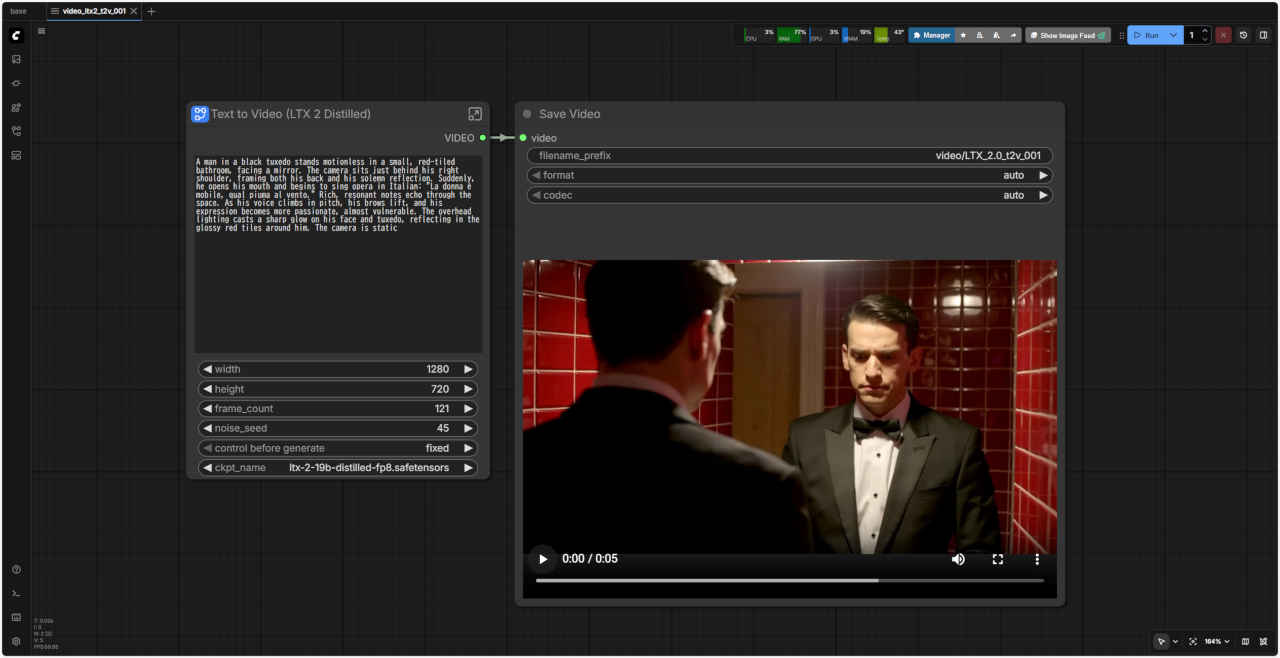
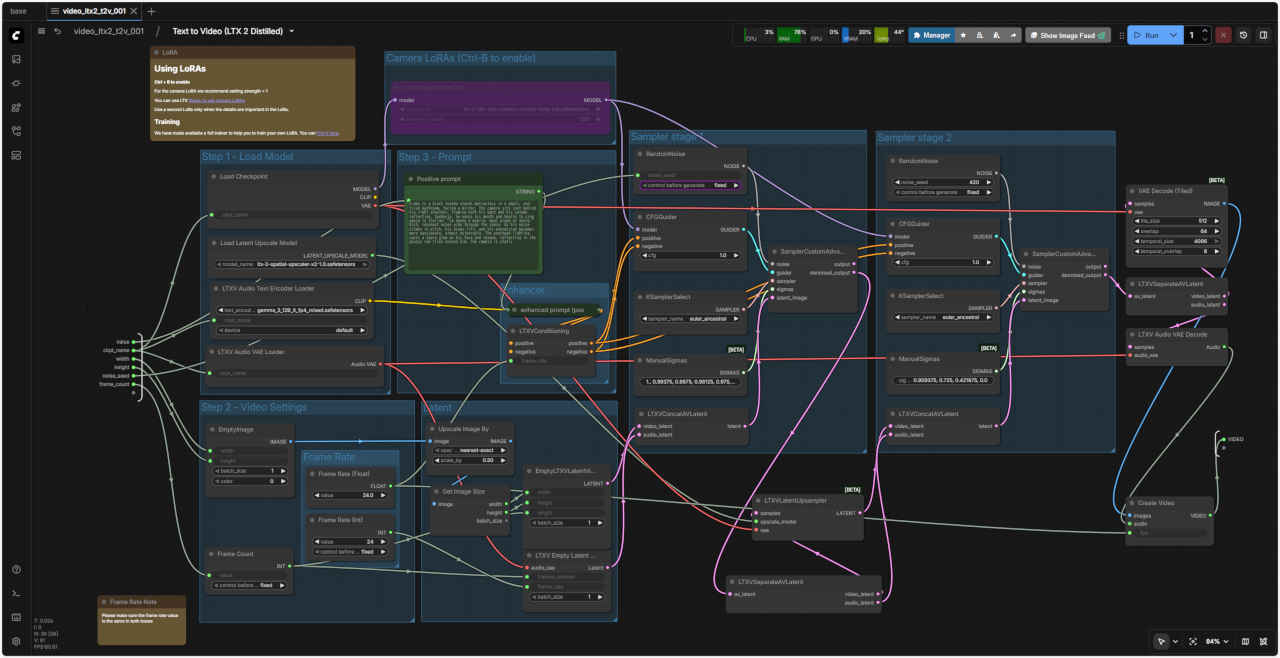
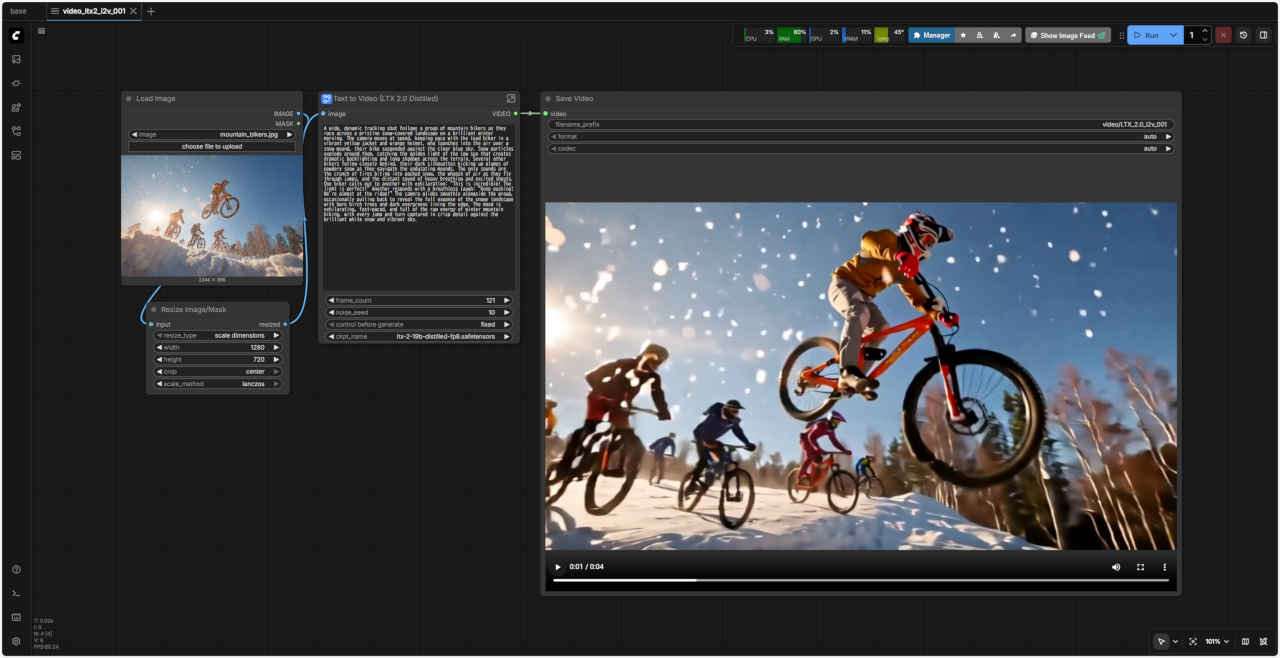
 video_ltx2_t2v_001.json
| Prompt A wide, dynamic tracking shot follows a group of mountain bikers as they race across a pristine snow-covered landscape on a brilliant winter morning. The camera moves at speed, keeping pace with the lead biker in a vibrant yellow jacket and orange helmet, who launches into the air over a snow mound, their bike suspended against the clear blue sky. Snow particles explode around them, catching the golden light of the low sun that creates dramatic backlighting and long shadows across the terrain. Several other bikers follow closely behind, their dark silhouettes kicking up plumes of powdery snow as they navigate the undulating mounds. The only sounds are the crunch of tires biting into packed snow, the whoosh of air as they fly through jumps, and the distant sound of heavy breathing and excited shouts. One biker calls out to another with exhilaration: "This is incredible! The light is perfect!" Another responds with a breathless laugh: "Keep pushing! We're almost at the ridge!" The camera glides smoothly alongside the group, occasionally pulling back to reveal the full expanse of the snowy landscape with bare birch trees and dark evergreens lining the edge. The mood is exhilarating, fast-paced, and full of the raw energy of winter mountain biking, with every jump and turn captured in crisp detail against the brilliant white snow and vibrant sky. |
| 輝くような冬の朝、雪に覆われた手つかずの大地を駆け抜けるマウンテンバイクの一団を、ワイドでダイナミックなトラッキングショットが追う。鮮やかな黄色のジャケットとオレンジ色のヘルメットを羽織った先頭のライダーが、澄み切った青空にバイクを浮かせ、雪山を駆け抜ける。周囲で雪の粒が弾け飛び、低い太陽の黄金色の光を捉え、ドラマチックな逆光と長い影が地形に映し出される。数人のライダーがすぐ後ろをついてくる。彼らの黒いシルエットは、うねる雪山を駆け抜けながら、粉雪の煙を巻き上げている。聞こえるのは、タイヤが圧雪に食い込む音、ジャンプを駆け抜ける際の息の音、そして遠くから聞こえる荒い息遣いと興奮した叫び声だけだ。ライダーの一人が興奮気味に他のライダーに声をかける。「信じられない!光が最高!」。別のライダーが息を切らして笑いながら応える。「頑張れ!もうすぐ尾根だ!」カメラはグループの横を滑らかに滑るように進み、時折手前に引くことで、葉の落ちた白樺と濃い常緑樹が縁を縁取る、雪景色の雄大な景色を映し出します。爽快でテンポが速く、冬のマウンテンバイクの生々しいエネルギーに満ち溢れた雰囲気が伝わってきます。輝く白い雪と鮮やかな空を背景に、あらゆるジャンプやターンが鮮明なディテールで捉えられています。 |
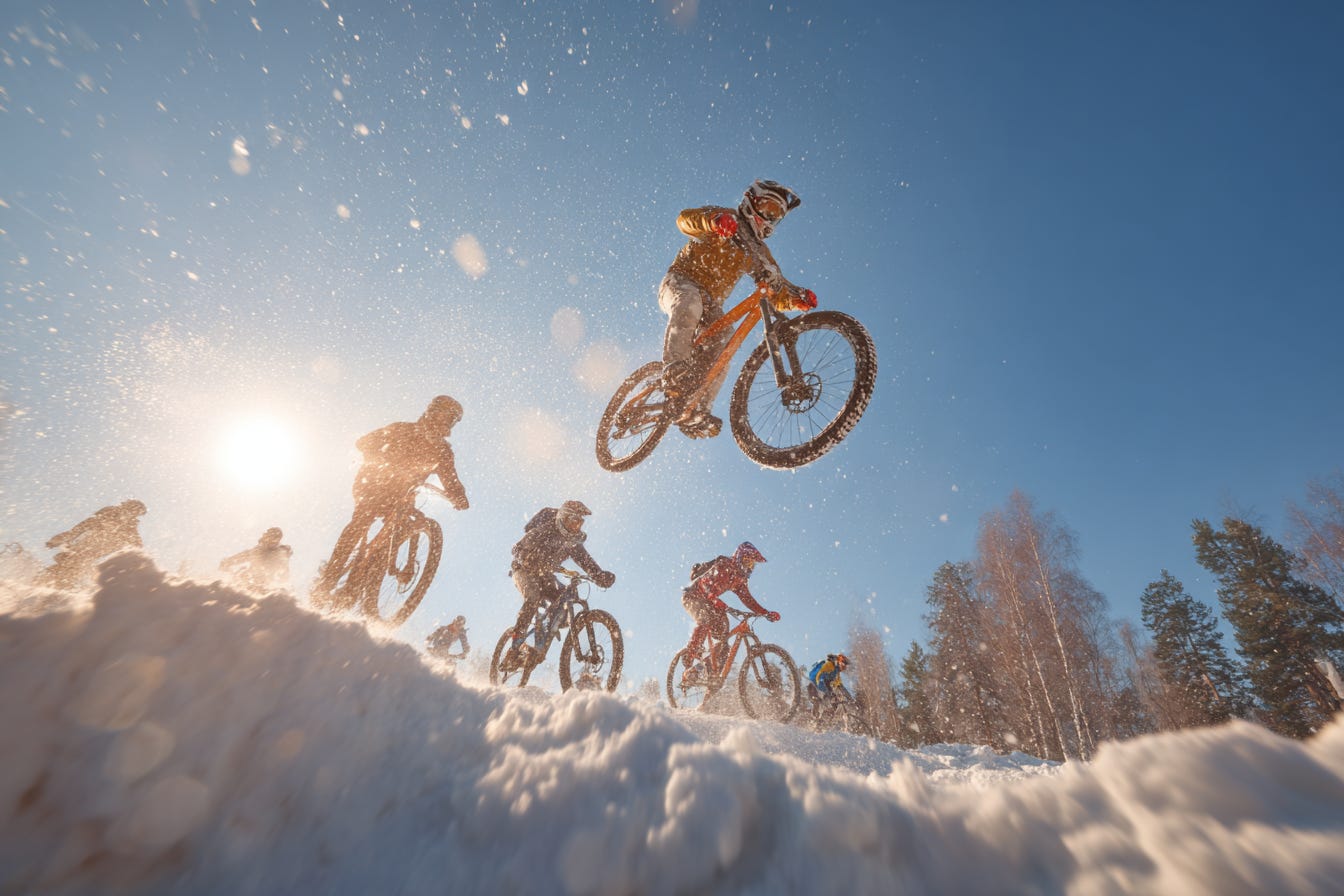
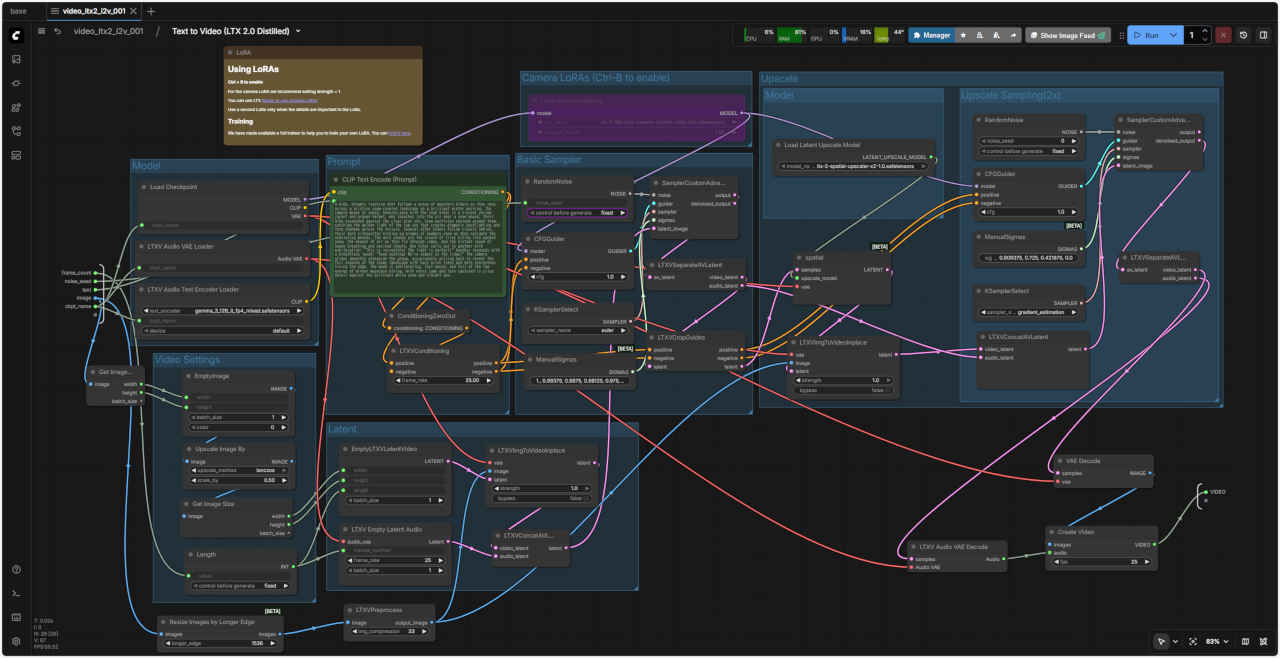 video_ltx2_i2v_001.json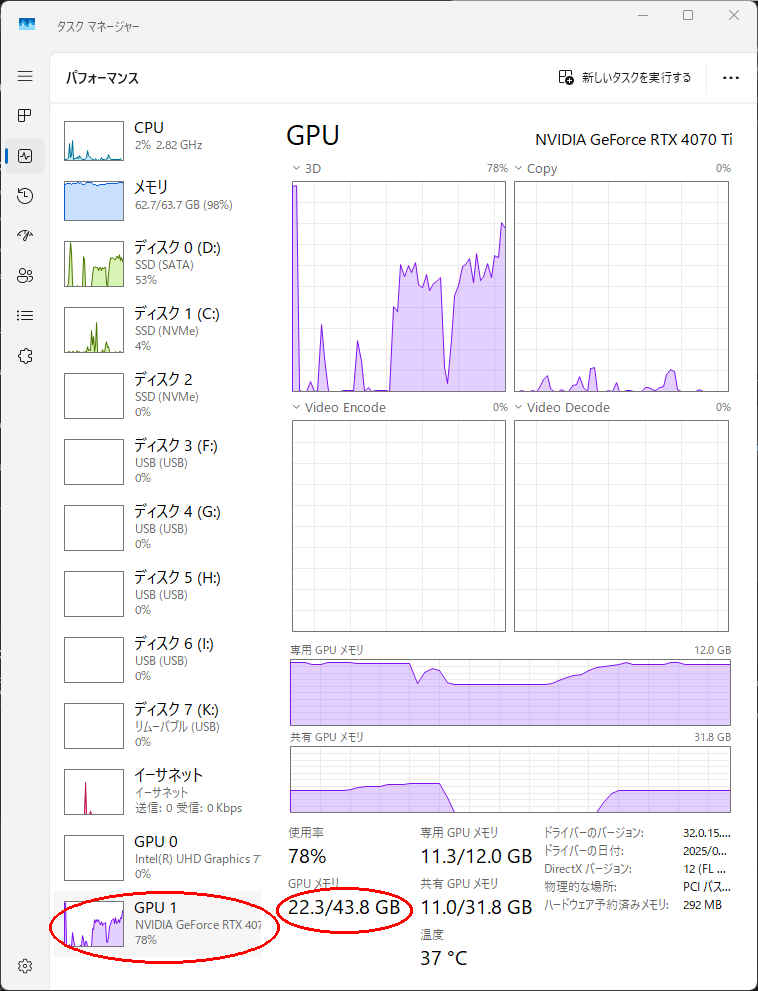
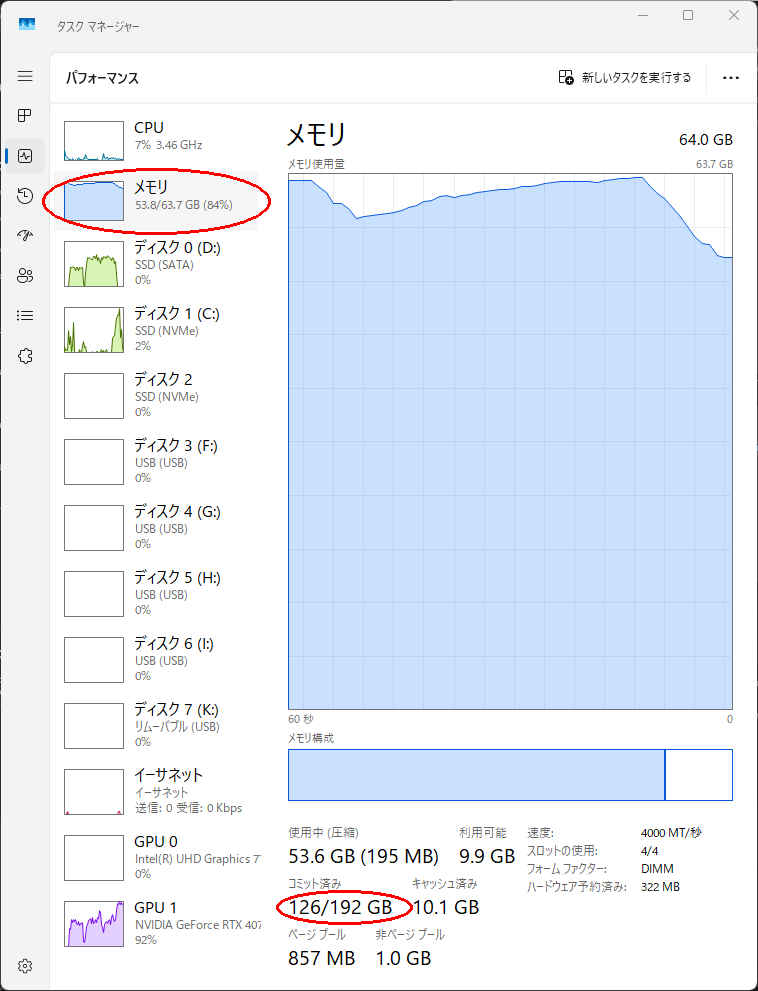
| 回数 | ワークフロー | RTX 4070 | RTX 4060 | RTX 4060L | RTX 3050 |
| 初回 | video_ltx2_i2v_001.json | 03:33.83 | 05:08.03 | 07:30.43 | 09:12.62 |
| 2回目 | video_ltx2_i2v_001.json | 01:16.64 | 03:56.71 | 05:42.91 | 17:28.08 |
| video_ltx2_t2v_001.json | 01:56.49 | 03:26.27 | 05:06.04 | 13:38.81 |
| モデル名 | ファイル名 | 内容 | ダウンロード URL |
| Diffusion Model | ltx-2-19b-distilled.safetensors | 蒸留モデル(fp16) | ltx-2-19b-distilled.safetensors |
| ltx-2-19b-distilled_Q4_K_M.gguf | GGUF量子化モデル | ltx-2-19b-distilled_Q4_K_M | |
| Text Encoder | gemma_3_12B_it_fp8_e4m3fn.safetensors | Gemma 3 12B (FP8 e4m3fn) | gemma_3_12B_it_fp8_e4m3fn |
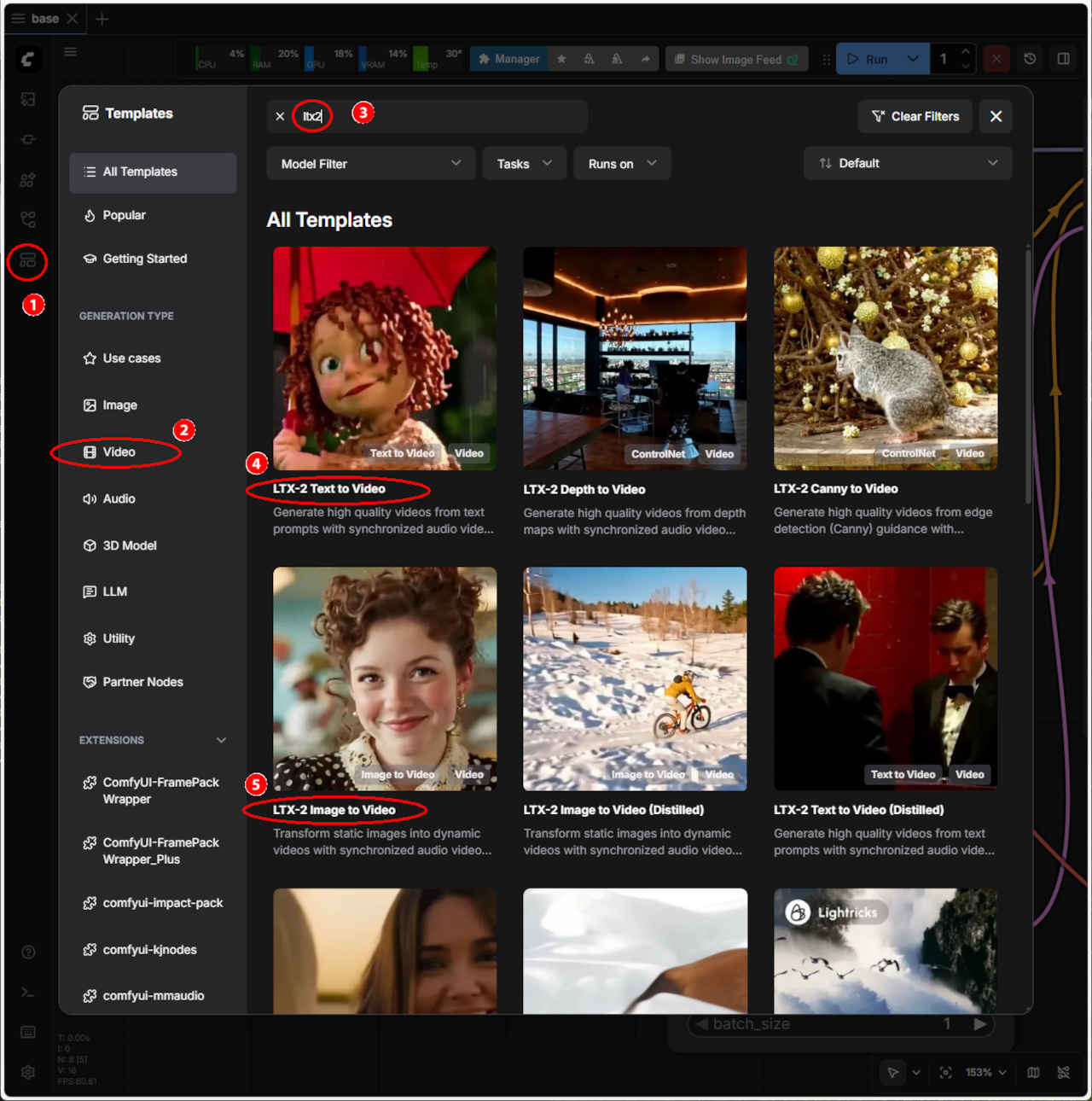
| Prompt A close-up of a cheerful girl puppet with curly auburn yarn hair and wide button eyes, holding a small red umbrella above her head. Rain falls gently around her. She looks upward and begins to sing with joy in English: "It's raining, it's raining, I love it when its raining." Her fabric mouth opening and closing to a melodic tune. Her hands grip the umbrella handle as she sways slightly from side to side in rhythm. The camera holds steady as the rain sparkles against the soft lighting. Her eyes blink occasionally as she sings. |
| 巻き毛の栗毛と大きなボタンのような目をした、元気いっぱいの女の子の人形のクローズアップ。小さな赤い傘を頭上に掲げている。雨が優しく彼女の周りに降り注ぐ。彼女は上を見上げ、楽しそうに英語で歌い始める。「雨が降ってる、雨が降ってる、雨が降ってる時が大好き」。布製の口がメロディーに合わせて開いたり閉じたりしている。傘の柄を握りしめ、リズムに合わせて軽く左右に体を揺らす。カメラは、柔らかな光に照らされた雨のきらめきを捉える。歌いながら、彼女の目は時折瞬きする。 |
| Negative Prompt blurry, low quality, still frame, frames, watermark, overlay, titles, has blurbox, has subtitles |
| ぼやけている、低品質、静止画、フレーム、透かし、オーバーレイ、タイトル、ぼかしボックスあり、字幕あり |
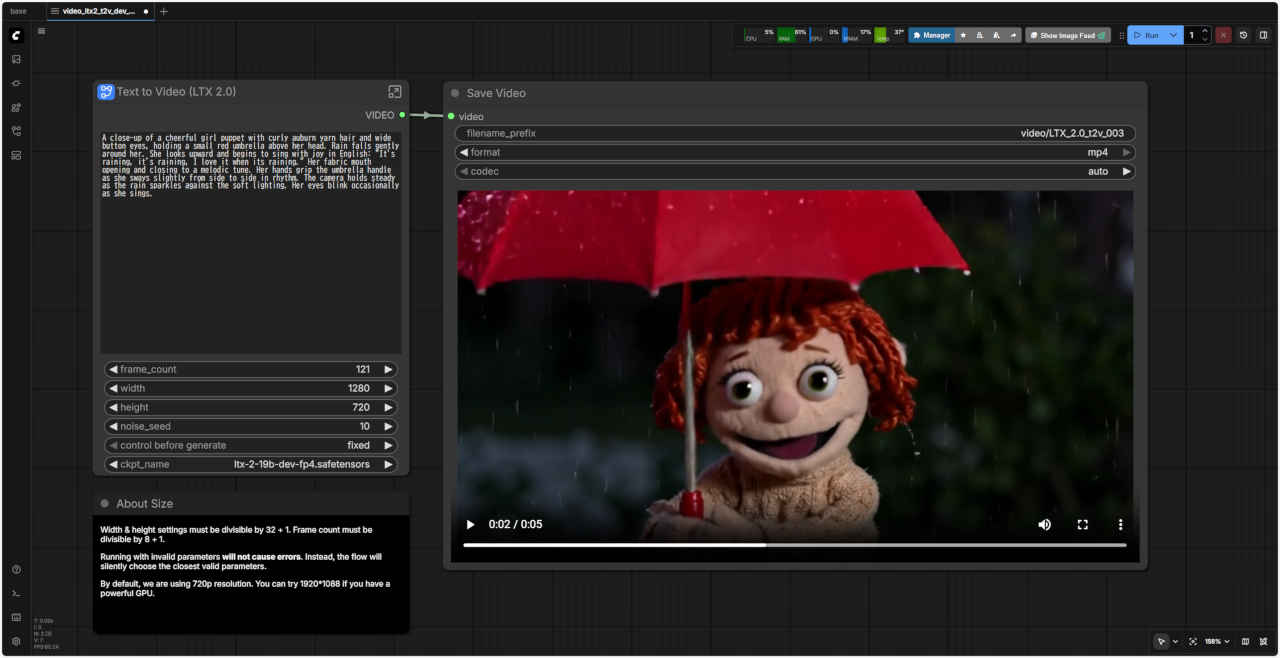
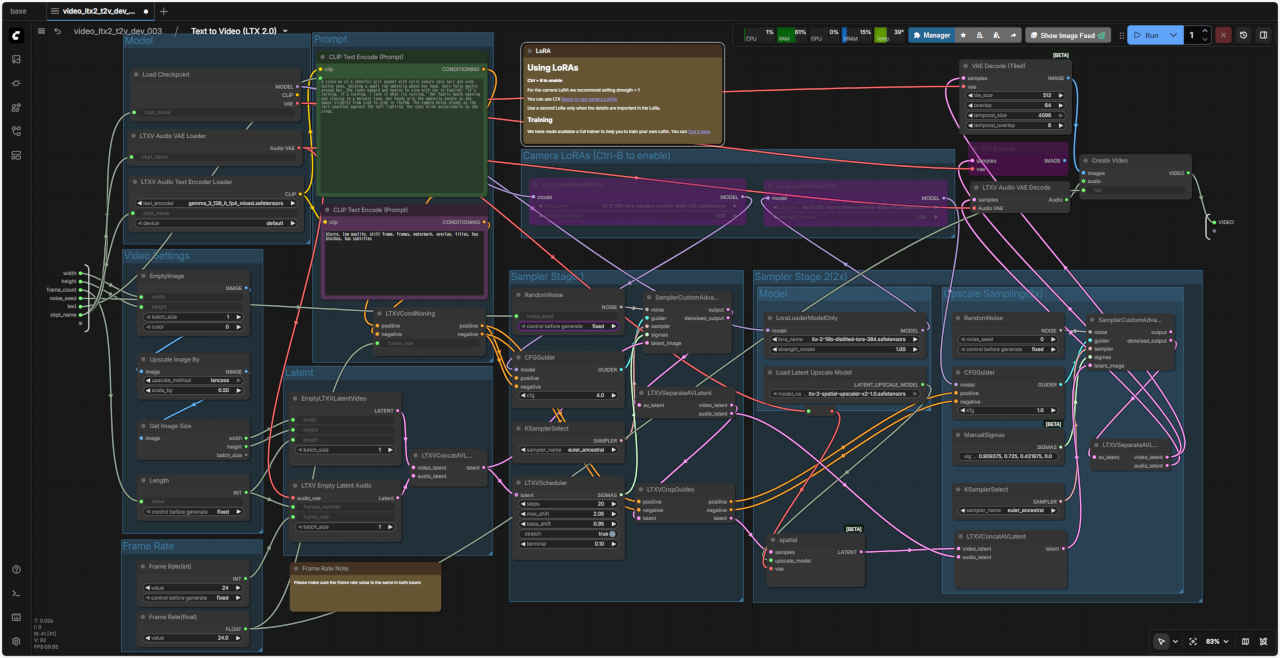 video_ltx2_t2v_dev_003.json
| Prompt A close-up shot of a young waitress in a retro 1950s diner, her warm brown eyes meeting the camera with a gentle smile. She wears a black polka-dot dress with an elegant cream lace collar, her reddish-brown hair styled in an elaborate updo with delicate curls framing her freckled face. Soft, warm light from overhead fixtures illuminates her features as she stands behind a yellow counter. The camera begins slightly to her side, then slowly pushes in toward her face, revealing the subtle rosy blush on her cheeks. In the blurred background, the soft teal walls and a glowing red "Diner" sign create a nostalgic atmosphere. The ambient sounds of clinking dishes, distant conversations, and the gentle hum of a jukebox fill the air. She tilts her head slightly and says in a friendly, warm voice: "Welcome to Rosie's. What can I get for you today?" The mood is inviting, timeless, and full of classic American diner charm. |
| 1950年代のレトロなダイナーで、若いウェイトレスのクローズアップショット。温かみのある茶色の瞳が、優しい微笑みを浮かべながらカメラを見つめている。彼女はエレガントなクリーム色のレースの襟が付いた黒い水玉模様のドレスを身にまとい、赤みがかった茶色の髪は繊細なカールで丁寧にアップスタイルにスタイリングされ、そばかすのある顔を縁取っている。黄色いカウンターの後ろに立つウェイトレスの顔は、天井から差し込む柔らかく温かみのある光で照らされている。カメラは彼女の少し横から撮影を始め、徐々に顔に近づいていき、ほのかなバラ色の頬を浮かび上がらせている。ぼやけた背景の中で、柔らかな青緑色の壁と赤く輝く「ダイナー」の看板がノスタルジックな雰囲気を醸し出している。皿がぶつかる音、遠くで交わされる会話、そしてジュークボックスの優しい音が辺りを満たしている。彼女は少し首を傾げ、親しみやすく温かい声でこう言った。「ロージーズへようこそ。本日は何をお選びになりますか?」雰囲気は魅力的で時代を超越しており、古典的なアメリカのダイナーの魅力に満ちています。 |
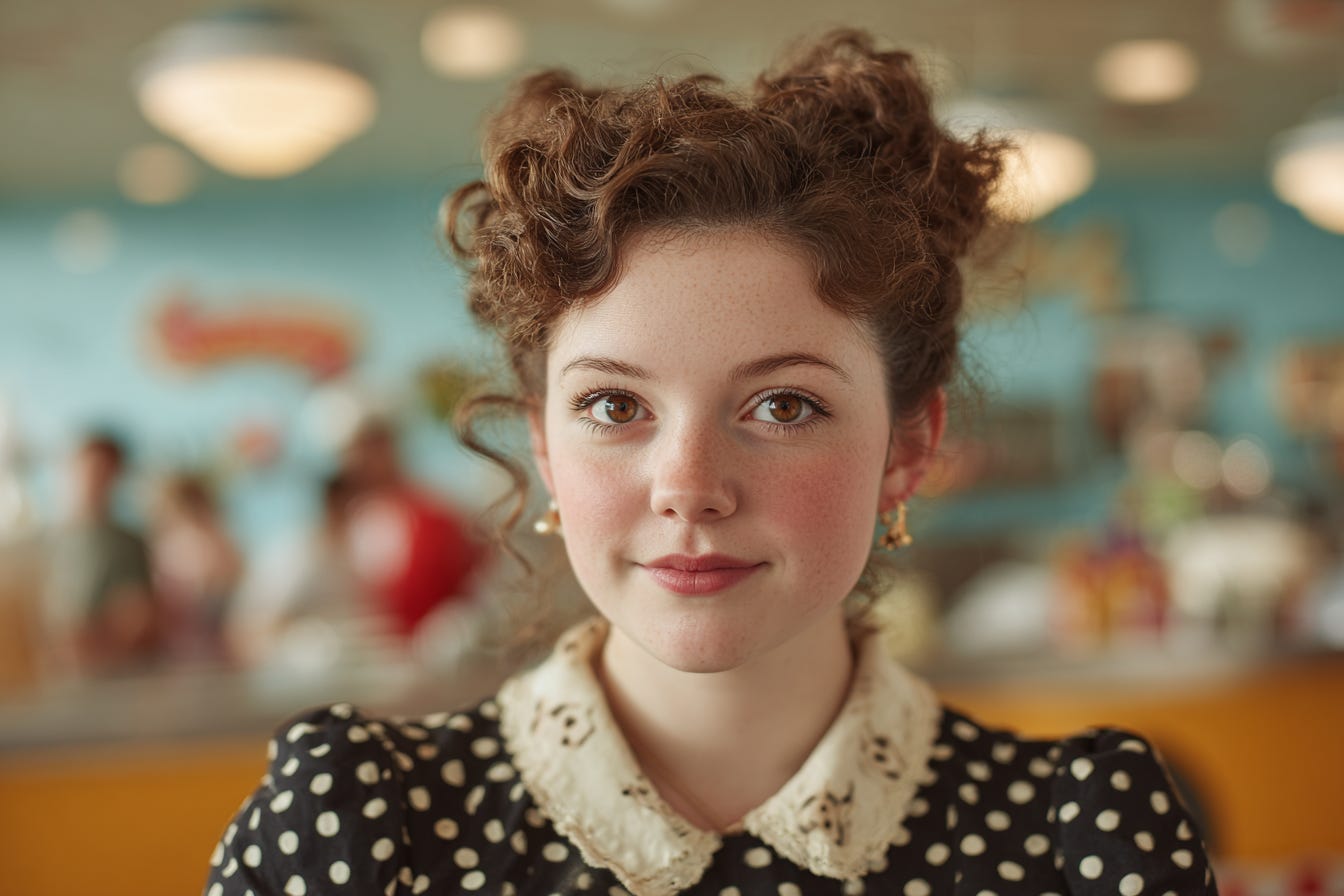
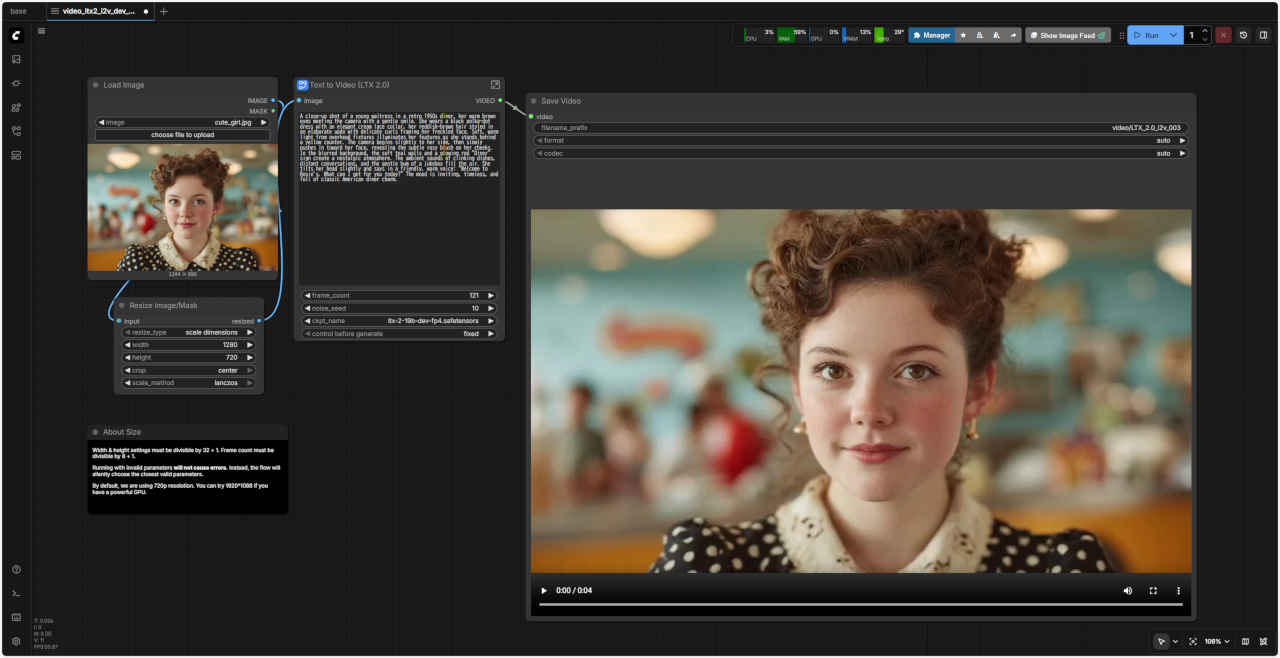
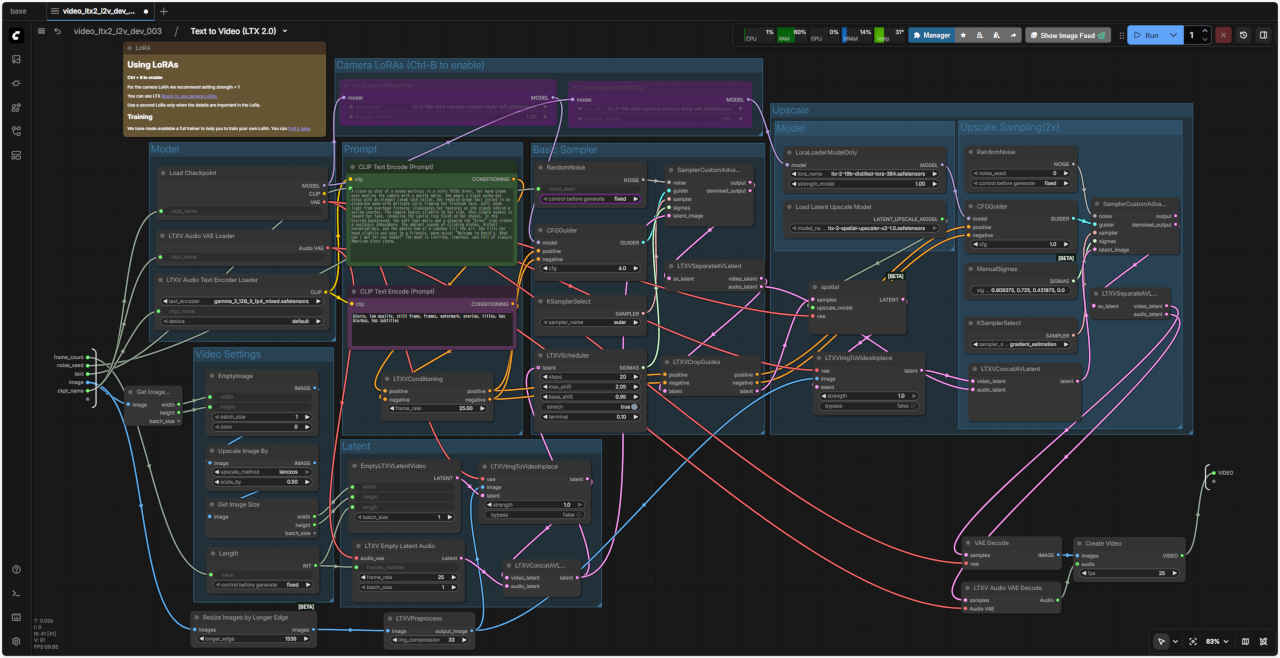 video_ltx2_i2v_dev_003.json
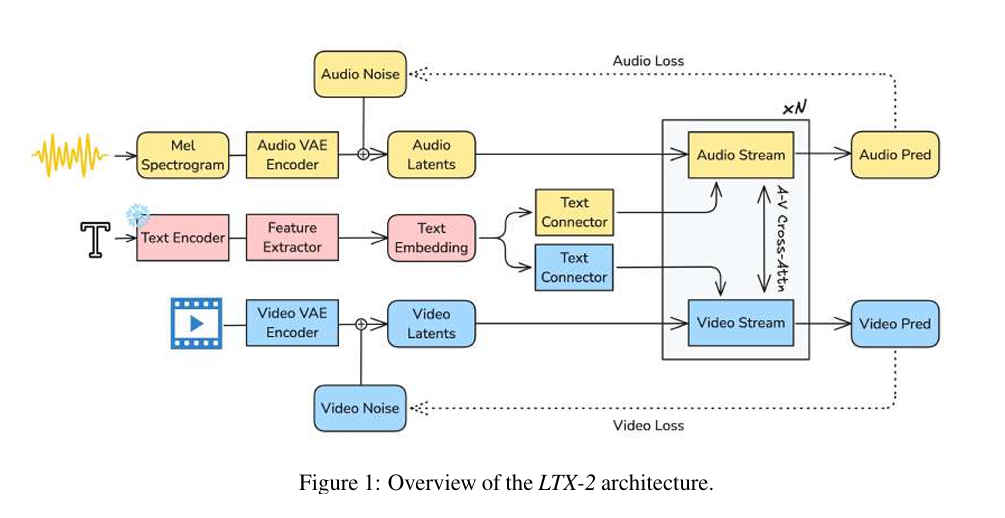
| LTX-2 (Lightricks社製) 動画生成AIにおける Distilled(蒸留モデル)とFP4(4-bit量子化モデル)の主な違いは、「生成速度(ステップ数)」と「精度(画質・細部)」のトレードオフである。以下は 2026年1月時点のローカル環境(ComfyUI等)での傾向 |
| 特徴 | Distilled (蒸留版) | FP4 (4-bit量子化版) | Dev (ベースモデル) |
| 概要 | 知識蒸留という手法を用いて、元モデル(Dev)の能力を維持しつつ、少ないステップ数で高画質な動画を生成できるように軽量・高速化したモデル | NVIDIAの最新技術などを利用し、モデルの重みを4-bitまで圧縮したモデル | 通常版ベースモデル |
| 主な用途 | 高速生成 (8〜16ステップ) | 省VRAM・高速化 (RTX50xx向け) | 高品質・高精細 (30+ステップ) |
| ステップ数 | 8-16 steps (非常に速い) | 30+ steps (重い) | 30-50+ steps (遅い) |
| VRAM消費 | 中 (FP8等でさらに軽量化可) | 極小 (8GB〜12GBで動作) | 大 (24GB以上推奨) |
| 画質・詳細 | 良好だが「AI的」な質感 | やや粗い、アーティファクト大 | 最高 (リアル) |
| 適したGPU | RTX 3090/4090/50xx | RTX 50xx (NVFP4), 4060 | ハイエンド環境 |
| メリット | 爆速: 生成時間が大幅に短縮される 簡単: プロンプトへの追従性が高く、細かいパラメータ調整が不要 | 省VRAM: VRAM消費が非常に少なく、8GB〜12GBのGPUでも動作する RTX 50シリーズで最速: RTX 50シリーズ(5080/5090等)で特化した高速化が期待できる | |
| デメリット | FP16などに比べると細かいディテール(顔の表情など)が少し塑性的な「プラスチック感」が出やすい | 画質低下: 量子化の弊害で、詳細部分の描写が粗くなることがある GPUを選ぶ: 高速化の恩恵を最大に受けるにはRTX 50シリーズが必要 | |
| ダウンロード URL | ltx-2-19b-distilled.safetensors (fp16) ltx-2-19b-distilled-fp8.safetensors (fp8) | ltx-2-19b-dev-fp4.safetensors (fp4) | ltx-2-19b-dev.safetensors (fp16) ltx-2-19b-dev-fp8.safetensors (fp8) |
| 容量 | 43.3 GB (fp16) / 27.1 GB (fp8) | 20 GB (fp4) | 43.3 GB (fp16) / 27.1 GB (fp8) |
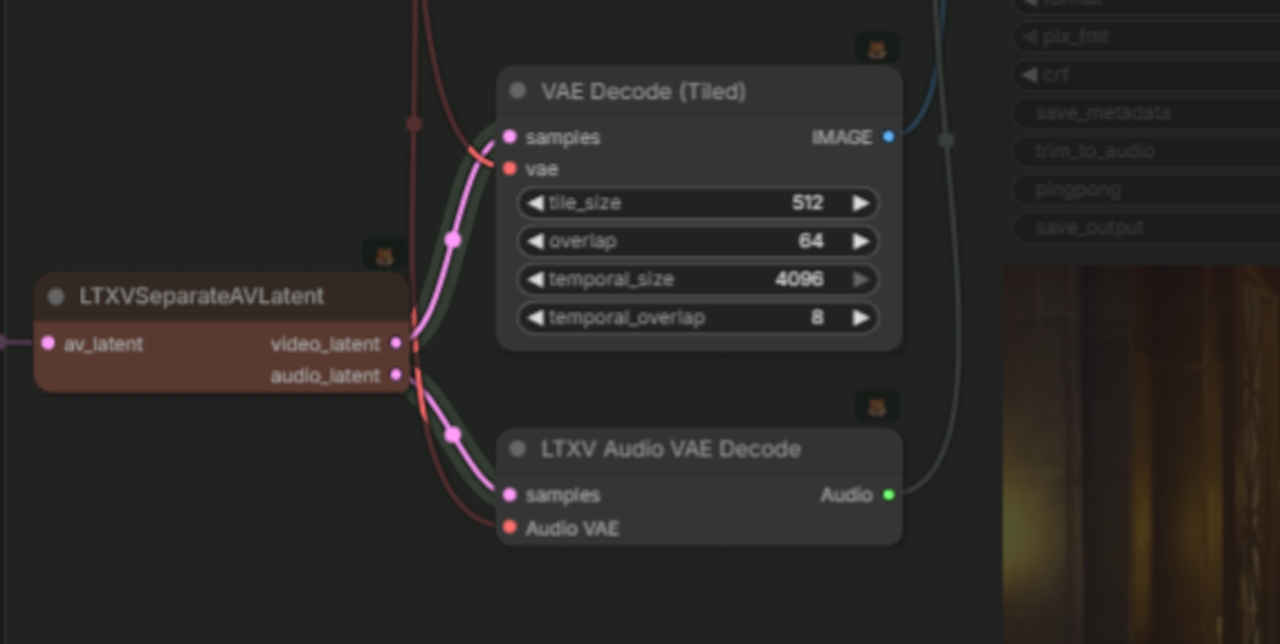
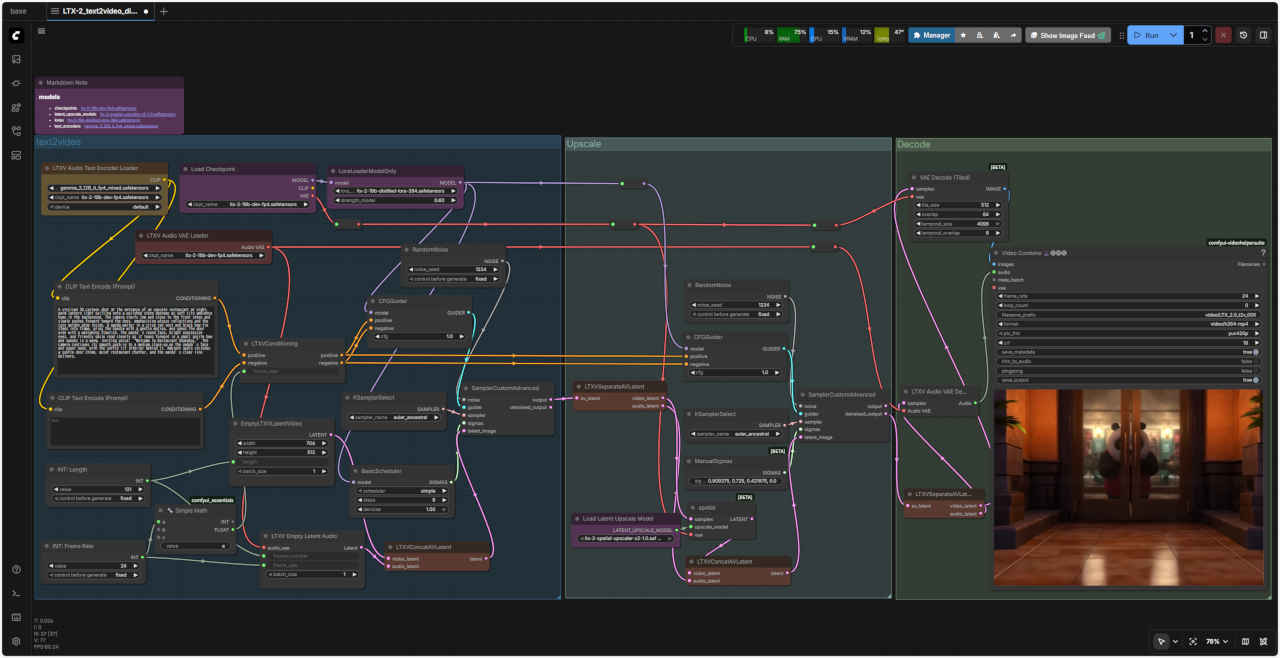
| ComfyUI オフィシャルサイトの標準ワークフローは「subgraph」機能を使用して入出力要素以外を隠して簡略化しているので、これを外しフラットな通常のワークフローの形にして整理しなおした |
| text to video | image to video | |||
| distilled (蒸留版) fp8 | dev(通常版) fp4 | Distilled (蒸留版) fp8 | dev(通常版) fp4 | |
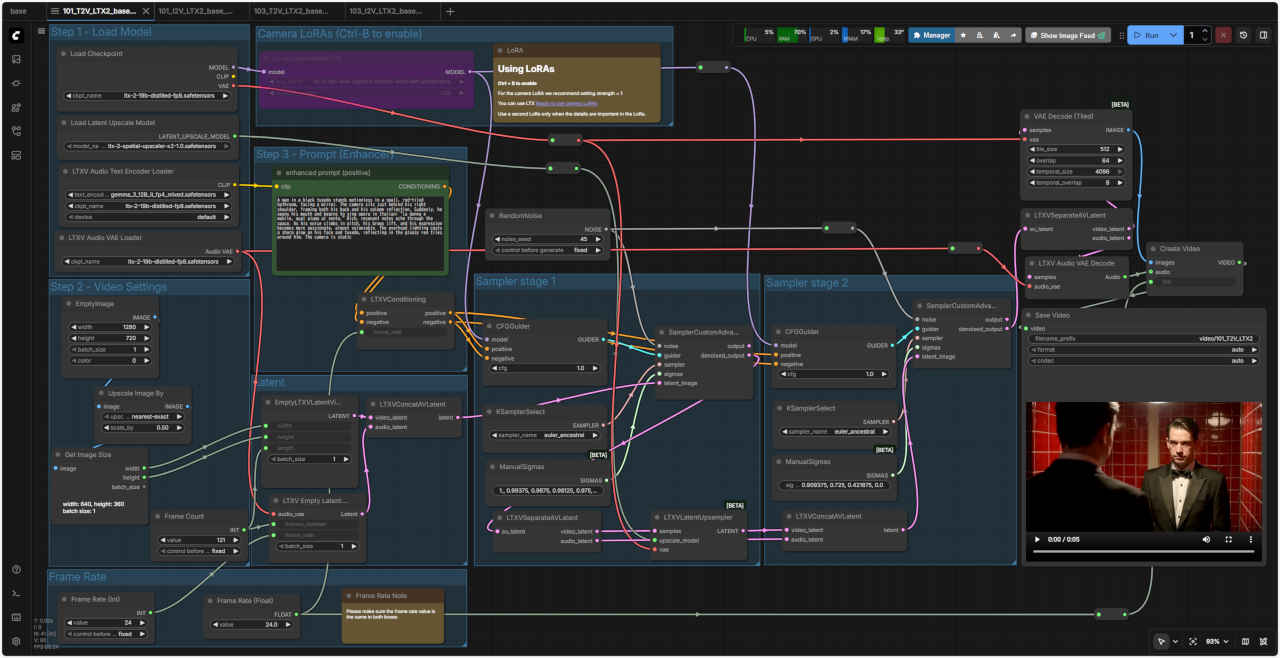 | 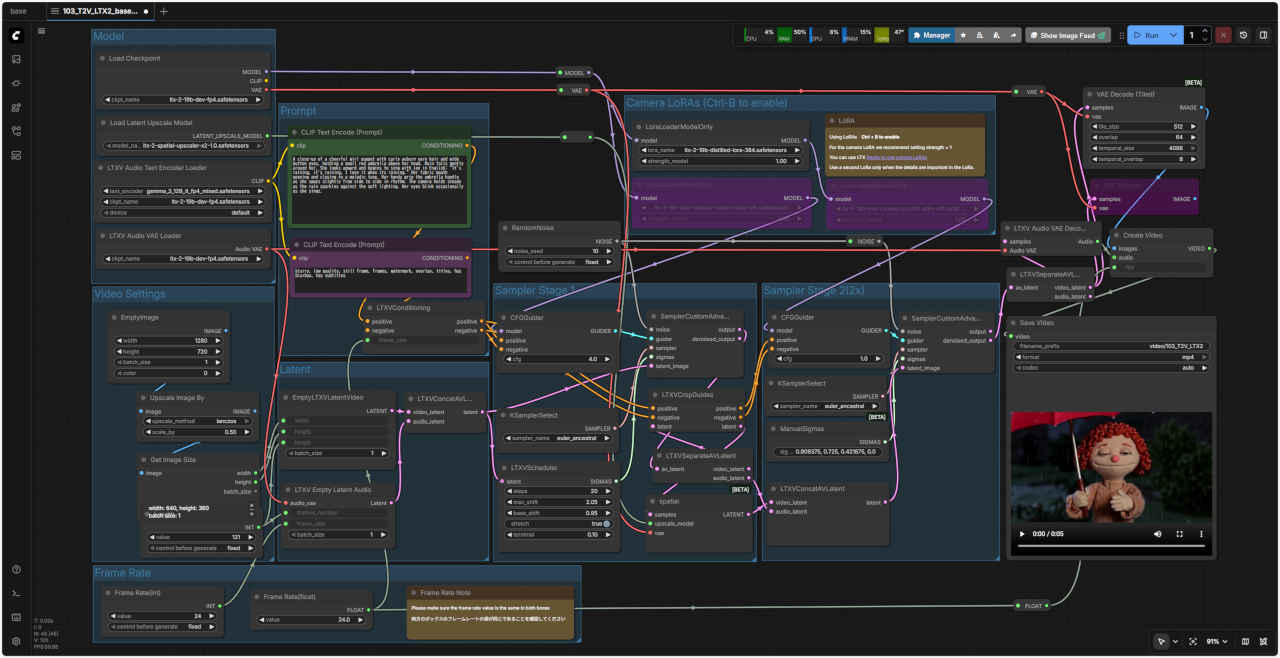 | 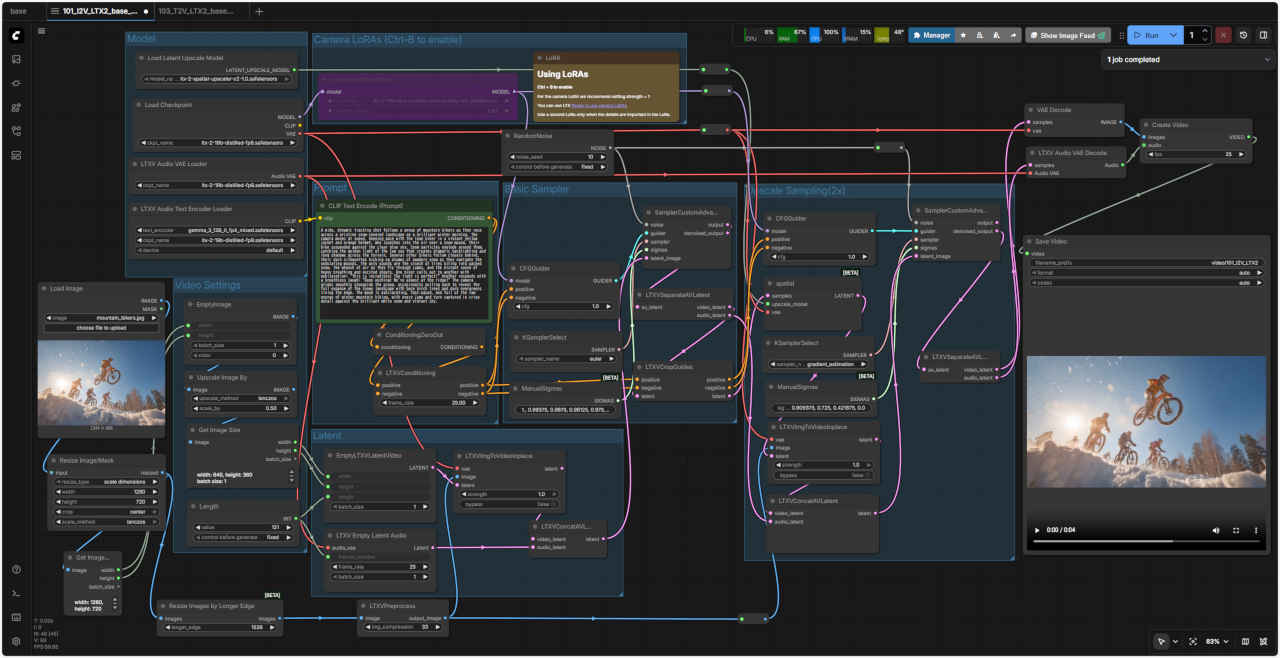 | 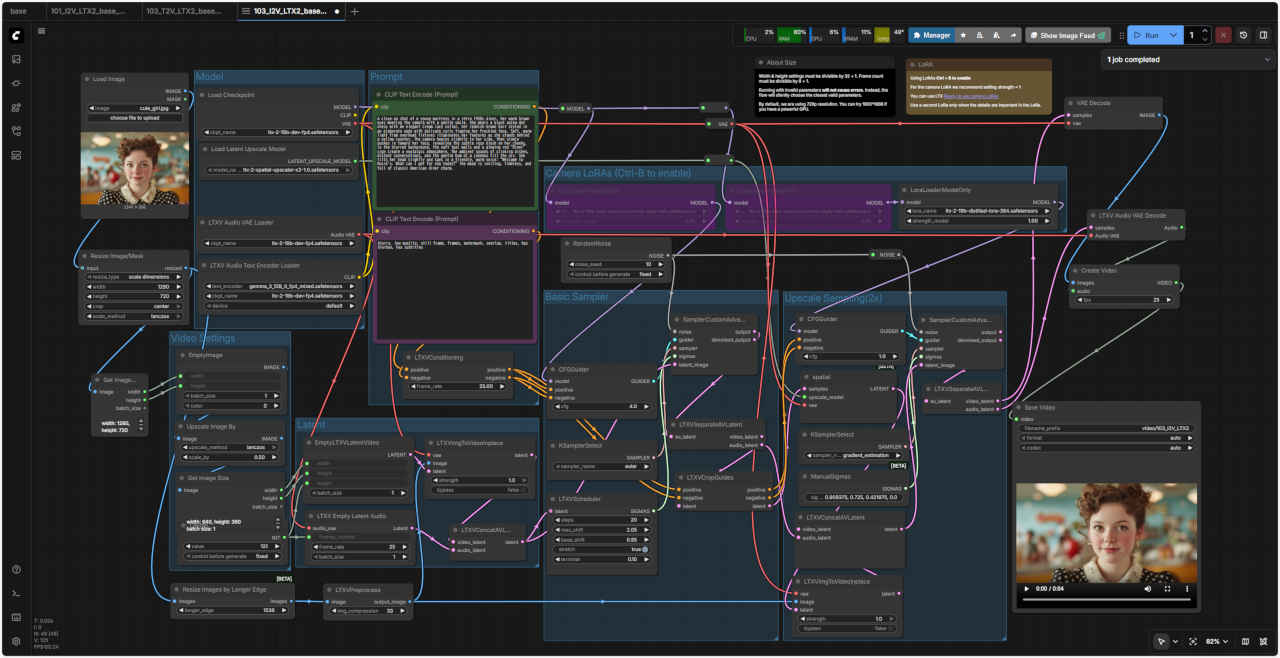 | |
| 101_T2V_LTX2_base_distilled.json | 103_T2V_LTX2_base_dev.json | &ref(): File not found: "101_I2V_LTX2_base_distilled.json" at page "ComfyUI9"; | &ref(): File not found: "103_I2V_LTX2_base_dev.json" at page "ComfyUI9"; | |
| 生成時間(分:秒) | ||||
| RTX-4070 | ||||
| RTX-4060 | 04:59.94 | 03:58.41 | 08:21.71 | 07:17.85 |
| RTX-4060L | 05:35.99 | 04:37.25 | 10:09.20 | 10:26.00 |
| RTX-3050 | 13:54.88 | 17:32.56 | 19:12.19 | 19:36.78 |
| LTX-2 ワークフローは複雑で理解しにくい。いろいろ調査していく過程で日本人の方の作成したわかりやすいサイトを見つけた。 このサイトをお手本にLTX-2 ワークフローの検証を進める |
| 解像度 | 640×640(1:1) | 出力 | 1280x1280 |
| 768×512(3:2) | 1536x1024 | ||
| 704×512(4:3) | 1408x1024 | ||
| ※後処理で 2倍にアップスケールするので実際の出力は倍のサイズになる | |||
| ※32の倍数である必要がある | |||
| FPS | 24 / 25 / 30 | ||
| フレーム | 最大:257 frames(25fpsで約10秒) | ||
| 推奨:121–161(品質とメモリのバランス) | |||
| ※8n+1 になる必要がある | |||
📂StabilityMatrix/Data/
 └ 📂Models/
    ├ 📂StableDiffusion/
    │   └── ltx-2-19b-dev-fp4.safetensors
    └ 📂Lora/
         └── ltx-2-19b-distilled-lora-384.safetensors

📂ComfyUI/
 └ 📂models/
    ├ 📂latent_upscale_models/
    │   └── ltx-2-spatial-upscaler-x2-1.0.safetensors
    └ 📂text_encoders/
         └── gemma_3_12B_it_fp4_scaled.safetensors
※ より軽量化へ 4bit量子化モデルに変更する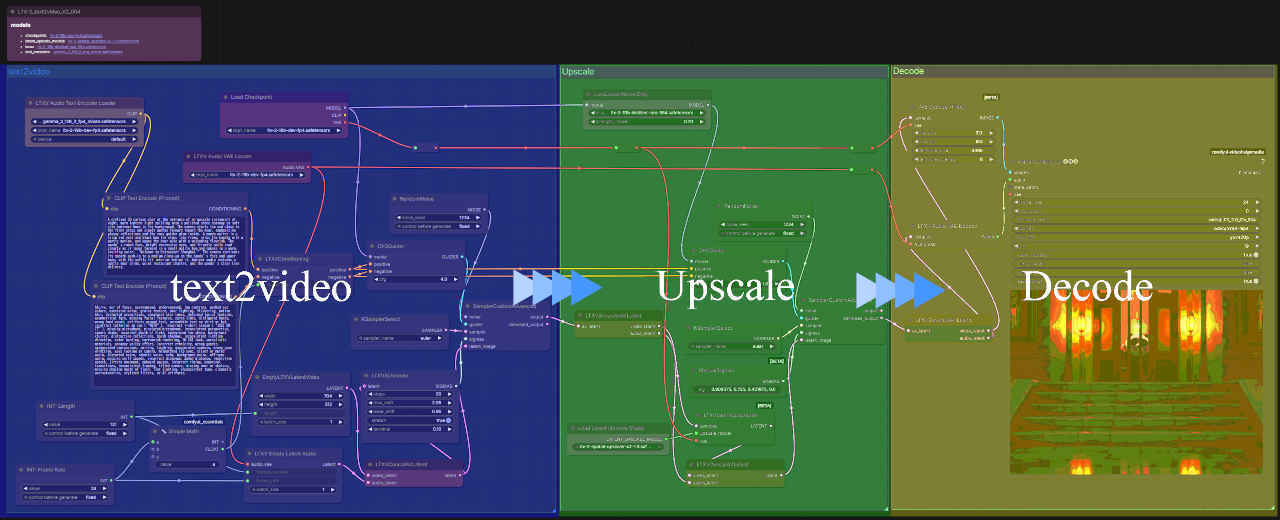
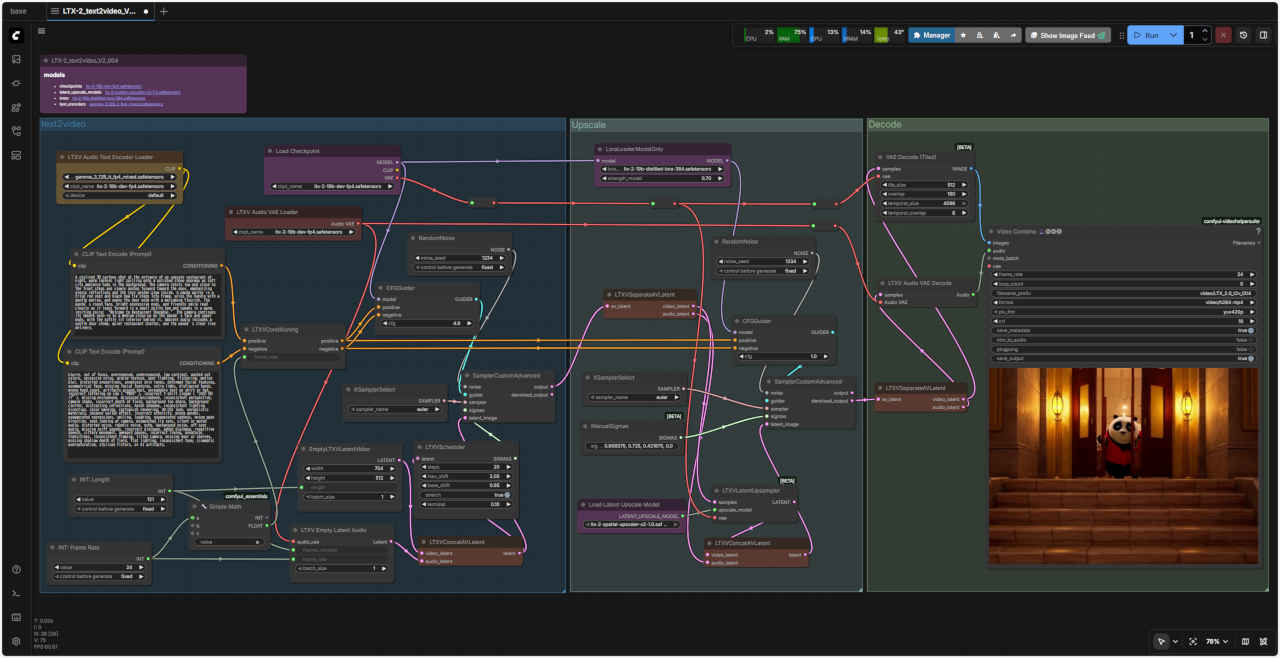
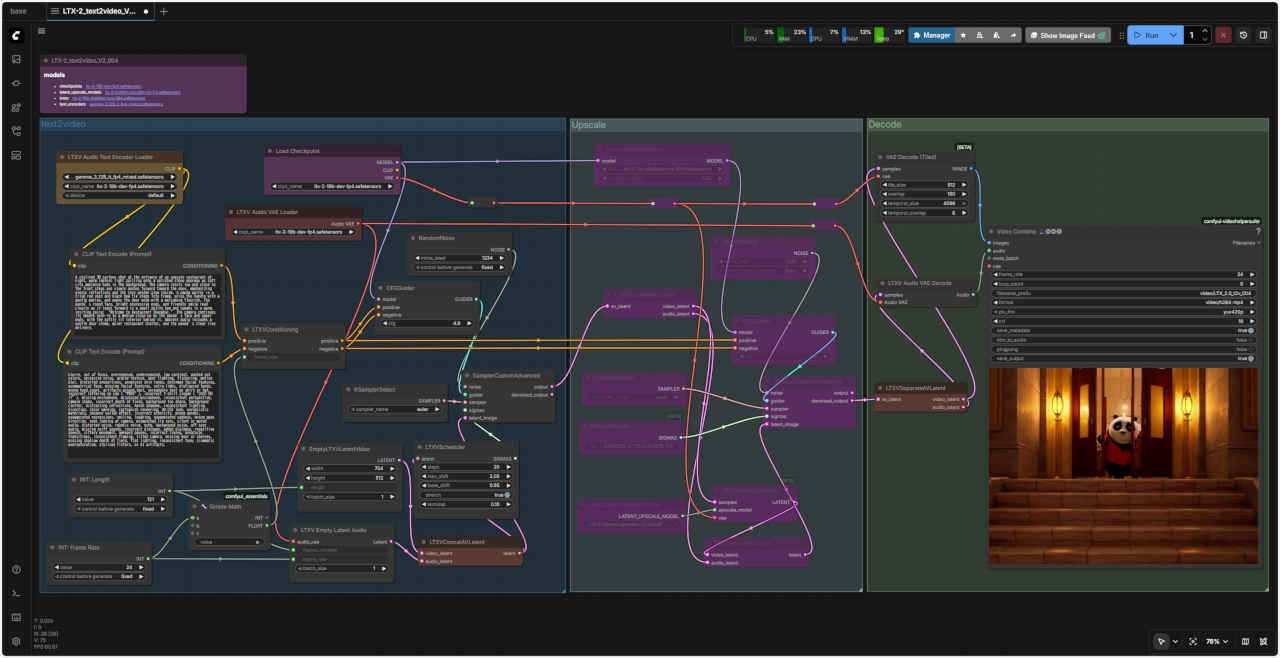 LTX-2_text2video_V2_004.json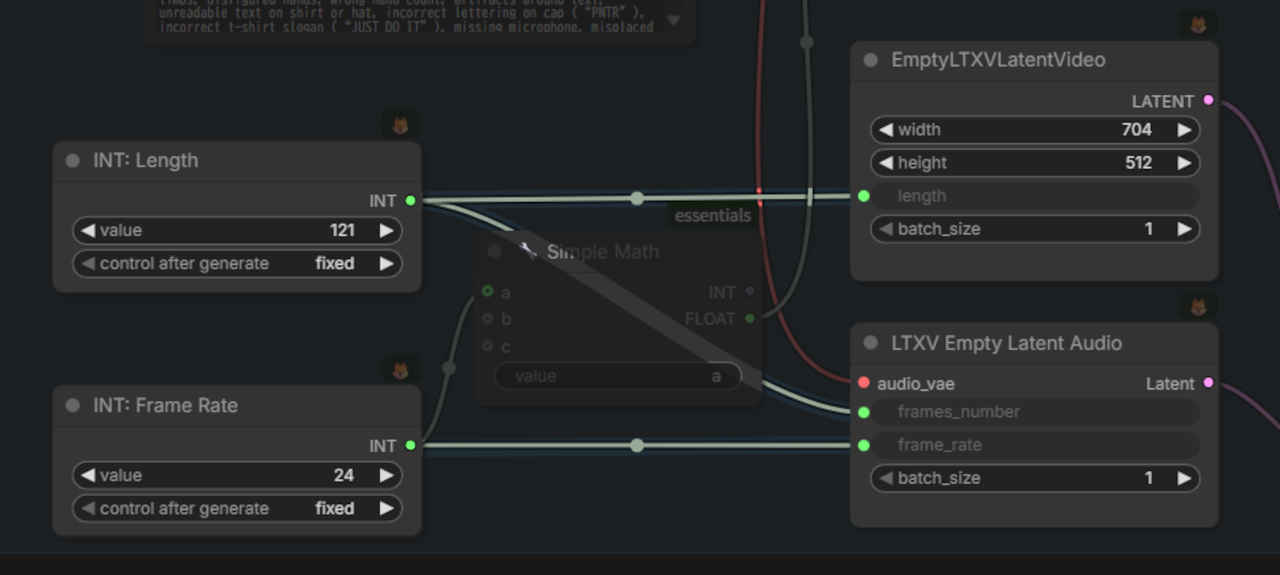
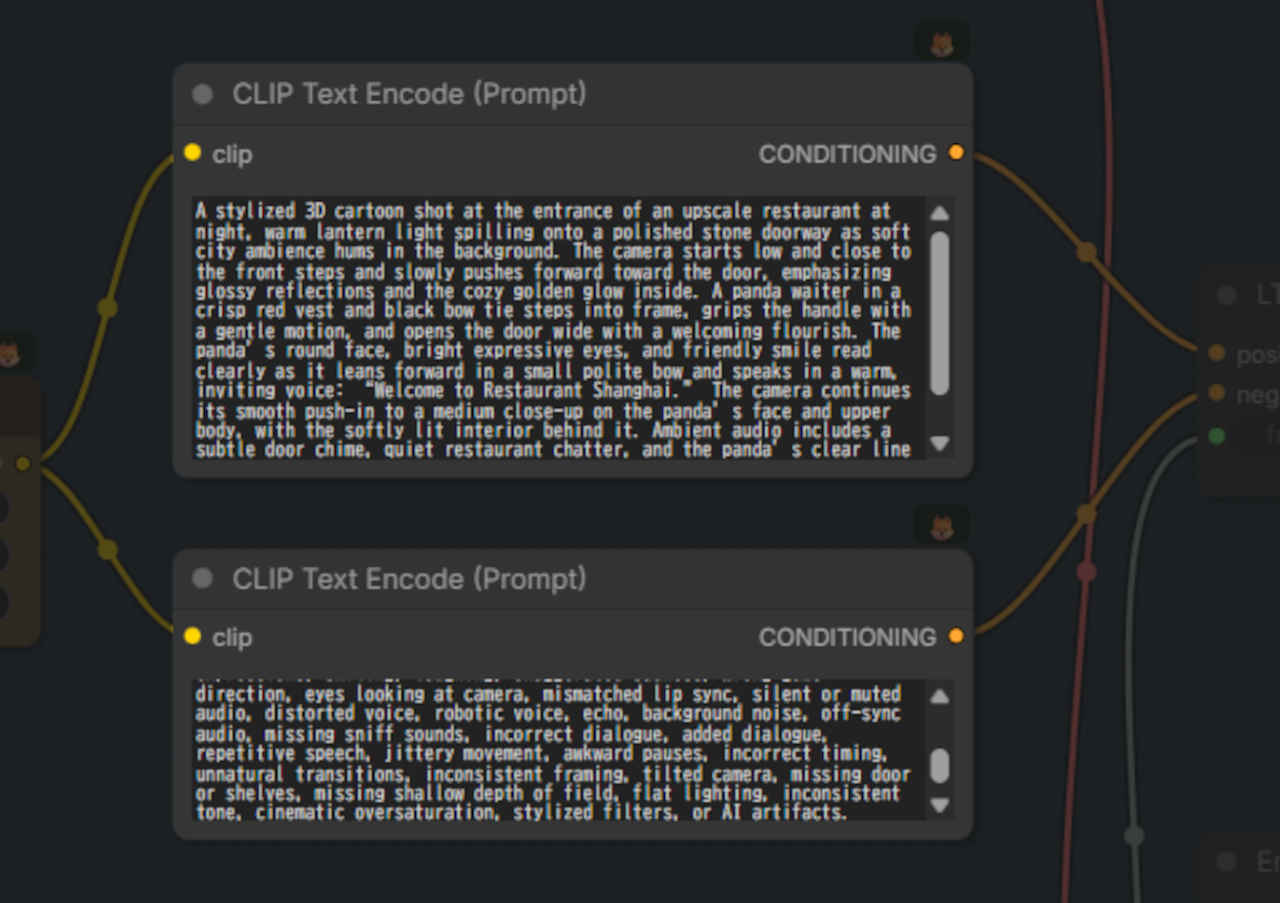
| Prompt A stylized 3D cartoon shot at the entrance of an upscale restaurant at night, warm lantern light spilling onto a polished stone doorway as soft city ambience hums in the background. The camera starts low and close to the front steps and slowly pushes forward toward the door, emphasizing glossy reflections and the cozy golden glow inside. A panda waiter in a crisp red vest and black bow tie steps into frame, grips the handle with a gentle motion, and opens the door wide with a welcoming flourish. The panda’s round face, bright expressive eyes, and friendly smile read clearly as it leans forward in a small polite bow and speaks in a warm, inviting voice: “Welcome to Restaurant Shanghai.” The camera continues its smooth push-in to a medium close-up on the panda’s face and upper body, with the softly lit interior behind it. Ambient audio includes a subtle door chime, quiet restaurant chatter, and the panda’s clear line delivery. |
| 高級レストランの入り口を捉えた、スタイリッシュな3Dアニメ風の映像。温かみのあるランタンの光が、磨き上げられた石造りの扉に降り注ぎ、背景には柔らかな都会の雰囲気が漂っている。カメラは低い位置から玄関の階段付近からゆっくりとドアへと近づき、光沢のある反射と店内の心地よい金色の輝きを強調する。鮮やかな赤いベストと黒い蝶ネクタイを身に着けたパンダのウェイターがフレームに入り、軽くハンドルを握り、歓迎の意を示すようにドアを大きく開ける。パンダの丸顔、明るく表情豊かな瞳、そして人懐っこい笑顔は、パンダが身を乗り出し、小さく丁寧にお辞儀をしながら、温かく招き入れるような声で「上海レストランへようこそ」と語りかける様子から読み取れる。カメラは、柔らかな光に照らされた店内を背景に、パンダの顔と上半身をミディアムクローズアップで捉える。環境音には、かすかなドアチャイムの音、レストランの静かな会話、そしてパンダの明瞭なセリフが含まれている。 |
| Negative Prompt blurry, out of focus, overexposed, underexposed, low contrast, washed out colors, excessive noise, grainy texture, poor lighting, flickering, motion blur, distorted proportions, unnatural skin tones, deformed facial features, asymmetrical face, missing facial features, extra limbs, disfigured hands, wrong hand count, artifacts around text, unreadable text on shirt or hat, incorrect lettering on cap (“PNTR”), incorrect t-shirt slogan (“JUST DO IT”), missing microphone, misplaced microphone, inconsistent perspective, camera shake, incorrect depth of field, background too sharp, background clutter, distracting reflections, harsh shadows, inconsistent lighting direction, color banding, cartoonish rendering, 3D CGI look, unrealistic materials, uncanny valley effect, incorrect ethnicity, wrong gender, exaggerated expressions, smiling, laughing, exaggerated sadness, wrong gaze direction, eyes looking at camera, mismatched lip sync, silent or muted audio, distorted voice, robotic voice, echo, background noise, off-sync audio, missing sniff sounds, incorrect dialogue, added dialogue, repetitive speech, jittery movement, awkward pauses, incorrect timing, unnatural transitions, inconsistent framing, tilted camera, missing door or shelves, missing shallow depth of field, flat lighting, inconsistent tone, cinematic oversaturation, stylized filters, or AI artifacts. |
| ぼやけている、焦点が合っていない、露出オーバー、露出不足、コントラストが低い、色が褪せている、ノイズが多すぎる、粒状の質感、照明が悪い、ちらつき、モーションブラー、歪んだプロポーション、不自然な肌の色、変形した顔の特徴、非対称の顔、顔の特徴がない、余分な手足、変形した手、間違った手のカウント、文字の周囲のアーティファクト、シャツや帽子の判読できない文字、帽子の間違った文字(「PNTR」)、間違ったTシャツのスローガン(「JUST DO IT」)、マイクがない、マイクの位置が間違っている、一貫性のない遠近感、カメラの揺れ、間違った被写界深度、背景が鮮明すぎる、背景が乱雑、気が散る反射、強い影、一貫性のない照明方向、色の縞模様、漫画のようなレンダリング、3D CGI の外観、非現実的なマテリアル、不気味の谷効果、間違った民族、間違った性別、誇張された表情、笑顔、笑い、誇張された悲しみ、間違った視線方向、カメラを見ている目、歪んだ音声、ロボットのような声、エコー、バックグラウンド ノイズ、同期していないオーディオ、スニフ音の欠落、不正確なセリフ、追加されたセリフ、繰り返しのスピーチ、ぎこちない動き、不自然な間、不正確なタイミング、不自然な遷移、一貫性のないフレーミング、傾いたカメラ、ドアまたは棚の欠落、浅い被写界深度の欠落、平坦な照明、一貫性のないトーン、映画のような過飽和、様式化されたフィルター、または AI アーティファクト。 |
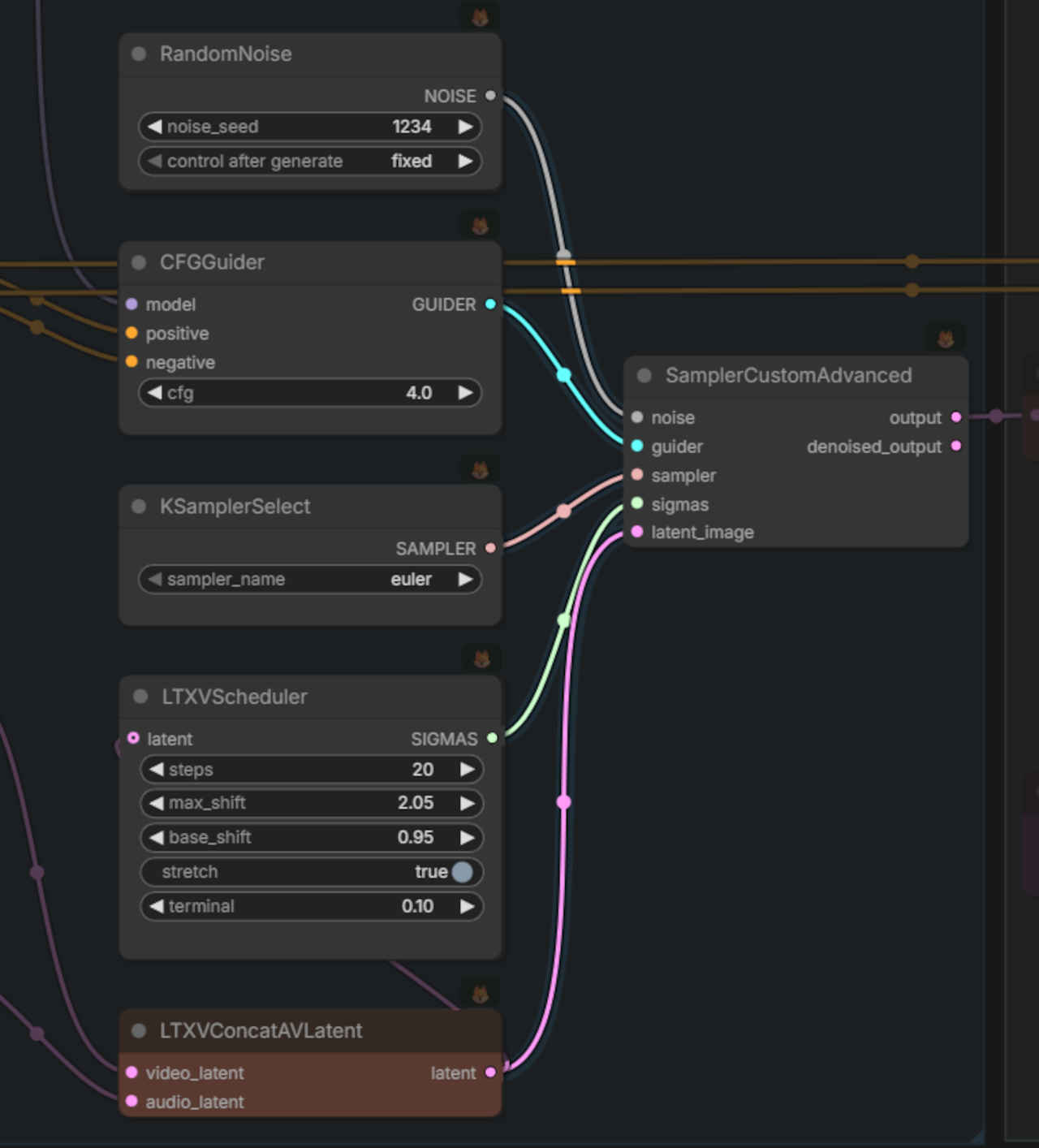
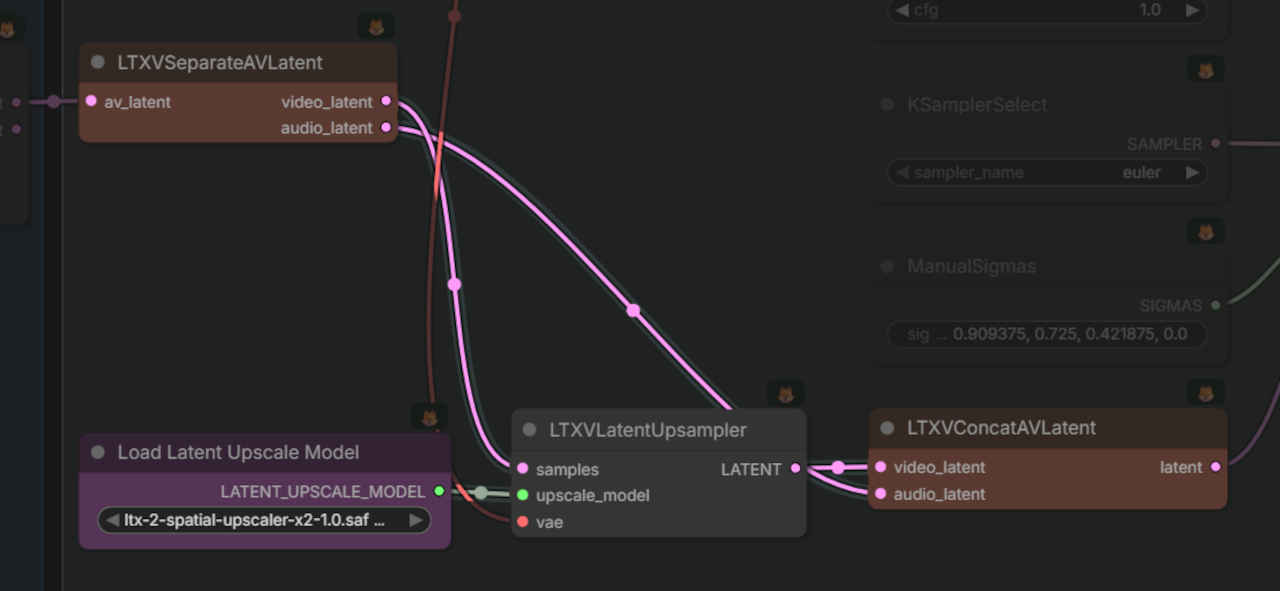
| 2X Upscale (1408x1024 pixel) | Upscale なし (704x512 pixel) |
| 生成時間(分:秒)11:38.87 | 生成時間(分:秒)08:43.00 |
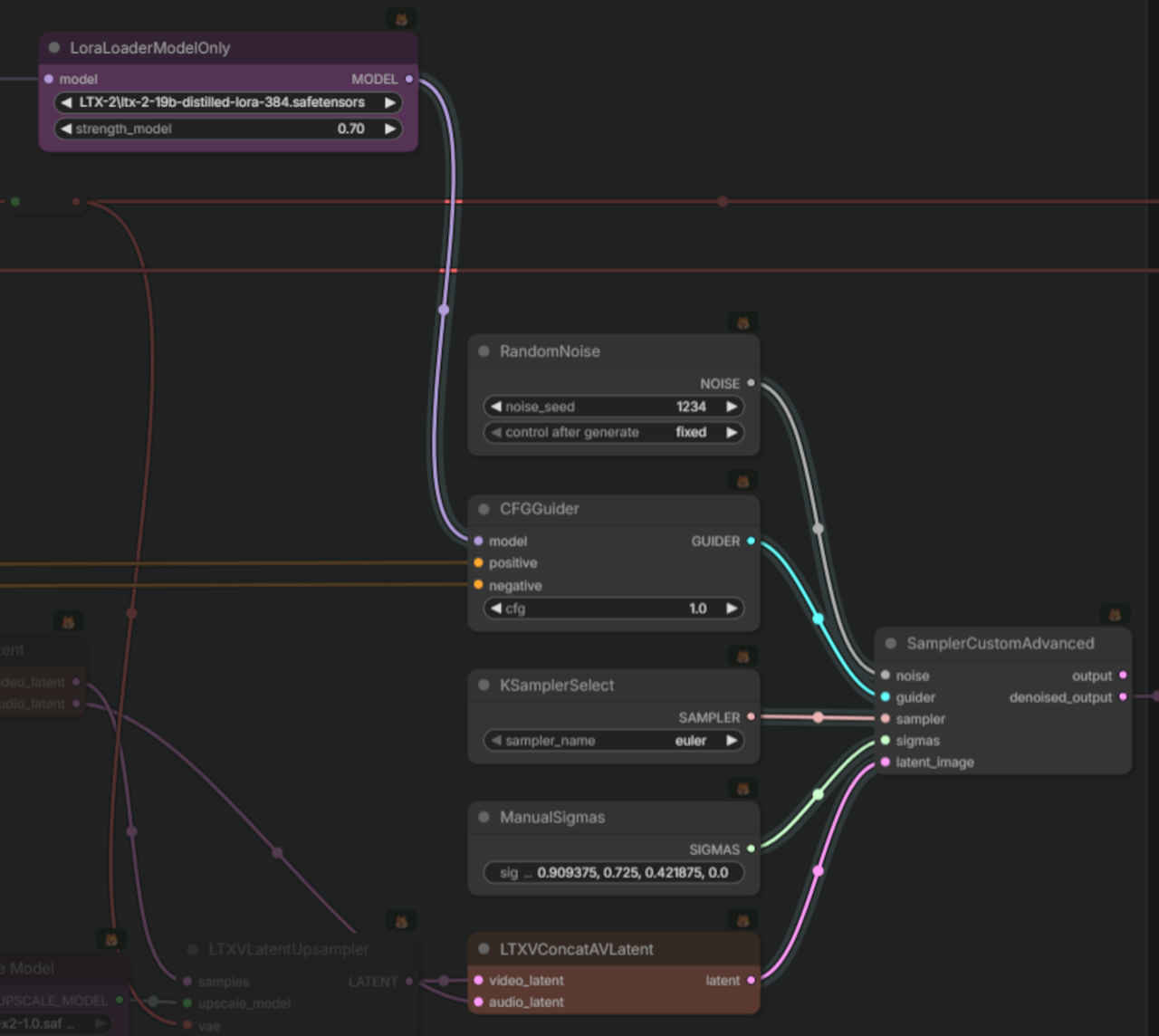
 LTX-2_text2video_distilled_005.json
| ltx-2-19b-dev-fp4.safetensors | ltx-2-19b-distilled-fp8.safetensors |
| 生成時間(分:秒)24:46.75 | 生成時間(分:秒)08:46.19 |
| Step数を 20 → 8 に減らしたにもかかわらず生成速度は倍以上かかっている。VRAM 容量不足で効果が出ないのかもしれない。 fp8 → fp4 のモデルについては同じワークフローで問題がないようだ。 | 蒸留版を通常版と同じワークフローで使用するのは問題があるようで、生成品質が良くない。対応方法は調査の必要がある。 |
| 1. 121 frames の枠を作る(8n+1) 🌫️ 🌫️ 🌫️ 🌫️ 🌫️ ... 🌫️ |
| 2. 1フレーム目だけ入力画像で上書き 🖼️ 🌫️ 🌫️ 🌫️ 🌫️ ... 🌫️ |
| 3. 残りの120フレームを生成 🖼️ ✨ ✨ ✨ ✨ ... ✨ |
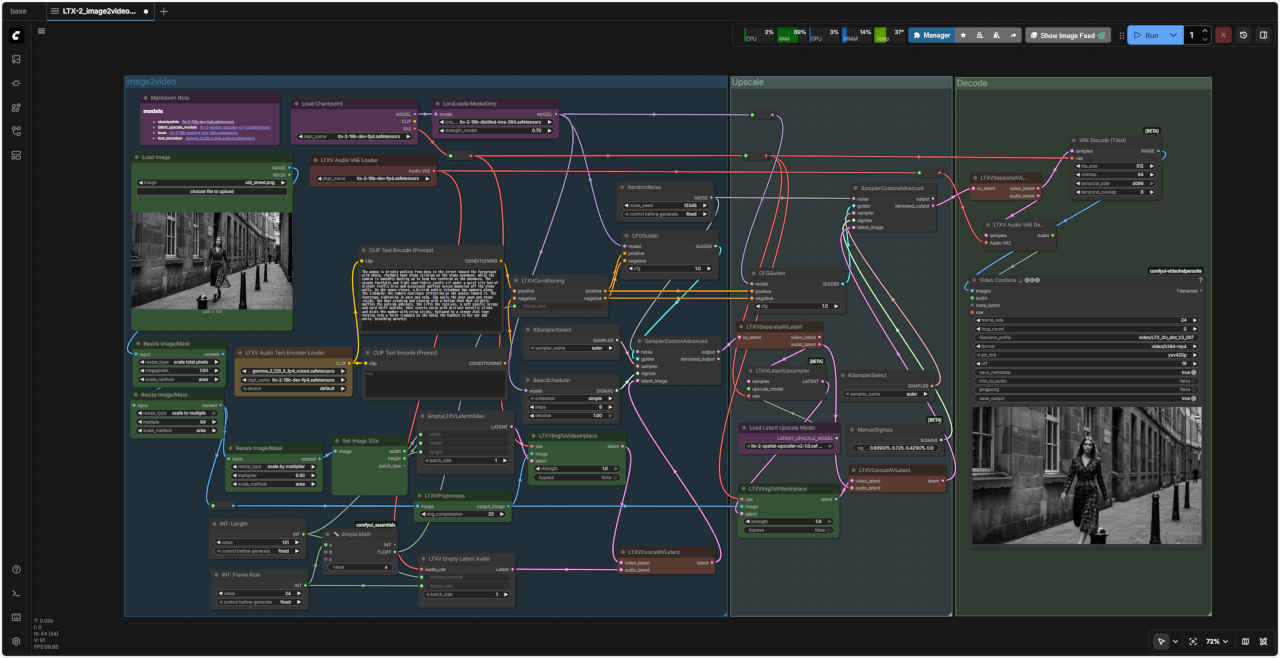 LTX-2_image2video_distilled_V2_007.json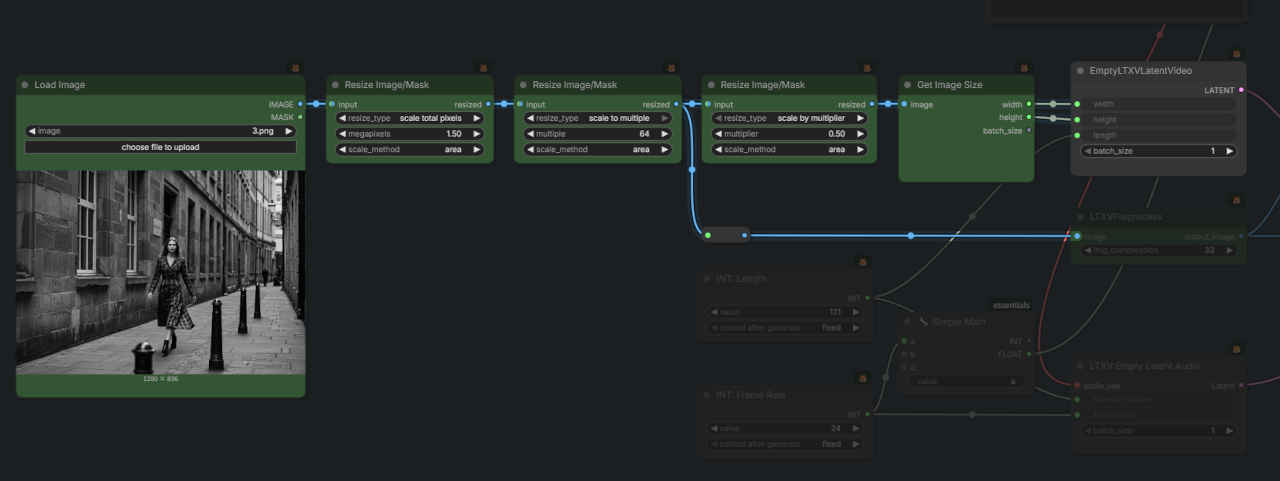
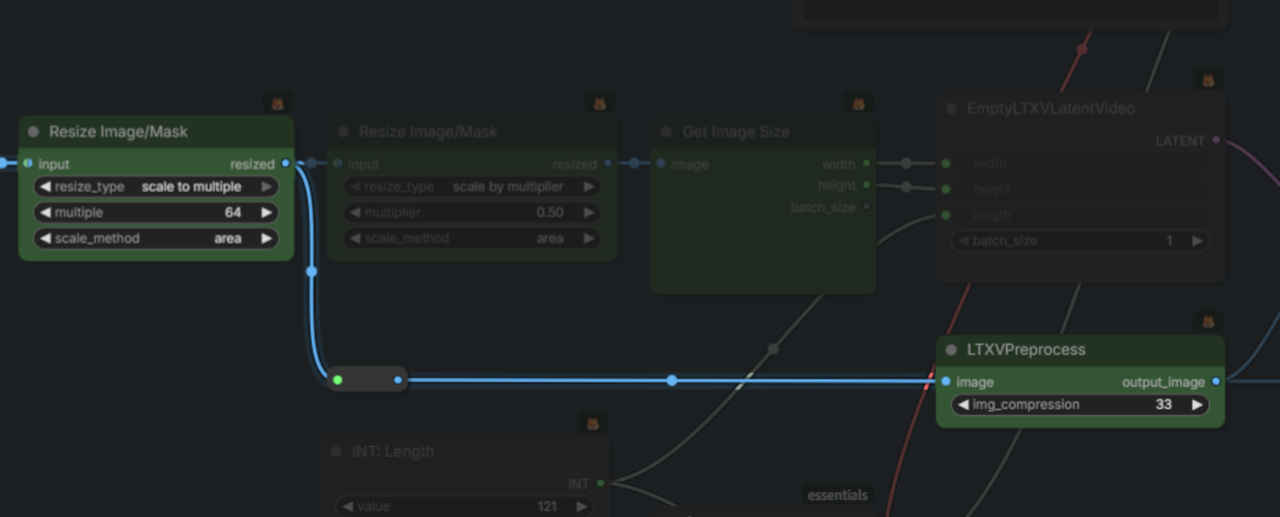
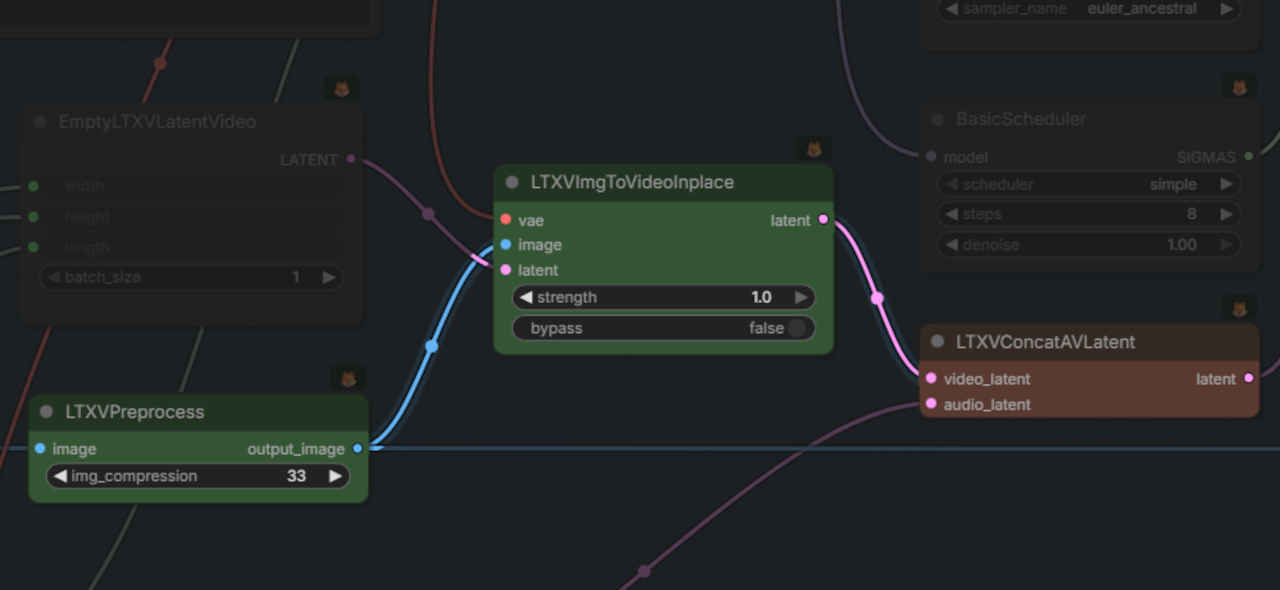
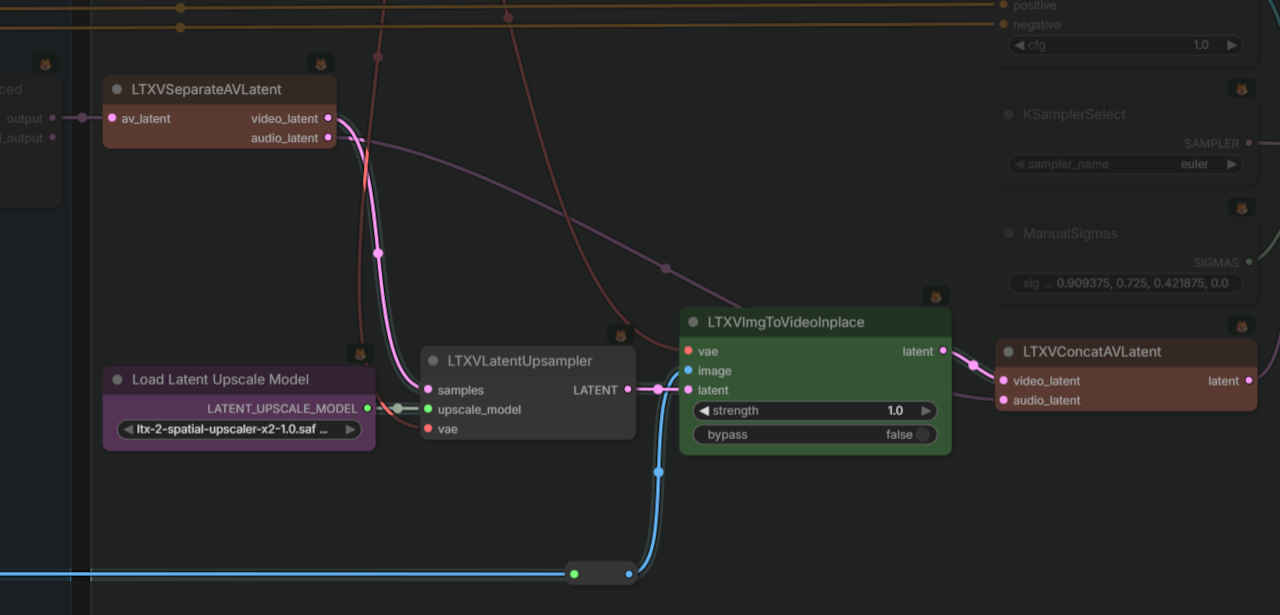
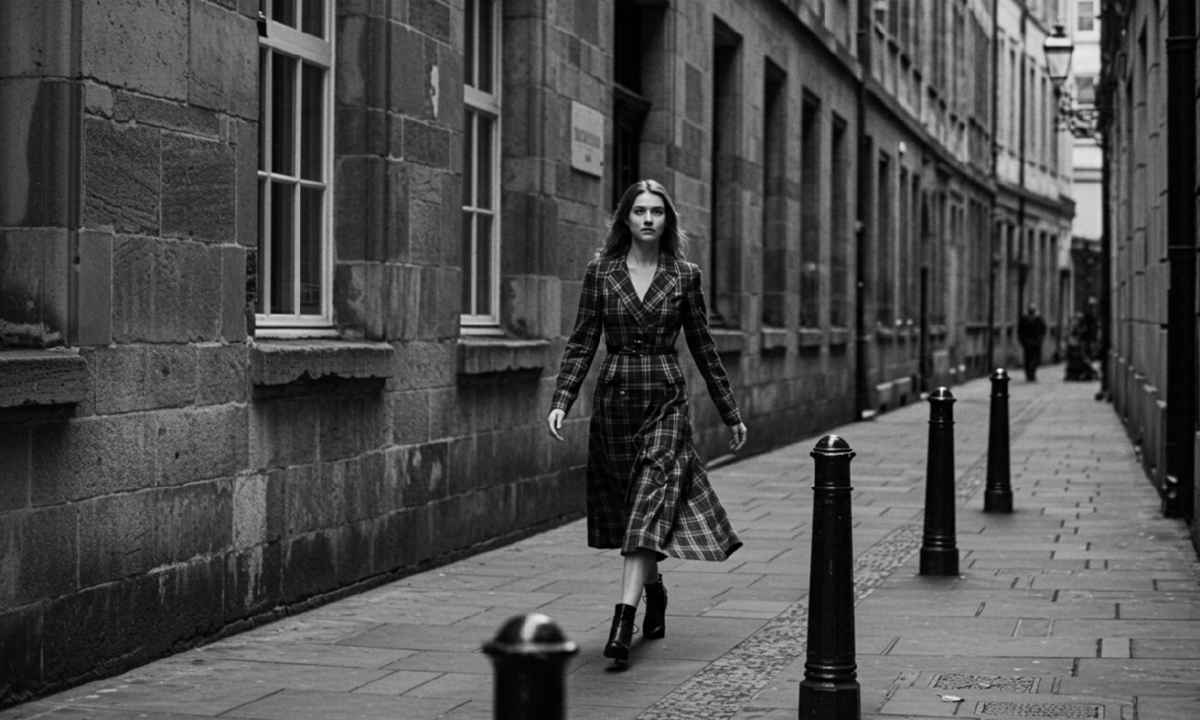
| Prompt The woman is briskly walking from deep in the street toward the foreground with sharp, rhythmic boot steps clicking on the stone pavement, while the camera is smoothly backing up to keep her centered as she advances. The steady footfalls and light coat-fabric rustle sit under a quiet city bed of distant traffic hiss and occasional muffled voices bouncing off the stone walls. As she comes closer, a British public telephone box appears along the sidewalk; the camera continues retreating as she angles toward it, the footsteps tightening in pace and echo. She pulls the door open and steps inside, the door creaking and closing with a hollow thud that slightly muffles the outside ambience. She lifts the receiver, a soft plastic scrape and cord shift audible, then inserts coins with distinct metallic clinks and dials the number with crisp clicks, followed by a steady dial tone turning into a faint ringback as she holds the handset to her ear and waits, breathing quietly. |
| 女性は通りの奥から手前に向かって、石畳をカチカチと音を立てながら、鋭くリズミカルなブーツの足音を響かせながら早足で歩いている。カメラは彼女が前進する間、彼女の視線を中央に留めるために滑らかに後退する。一定の足音と軽いコートの布地の擦れる音は、遠くの交通騒音と時折石壁に反響するくぐもった声といった静かな街の床に静まり返っている。彼女が近づくと、歩道沿いにイギリスの公衆電話ボックスが現れ、カメラは彼女がその方へと角度を変えながら後退し続けると、足音は速度と反響を増していく。彼女はドアを開けて中に入ると、ドアはきしみ、空洞の音を立てて閉まり、外の空気をわずかにかき消した。彼女は受話器を持ち上げ、柔らかいプラスチックの擦れる音とコードが動く音が聞こえる。そして、はっきりとした金属的なカチカチという音とともに硬貨を挿入し、カチッとした音とともに番号をダイヤルする。続いて、一定のダイヤルトーンがかすかな呼び出し音に変わり、彼女は受話器を耳に当て、静かに呼吸しながら待つ。 |
| 入力静止画像 | 生成動画 |
 |
| 入力画像サイズ(pixel) | サイズ指定(MP:メガピクセル) | 生成画像サイズ(Pixel) |
| 1280x72 | 0.4 | 832 x 448 |
| 0.6 | 1024 x 576 | |
| 0.8 | 1152 x 704 | |
| 1.0 | 1280 x 768 |
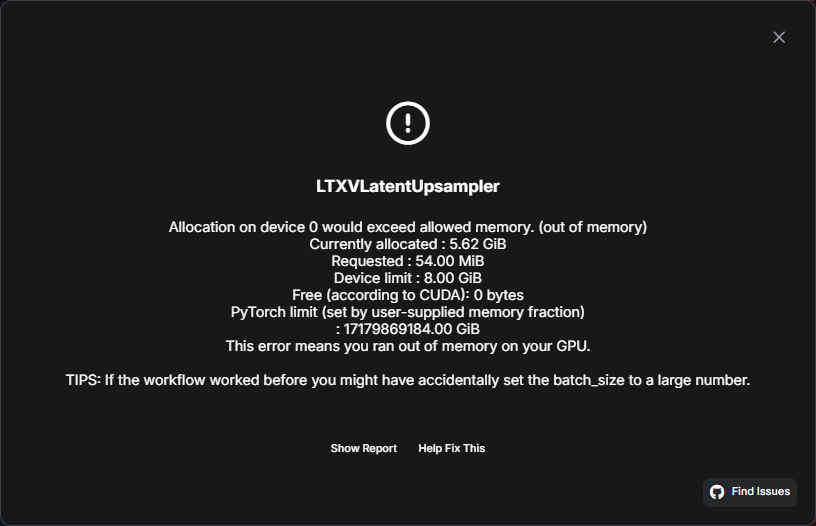
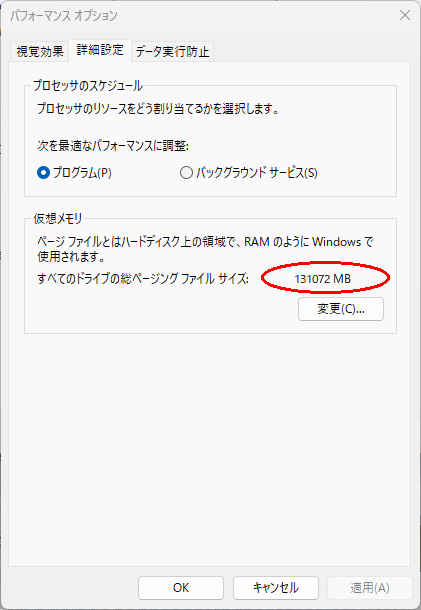
| ComfyUIで「メモリ不足(Out of Memory / OOM)」エラーが発生しても、再実行(Queueボタンをもう一度押す)すると成功する、あるいは2回に1回は成功するような現象は、VRAM(ビデオメモリ)がギリギリの状態で動作している際によく発生する「不安定なメモリ管理」の症状 |