

私的AI研究会 > ComfyUI11
「ComfyUI」を使ってローカル環境でのAI画像生成を検証する
| 『FLUX.1』『FLUX.2』を検証する |
| このプロジェクトで作成するワークフローと関連データは下記にアップロードしている(更新されている場合は再度ダウンロードのこと) |
📂ComfyUI
  ├─📂input              ← ワークフローに含まれる入力画像
  └─📂user
        └─📂default
              └─📂workflows        ← ワークフローの保存場所
                    :
                    ├─📂etc
                    └─📂FLUX       ← この章で作成するワークフロー
・解凍してできる「ComfyUI/」フォルダを「StabilityMatrix/Data/Packages/ComfyUI」へ上書きコピーする| ワークフロー | 機 能 | CPU | CPU | |||||
| RTX 4070 | RTX 4060 | RTX 4060L | RTX 3050 | GTX 1050 | i7-1260P | i7-1185G7 | ||
| 3111_flux1_schnell_simple | FLUX.1 モデル 基本ワークフロー | 00:21.34 | 01:23.28 | 01:19.99 | 05:37.47 | 04:07.18 | 38:20.44 | × |
| 3112_flux1_schnell_controlnet> | FLUX.1 モデル ControlNet フロー | 00:21.70 | 01:35.16 | 02:32.81 | 04:44.34 | 04:57.35 | 38:35.48 | × |
| 3211_flux2_klein_distilled | FLUX.2モデル 基本(蒸留版 fp8) | 00:05.82 | 00:07.59 | 00:20.18 | 01:13.02 | 00:19.15 | 09:13.29 | 12:22.79 |
| 3230_flux2_klein_image_edit_distilled | FLUX.2 klein 画像編集 (1 画像) | 00:10.99 | 00:12.11 | 00:16.16 | 02:27.50 | 04:32.78 | 22:35.62 | 25:34.73 |
| 3231_flux2_klein_image_edit_distilled | FLUX.2 klein 画像編集 (2 画像) | 00:06.98 | 00:16.35 | 00:23.15 | 00:42.70 | 07:24.12 | 43:18.82 | 44:56.34 |
| 3311_flux2_klein_base | FLUX.2モデル 基本(base版 fp8) | 00:18.64 | 00:51.96 | 01:08.37 | 02:50.11 | 18:09.73 | 102:41.80 | 114:04.50 |
| 3330_flux2_klein_image_edit_base | FLUX.2 klein 画像編集 (1 画像) | 00:36.51 | 01:21.44 | 01:48.47 | 04:06.37 | 41:44.93 | 280:00:78 | 256:13.86 |
| 3331_flux2_klein_image_edit_base | FLUX.2 klein 画像編集 (2 画像) | 00:57.32 | 02:19.96 | 03:07.54 | 06:35.67 | 70:20.92 | 512:43.46 | 444:19.23 |
| 『FLUX.1』の軽量モデル「schnell(シュネル)」を検証する |
| モデル名 | ファイル名(.safetensors) | 配置先 | ダウンロード URL | |
| FLUX.1「schnell」 | flux1-schnell-fp8 | /StabilityMatrix/Data/ Models/ | diffusion_models/ | https://huggingface.co/Comfy-Org/flux1-schnell/blob/main/flux1-schnell-fp8.safetensors |
| text_encoders | t5xxl_fp8_e4m3fn | text_encoders/ | https://huggingface.co/comfyanonymous/flux_text_encoders/tree/main | |
| vae | ae | VAE/ | https://huggingface.co/lovis93/testllm/blob/ed9cf1af7465cebca4649157f118e331cf2a084f/ae.safetensors | |
| ControlNet | FLUX.1-dev-ControlNet-Union-Pro-2.0 | ControlNet/ | https://huggingface.co/Shakker-Labs/FLUX.1-dev-ControlNet-Union-Pro-2.0/tree/main | |
| FLUX.1-dev-ControlNet-Union-Pro-2.0-fp8 | https://huggingface.co/ABDALLALSWAITI/FLUX.1-dev-ControlNet-Union-Pro-2.0-fp8 | |||
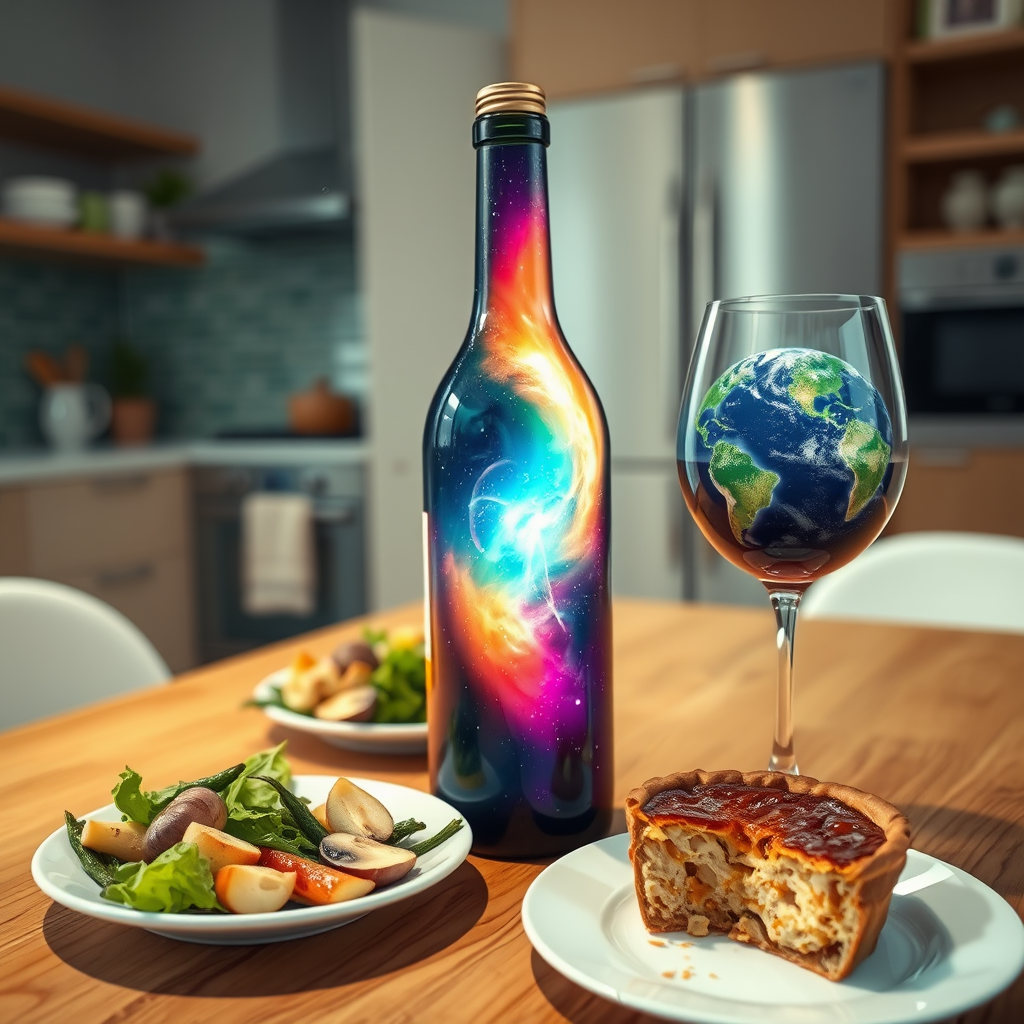
| プロンプト |
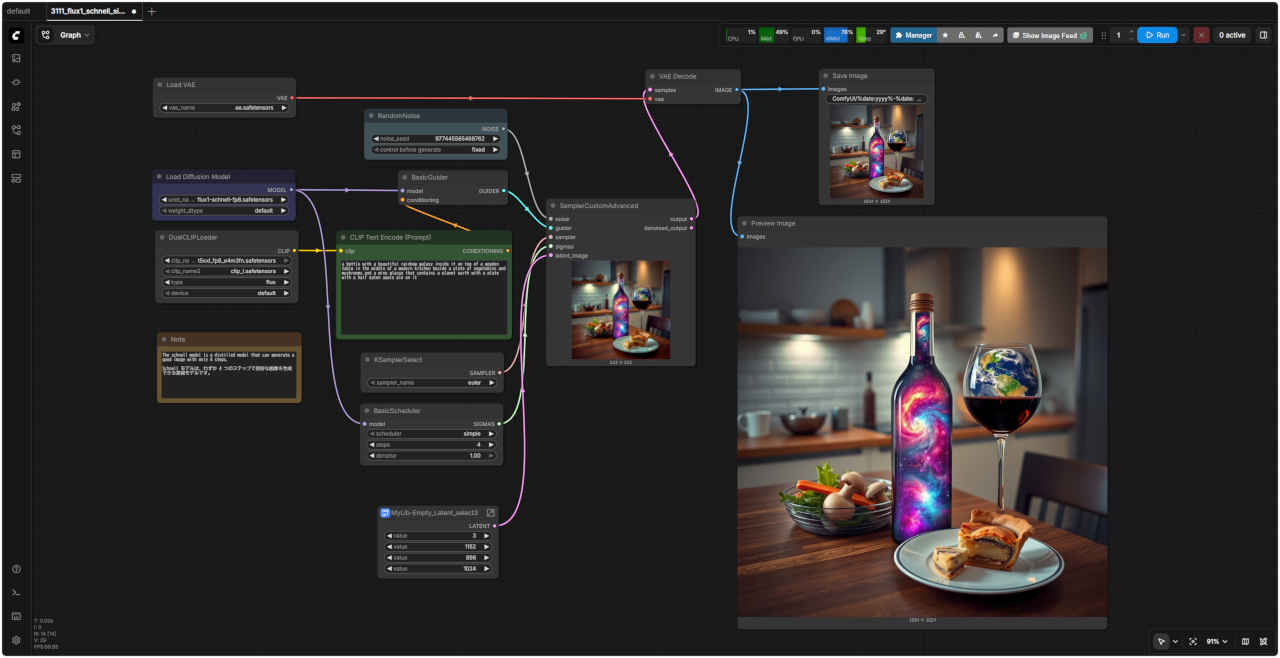
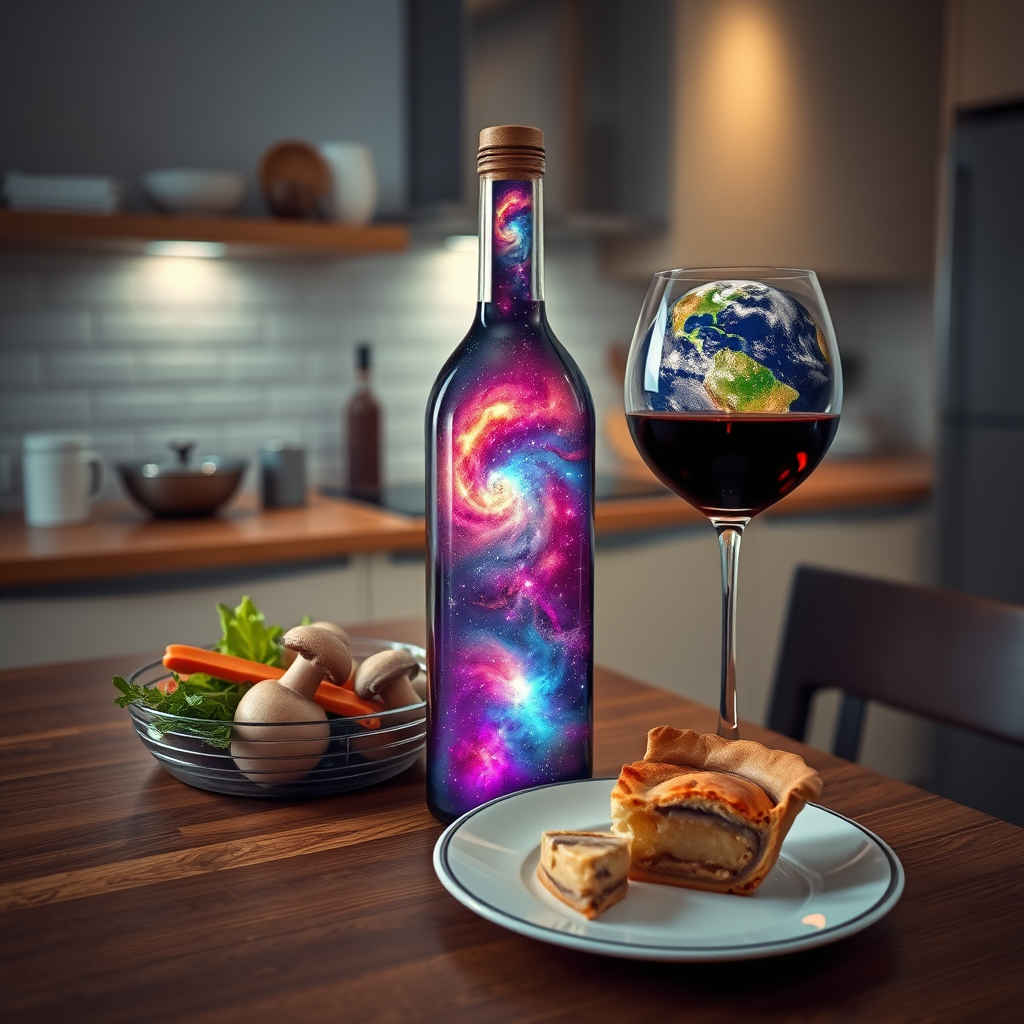
| a bottle with a beautiful rainbow galaxy inside it on top of a wooden table in the middle of a modern kitchen beside a plate of vegetables and mushrooms and a wine glasse that contains a planet earth with a plate with a half eaten apple pie on it |
| モダンなキッチンの真ん中にある木製のテーブルの上に、美しい虹の銀河が描かれたボトルがあり、その横には野菜とキノコの皿と地球が描かれたワイングラスがあり、その上には食べかけのアップルパイが乗った皿がある。 |
ワークフロー:「FLUX/」 3111_flux1_schnell_simple.json 3111_flux1_schnell_simple.json | |
 |
| モデル名 | ファイル名(.safetensors) | 配置先 | ダウンロード URL | |
| ControlNet | FLUX.1-dev-ControlNet-Union-Pro-2.0-fp8 | /StabilityMatrix/Data/ Models/ | ControlNet/ | https://huggingface.co/ABDALLALSWAITI/FLUX.1-dev-ControlNet-Union-Pro-2.0-fp8 |
| プロンプト |
|
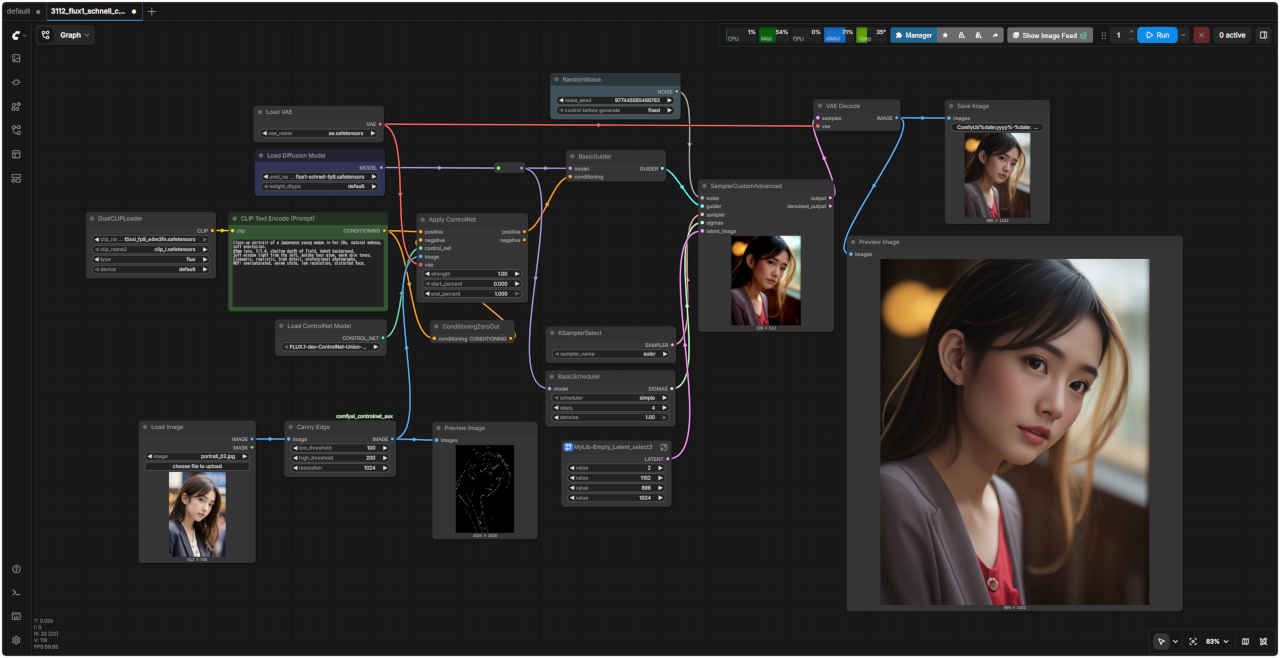
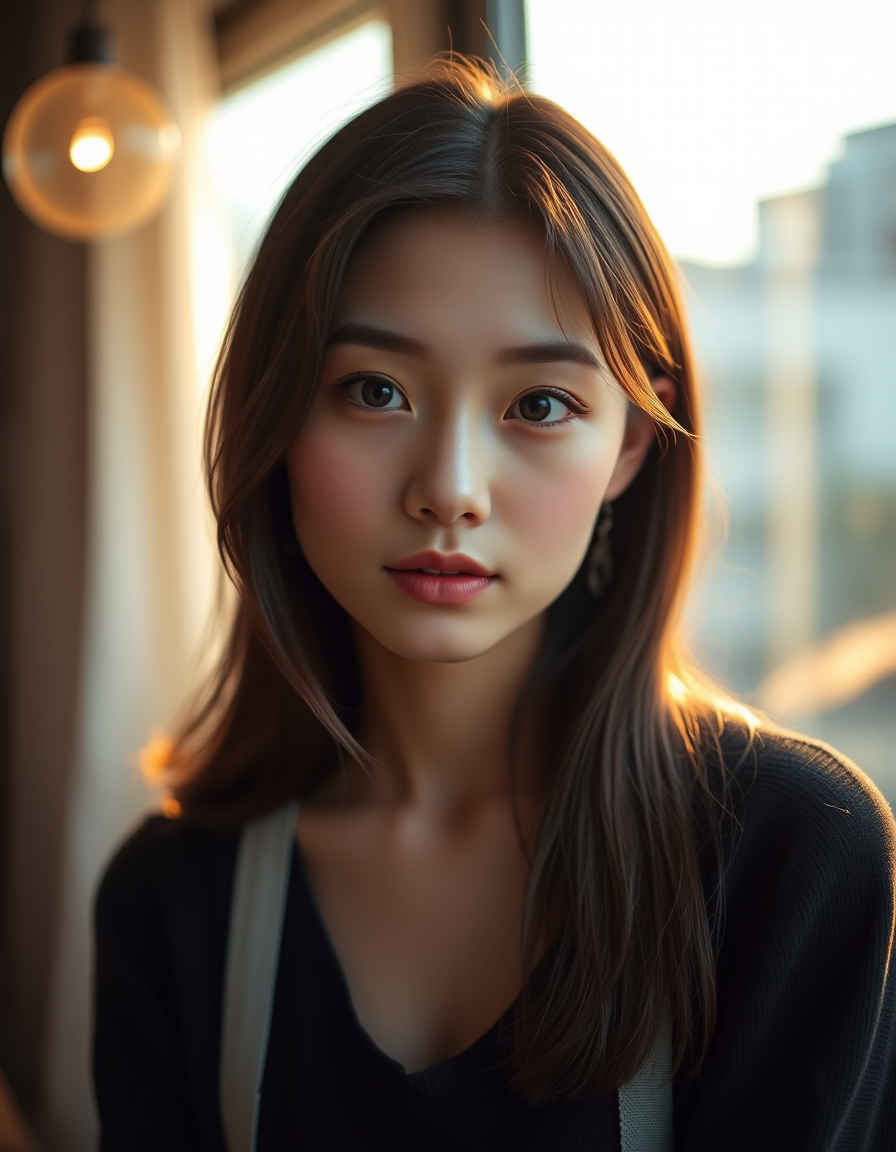
Close-up portrait of a Japanease young woman in her 20s, natural makeup, soft expression. 85mm lens, f/1.4, shallow depth of field, bokeh background. Soft window light from the left, golden hour glow, warm skin tones. Cinematic, realistic, high detail, professional photography. NOT: oversaturated, anime style, low resolution, distorted face. |
| 20代の日本の若い女性のクローズアップポートレート。ナチュラルメイク、柔らかな表情。 85mmレンズ、f/1.4、浅い被写界深度、背景のボケ。 左から差し込む柔らかな窓の光、ゴールデンアワーの輝き、温かみのある肌色。 映画のような、リアルな、細部までこだわった、プロフェッショナルな写真。 注意点:彩度過度、アニメ調、低解像度、歪んだ顔。 |
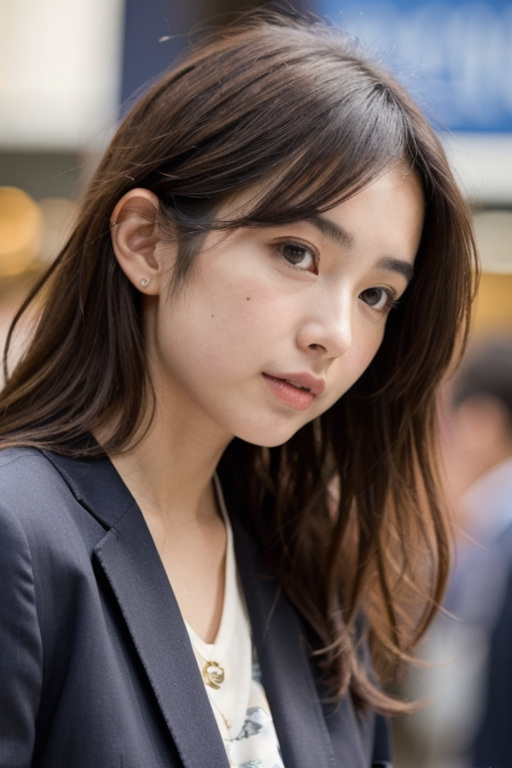
| ワークフロー:「z_image/」3112_flux1_schnell_controlnet.json | 入力画像 | ControlNet なし |
 |  |  |

| 『FLUX.2』の超高速・軽量モデル「klein(クライン)」を検証する |
| モデル名 | ファイル名(.safetensors) | 配置先 | ダウンロード URL | ||
| FLUX.2「klein」 (distilled 蒸留版) | - | flux-2-klein-4b | /StabilityMatrix/Data/ Models/ | diffusion_models/ | https://huggingface.co/black-forest-labs/FLUX.2-klein-4B/blob/main/flux-2-klein-4b.safetensors |
| fp8 | flux-2-klein-4b-fp8 | https://huggingface.co/black-forest-labs/FLUX.2-klein-4b-fp8 | |||
| nvfp4 | flux-2-klein-4b-nvfp4 | https://huggingface.co/black-forest-labs/FLUX.2-klein-4b-nvfp4 | |||
| FLUX.2「klein」 (base版) | - | flux-2-klein-base-4b | https://huggingface.co/black-forest-labs/FLUX.2-klein-base-4B/tree/main | ||
| fp8 | flux-2-klein-base-4b-fp8 | https://huggingface.co/black-forest-labs/FLUX.2-klein-base-4b-fp8 | |||
| nvfp4 | flux-2-klein-base-4b-nvfp4 | https://huggingface.co/black-forest-labs/FLUX.2-klein-base-4b-nvfp4 | |||
| text_encoders | qwen_3_4b_fp4_mixed | text_encoders/ | https://huggingface.co/Comfy-Org/z_image_turbo/tree/main/split_files/text_encoders | ||
| vae | flux2-vae | VAE/ | https://huggingface.co/Comfy-Org/flux2-dev/resolve/main/split_files/vae/flux2-vae.safetensors | ||
| distilled 蒸留版 | base版 | |||||
| - | fp8 | nvfp4 | - | fp8 | nvfp4 | |
| モデル名 (.savtensors) | flux-2-klein-4b | flux-2-klein-4b-fp8 | flux-2-klein-4b-nvfp4 | flux-2-klein-base-4b | flux-2-klein-base-4b-fp8 | flux-2-klein-base-4b-nvfp4 |
| サイズ (GB) | 7.21 | 3.79 | 2.29 | 7.21 | 3.80 | 2.31 |
| 生成画像 | 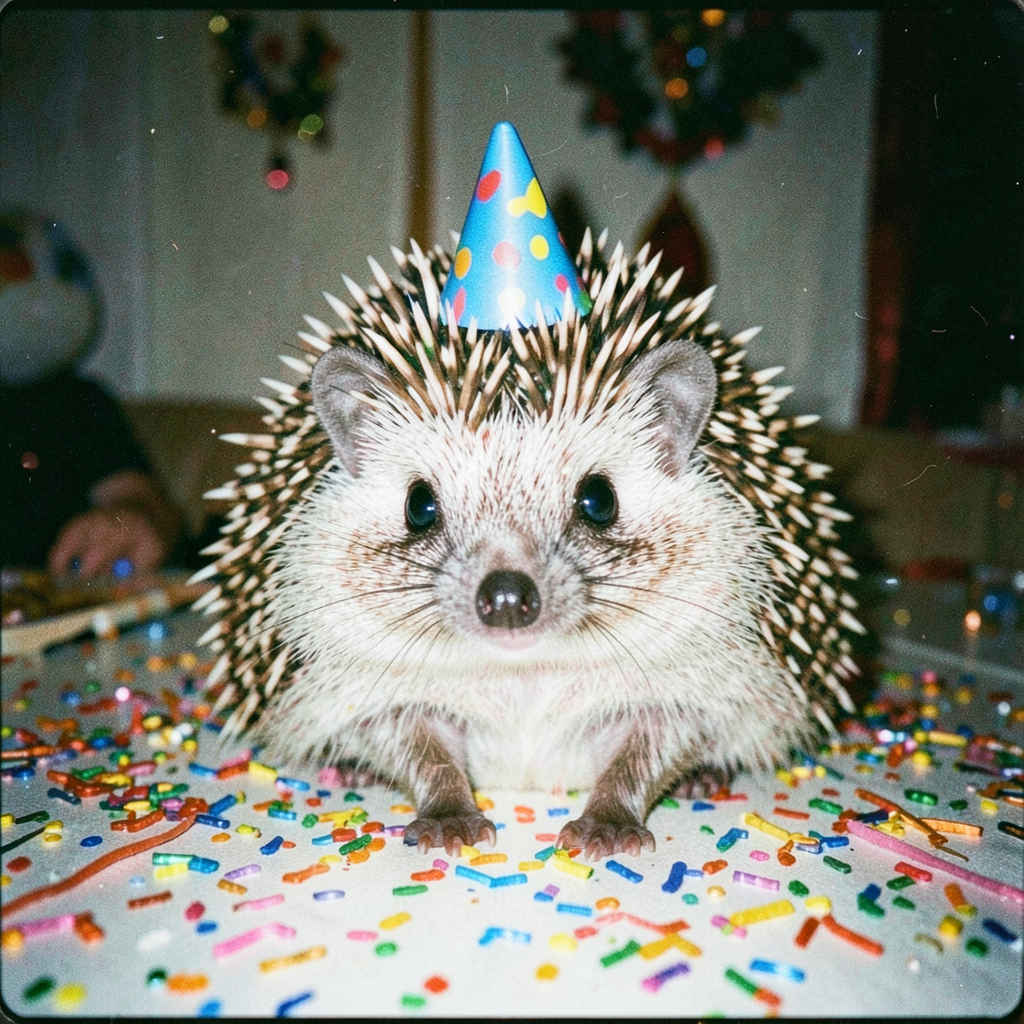 | 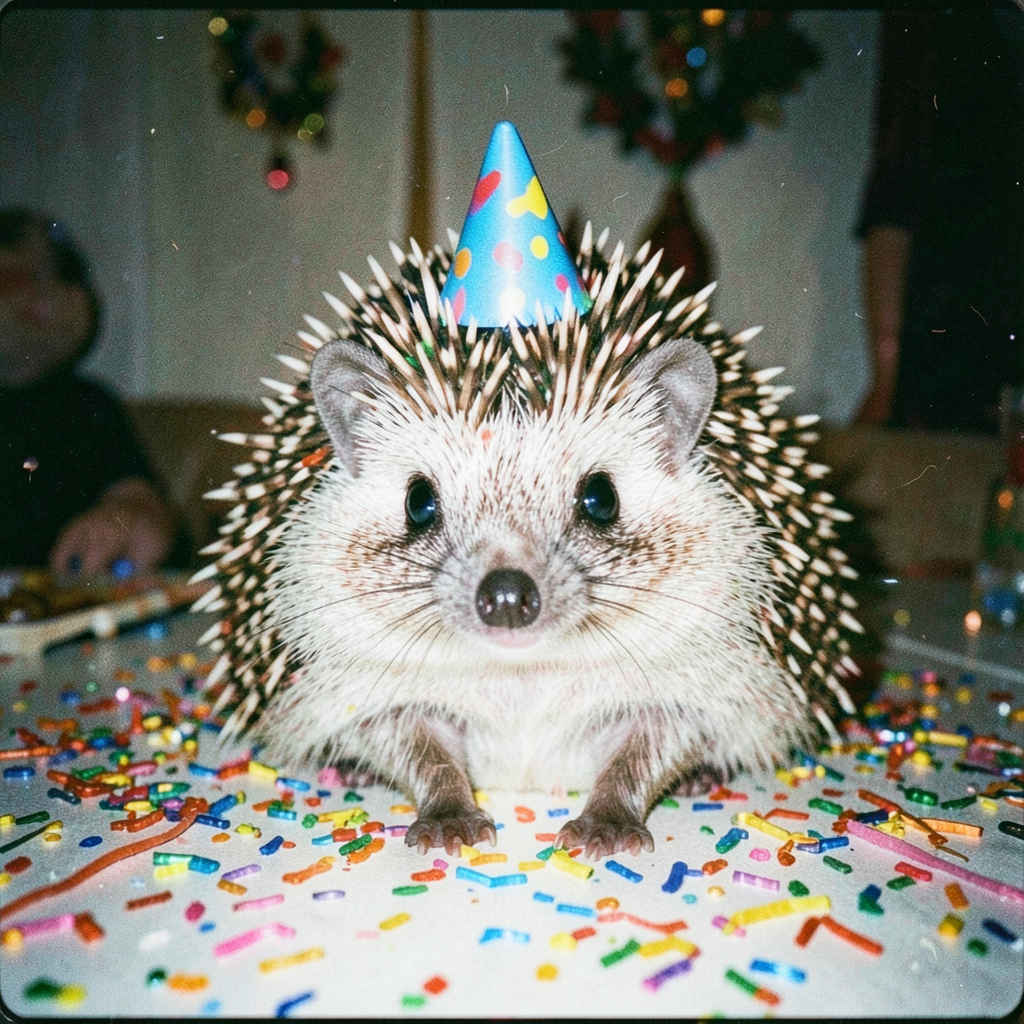 | 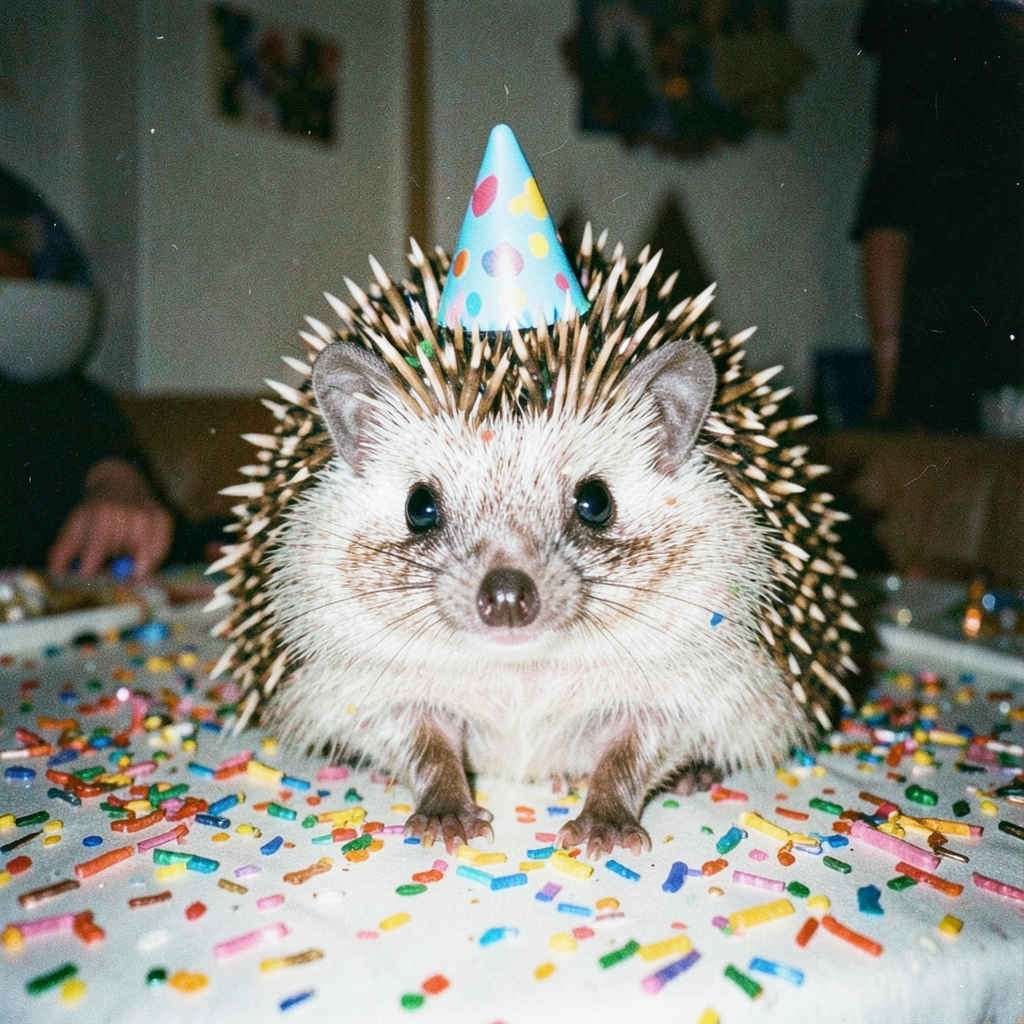 | 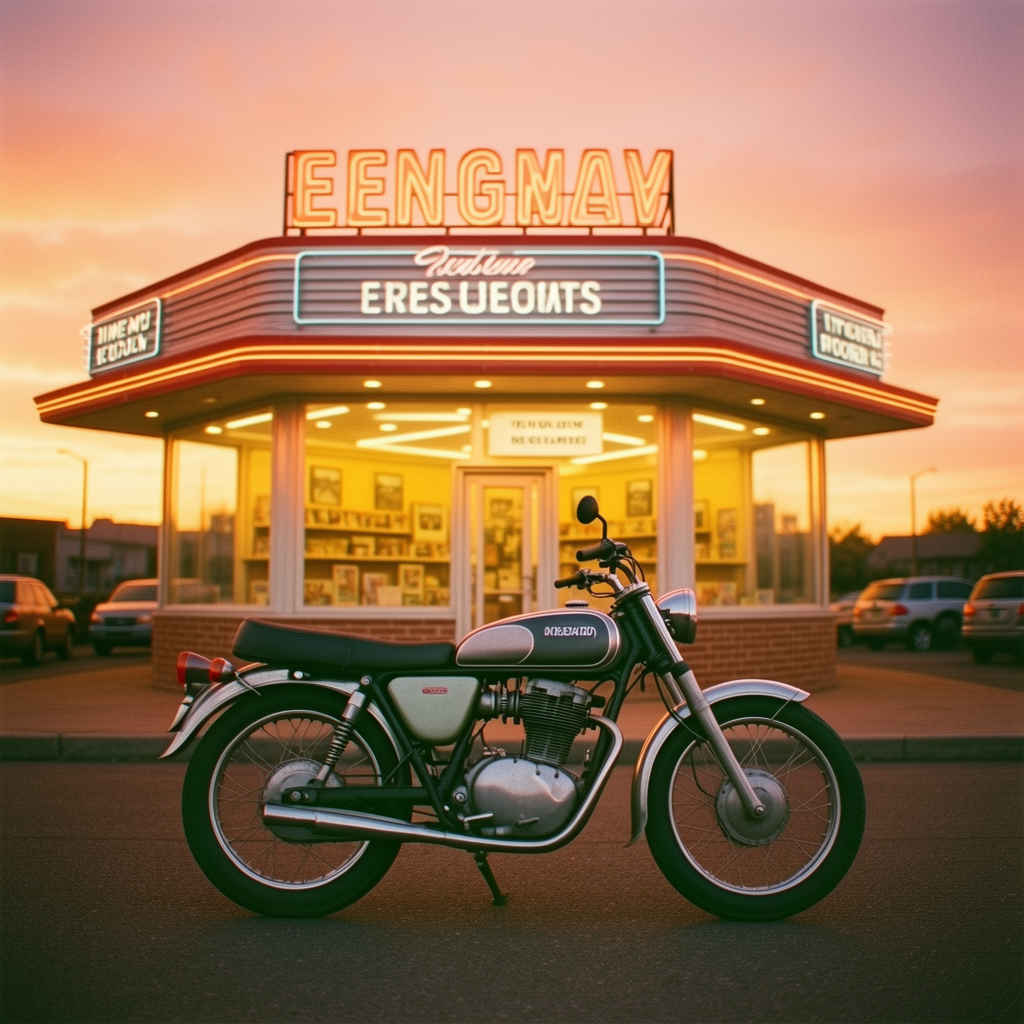 | 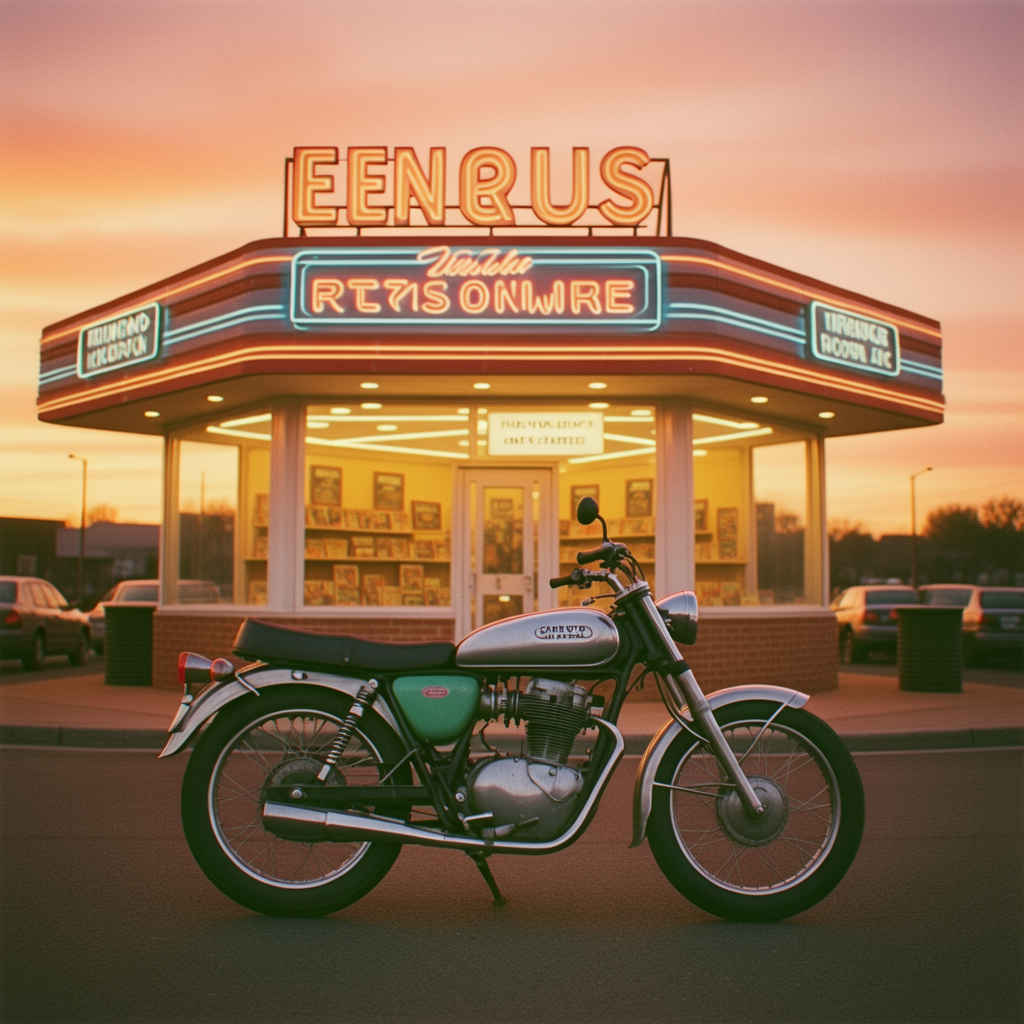 | 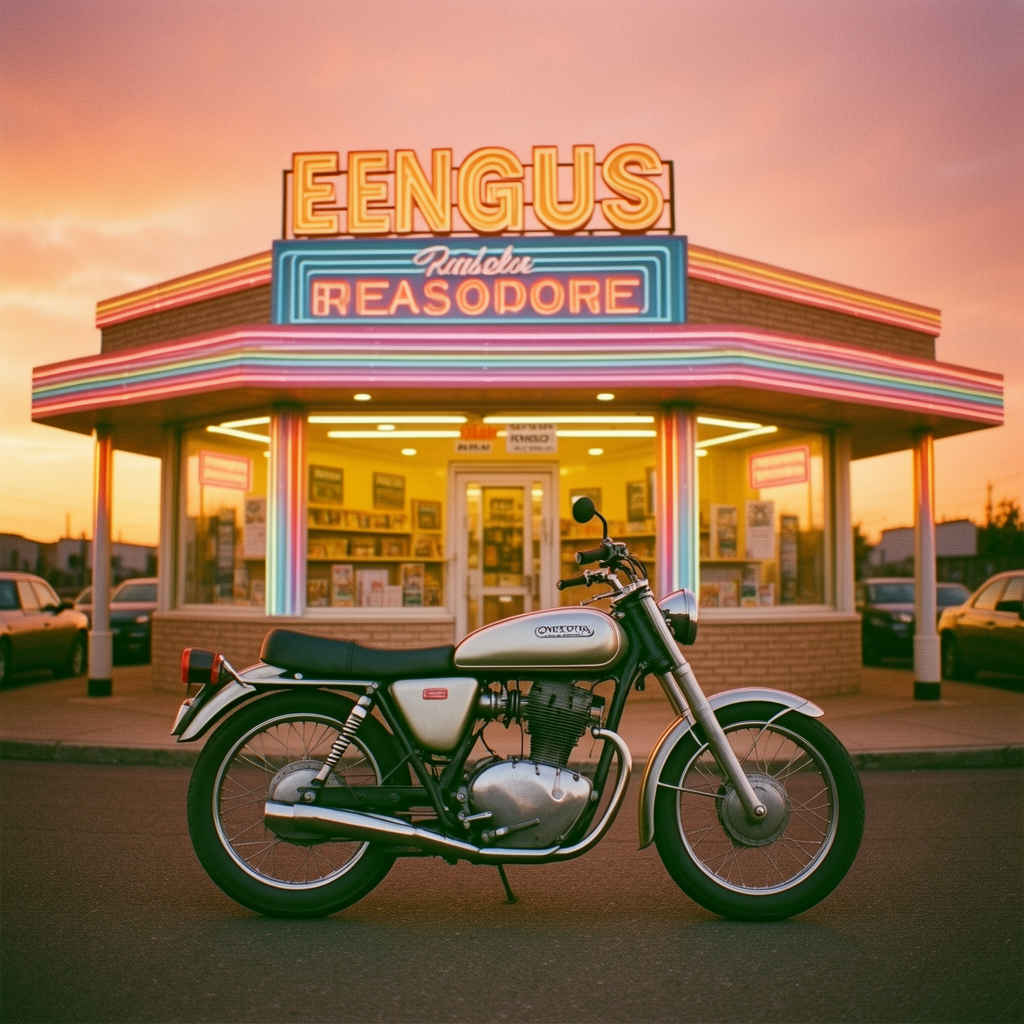 |
| 生成時間 (分:秒) | distilled 蒸留版 | base版 | |||||
| - | fp8 | nvfp4 | - | fp8 | nvfp4 | ||
| GPU | RTX-4070 | 00:11.28 | 00:05.82 | 00:05.03 | 00:29.35 | 00:18.64 | 00:23.32 |
| RTX-4060 | 00:36.50 | 00:07.59 | 00:14.65 | 01:27.50 | 00:51.96 | 01:00.08 | |
| RTX-4060L | 01:03.09 | 00:21.59 | 00:15.87 | 01:48.41 | 01:01.81 | 01:13.79 | |
| RTX-3050 | 02:15.66 | 01:13.02 | 00:52.05 | 03:55.87 | 02:50.11 | 02:28.33 | |
| GTX-1050 | 02:17.61 | 01:57.55 | 01:59.87 | 18:12.50 | 18:09.73 | 18:40.80 | |
| CPU | i7-1260P | 09:40.72 | 09:13.29 | 09:29.20 | 84:28.84 | 102:41.80 | 121:37.23 |
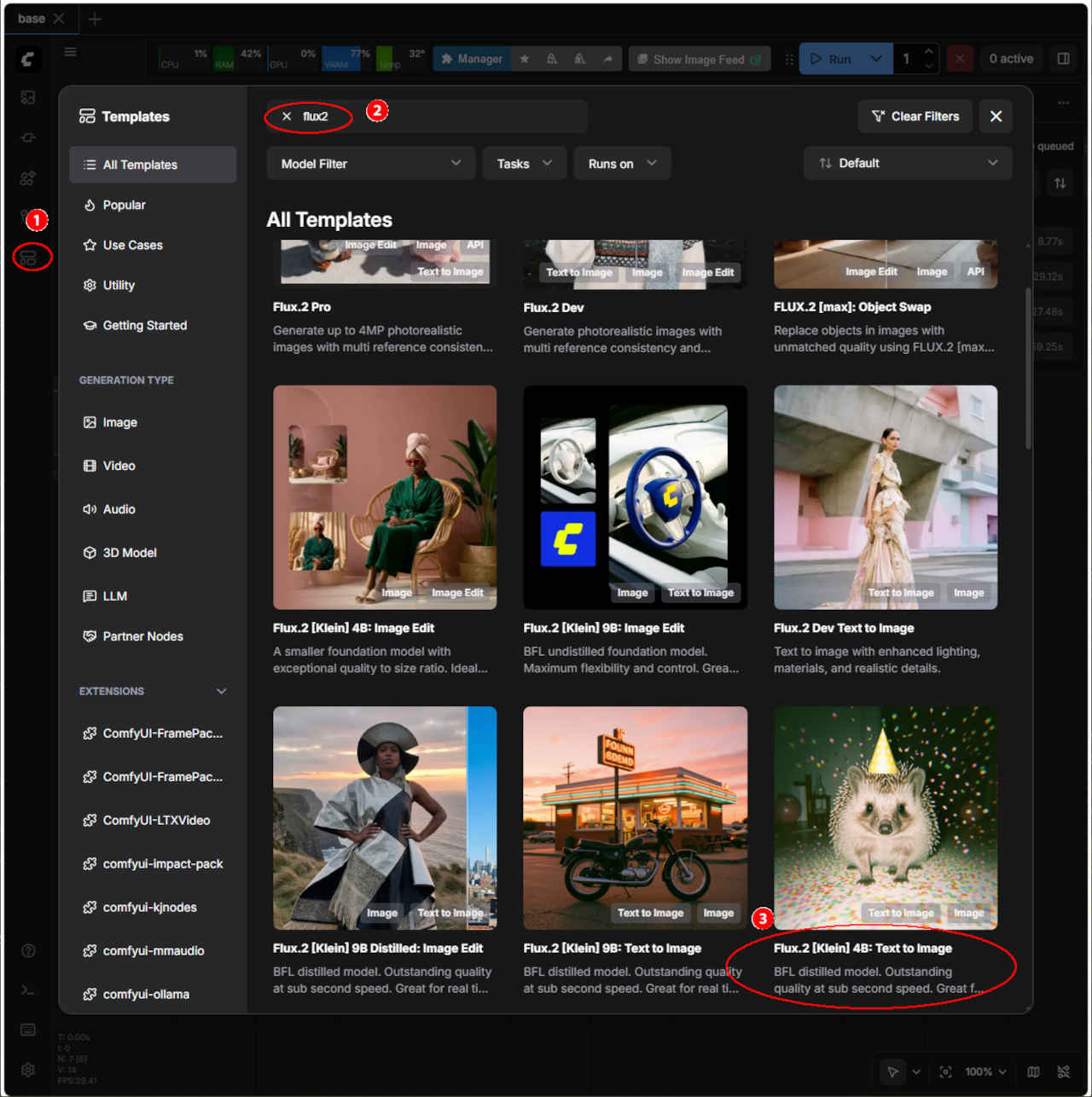
| ワークフロー:image_flux2_klein_text_to_image.json | distilled 蒸留版 | base版 |
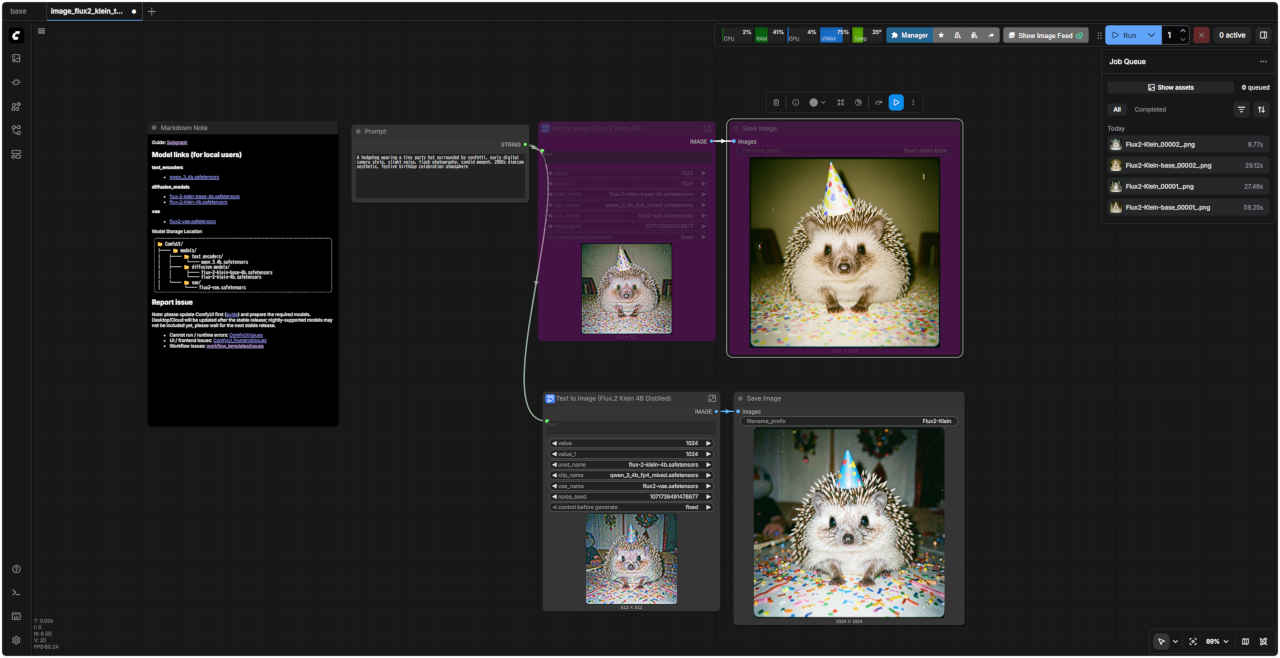 | 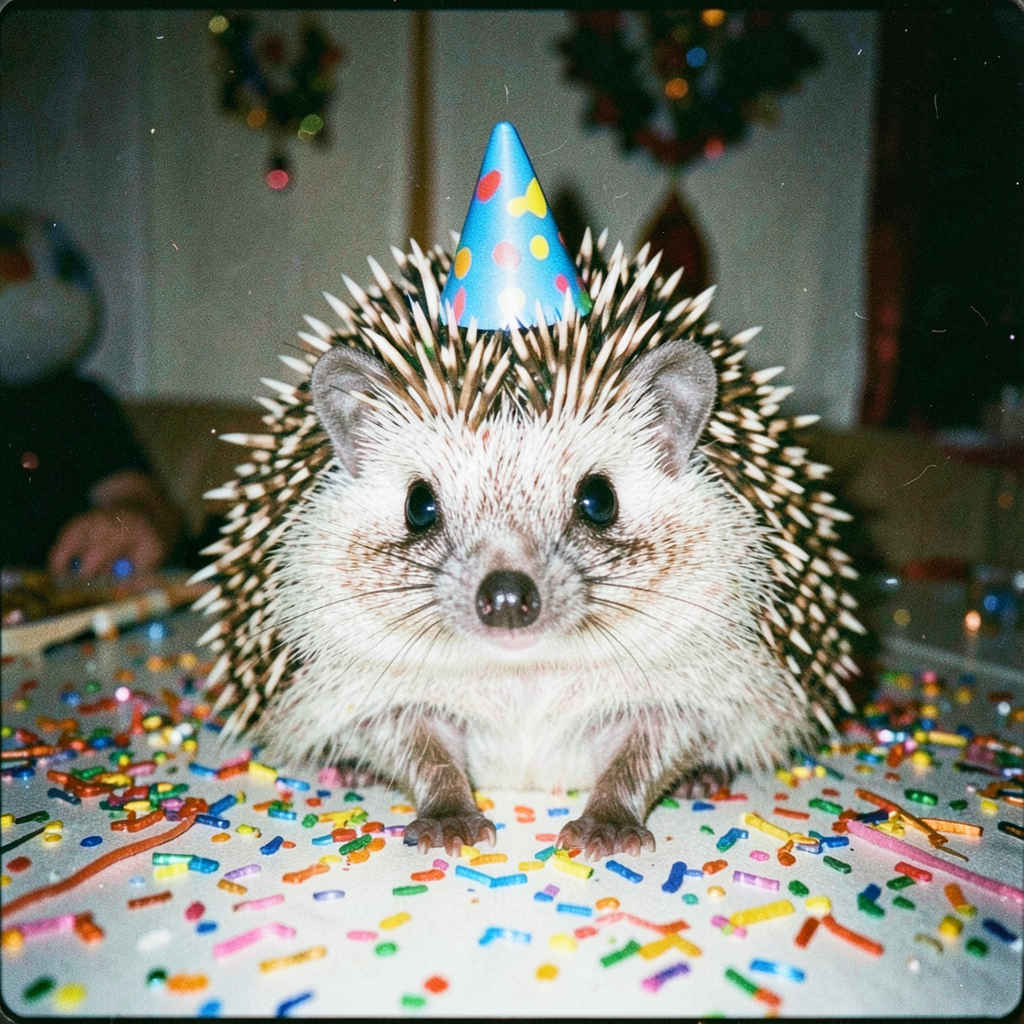 | 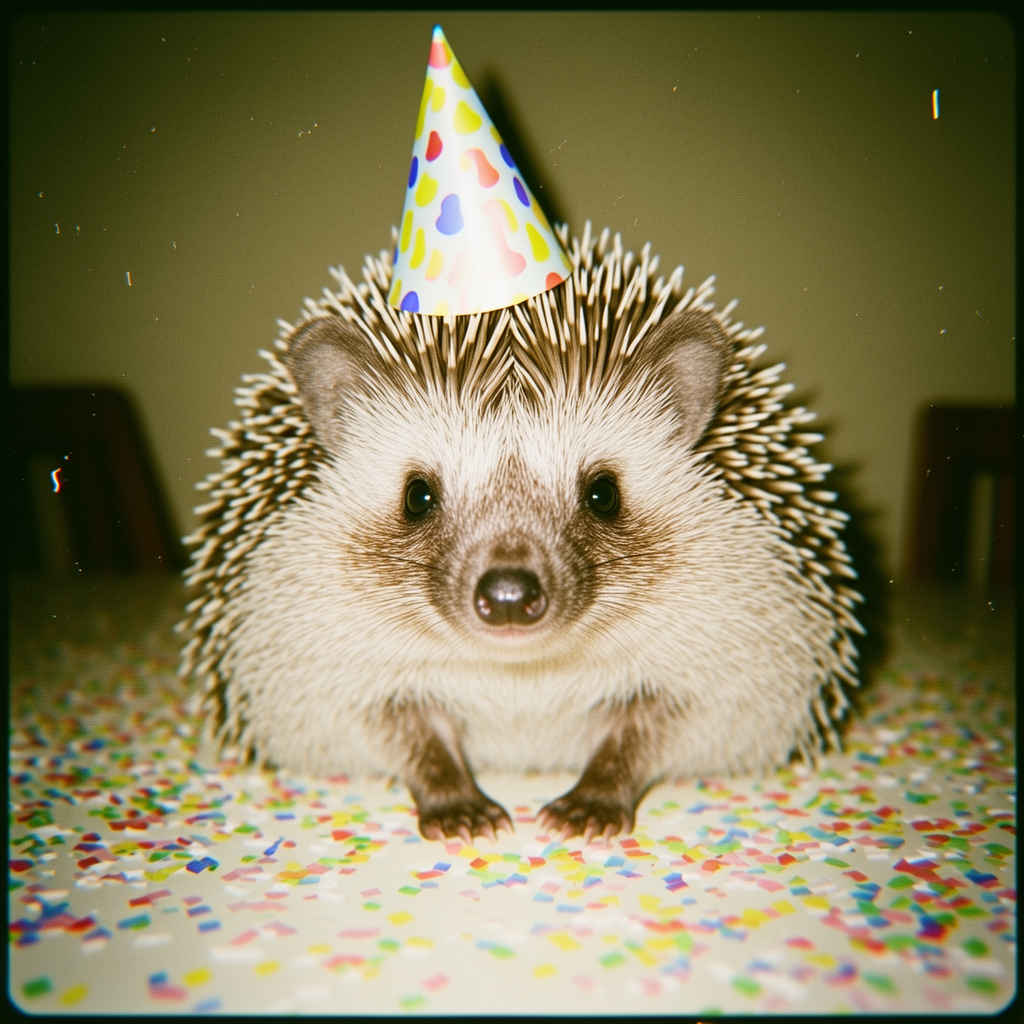 |
| ※ このワークフローは 蒸留版(下側) / base版(上側) 2つのモデルに対応する。いずれかを有効にして実行する | ||
| プロンプト | |
| A hedgehog wearing a tiny party hat surrounded by confetti, early digital camera style, slight noise, flash photography, candid moment, 2000s digicam aesthetic, festive birthday celebration atmosphere | A vintage motorcycle parked in front of a retro diner at sunset, warm orange and pink sky, neon signs glowing, 80s vintage photo style, film grain, warm color cast |
| 紙吹雪に囲まれた小さなパーティーハットをかぶったハリネズミ、初期のデジタルカメラスタイル、わずかなノイズ、フラッシュ撮影、自然な瞬間、2000年代のデジカメの美学、お祭り気分の誕生日のお祝い | 夕暮れ時、レトロなダイナーの前に停められたビンテージバイク、温かみのあるオレンジとピンクの空、ネオンサインが光る、80年代風のビンテージ写真スタイル、フィルムグレイン、温かみのある色調 |
| ワークフロー (distilled 蒸留版):「FLUX/」3211_flux2_klein_distilled.json | ワークフロー (base版):「FLUX/」3311_flux2_klein_base.json |
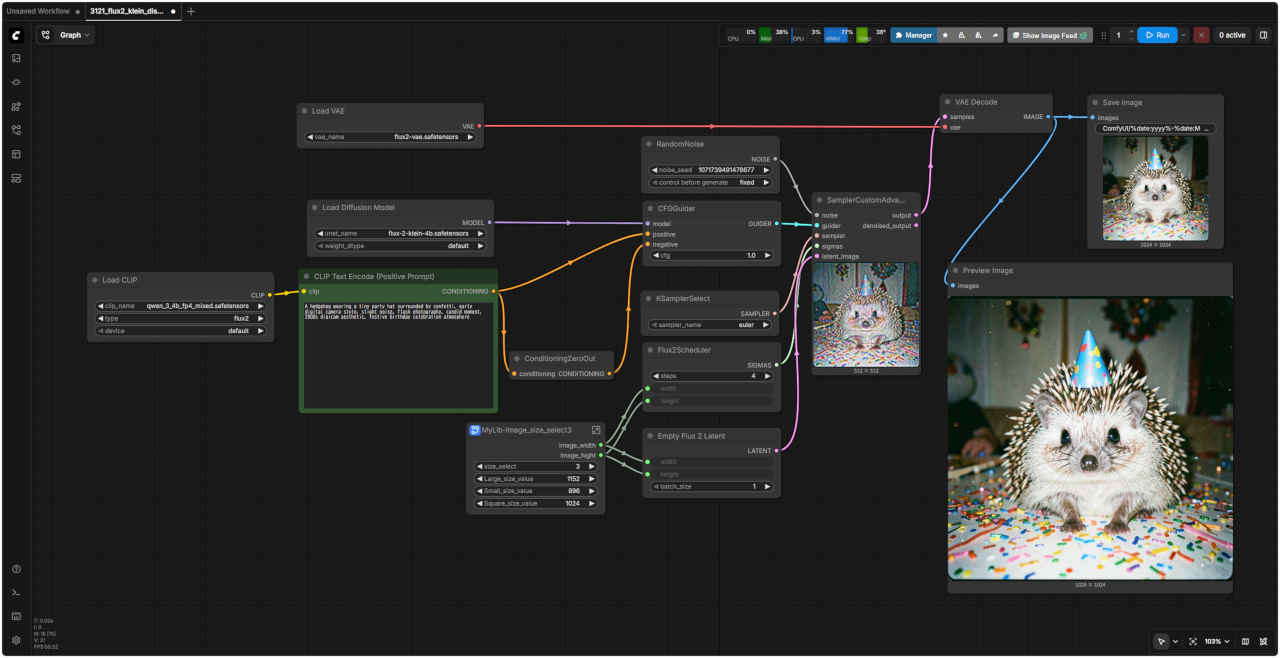 | 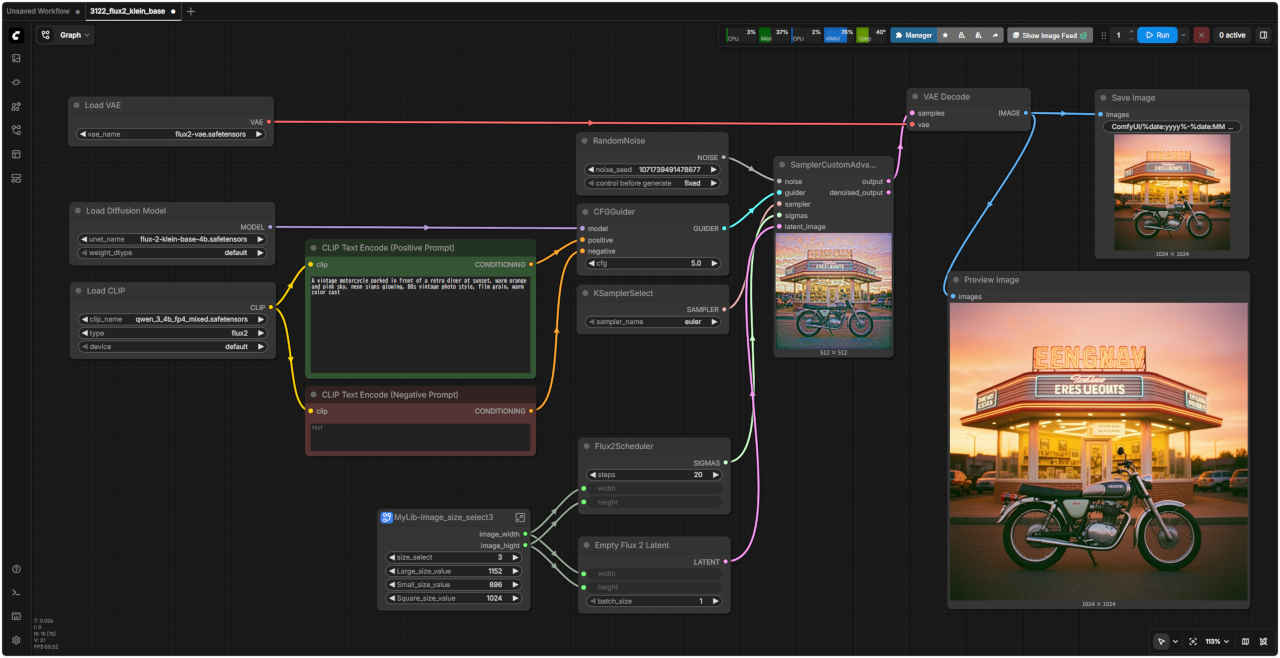 |
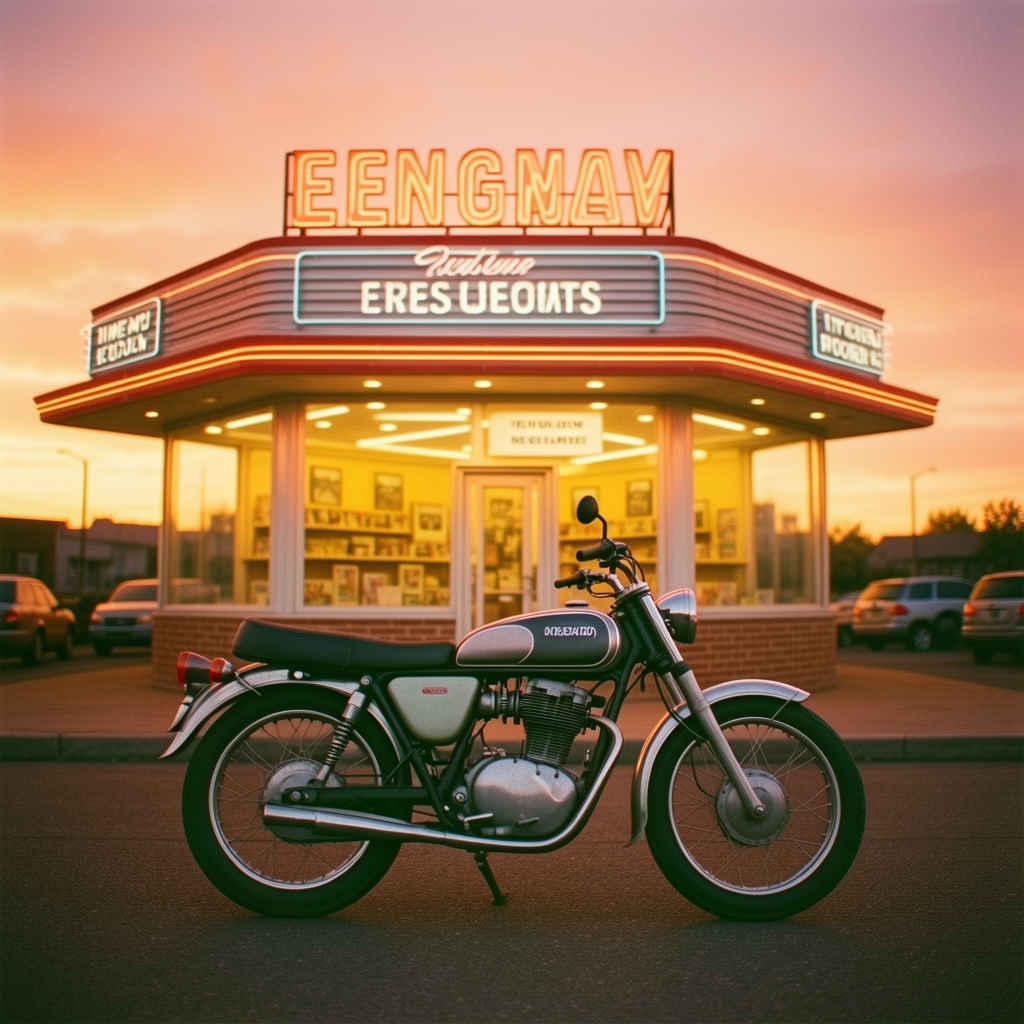
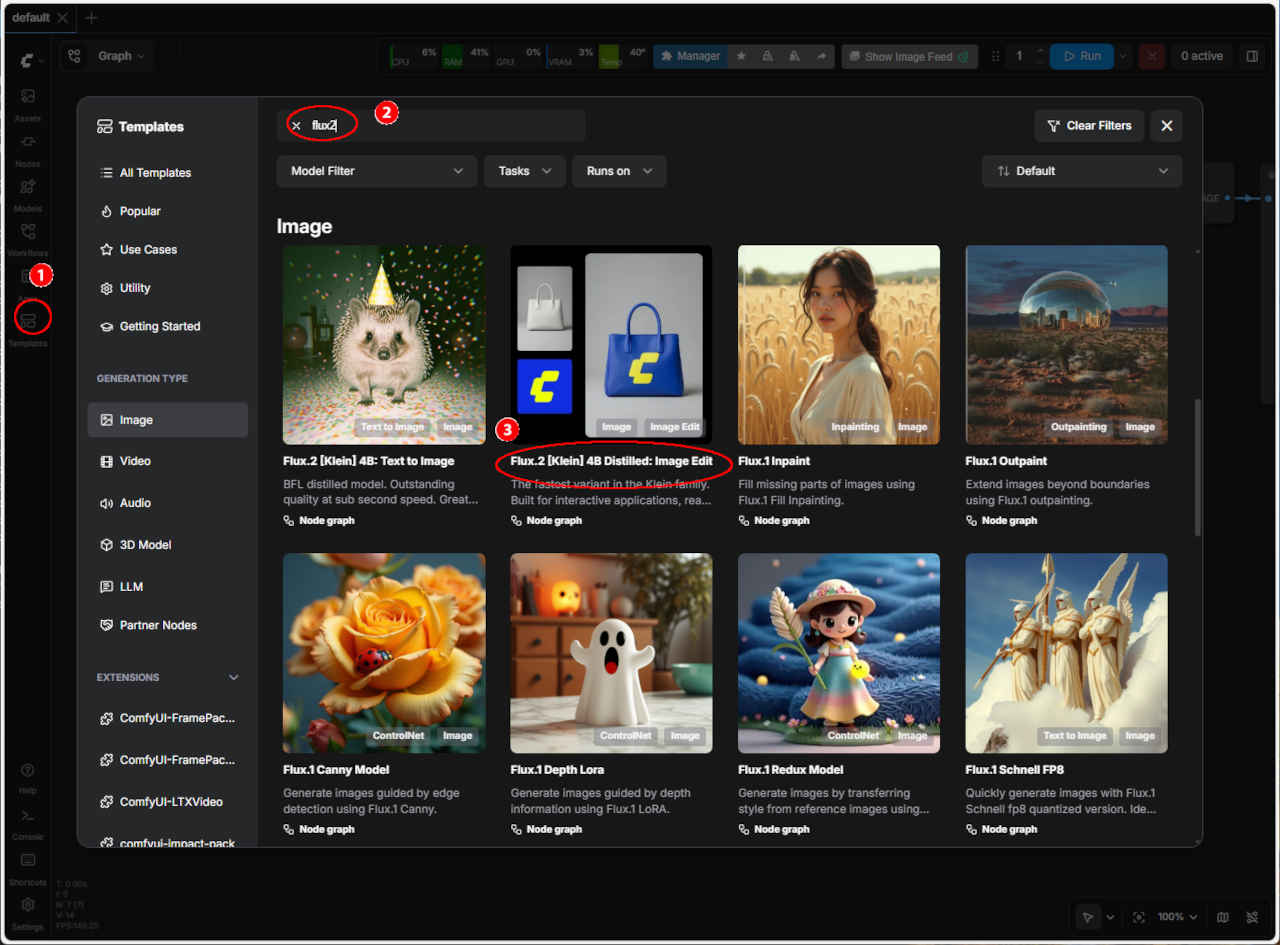
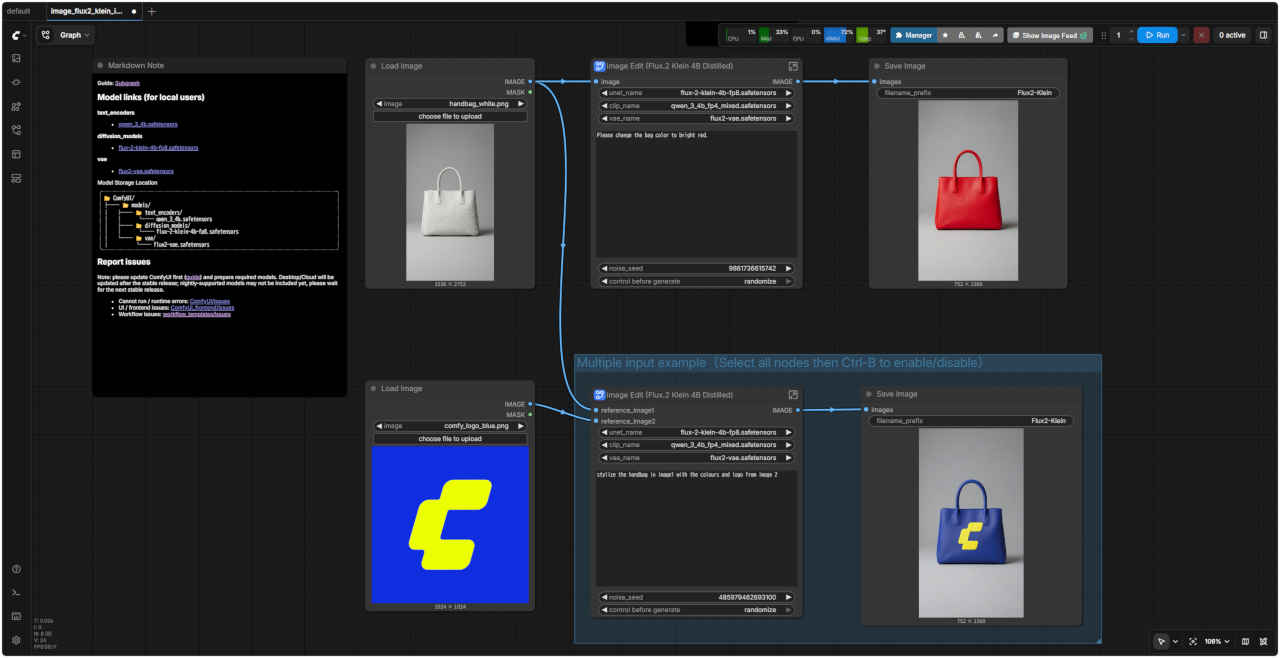
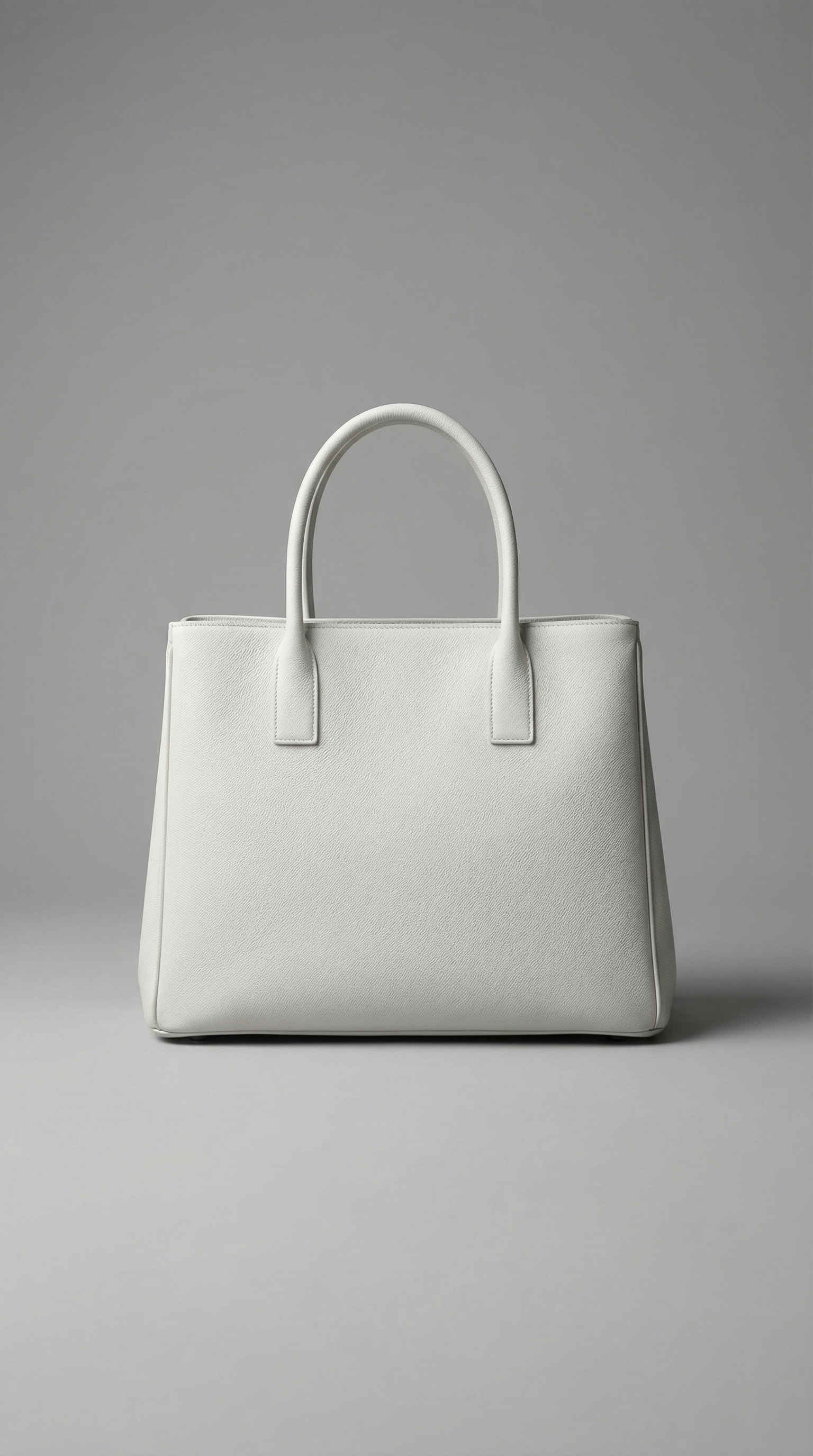
| ワークフロー:image_flux2_klein_image_edit_4b_distilled.json | 入力画像 | |
 |  |  |
| ワークフローの修正点 | 問題点と対策 | |
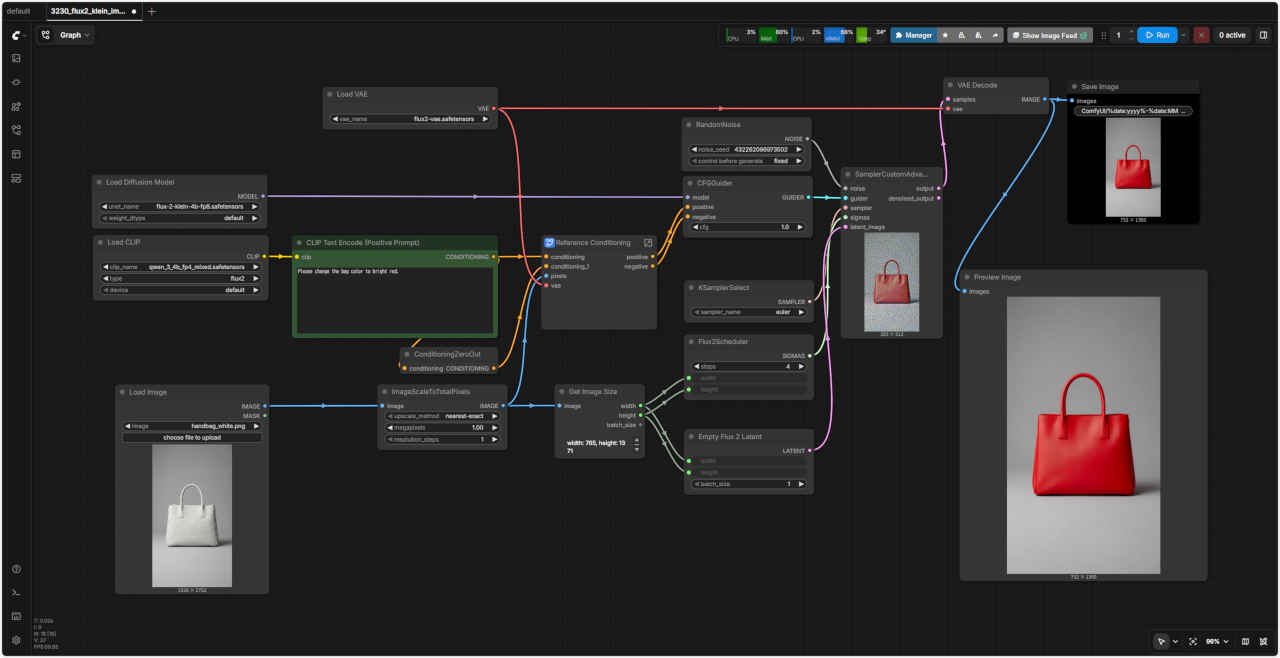
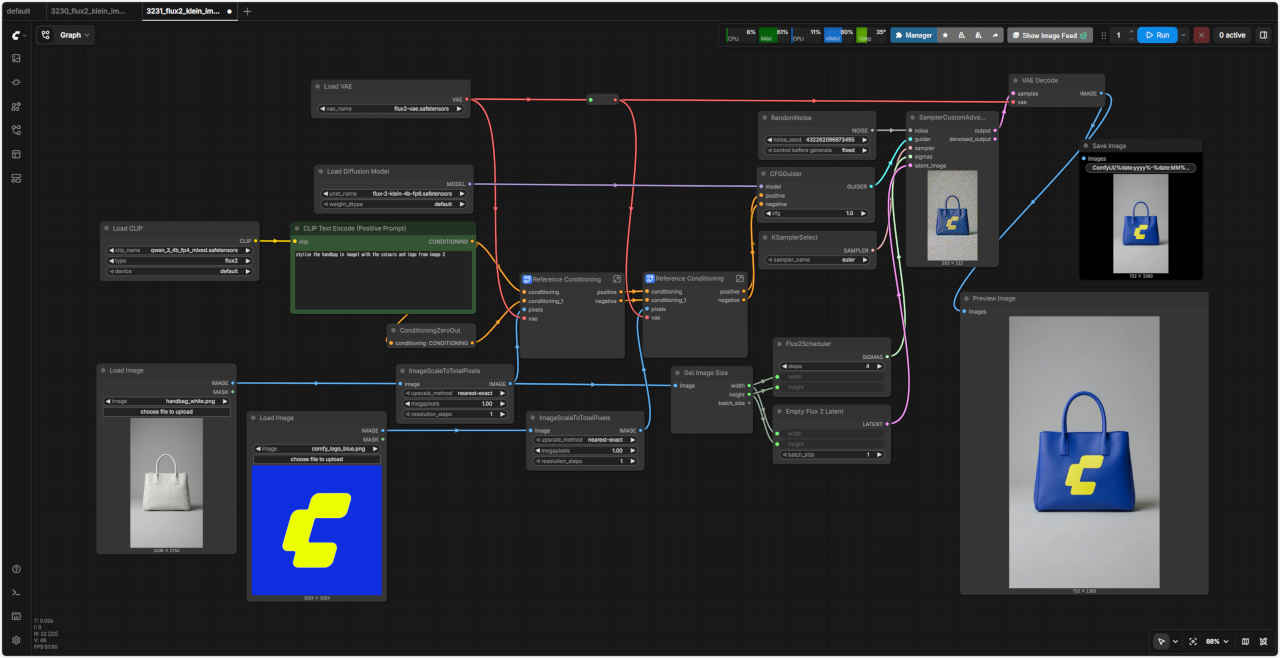
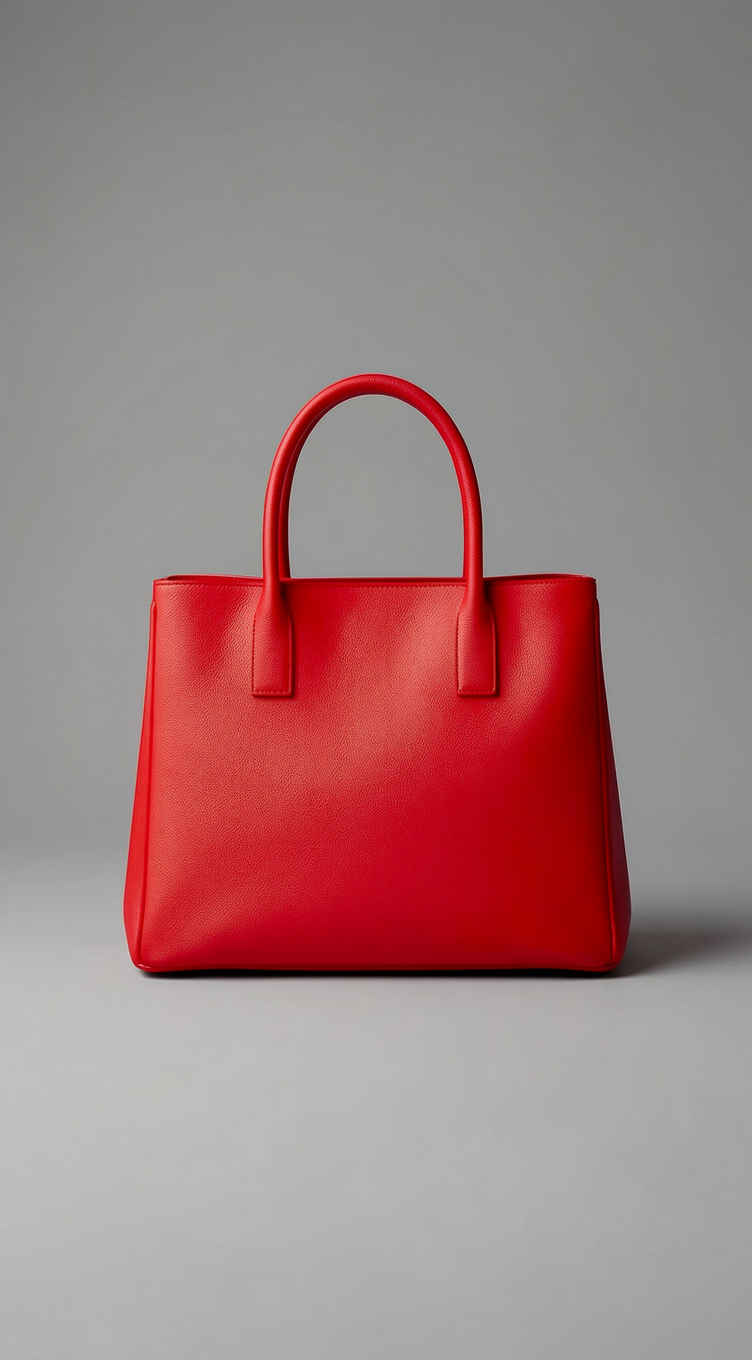
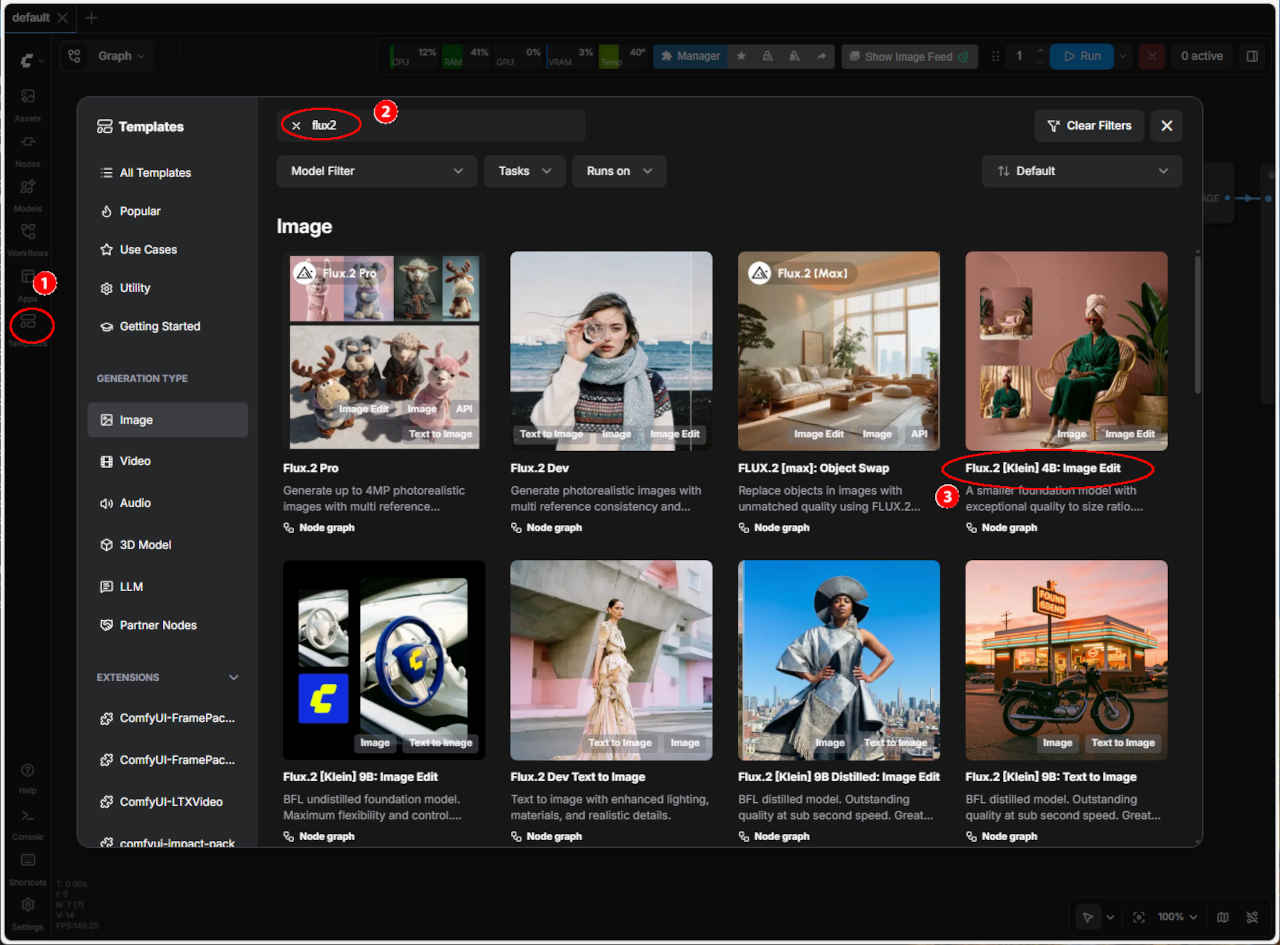
| ① モデル「quen_3_4b.safetensors」がない →「qwen_3_4b_fp4_mixed.safetensors」 ② バイパスしているノードを有効化する ③ 上側のノードのプロンプトが適当でないので変更 → Please change the bag color to bright red. ④「Run」を押して実行する( ← 結果) | ・ワークフローを保存して読み込むと一部の接続が切れる ・「SubGraph」機能の問題のようなので、展開したワークフローを作成する ・参照画像が 1枚・2枚の場合を分けたワークフローにしてノードを整理する | |
| プロンプト | |
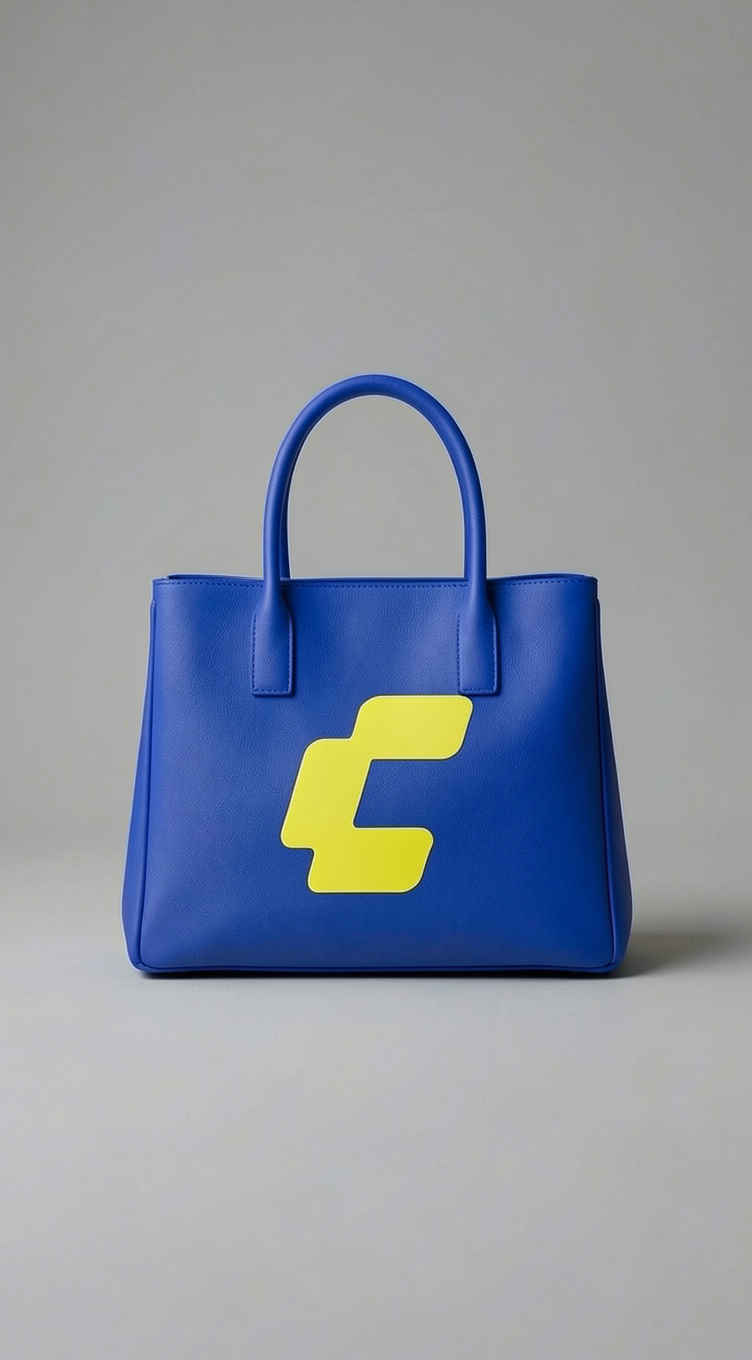
| Please change the bag color to bright red. | stylize the handbag in image1 with the colours and logo from image 2 |
| バッグの色を鮮やかな赤色に変更してください。 | 画像1のハンドバッグを、画像2の色とロゴでスタイリッシュにアレンジしてください。 |
| ワークフロー (蒸留版):「FLUX/」3230_flux2_klein_image_edit_distilled.json | ワークフロー (蒸留版):「FLUX/」3231_flux2_klein_image_edit_distilled.json |
 |  |
 |  |
| 入力画像 | プロンプト | 生成画像 |
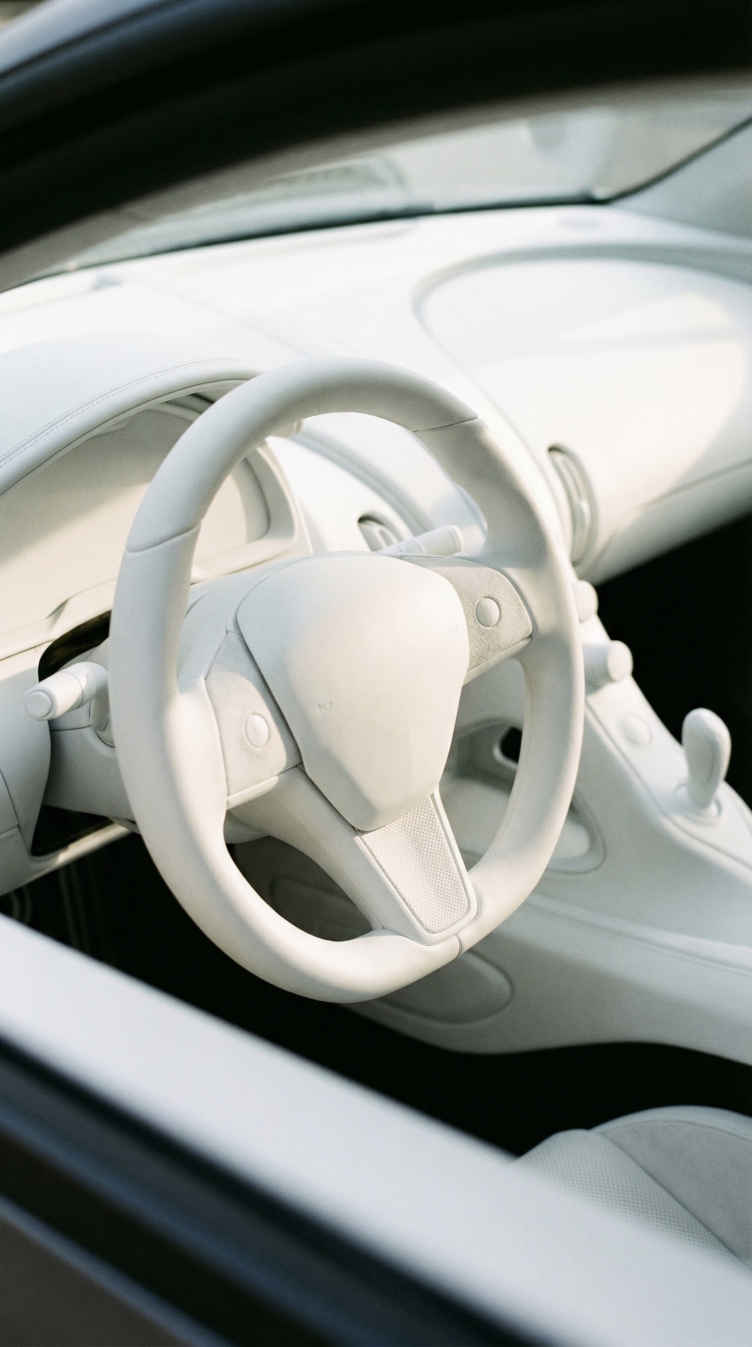 | Change the camera angle to a first-person driver's perspective looking through the steering wheel at the dashboard and windshield, maintaining the same white minimalist interior style and lighting | 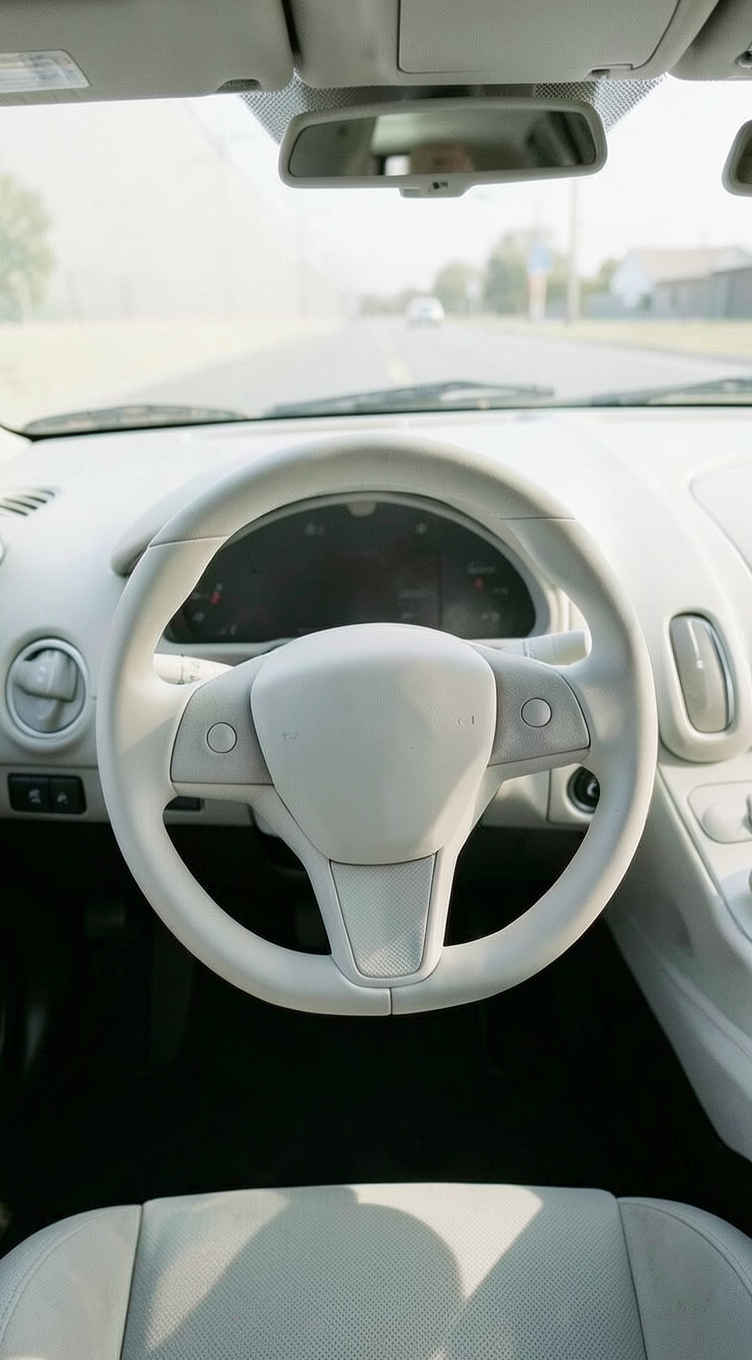 |
| カメラアングルを、ステアリングホイール越しにダッシュボードとフロントガラスを見る一人称ドライバー視点に変更し、同じ白を基調としたミニマルなインテリアスタイルと照明を維持する。 |
| 入力画像1 | 入力画像2 / プロンプト | 生成画像 |
| | | 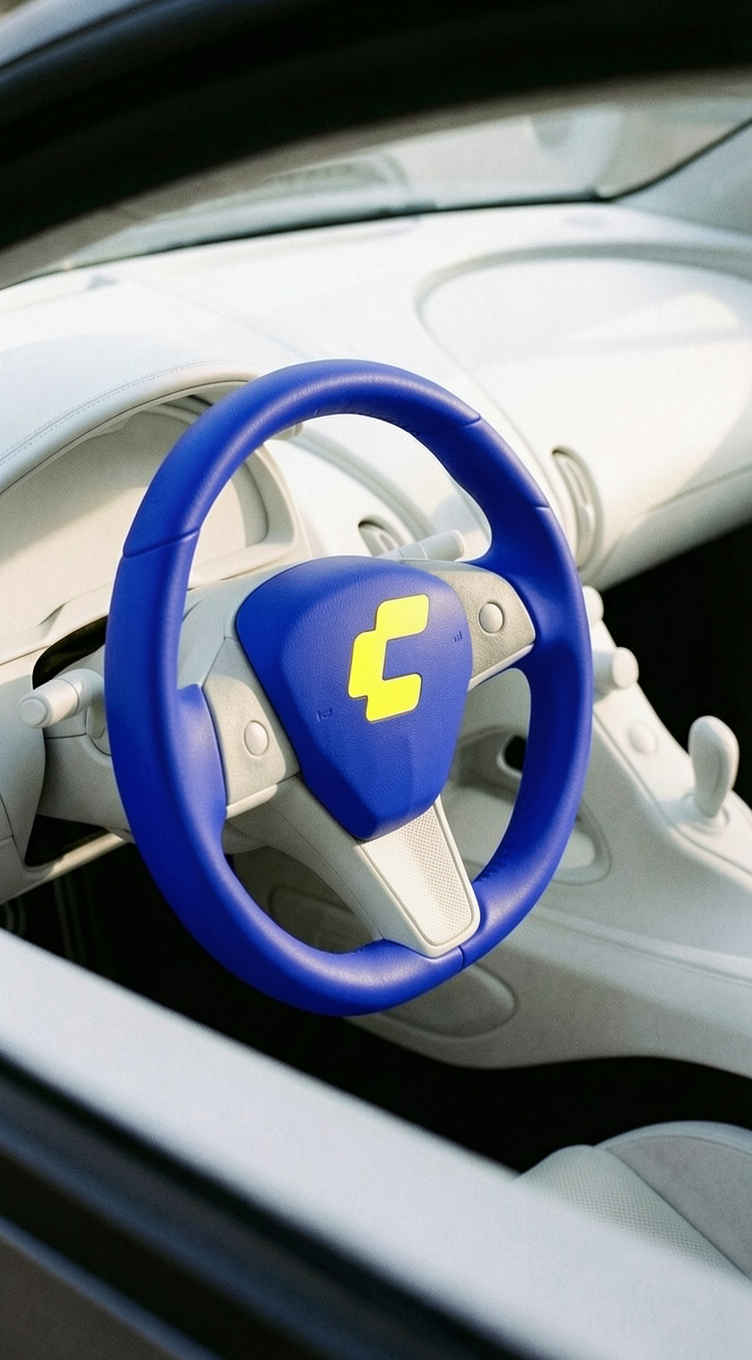 |
| Apply the yellow "C" logo to the center hub of the steering wheel, and change the steering wheel color to royal blue matching the logo background, while maintaining the same interior style, lighting, camera angle, and all other elements unchanged | ||
| ステアリングホイールの中央ハブに黄色の「C」ロゴを適用し、ステアリングホイールの色をロゴの背景に合わせたロイヤルブルーに変更します。インテリアスタイル、照明、カメラアングル、その他の要素はすべて変更せずに維持します。 |
| ワークフロー:image_flux2_klein_image_edit_4b_base.json | 入力画像 | |
 | 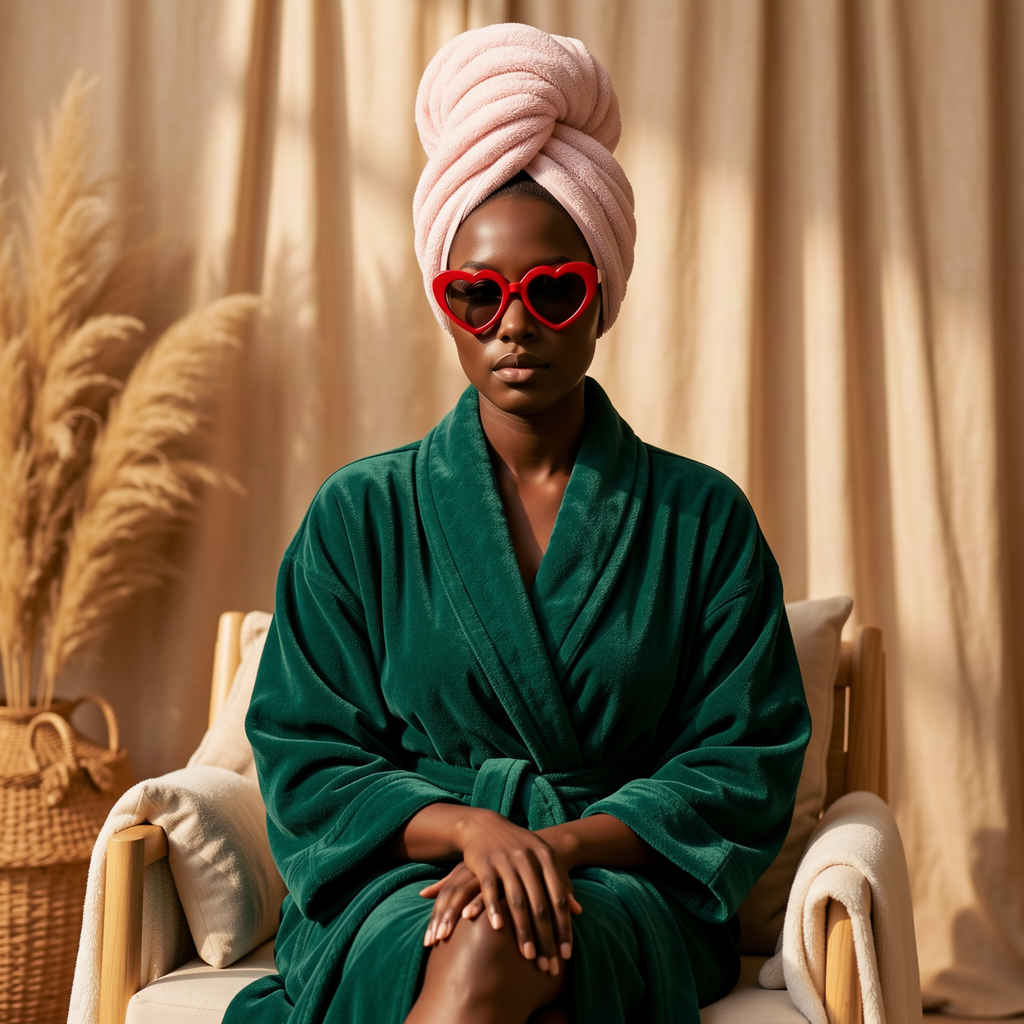 | 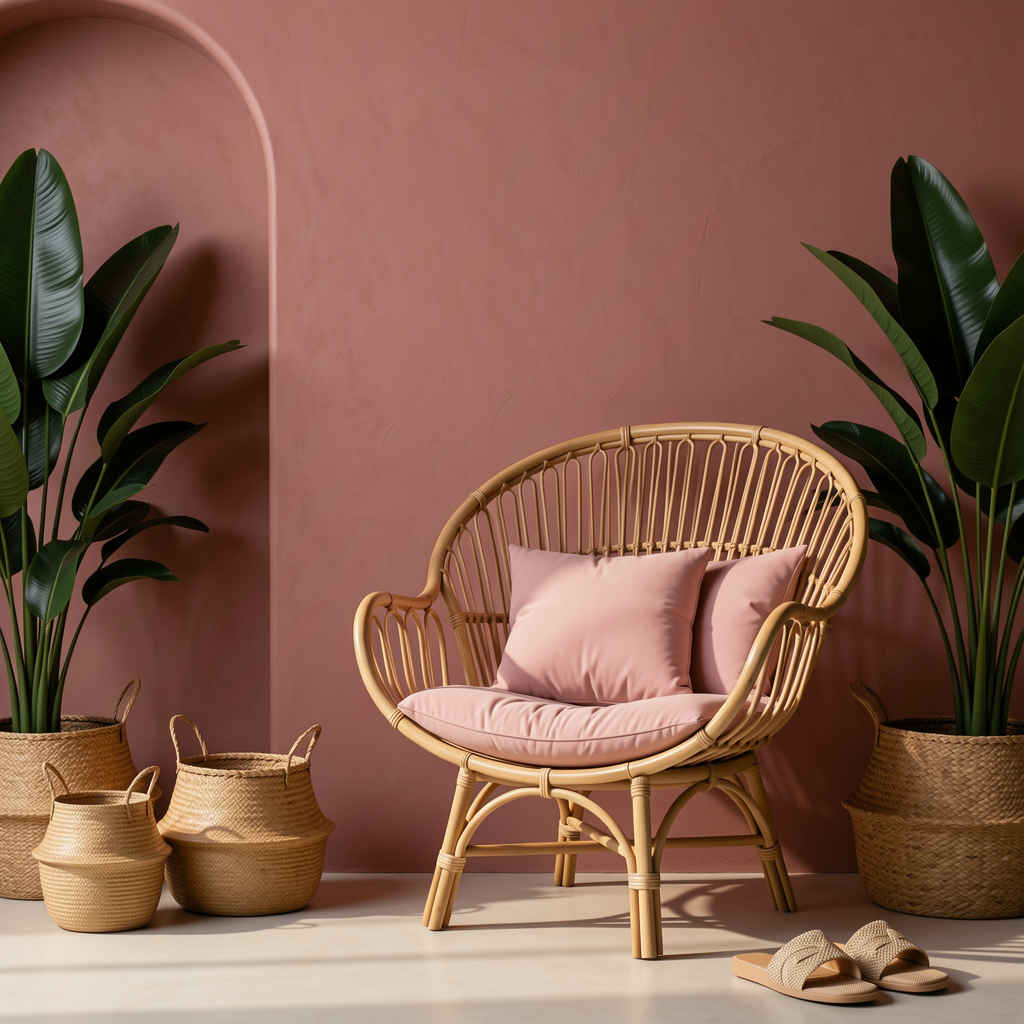 |
| ワークフローの修正点 | 問題点と対策 | |
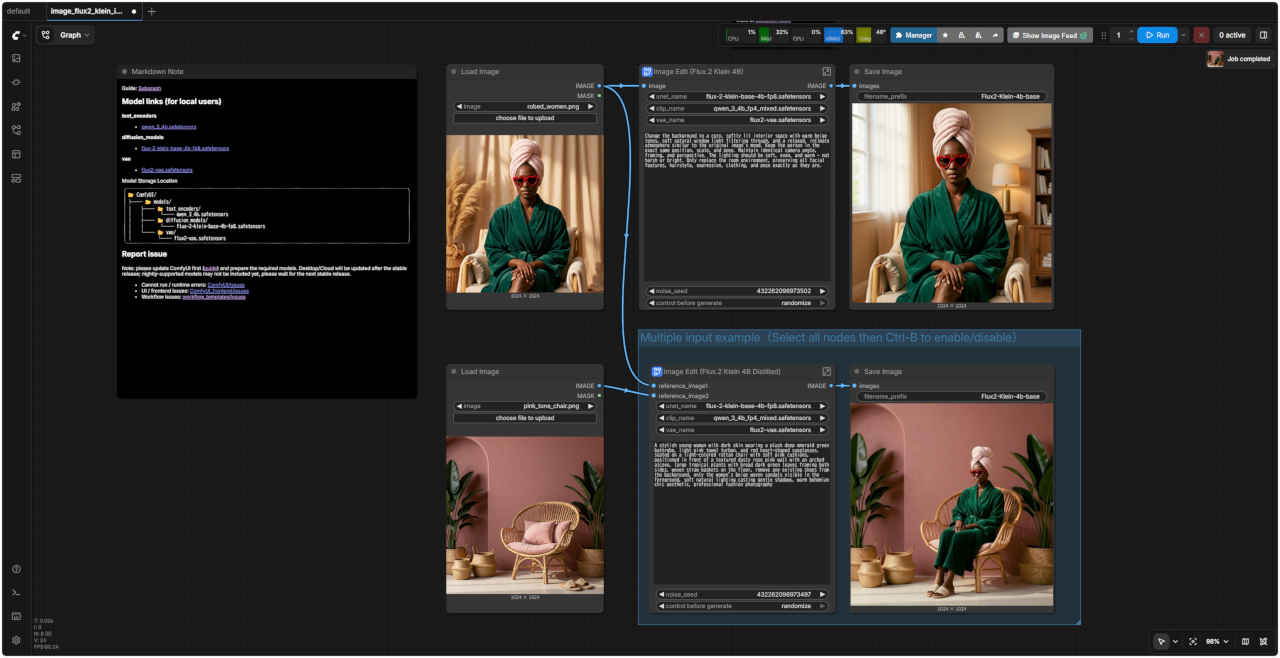
| ① モデル「quen_3_4b.safetensors」がない →「qwen_3_4b_fp4_mixed.safetensors」 ② バイパスしているノードを有効化する ③「Run」を押して実行する( ← 結果) | ・ワークフローを保存して読み込むと一部の接続が切れる ・「SubGraph」機能の問題のようなので、展開したワークフローを作成する ・参照画像が 1枚・2枚の場合を分けたワークフローにしてノードを整理する | |
| プロンプト | |
| Change the background to a cozy, softly lit interior space with warm beige tones, soft natural window light filtering through, and a relaxed, intimate atmosphere similar to the original image's mood. Keep the person in the exact same position, scale, and pose. Maintain identical camera angle, framing, and perspective. The lighting should be soft, even, and warm - not harsh or bright. Only replace the room environment, preserving all facial features, hairstyle, expression, clothing, and pose exactly as they are. | A stylish young woman with dark skin wearing a plush deep emerald green bathrobe, light pink towel turban, and red heart-shaped sunglasses, seated on a light-colored rattan chair with soft pink cushions, positioned in front of a textured dusty rose pink wall with an arched alcove, large tropical plants with broad dark green leaves framing both sides, woven straw baskets on the floor, remove any existing shoes from the background, only the woman's beige woven sandals visible in the foreground, soft natural lighting casting gentle shadows, warm bohemian chic aesthetic, professional fashion photography |
| 背景を、温かみのあるベージュトーンで、柔らかな自然光が差し込む、リラックスした親密な雰囲気の、居心地の良い室内空間に変更してください。これは、元の画像の雰囲気に似ています。人物の位置、サイズ、ポーズは元の写真と全く同じにしてください。カメラアングル、フレーミング、遠近法も元の写真と全く同じにしてください。照明は柔らかく、均一で、温かみのあるものにしてください。強すぎたり明るすぎたりしないようにしてください。部屋の環境だけを変更し、顔の特徴、髪型、表情、服装、ポーズはすべて元の写真と全く同じにしてください。 | 濃いエメラルドグリーンの豪華なバスローブ、淡いピンクのタオルターバン、赤いハート型のサングラスを身に着けた、肌の黒いスタイリッシュな若い女性が、柔らかなピンクのクッションが置かれた淡い色の籐椅子に座っている。椅子の前には、アーチ型のくぼみのある、質感のあるダスティローズピンクの壁があり、両側には幅広の濃い緑の葉を持つ大きな熱帯植物が植えられている。床には編み込みの麦わらかごが置かれている。背景にある靴はすべて取り除かれ、前景には女性のベージュの編み込みサンダルだけが見える。柔らかな自然光が優しい影を落とし、温かみのあるボヘミアンシックな美学が感じられる。プロのファッション写真。 |
| ワークフロー (base版):「FLUX/」3330_flux2_klein_image_edit_base.json | ワークフロー (base版):「FLUX/」3331_flux2_klein_image_edit_base.json |
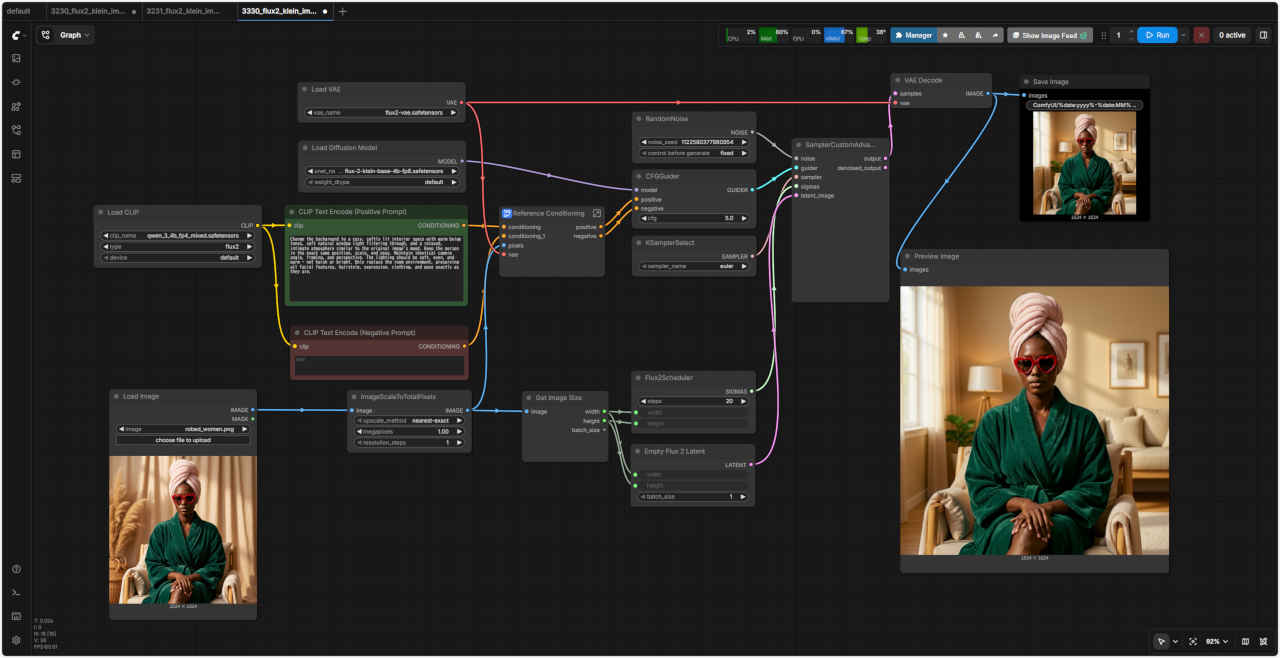 | 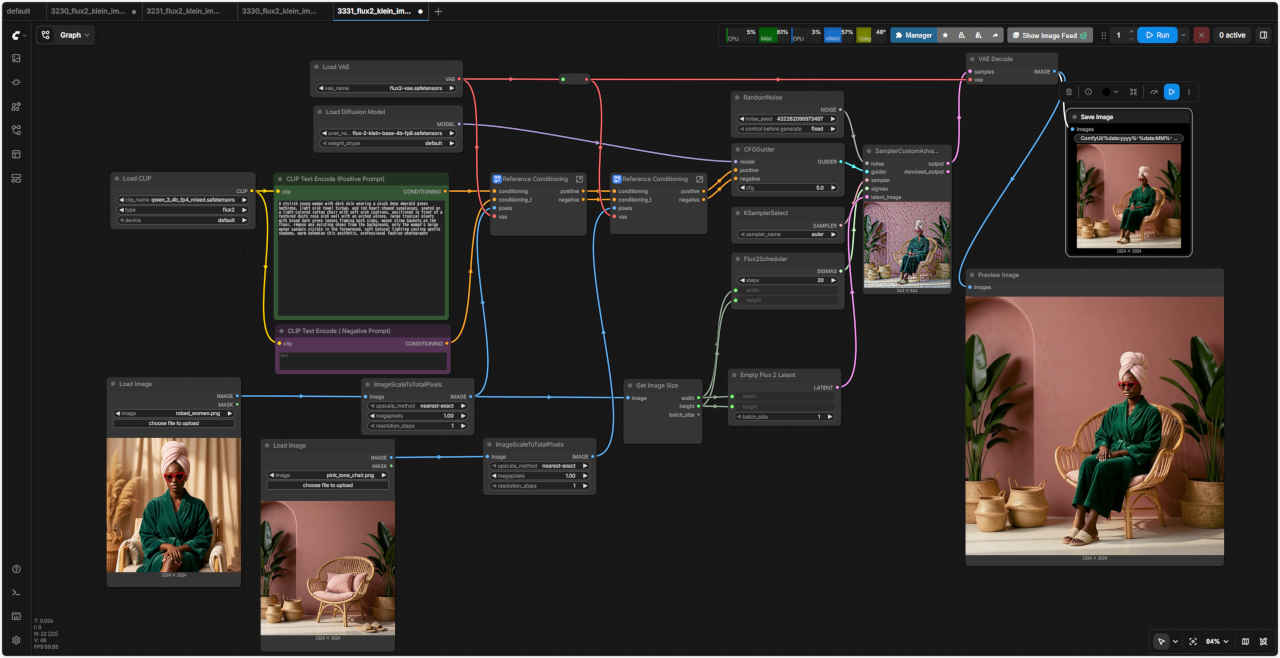 |
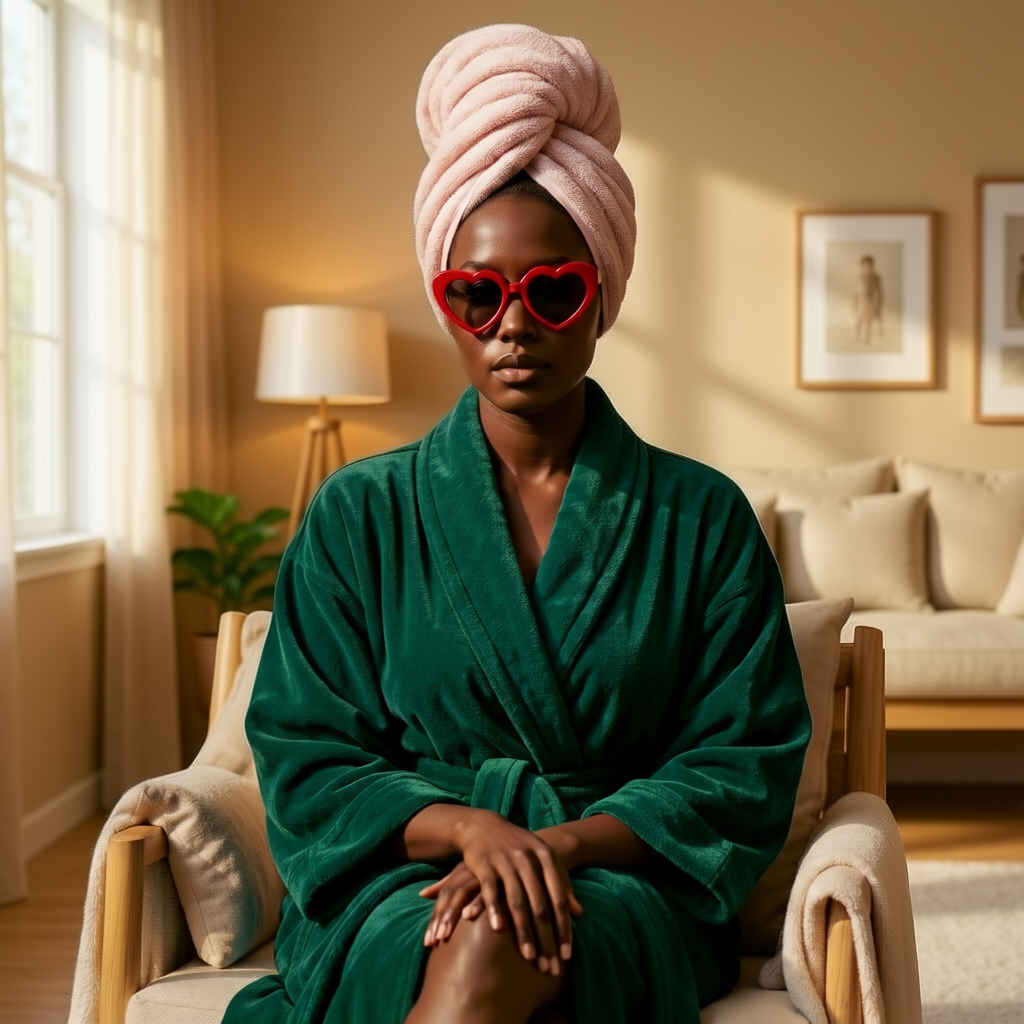 | 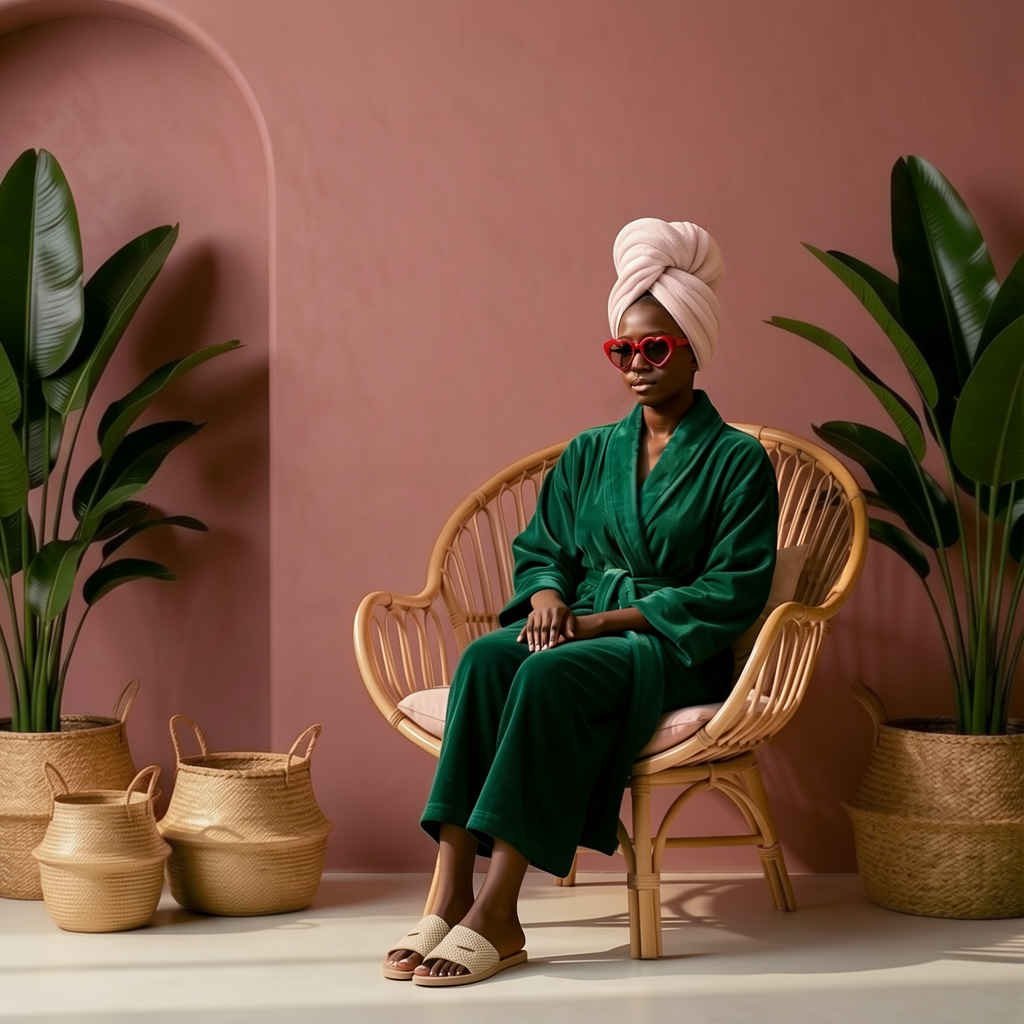 |
| プロンプト |
| Apply the design from Reference Image 1 onto objects in Reference Image 2. |
| 参照画像1のデザインを、参照画像2のオブジェクトに適用します。 |
| 入力画像1 | 入力画像2 |
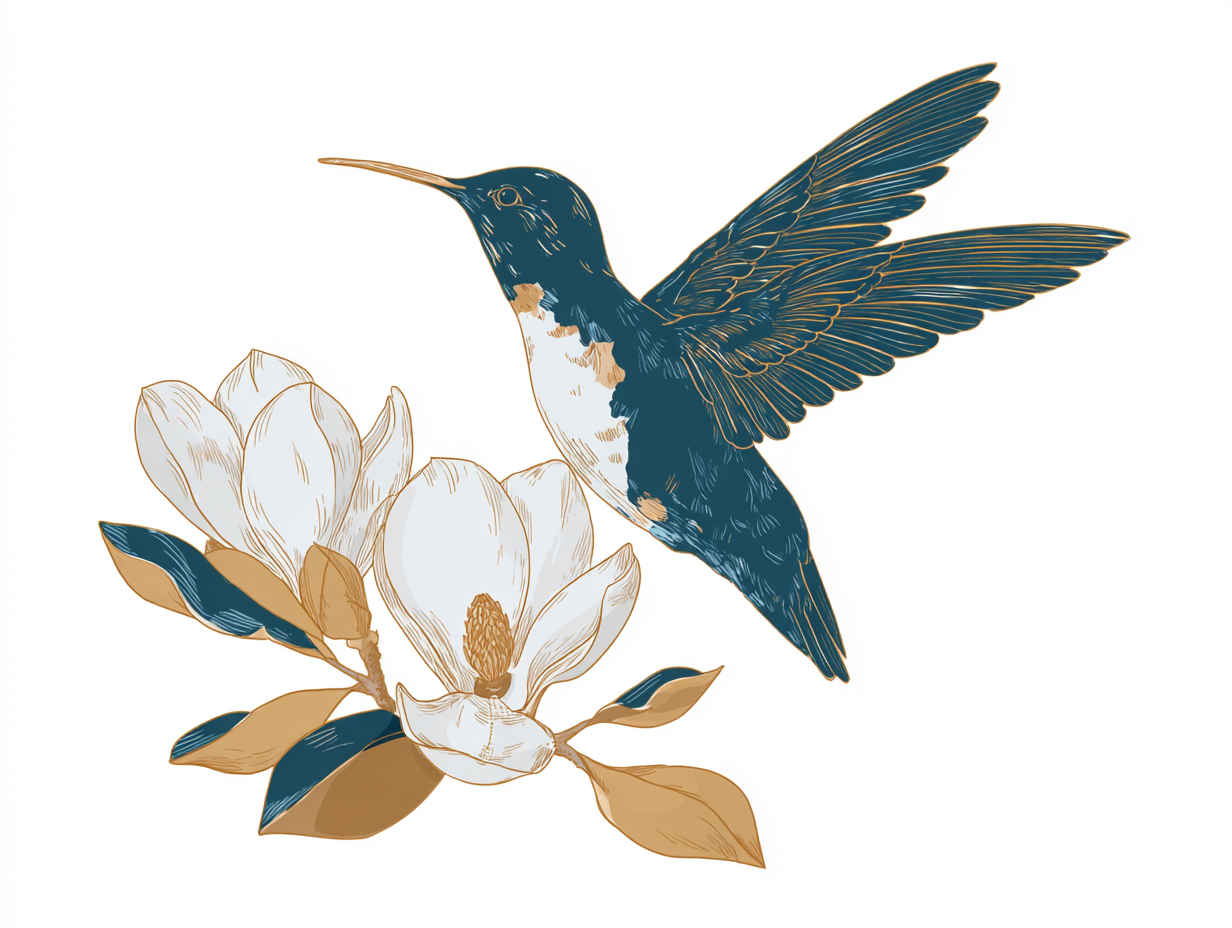 | 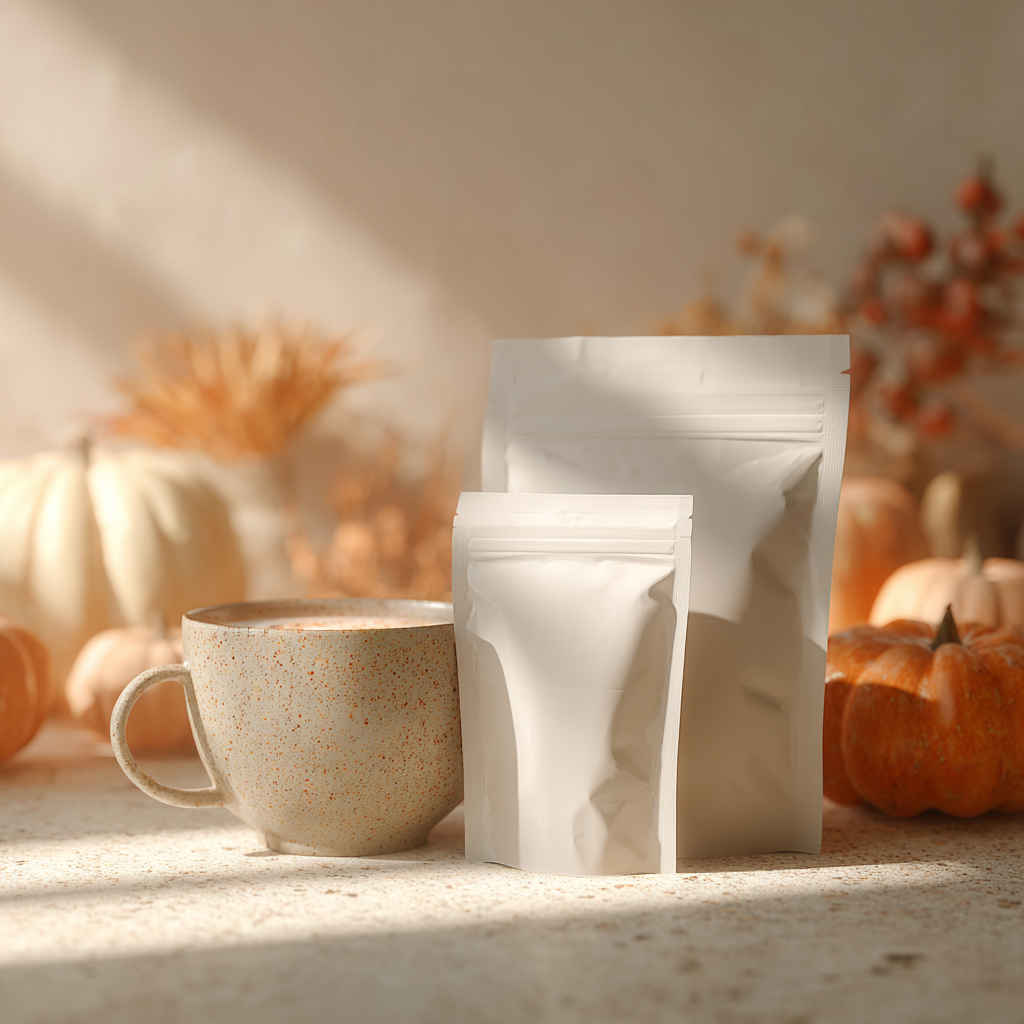 |
| プロンプト |
|
In the pose shown in the reference image Close-up portrait of a Japanease young woman in her 20s, natural makeup, soft expression. 85mm lens, f/1.4, shallow depth of field, bokeh background. Soft window light from the left, golden hour glow, warm skin tones. Cinematic, realistic, high detail, professional photography. |
| 参考画像に示されているポーズで撮影。 20代の日本人女性のクローズアップポートレート。ナチュラルメイク、柔らかな表情。85mmレンズ、F1.4、浅い被写界深度、背景のボケ。左側からの柔らかな窓からの光、夕暮れ時の黄金色の輝き、温かみのある肌色。映画のようなリアルさ、高精細、プロフェッショナルな写真。 |
| 入力画像 | 生成画像 |
| | 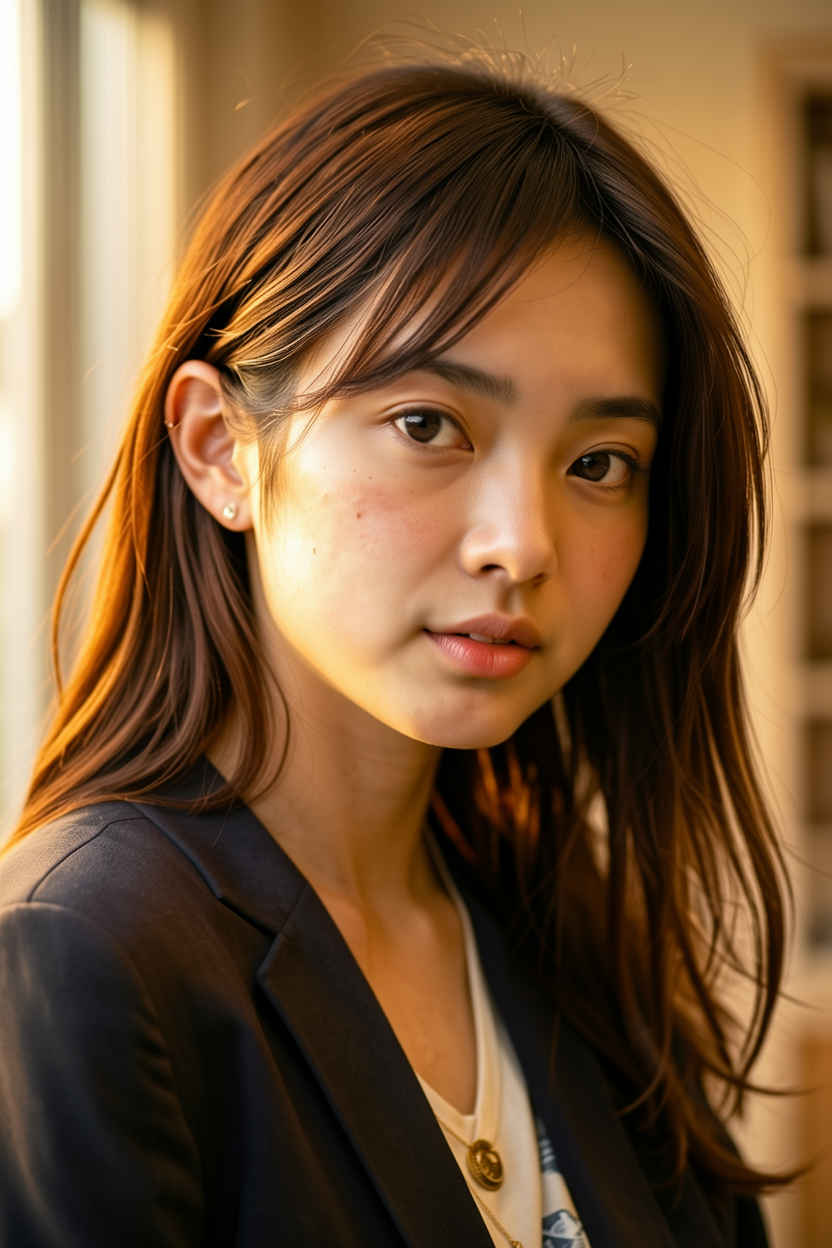 |
| 自然言語で日本語の理解力もあるようなので日本語プロンプトでの生成を試してみる |
| 20代の美しい日本人女性 | 20代の美しい日本人女性。バストアップのアングル。 |
| &ref(): File not found: "3211_2026-04-12_00001_m.jpg" at page "ComfyUI11"; | &ref(): File not found: "3211_2026-04-12_00002_m.jpg" at page "ComfyUI11"; |
| 夜のカフェでコーヒーを飲む日本人女性 | 背の高いエレガントな日本人のビジネスウーマン |
| &ref(): File not found: "3211_2026-04-12_00003_m.jpg" at page "ComfyUI11"; | &ref(): File not found: "3211_2026-04-12_00004_m.jpg" at page "ComfyUI11"; |
| ミステリアスな27歳の日本人プロモデル | ミステリアスな27歳の日本人女性のプロモデル |
| &ref(): File not found: "3211_2026-04-12_00005_m.jpg" at page "ComfyUI11"; | &ref(): File not found: "3211_2026-04-12_00006_m.jpg" at page "ComfyUI11"; |
| model | flux-2-klein-4b-fp8.safetensors, qwen_3_4b_fp4_mixed.safetensors, flux2-vae.safetensors |
| steps | 9 |
| cfg | 1.0 |
| sampler | euler |
| scheduler | simple |
| size (pixel) | 1024x768 |
| seed | 96330140554850 |
| Workflow | 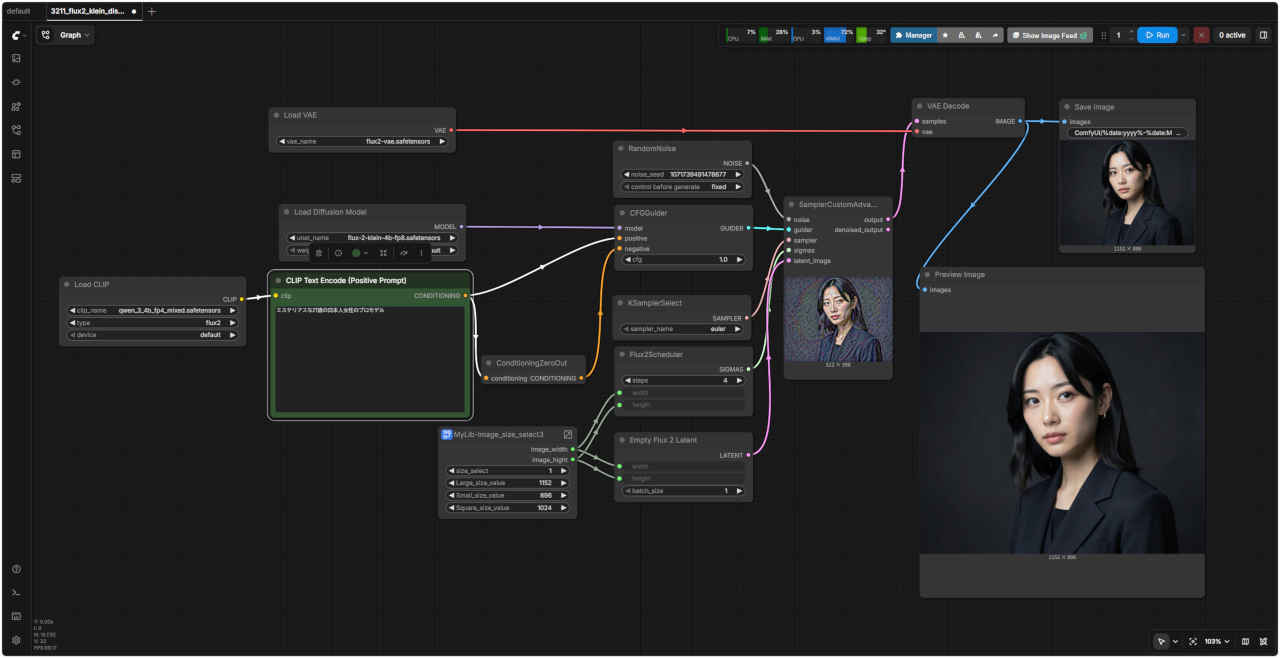 「FLUX/」3211_flux2_klein_distilled.json.json |