

私的AI研究会 > ComfyUI4
「ComfyUI」を使ってローカル環境でのAI画像生成を検証する
| 「ComfyUI」で用意されている様々な カスタムノードを使ってみる |
ComfyUI
├─input              ← ワークフローに含まれる入力画像
└─user
    └─default
        └─workflows        ← ワークフローの保存場所
            ├─_audio
            ├─_base
            ├─_base_i2i
            ├─_base_t2i
            ├─_prompt
            ├─_utility
            ├─_video
            └─test
・解凍してできる「ComfyUI/」フォルダを「StabilityMatrix/Data/Packages/ComfyUI」へ上書きコピーする| ワークフロー | 機 能 | CPU | CPU | ||||
| RTX 4070 | RTX 4060 | RTX 4060L | RTX 3050 | GTX 1050 | i7-1260P | ||
| test_ipadapter_simple.json | 参照画像で生成をコントロール | 00:12.96 | 00:16.68 | 00:29.31 | 00:26.77 | 00:54.24 | 04:45.0 |
| test_ipadapter_simple2.json | Face Modelを使用する | 00:03.62 | 00:05.27 | 00:06.99 | 00:10.52 | 00:42.66 | 05:54.65 |
| test_ipadapter_style.json | Style & Composition を使用 | 01:39.48 | 01:13.15 | 01:21.93 | 01:31.91 | 05:02.54 | 41:12.24 |
| test_ipadapter_style2.json | ControlNetを使用する | 01:20.56 | 00:46.68 | 01:09.03 | 01:29.00 | 08:45.98 | 95:12.10 |
| test_ipadapter_faceswap.json | faceSAwapelをやってみる | 00:12.38 | 00:25.36 | 00:34.30 | 00:48.73 | 03:12.04 | 52:33.24 |
| test_ipadapter_base.json | IPAdapter 基本ワークフロー | 00:02.57 | 00:04.29 | 00:07.28 | 00:08.68 | 00:30.41 | 03:03.55 |
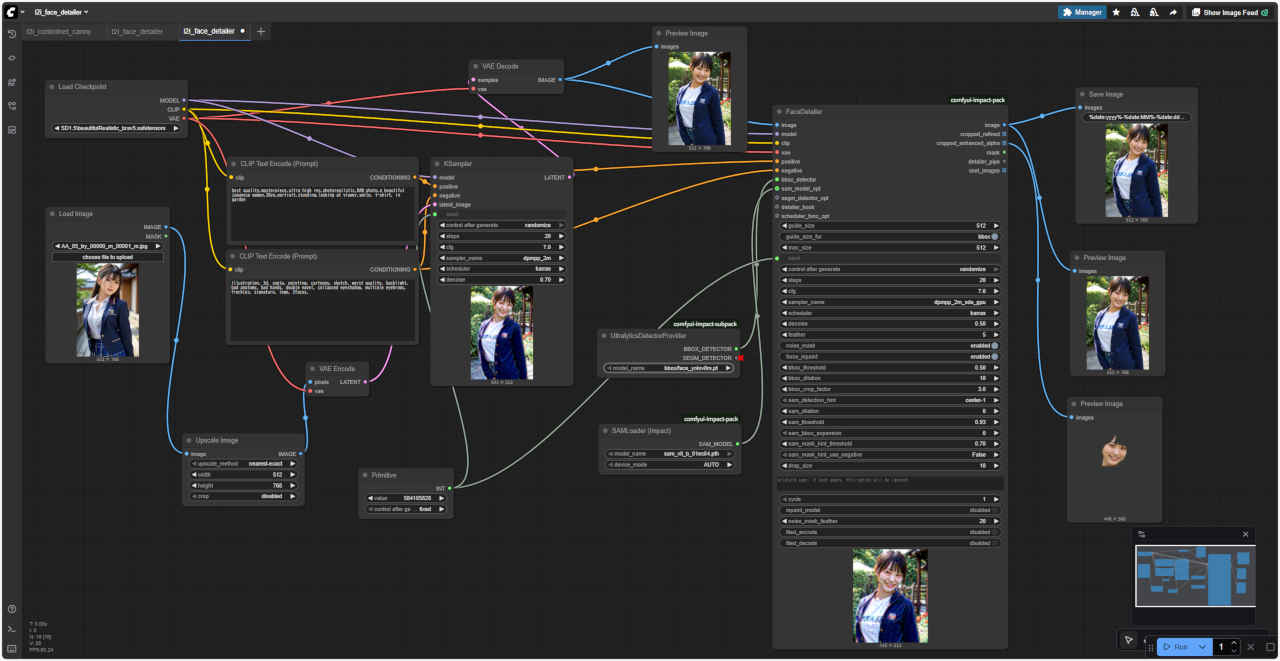
| t2i_face_detailer.json | Face Detailer text2img 基本 | 00:08.62 | 00:16.88 | 00:23.00 | 00:27.99 | 01:33.95 | 13:41.91 |
| i2i_face_detailer.json | Face Detailer img2img 基本 | 00:04.83 | 00:09.57 | 00:23.33 | 00:18.45 | 01:15.43 | 10:05.17 |
| test_DDColor.json | DDColor 白黒画像をカラー画像に | 00:02.15 | 00:02.11 | 00:02.55 | 00:02.79 | 00:03.37 | 00:05.36 |
| test_DDColor+blend.json | 濃淡の調整を追加 | 00:00.05 | 00:00.04 | 00:00.06 | 00:00.05 | 00:00.10 | 00:00.05 |
| paint-by-example_maskedit.json | paint by example 画像の一部入替 | 00:10.03 | 00:11.21 | 00:11.41 | 00:38.21 | 00:59.66 | 03:38.28 |
| paint-by-example_mask.json | マスク画像を個別入力 | 00:06.87 | 00:06.68 | 00:07.06 | 00:13.08 | 00:45.95 | 03:40:78 |
| t2i_tagger.json | Tagger 画像からプロンプトを得る | 00:07.67 | 00:11.78 | 00:20.71 | 00:13.08 | 00:43.84 | 05:08.32 |
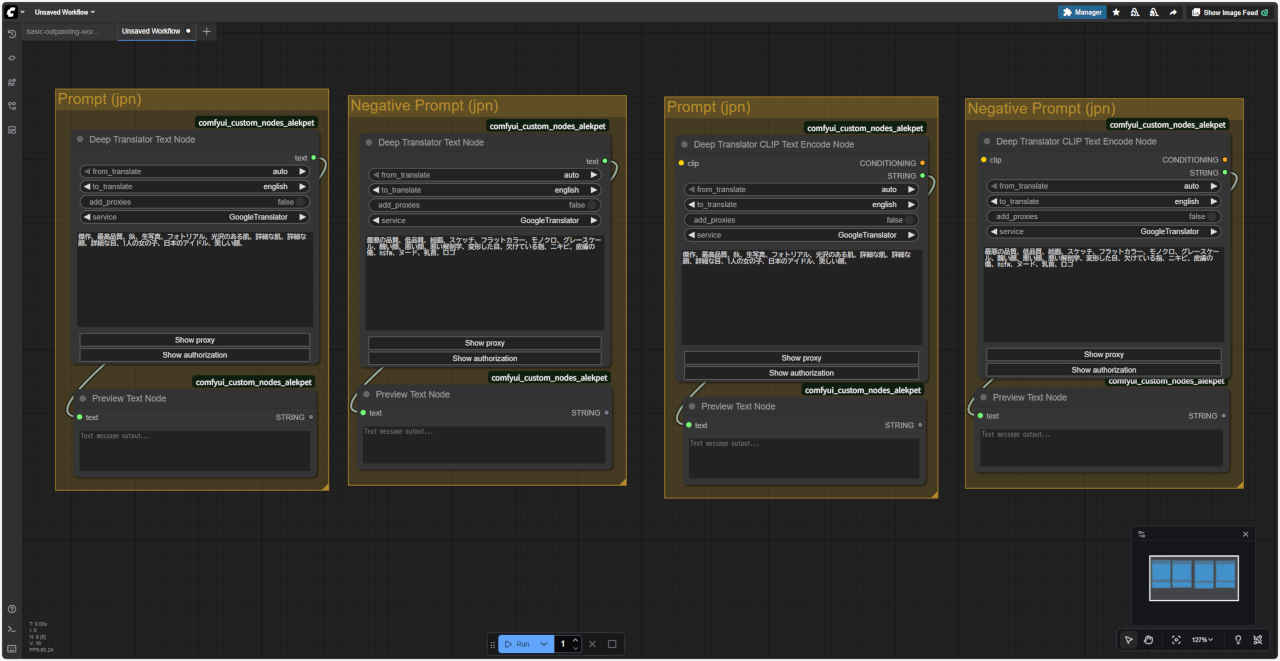
| txt2img_ipn_input.json | AlekPet プロンプトを日本語入力 | 00:02.71 | 00:05.26 | 00:06.46 | 00:11.25 | 00:40.46 | 05:14.42 |
| txt2img_ipn_input2.json | Negative Prompt を日本語入力 | 00:02.6 | 00:04.89 | 00:04.42 | 00:09.00 | 00:39.57 | 06:23.89 |
| ollama.json | Ollama LLMを使用する | 00:31.25 | 00:19.42 | 00:11.71 | 00:35.31 | 00:39.61 | 00:48.61 |
| ollama_test.json | 「txt2img」ワークフロー | 00:06.16 | 00:17.71 | 00:10.27 | 00:17.21 | 01:39.93 | 05:45.38 |
| test_XYPlot -LoRA_Clip Str01.json | XY Plot 生成画像を比較 | 02:25.86 | 01:38.92 | 03:14.56 | 03:53.02 | 09:40.70 | 79:55.20 |
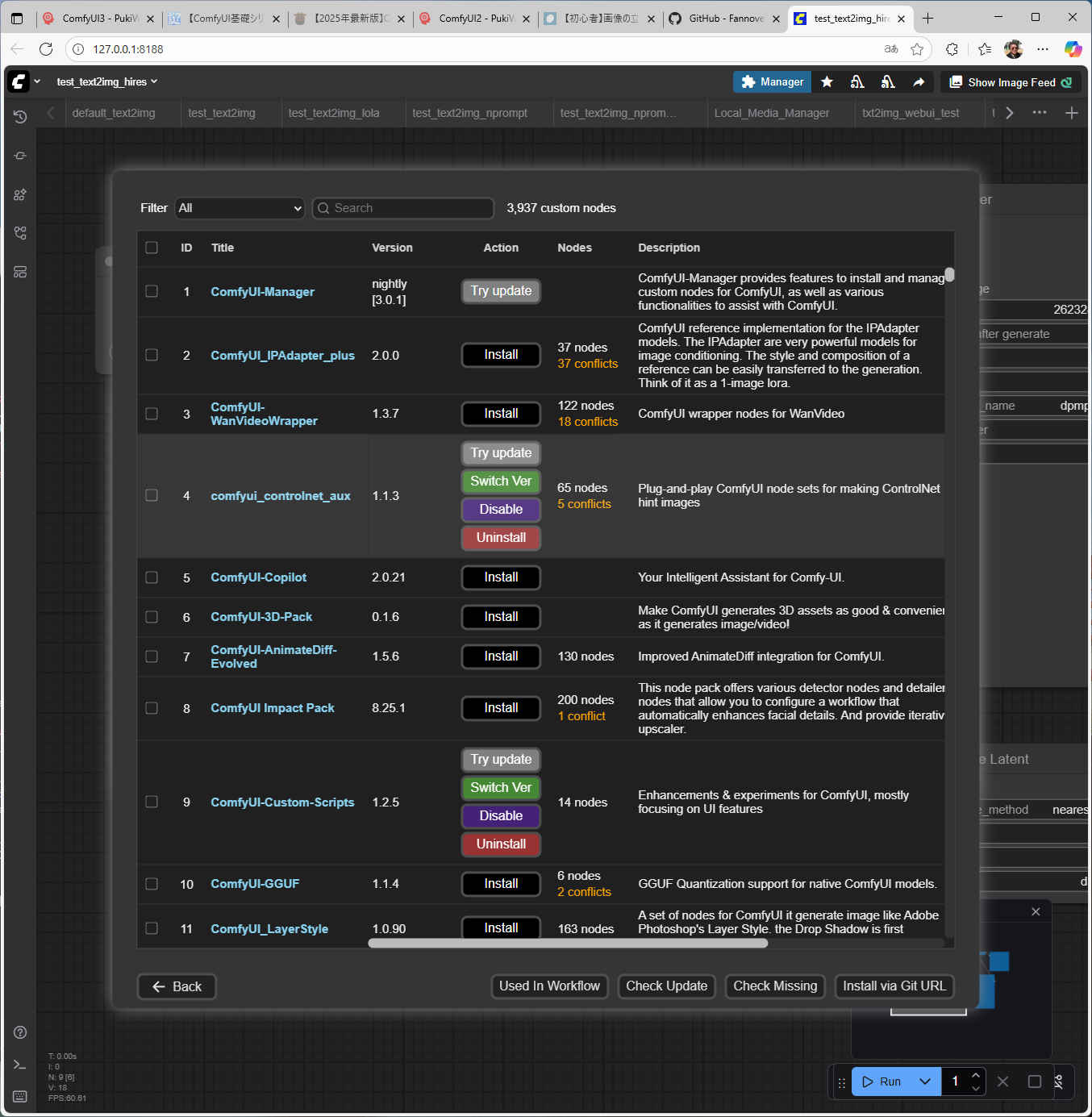
1.「Manager」ボタンを押し「ComfyUI Manager」から「Custom Nodes Manager」を選択
2. カスタムノード を検索。インストールするノードの「Install」を押す
3. バージョン番号を選択(基本「latest」を選択)
4. インストールが完了すると、ComfyUI の再起動を求められるので、下部の「Restart」ボタンを押す
5.「Confirm」(確認)ボタンを押すとインストール開始する
6. インストール完了すると再度確認ウインドウが開く(別のウインドウがオープンするので閉じる)
7. 前のブラウザ画面で「Confirm」(確認)ボタンを押す
8.「ComfyUI Manager」でインストール完了となっていることを確認してブラウザと「Stability Matrix」を一旦終了する
← インストール完了の状態
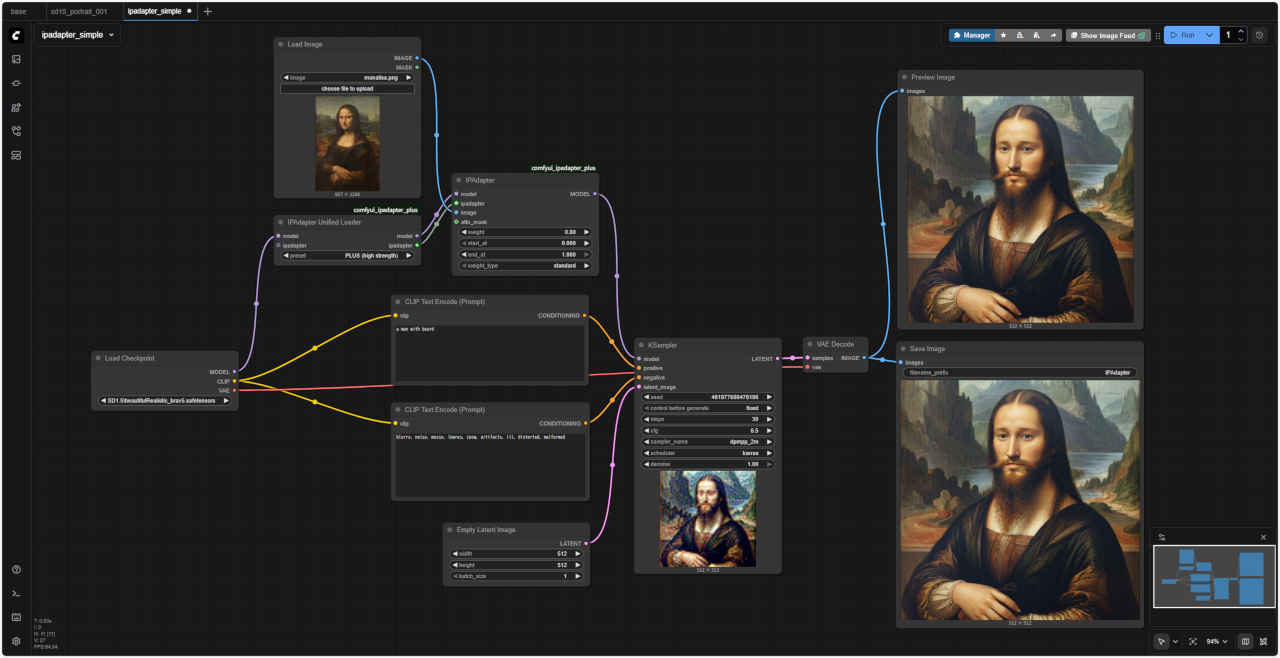
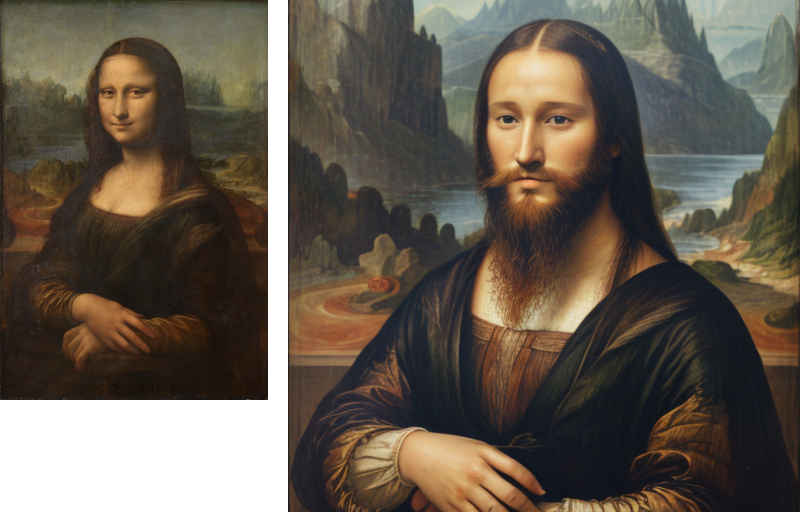
 test_ipadapter_simple.json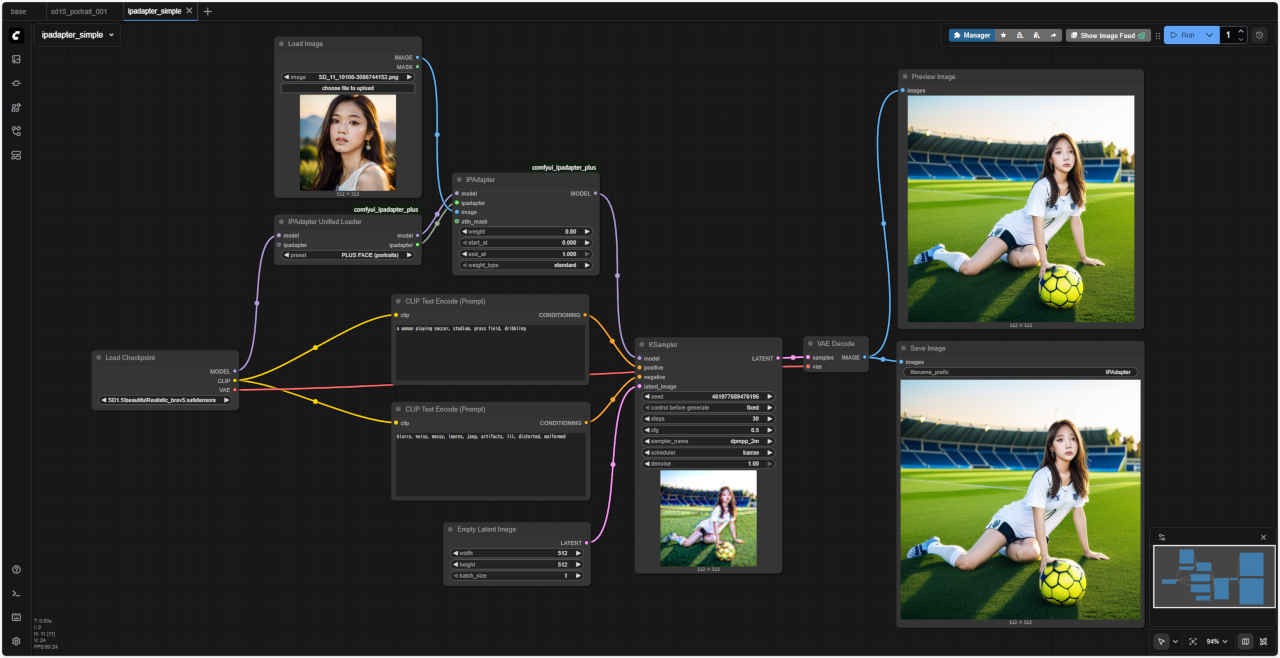
 test_ipadapter_simple2.json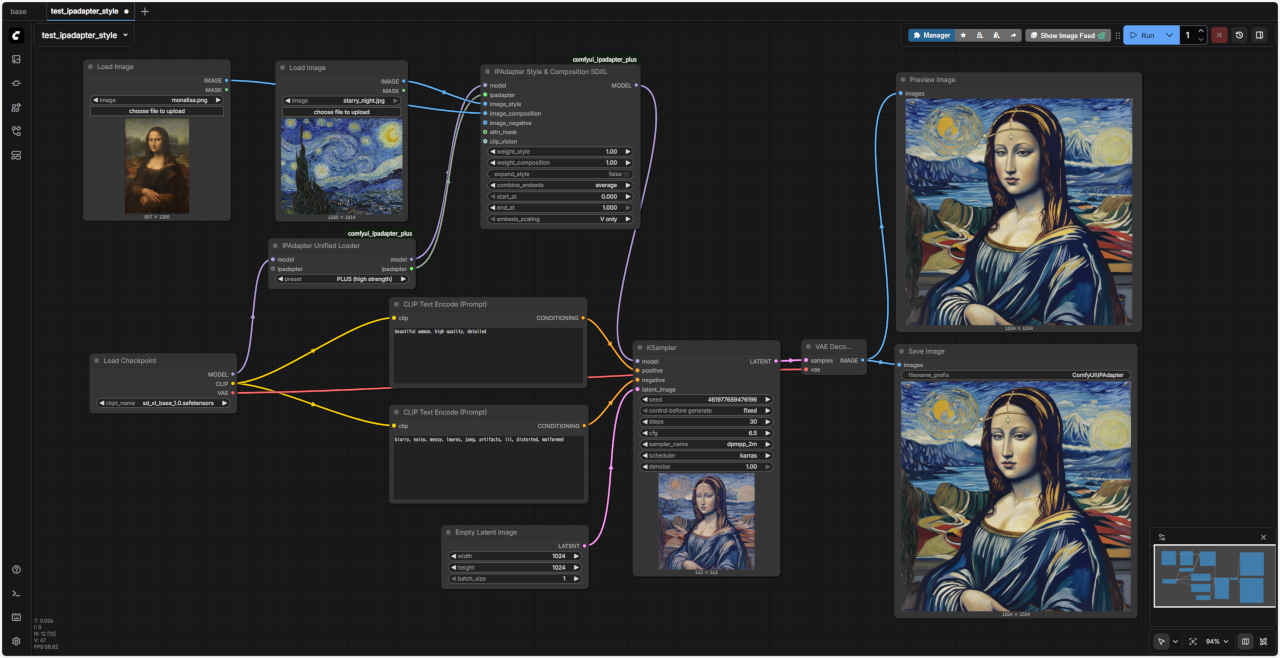
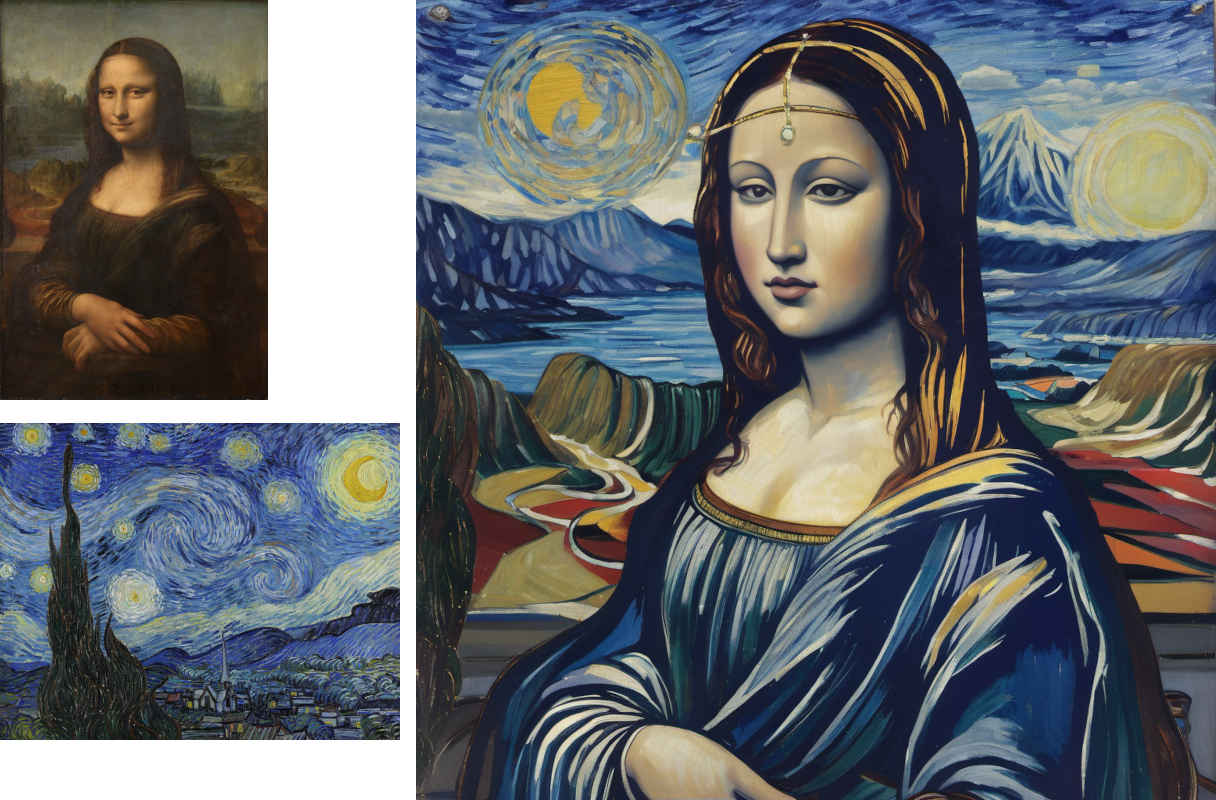 test_ipadapter_style.json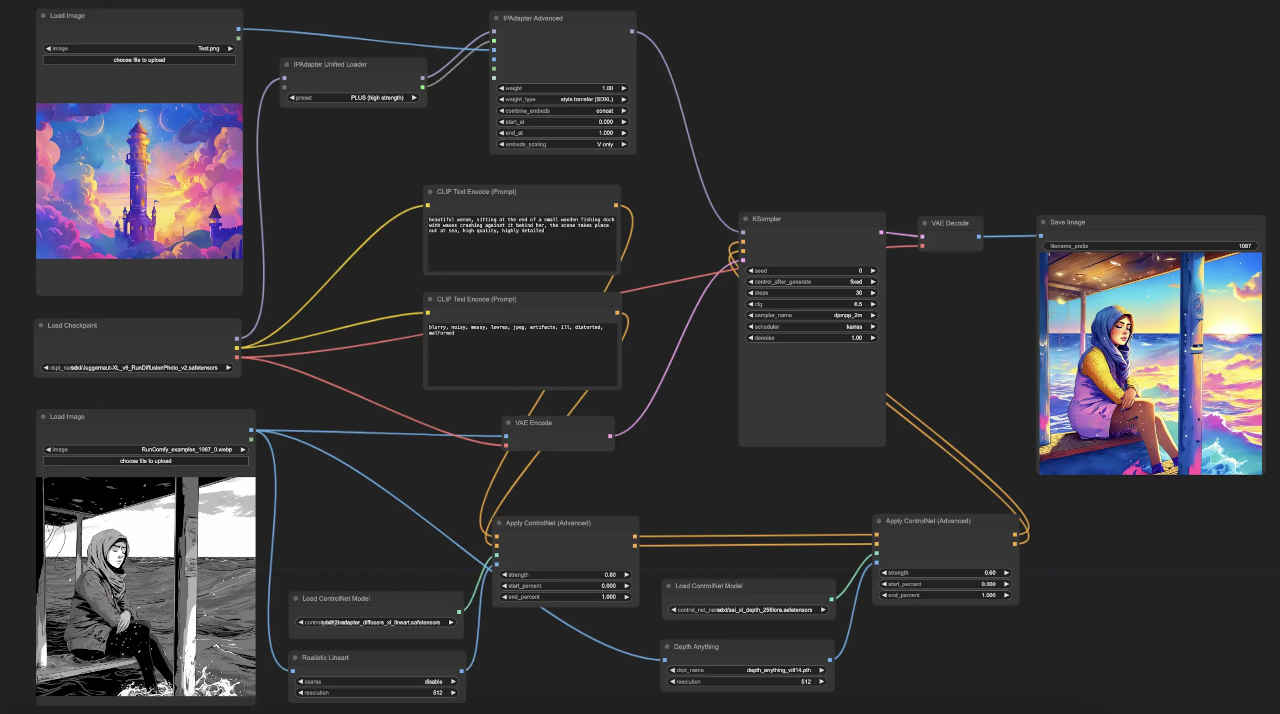
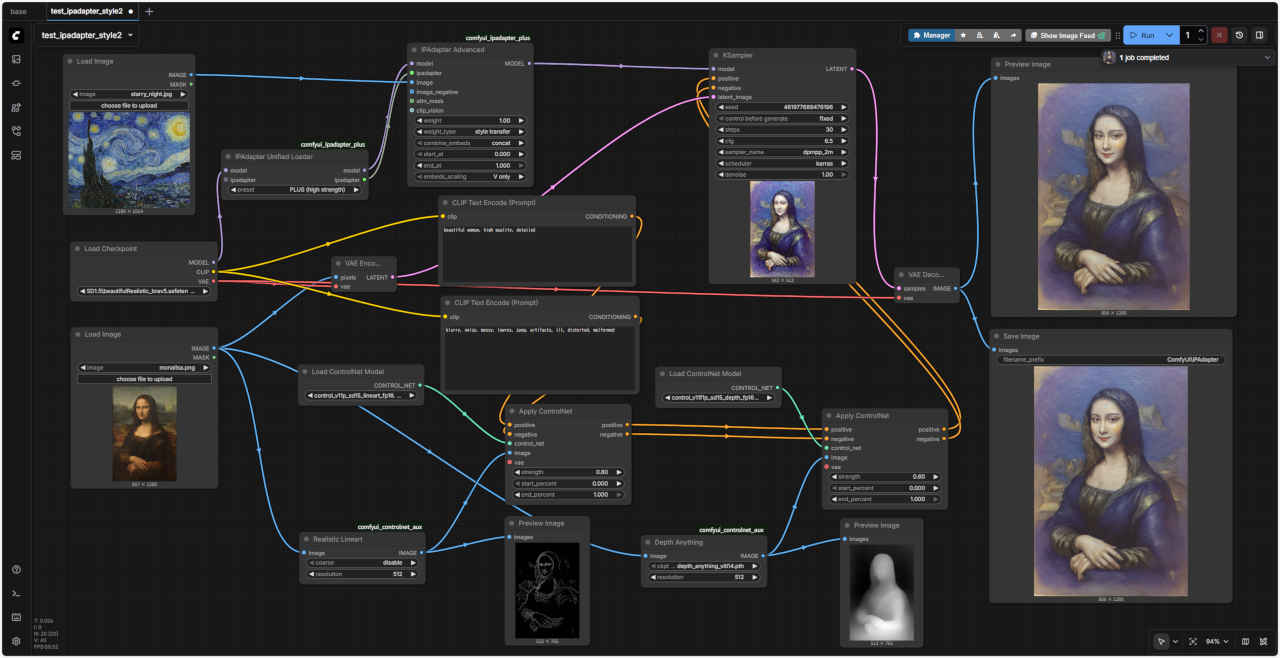
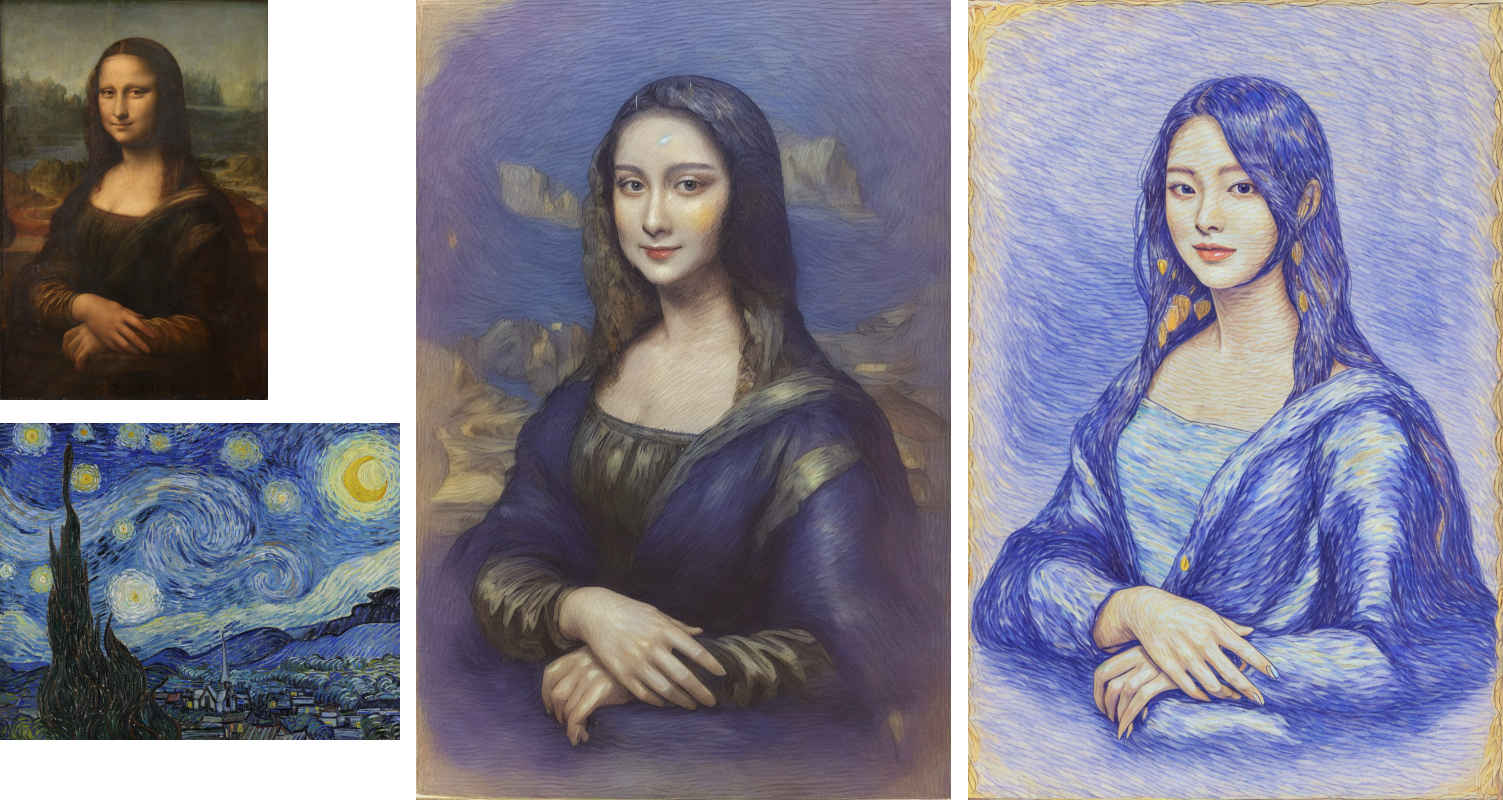
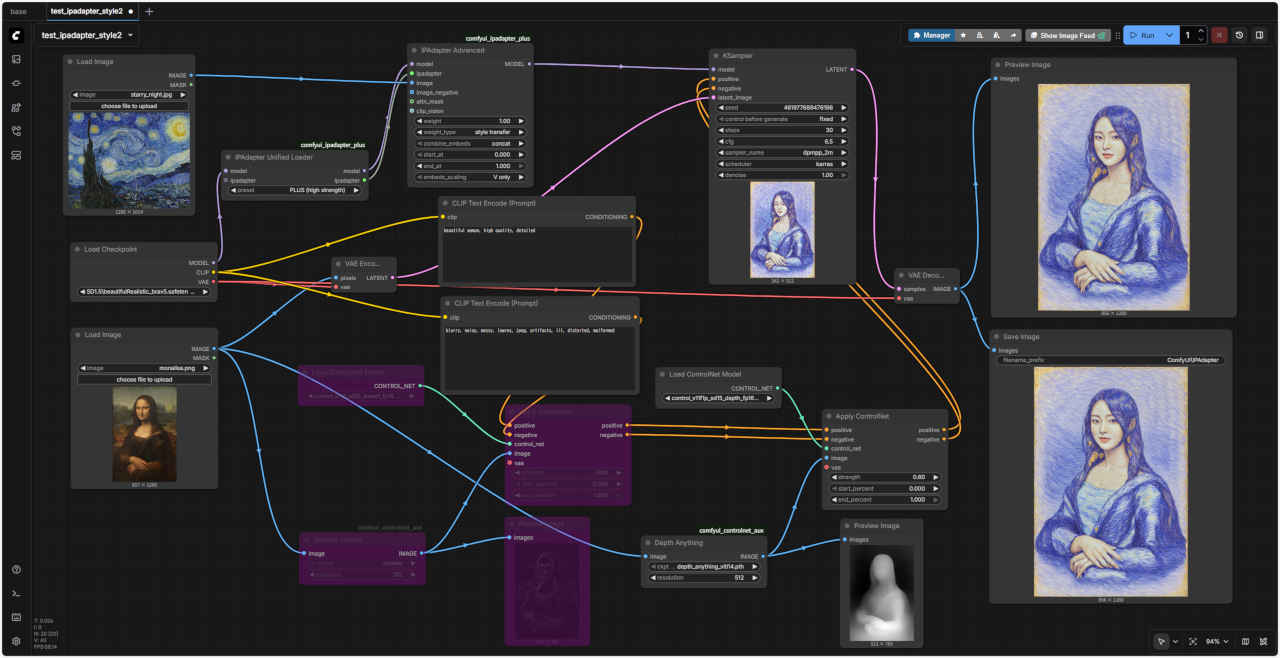 test_ipadapter_style2.json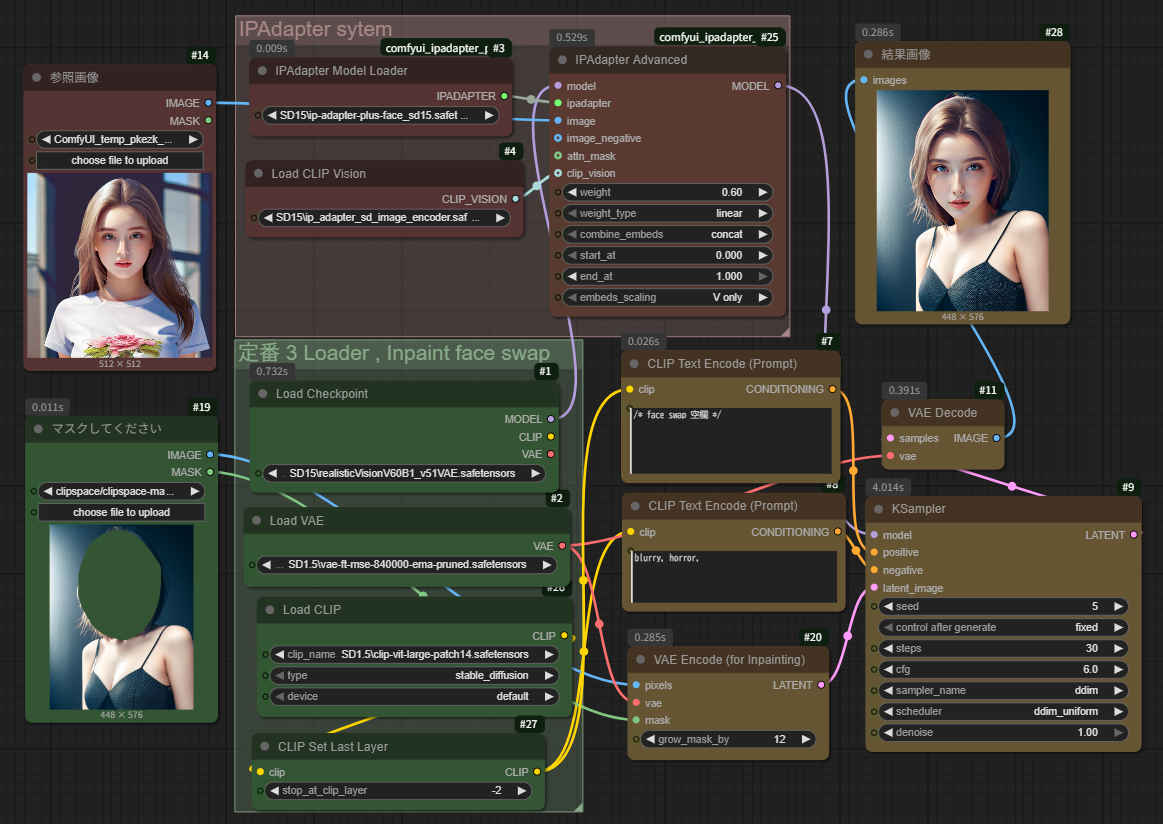
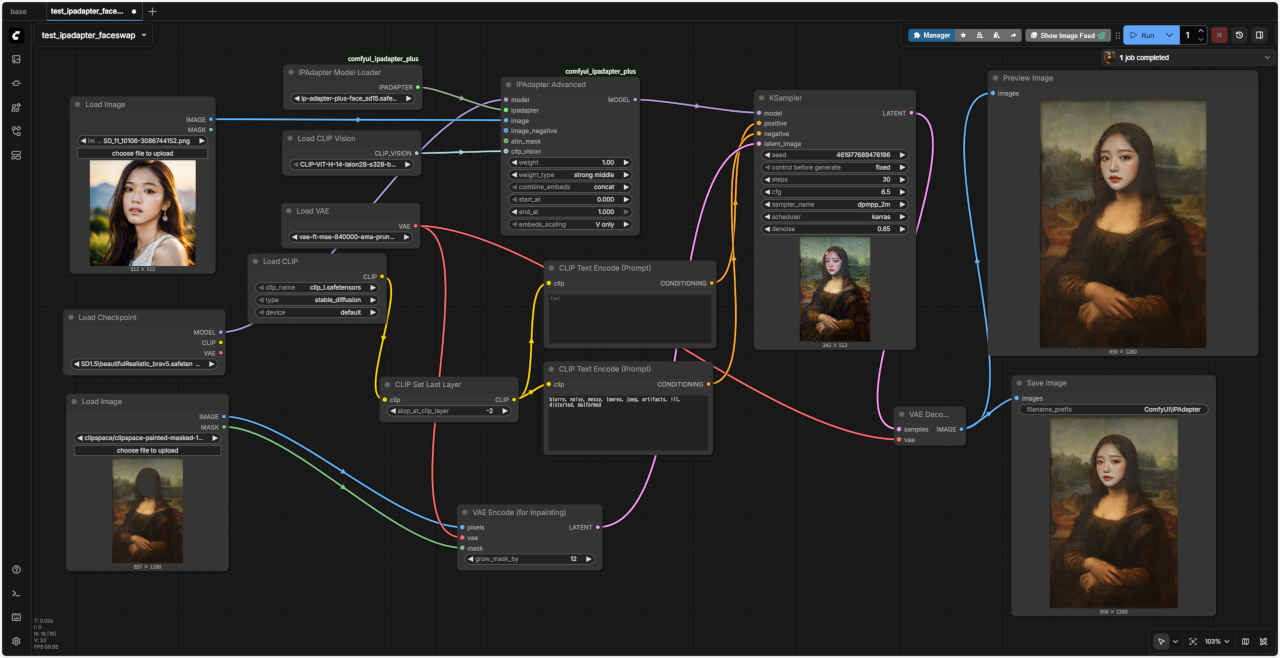
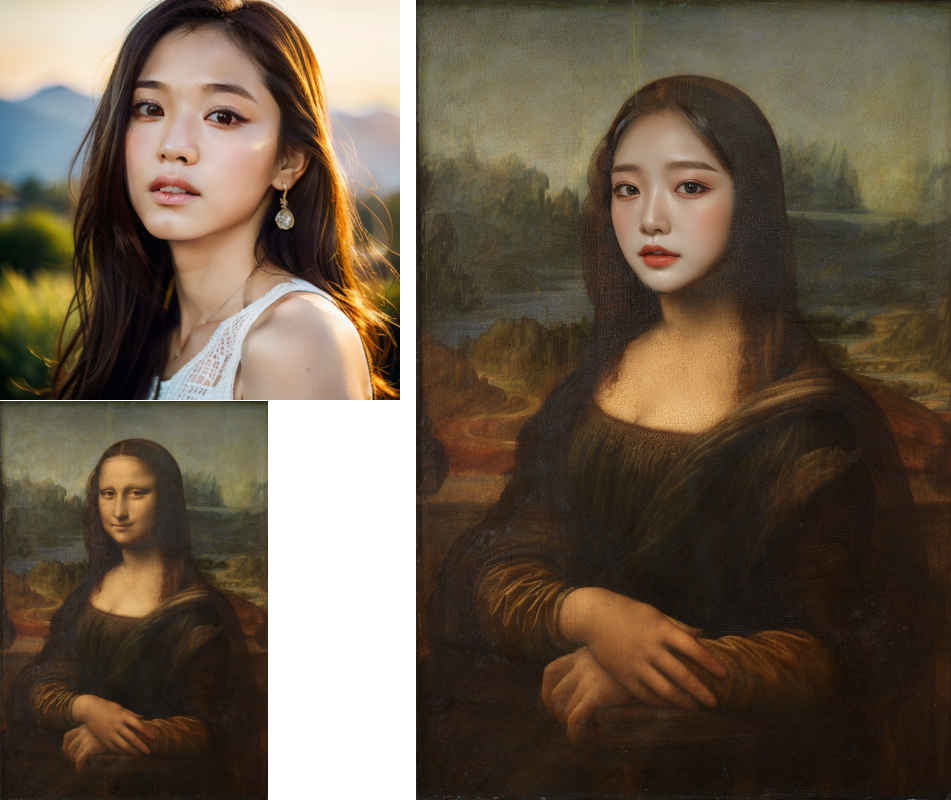 test_ipadapter_faceswap.json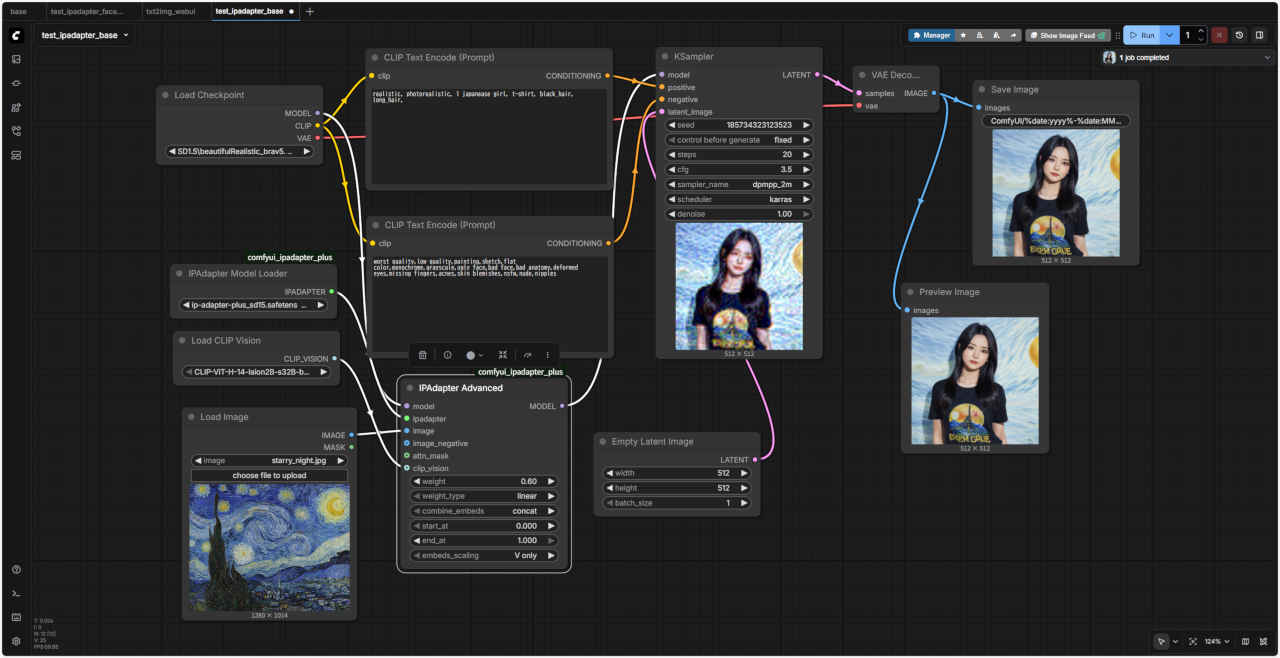
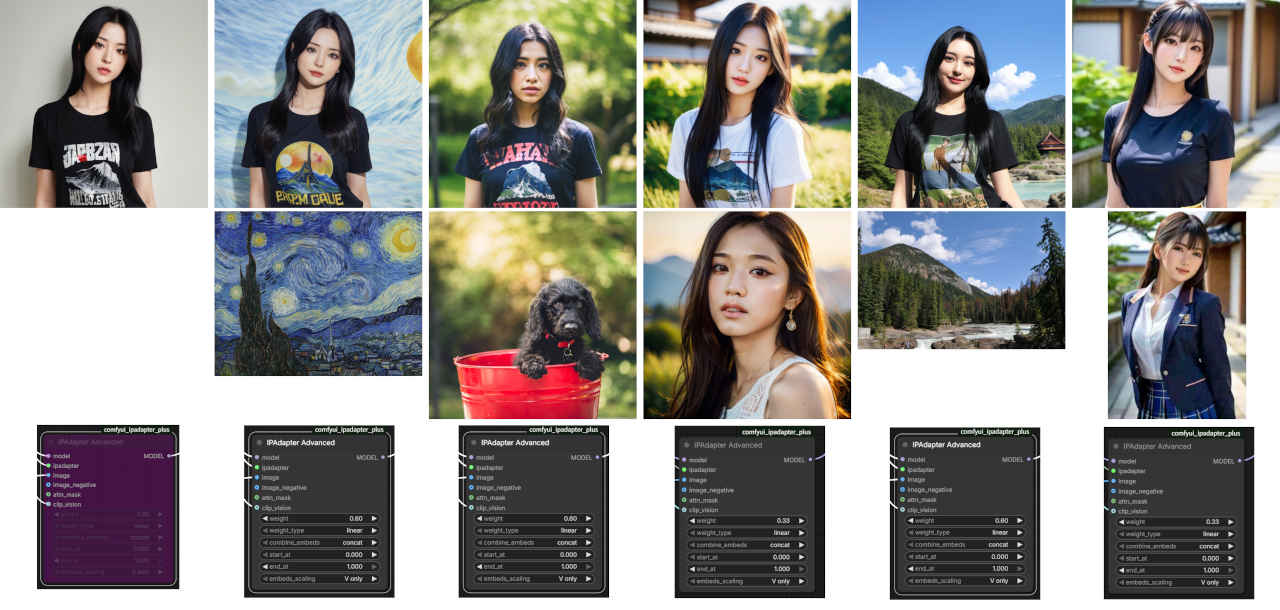 test_ipadapter_base.json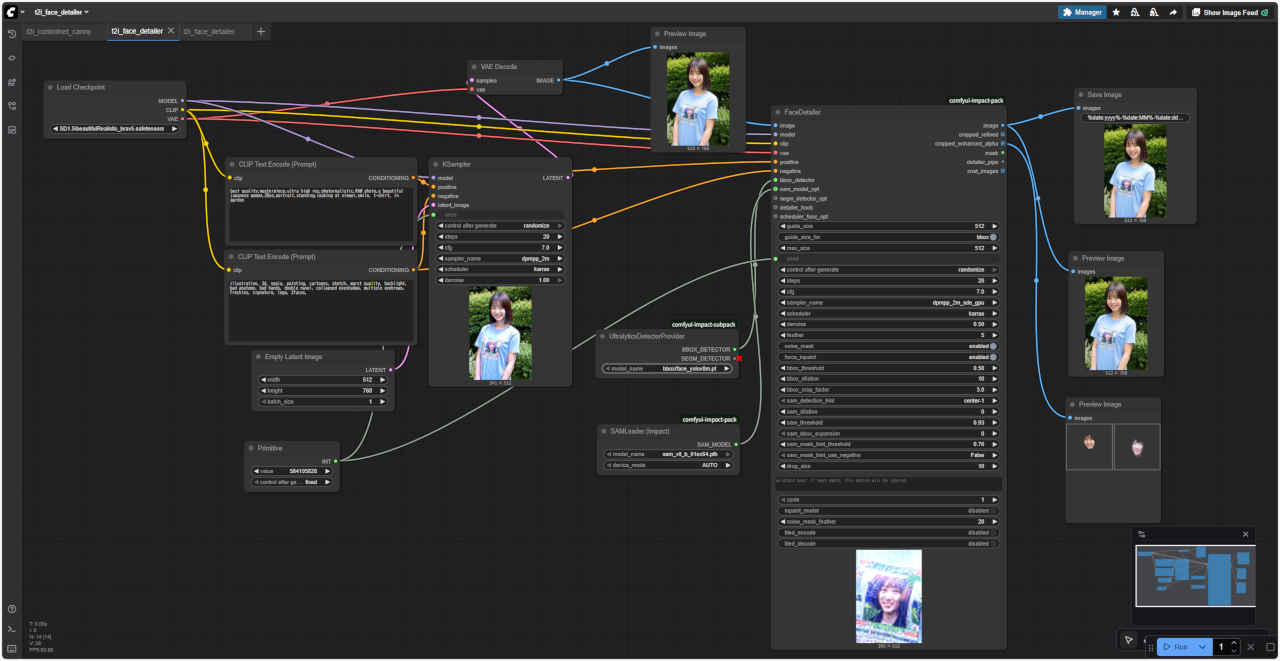
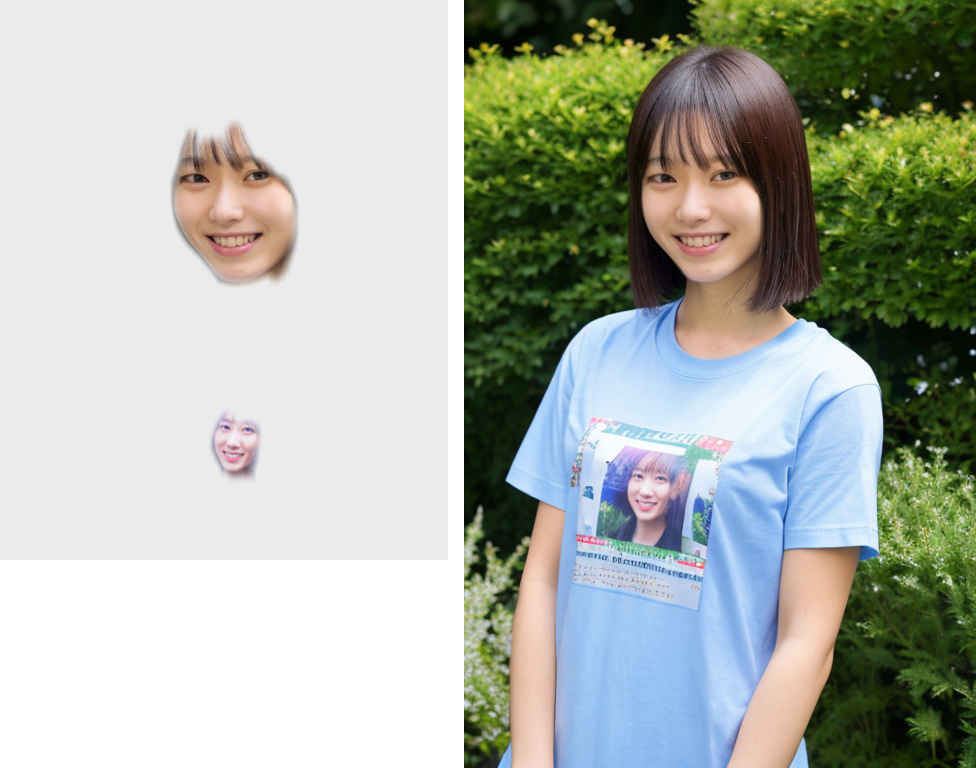 t2i_face_detailer.json
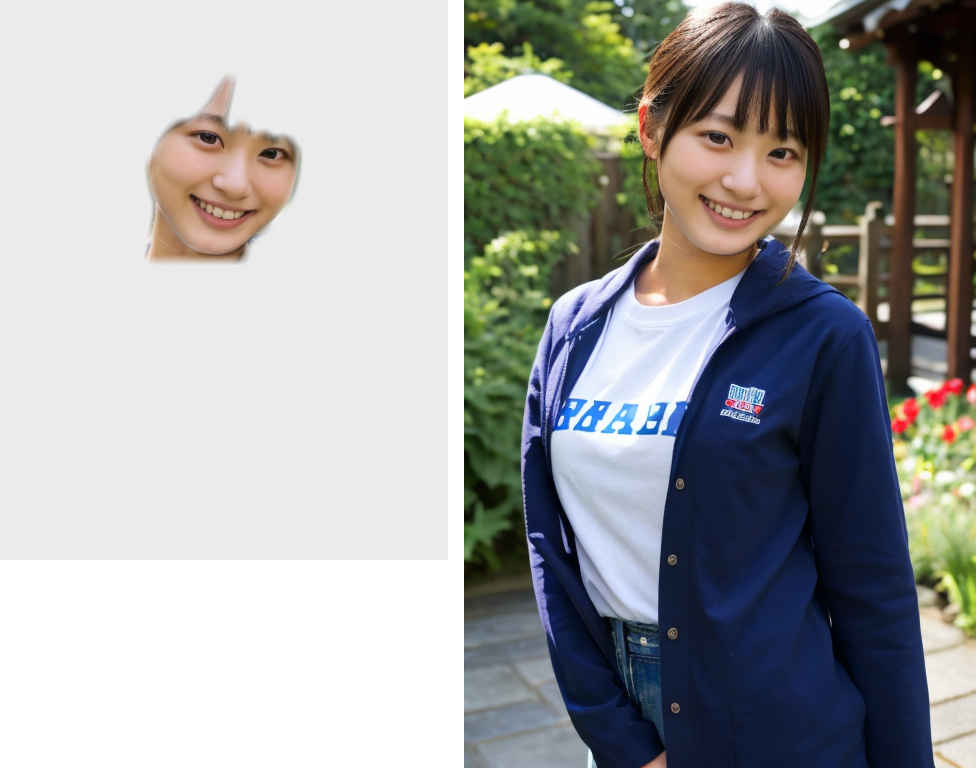 i2i_face_detailer.json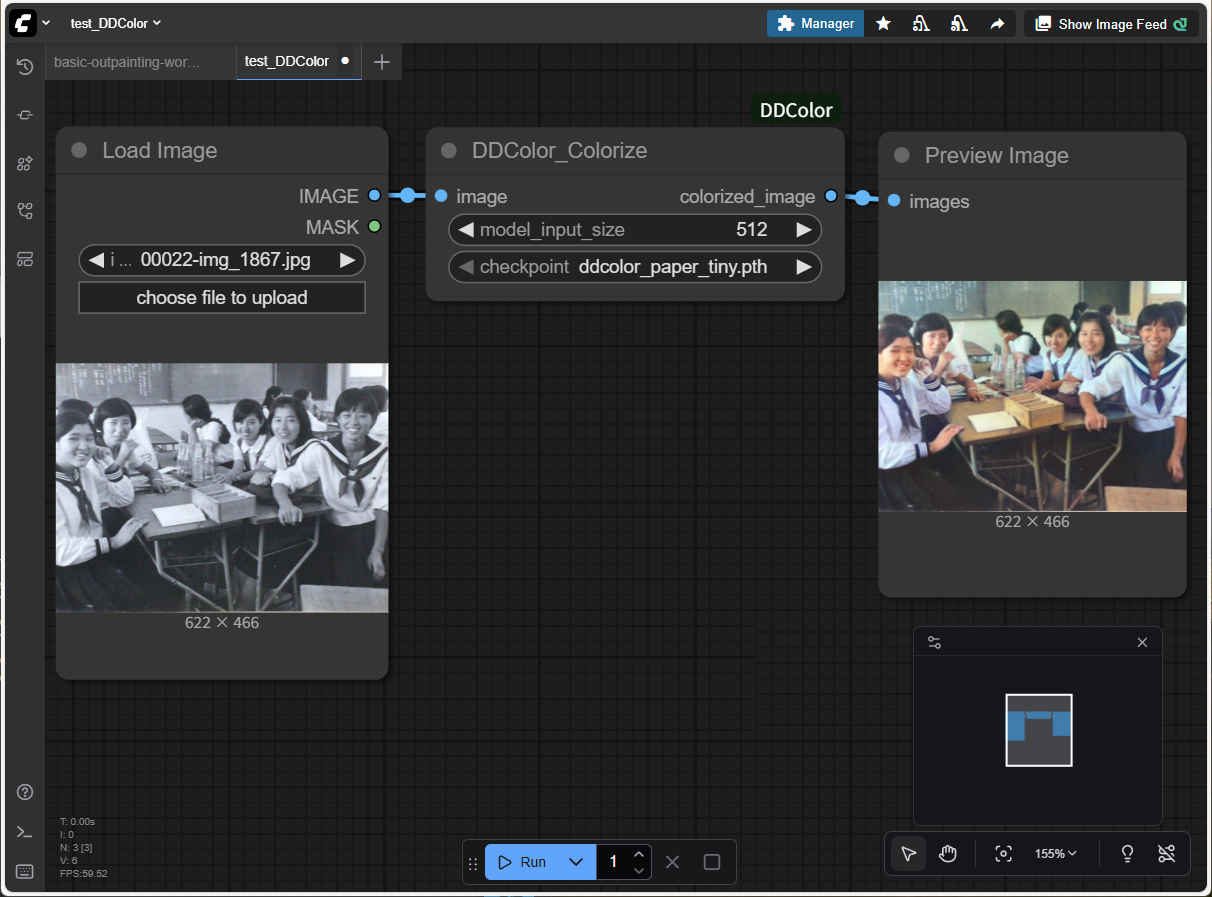
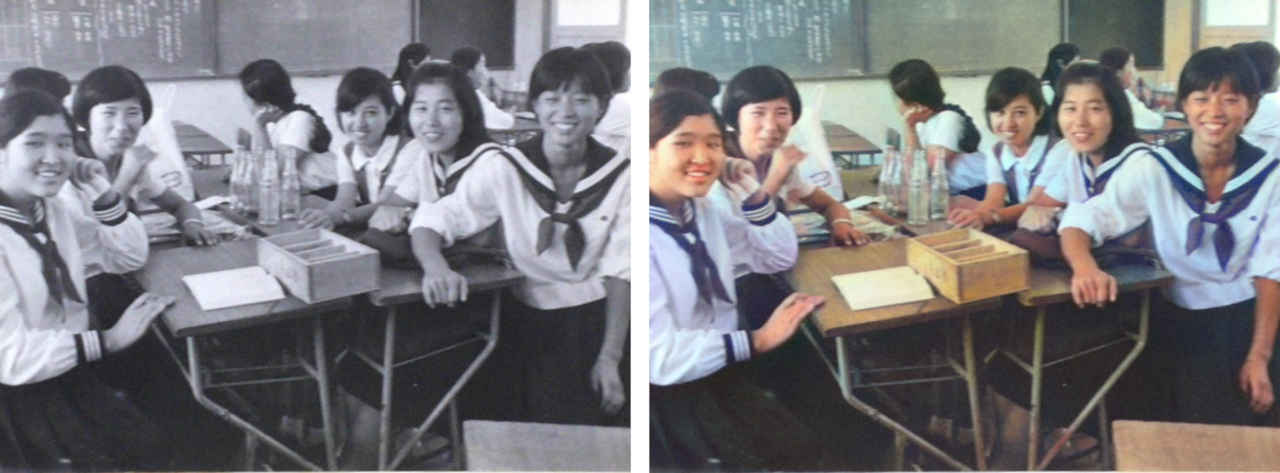 test_DDColor.json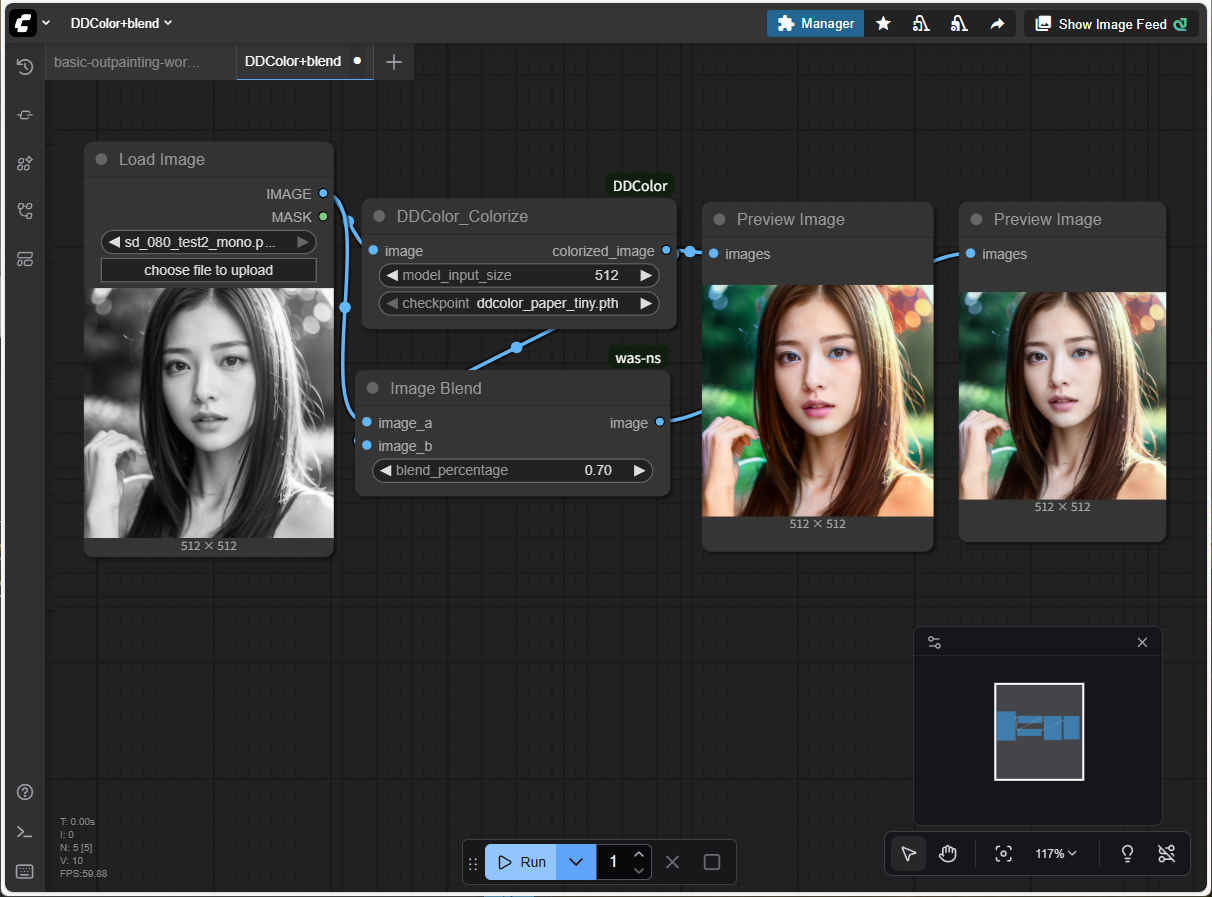
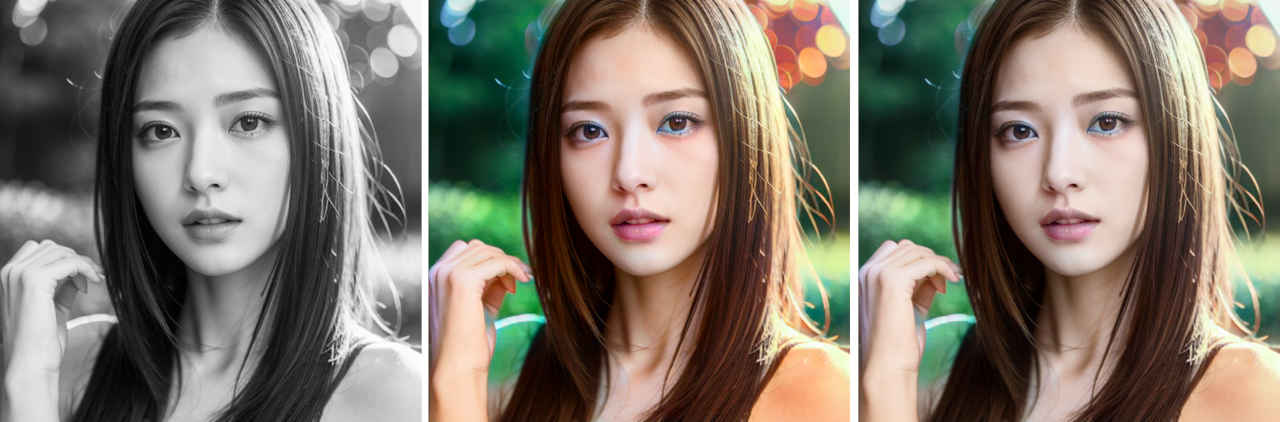 test_DDColor+blend.json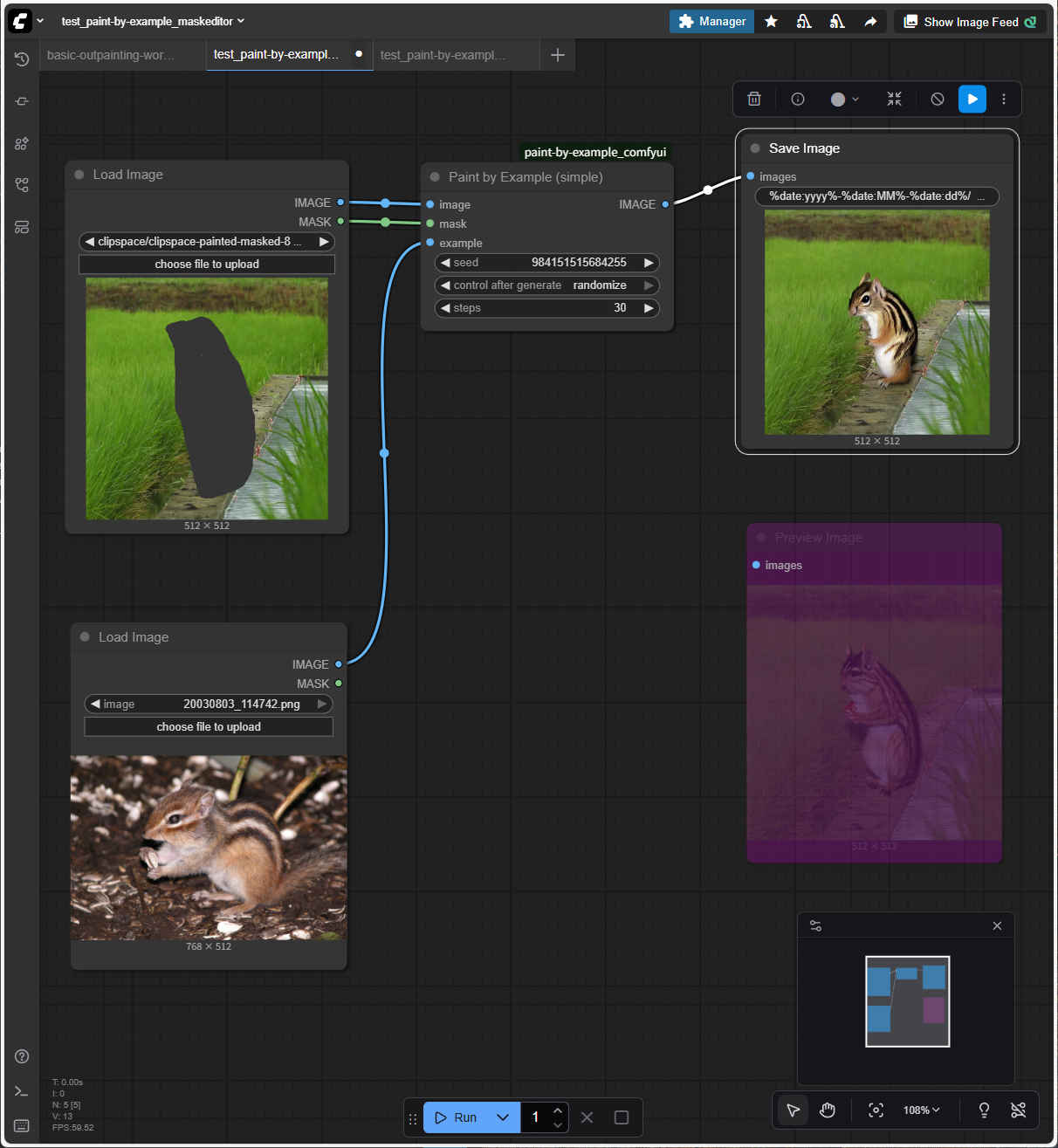
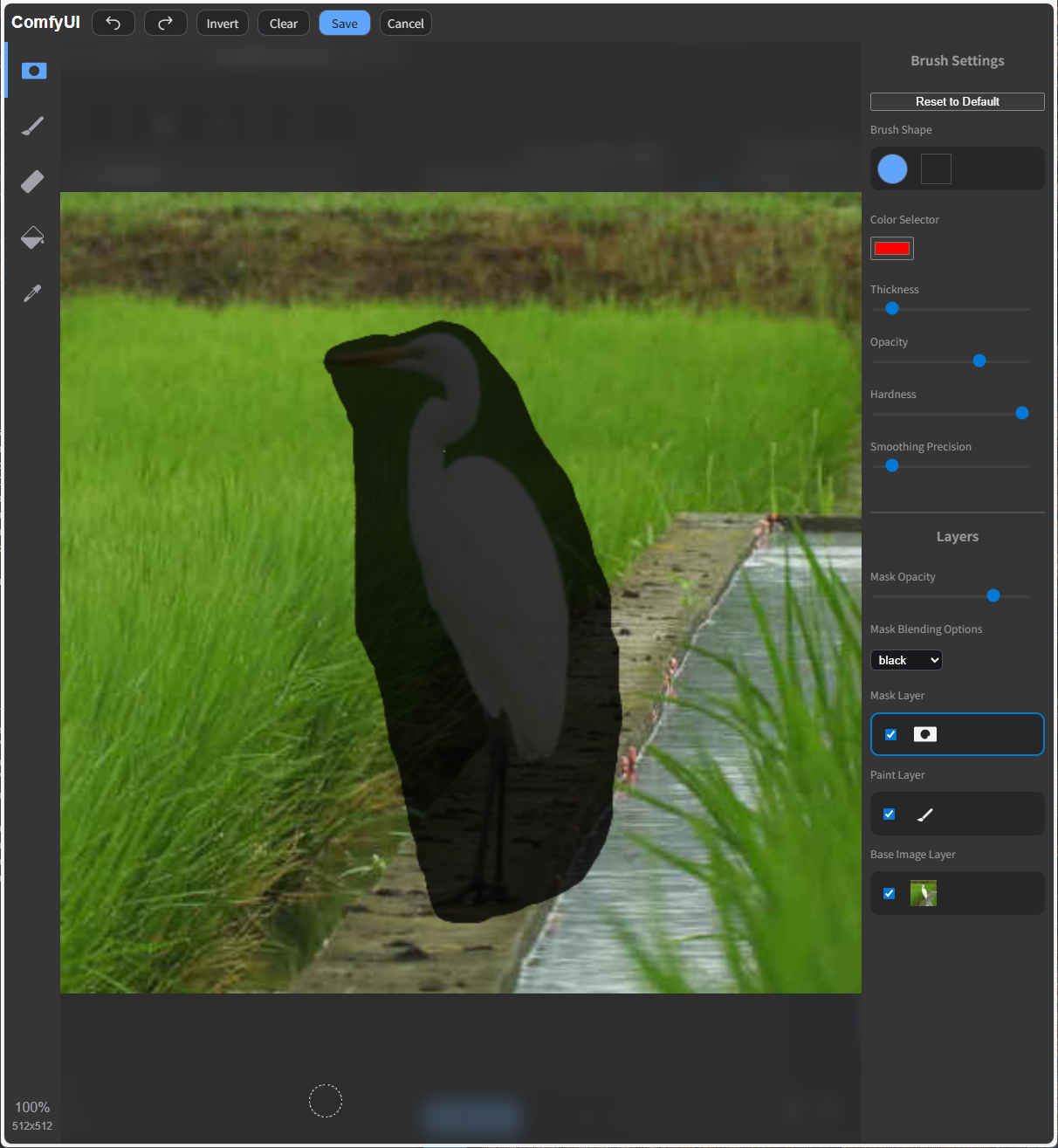
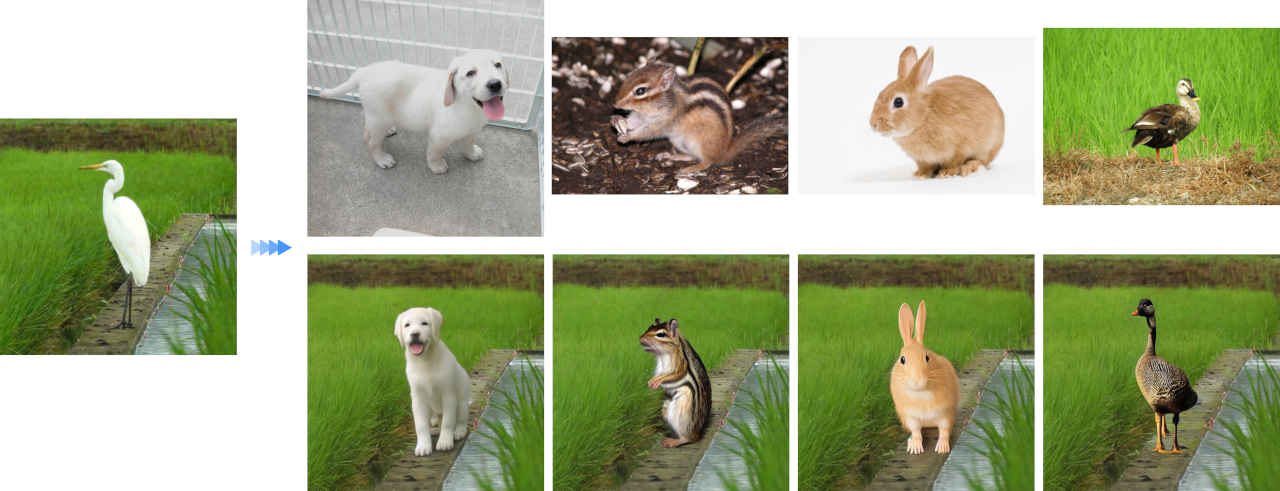
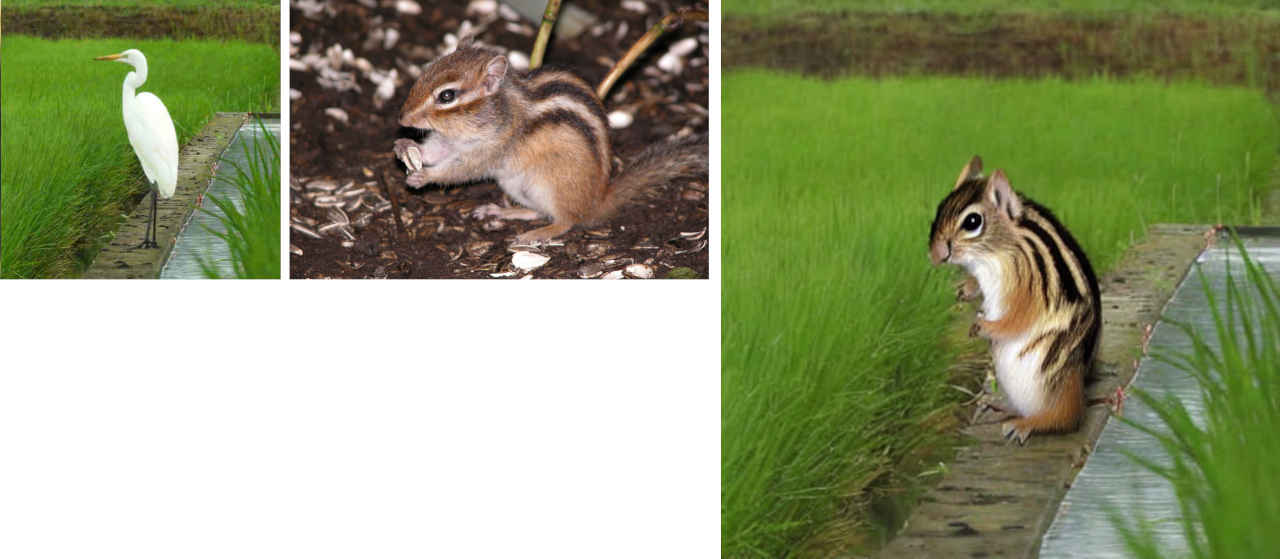 paint-by-example_maskedit.json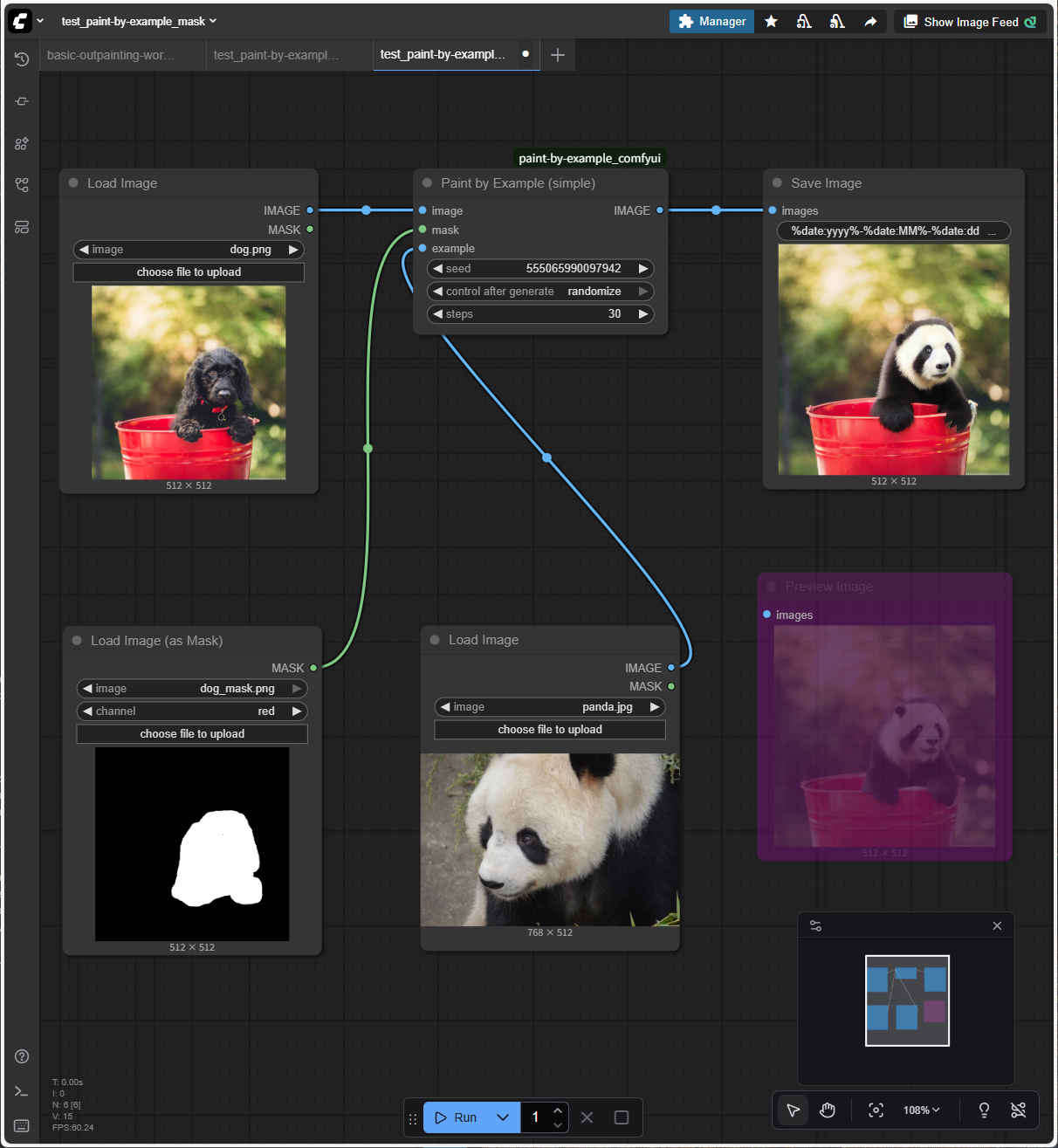
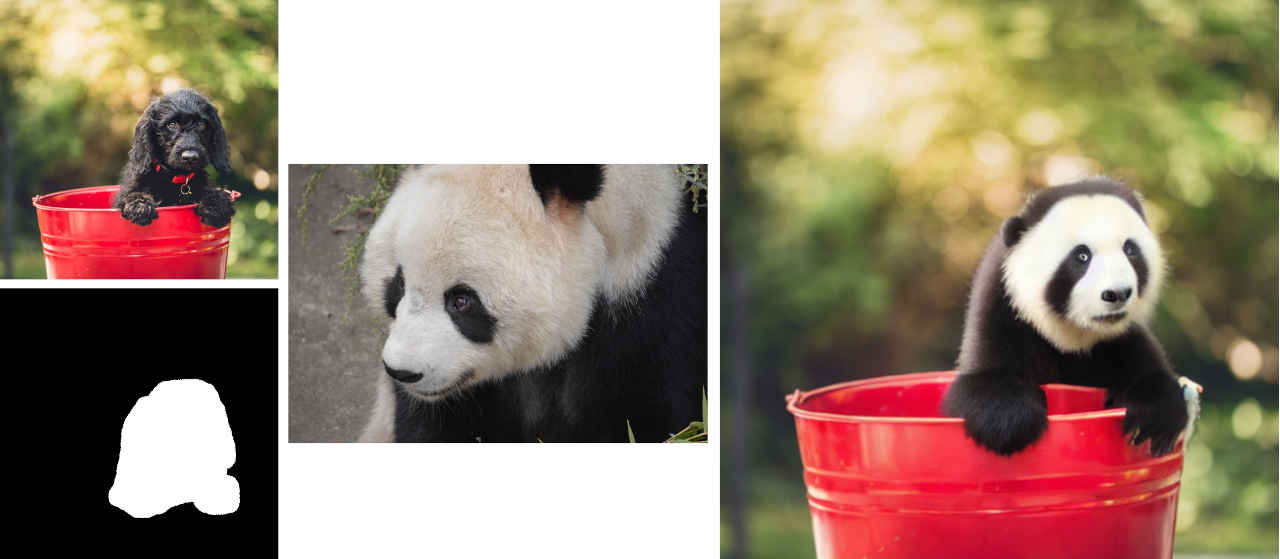 paint-by-example_mask.json
 bs_text2img.json『text-to-image』基本ワークフローを読み出す
| masterpiece,best quality,8k,raw photo,photo realistic, |
| worst quality,low quality,painting,sketch,flat color,monochrome,grayscale,ugly face,bad face,bad anatomy,deformed eyes,missing fingers,acnes,skin blemishes,nsfw,nude,nipples |
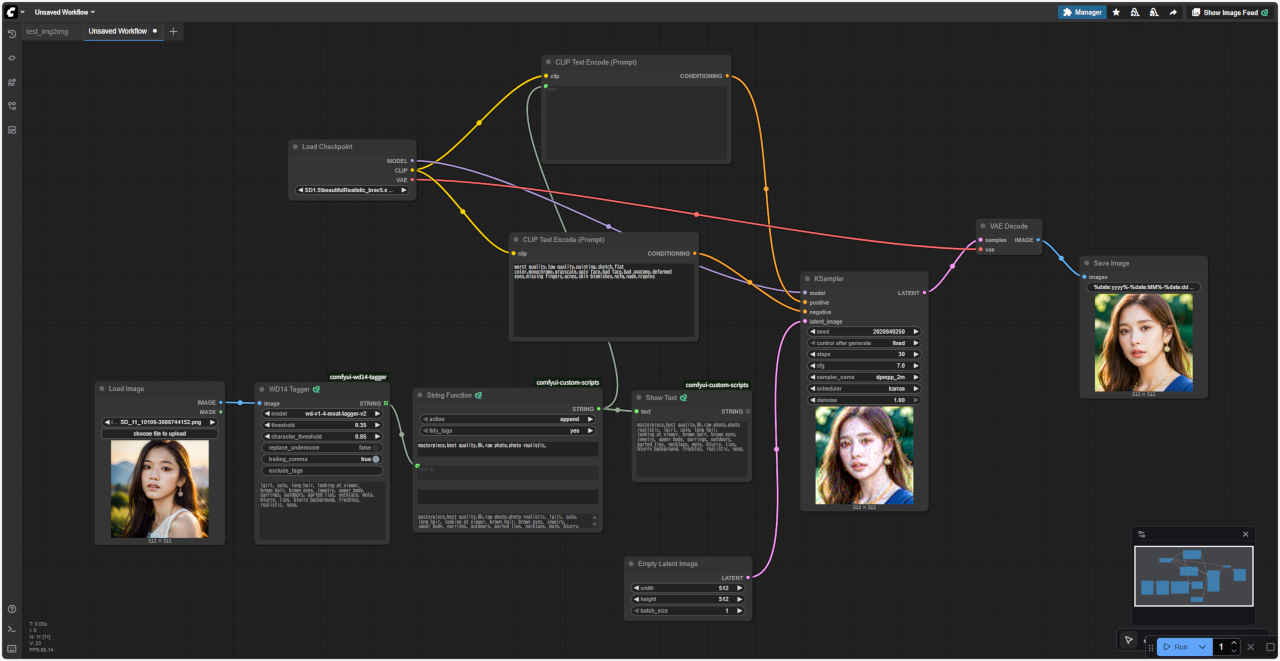
 t2i_tagger.json
| 1girl, solo, long_hair, looking_at_viewer, brown_hair, brown_eyes, jewelry, upper_body, earrings, outdoors, parted_lips, necklace, mole, blurry, lips, blurry_background, freckles, realistic, nose, |
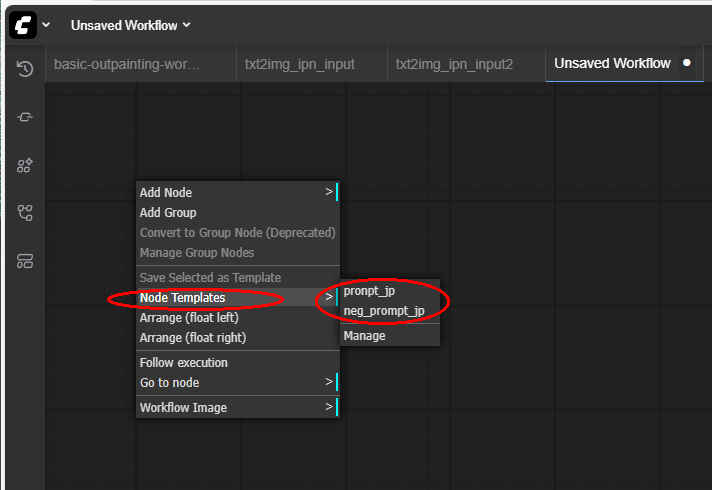
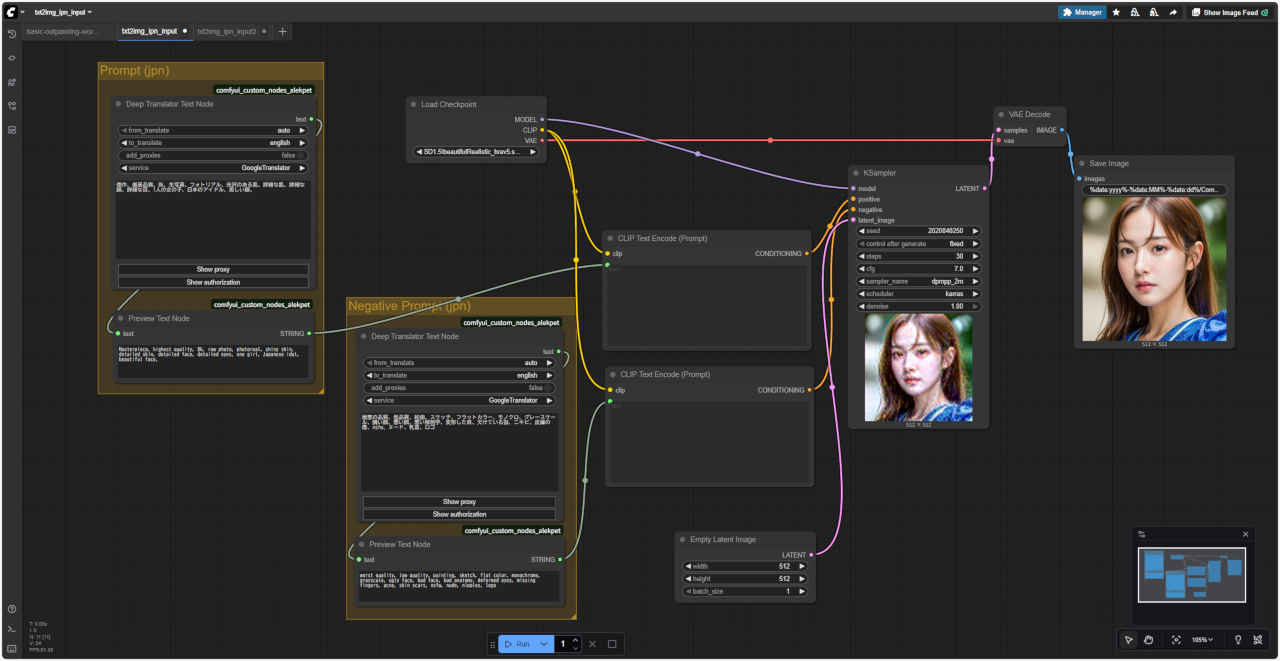 txt2img_ipn_input.json
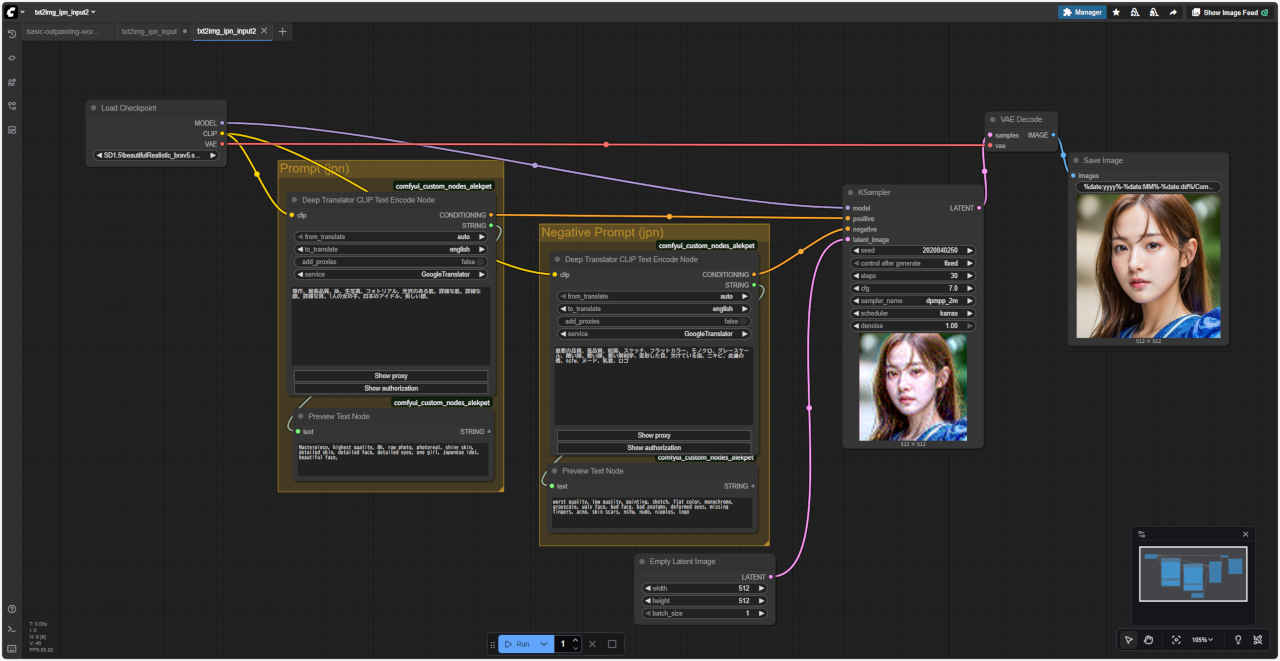 txt2img_ipn_input2.json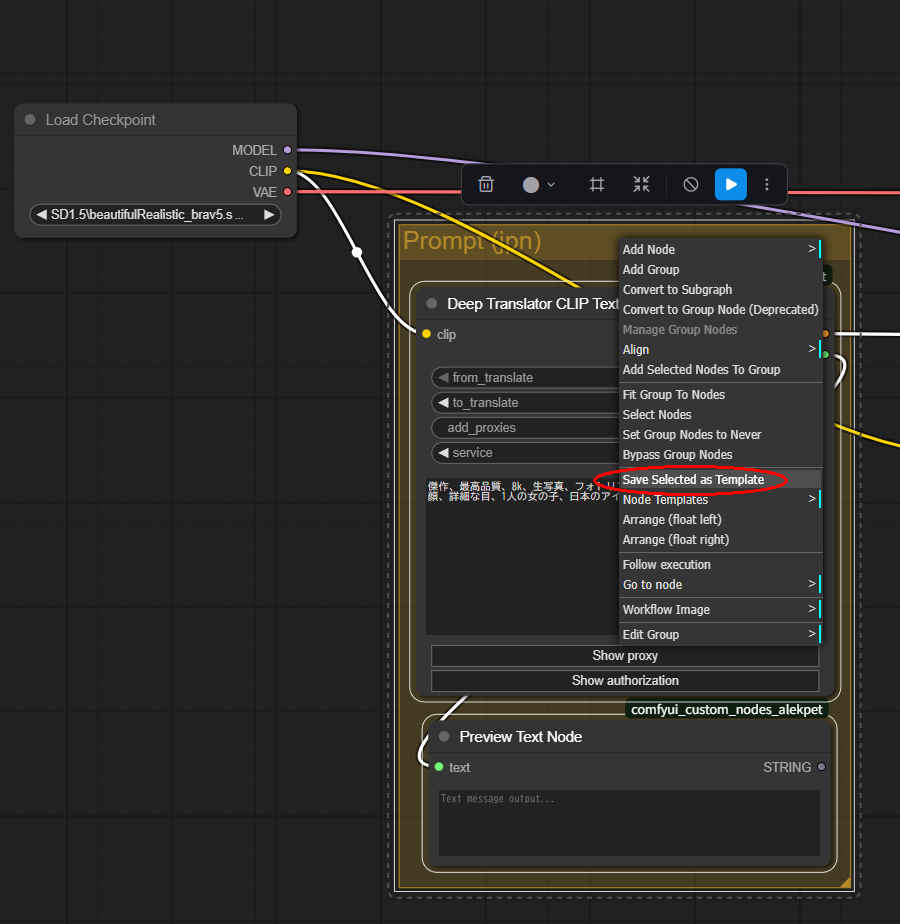
| ollama run llava-phi3:latest |
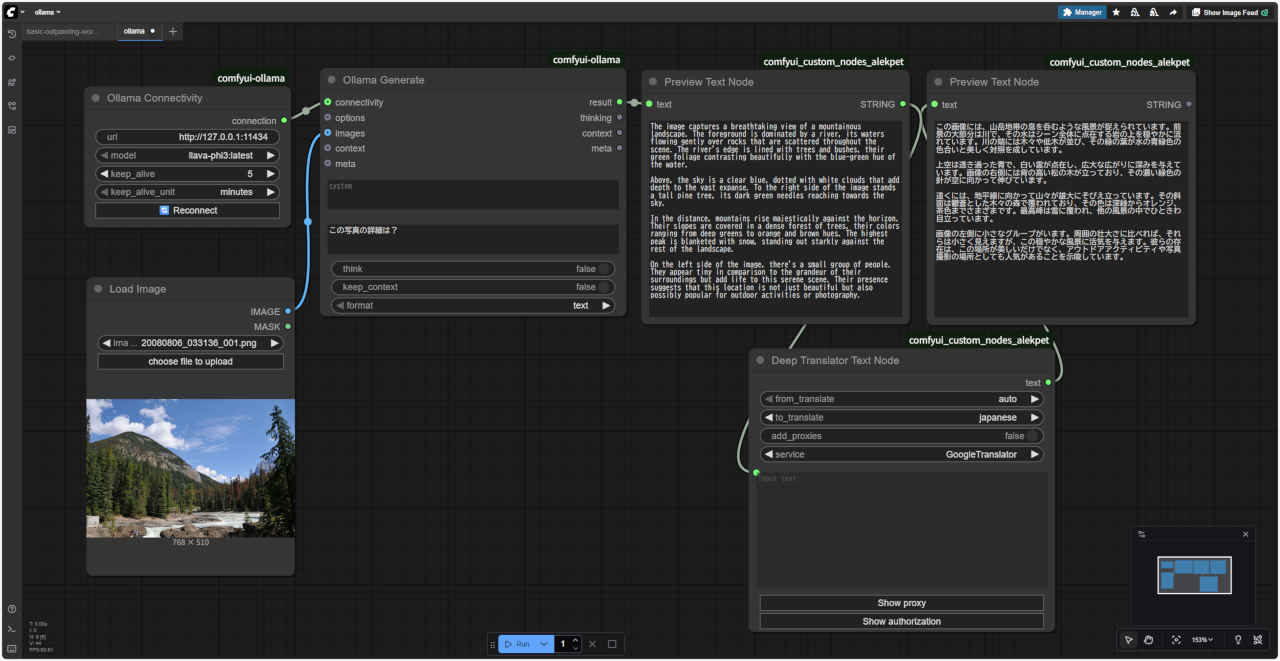 ollama.json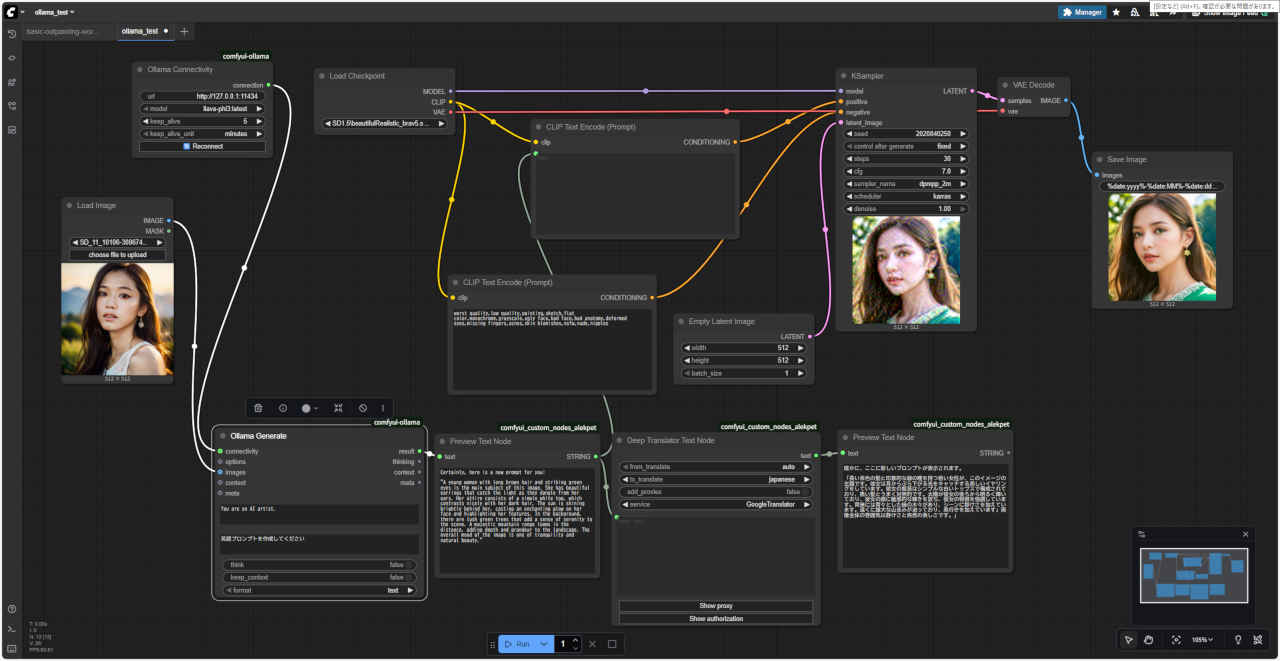
 ollama_test.json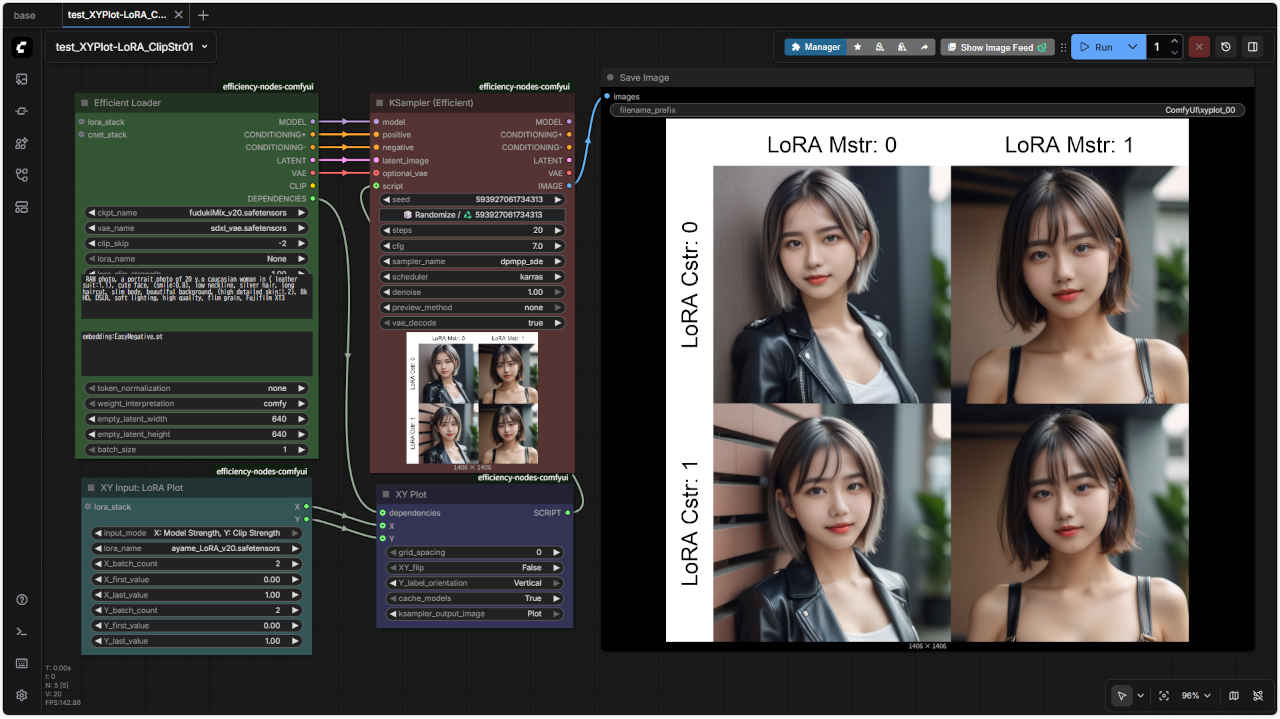
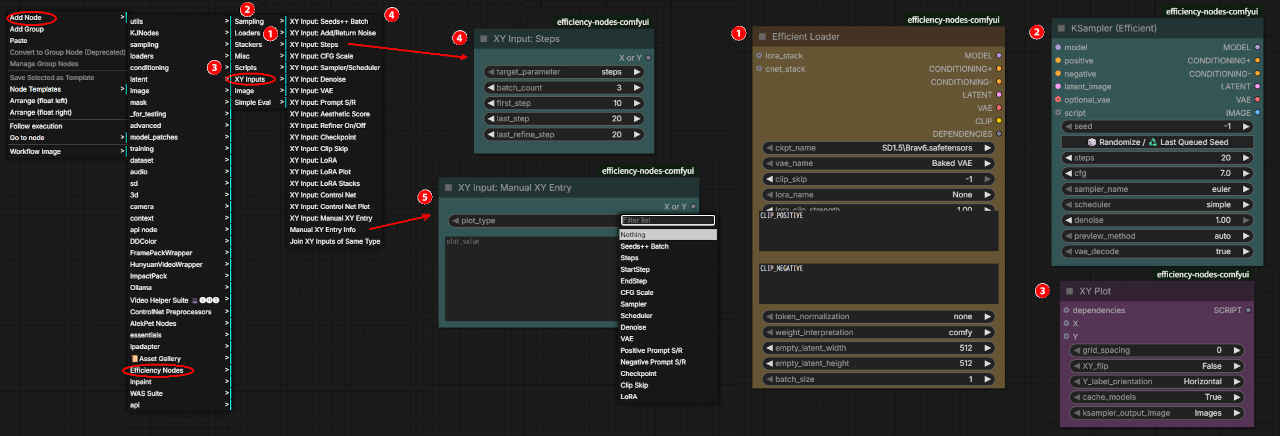
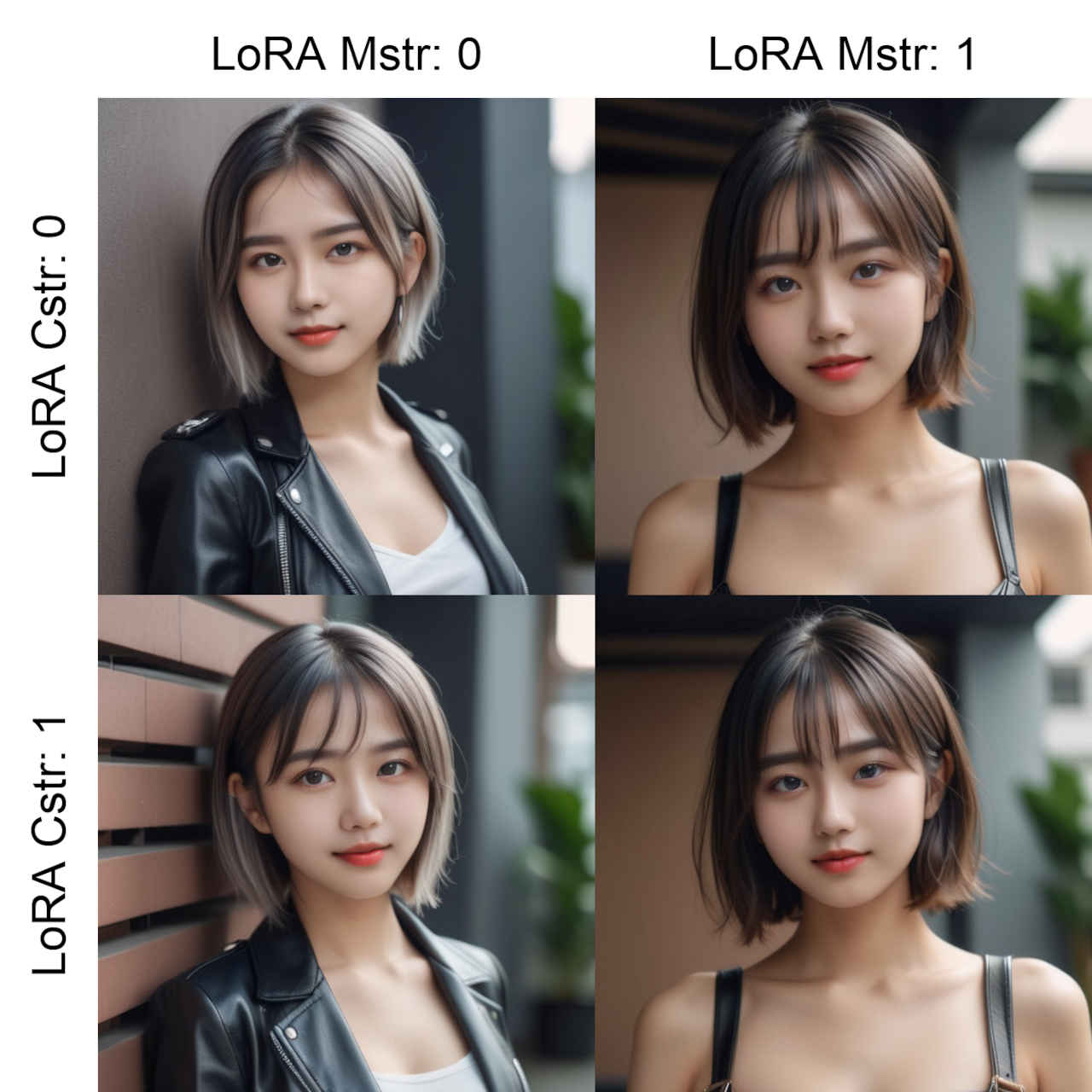 test_XYPlot -LoRA_Clip Str01.json
---------------------------------------- XY Plot Results: (X) LoRA MStr (Y) LoRA CStr img_count: 4 img_dims: 640 x 640 plot_dim: 2 x 2 ckpt: fudukiMix_v20.safetensors clip_skip: -2 lora: ayame_LoRA_v20.safetensors lora_mstr: 0.0, 1.0 lora_cstr: 0.0, 1.0 vae: sdxl_vae seed: 593927061734313 steps: 20 cfg: 7.0 sampler: dpmpp_sde scheduler: karras denoise: 1.0 ---------------------------------------- XY Plot Models Cache: Ckpt: [1] fudukiMix_v20 ---------------------------------------- Prompt executed in 157.80 seconds
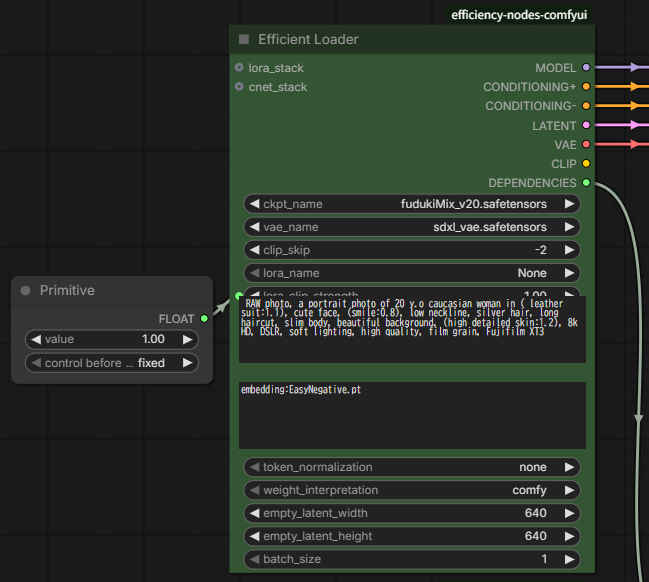
| ComfyUI/%date:yyyy%-%date:MM%-%date:dd%/ComfyUI_%date:yyyy%-%date:MM%-%date:dd% |
| ComfyUI/%date:yyyy%-%date:MM%-%date:dd%/IPAdapter_%date:yyyy%-%date:MM%-%date:dd% |
| ComfyUI/%date:yyyy%-%date:MM%-%date:dd%/xyplot_00_%date:yyyy%-%date:MM%-%date:dd% |
| ComfyUI/%date:yyyy%-%date:MM%-%date:dd%/ComfyUI_%KSampler.seed% |
Pipelines loaded with `dtype=torch.float16` cannot run with `cpu` device. It is not recommended to move them to `cpu` as running them will fail. Please make sure to use an accelerator to run the pipeline in inference, due to the lack of support for`float16` operations on this device in PyTorch. Please, remove the `torch_dtype=torch.float16` argument, or use another device for inference.
`dtype=torch.float16` でロードされたパイプラインは `cpu` デバイスでは実行できません。実行に失敗してしまうため、`cpu` への移動は推奨されません。PyTorch はこのデバイスでの `float16` 演算をサポートしていないため、推論でパイプラインを実行する際は必ずアクセラレータを使用してください。`torch_dtype=torch.float16` 引数を削除するか、推論に別のデバイスを使用してください。
class PaintbyExampleSimple:
    def __init__(self):
        if device == 'cpu':                     # 2025/12/31
            self.pipe = PaintByExamplePipeline.from_pretrained(
                'Fantasy-Studio/Paint-by-Example',
            ).to(device)
        else:
            self.pipe = PaintByExamplePipeline.from_pretrained(
                'Fantasy-Studio/Paint-by-Example',
                torch_dtype=torch.float16,
            ).to(device)

    @classmethod