

私的AI研究会 > ComfyUI9b
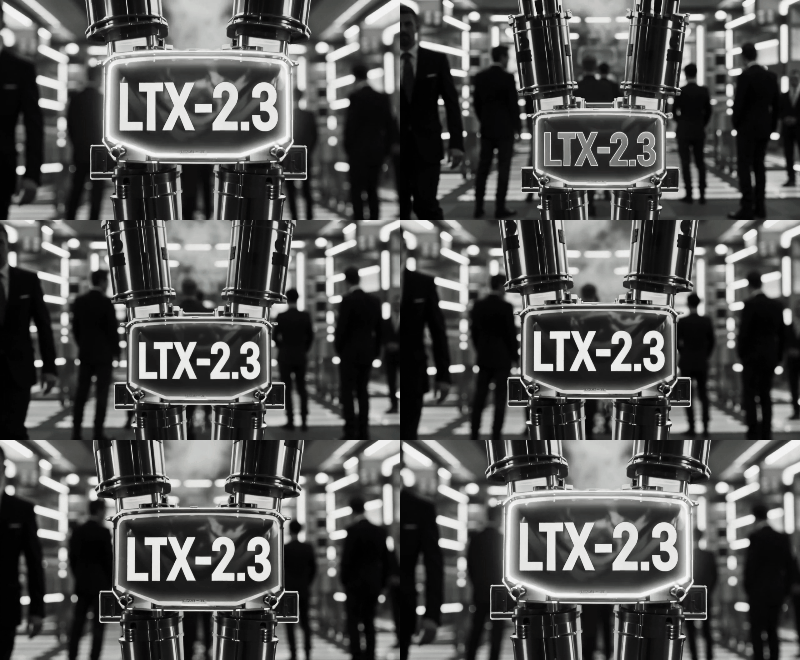
「ComfyUI」を使ってローカル環境でのAI画像生成を検証する
| 2026年3月発表された音声対応の動画生成モデル。 1月発表の「LTX-2」と比較して大幅な性能向上とのこと、ComfyUIでネイティブサポートされているので検証してみる |
| このプロジェクトで作成するワークフローと関連データは下記にアップロードしている(更新されている場合は再度ダウンロードのこと) |
📂ComfyUI
  ├─📂input              ← ワークフローに含まれる入力画像
  └─📂user
        └─📂default
              └─📂workflows        ← ワークフローの保存場所
                    :
                    ├─📂_video
                    ├─📂_video2
                    ├─📂LTX         ← この章で作成するワークフロー
                    :
・解凍してできる「ComfyUI/」フォルダを「StabilityMatrix/Data/Packages/ComfyUI」へ上書きコピーする| NVIDIA GPU VRAM 8GB 以下の環境で、およそ 10分以内 の生成時間で完了するものを基本として検証する |
| 分類 | 内容 | 説明 |
| A | Text to Video | テキスト(文章・プロンプト)から動画を生成 (プロンプト・エンハンサー付き) |
| B | Image to Video | 静止画像(写真やイラスト)から動画を生成 |
| C | Text to Video (展開版) | A の subgraph を展開 |
| D | Image to Video (展開版) | B の subgraph を展開 |
| E | Image to Video Single stage | 1 ステップでテキスト(文章・プロンプト)から動画を生成 |
| F | Image Audio to Video | 静止画像(写真やイラスト)と音声ファイル から動画を生成 |
| G | Image Audio to Video (展開版) | F の subgraph を展開 |
| モデル | 内容 | 説明 |
| fp8 | 8ビット量子化モデル | 推論の高速化のためサイズをに縮小したモデル → 量子化モデルとは |
| GGUF | GGUF 量子化モデル | 低 VRAM環境に合わせて混合精度量子化技術により、サイズを削減したモデル → GGUF モデルについて |
| dev | 通常版 (標準) | オープンウェイトの動画・音声生成のためのベースモデル。22B(220億)パラメータを採用 |
| distilled | 蒸留版 | 低 VRAM 環境下の動作のための蒸留版 8 ステップで動作し大幅な高速化が可能 |
| 「Stability Matrix」上の「ComfyUI」ではモデルフォルダの場所が異なっていることに注意 → モデルフォルダの配置 |
| モデル名 | ファイル名(.safetensors) | 配置先 | ダウンロード URL | |
| checkpoints | ltx-2.3-22b-dev-fp8 | /StabilityMatrix/Data/ Models/ | StableDiffusion/ | ltx-2.3-22b-dev-fp8.safetensors.safetensors |
| ltx-2.3-22b-distilled-fp8 | ltx-2.3-22b-distilled-fp8.safetensors | |||
| ltx-2.3-22b-dev-Q4_K_M.gguf | diffusion_models/ | ltx-2.3-22b-dev-Q4_K_M.gguf | ||
| ltx-2.3-22b-distilled-Q4_K_M.gguf | ltx-2.3-22b-distilled-Q4_K_M.gguf | |||
| LoRA | ltx-2.3-22b-distilled-lora-384 | Lora/ | ltx-2.3-22b-distilled-lora-384.safetensors | |
| ltx-2.3-22b-distilled-lora-dynamic_fro09_avg_rank_105_bf16 | ltx-2.3-22b-distilled-lora-dynamic_fro09_avg_rank_105_bf16.safetensors | |||
| text_encoders | gemma_3_12B_it_fp4_mixed | text_encoders | gemma_3_12B_it_fp4_mixed.safetensors | |
| gemma_3_12B_it_fp8_scaled | gemma_3_12B_it_fp8_scaled.safetensors | |||
| ltx-2.3_text_projection_bf16 | ltx-2.3_text_projection_bf16 | |||
| VAE | LTX23_audio_vae_bf16 | VAE/ | LTX23_audio_vae_bf16.safetensors | |
| LTX23_video_vae_bf16 | LTX23_video_vae_bf16.safetensors | |||
| UP Scale | ltx-2.3-spatial-upscaler-x2-1.1 | /StabilityMatrix/Data/ Packages/ComfyUI/models/ | latent_upscale_models/ | ltx-2.3-spatial-upscaler-x2-1.1.safetensors |
| ltx-2.3-spatial-upscaler-x2-1.0 | ||||
| Name | Notes |
| ltx-2.3-22b-dev-fp8 | The full model, flexible and trainable, in fp8 |
| ltx-2.3-22b-distilled-fp8 | The distilled version of the full model, 8 steps, CFG=1, in fp8 |
| 「ltx-2.3-22b-dev-fp8.safetensors」標準(dev) fp8 モデルを使用する |
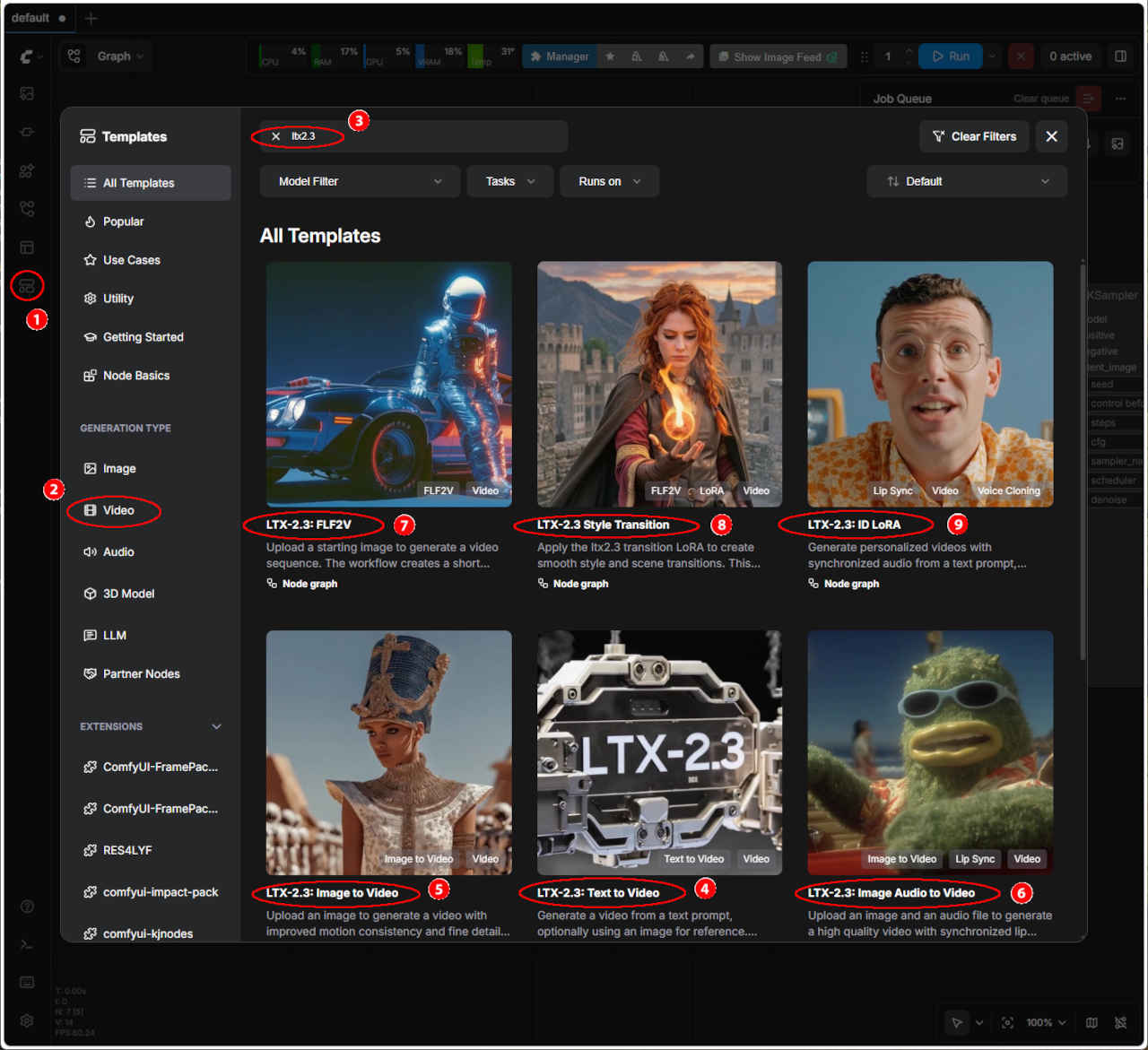
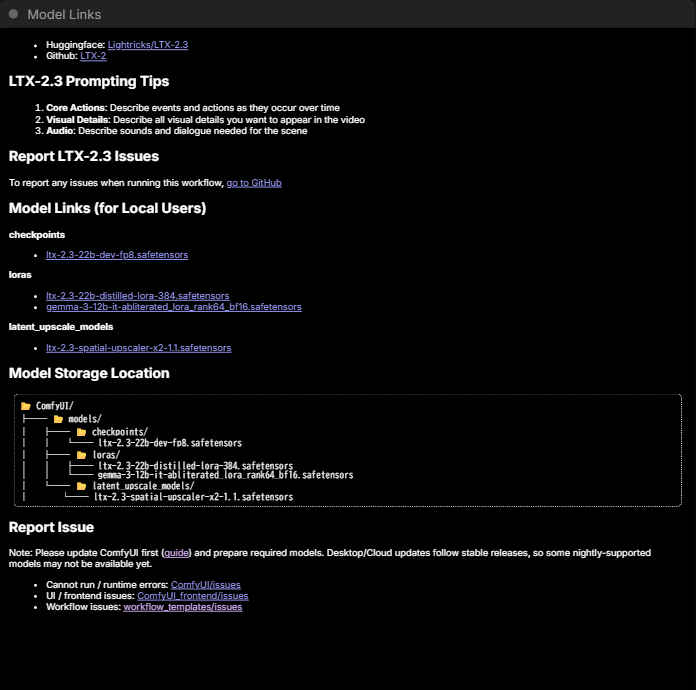
| ワークフロー | ダウンロード URL | 保存ワークフロー名 | |
| ④ | LTX-2 Text to Video | video_ltx2_3_t2v.json | video_ltx2_3_t2v_org.json |
| ⑤ | LTX-2 Image to Video | video_ltx2_3_i2v.json | video_ltx2_3_i2v_org.json |
| ⑥ | LTX-2.3 Image Audio to Video | video_ltx2_3_ia2v.json | video_ltx2_3_ia2v_org.json |
| ⑦ | LTX-2.3 FLF2V | video_ltx2_3_flf2v.json | video_ltx2_3_flf2v_org.json |
| ⑧ | LTX-2.3 Style Transition | template_ltx2_3_style_transition.json | template_ltx2_3_style_transition_org.json |
| ⑨ | LTX-2.3 ID LoRA | video_ltx2_3_id_lora.json | video_ltx2_3_id_lora_org.json |
| テキストから動画生成 video_ltx2_3_t2v_org.json | |
入力画像 ダミー画像 | Prompt: Dynamic cinematic close-up of high-tech modular machinery self-assembling in midair, precision robotic parts, magnetic connectors, and glowing circuits clicking together, subtle smoke and light flares, extremely detailed titanium textures. The final product displays a clean, clear surface with large glowing engraved text “LTX-2.3” centered and unobstructed, dramatic lighting, photorealism, 8K, sharp focus. |
| 空中で自己組み立てされるハイテクモジュール式機械のダイナミックなシネマティッククローズアップ。精密なロボット部品、磁気コネクタ、光る回路がカチッと音を立てて組み合わさり、かすかな煙と光のフレア、極めて精緻なチタンの質感。最終製品は、中央に大きく光る刻印文字「LTX-2.3」が遮るものなく配置された、清潔でクリアな表面を呈し、ドラマチックな照明、フォトリアリズム、8K、シャープなフォーカスを実現しています。 | |
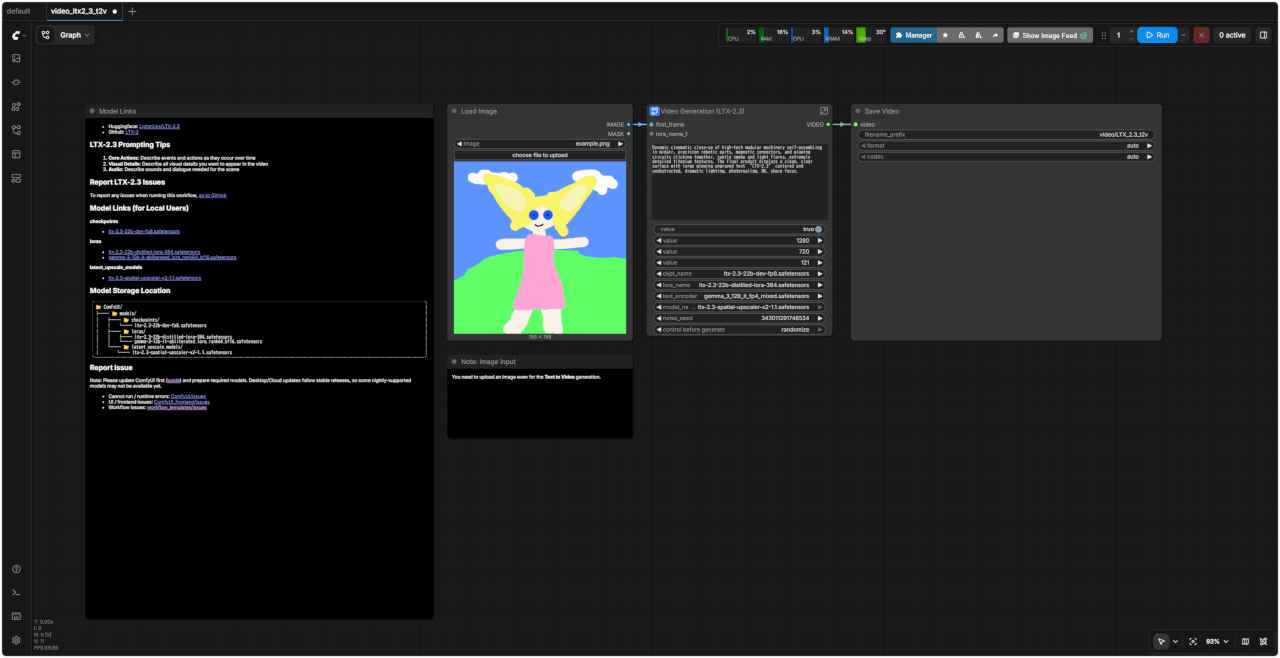 ↑ video_ltx2_3_t2v_org.json SubGraph 展開 → | 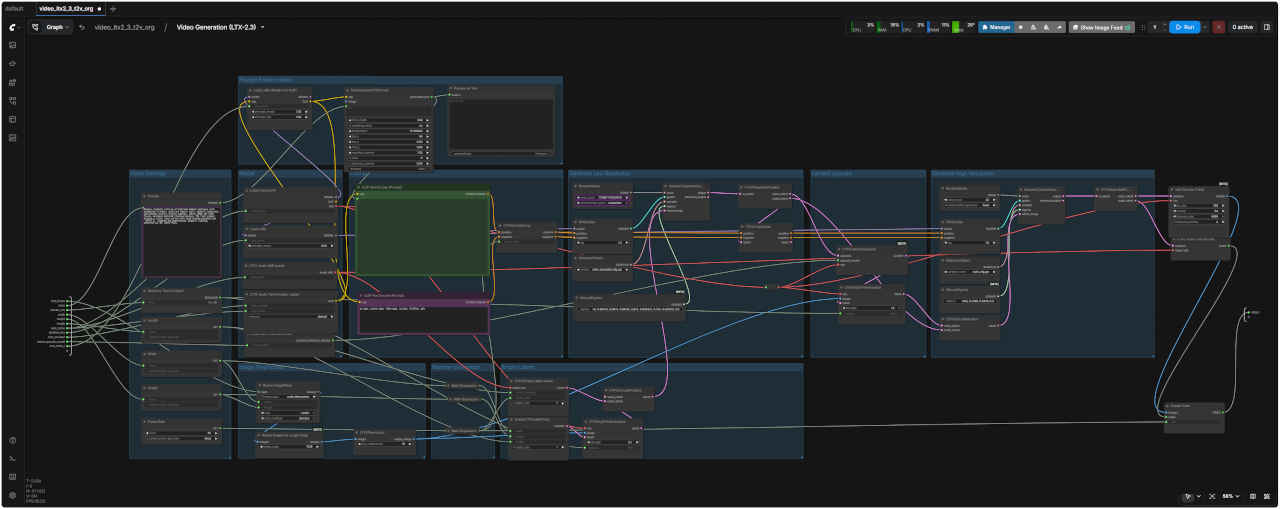 |
| 静止画像から動画生成 video_ltx2_3_i2v_org.json | |
入力画像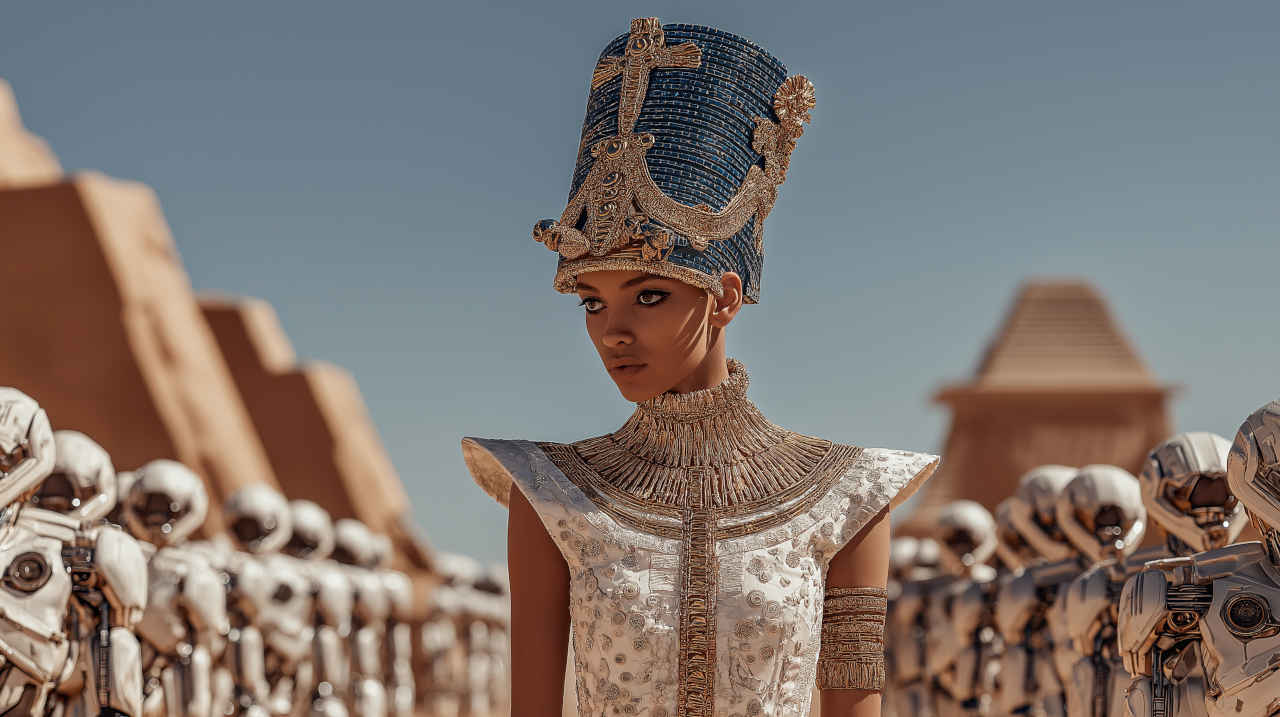 egyptian_queen.png | Prompt: Egyptian royal in blue-and-gold headdress and high collar, white dress with golden embroidery and armbands, desert, robot soldiers in formation left and right. She walks steadily forward, head held level and gaze fixed ahead—no dipping or lowering of the head. The camera performs a single, smooth push-in only: starting in a wider shot of her, the robots, and the desert, it moves steadily forward until she is in a medium or medium-close frame, then holds. She stops, posture and head still upright, and says: “The old gods are silent. I am not.” Robot soldiers shift or march in place; sand and fabric move with the wind. No pull-back; the only camera move is the continuous push-in. |
| 青と金の頭飾りとハイカラー、金の刺繍と腕輪のついた白いドレスを着たエジプトの王族。砂漠、左右に整列したロボット兵士たち。彼女は頭を水平に保ち、視線をまっすぐ前に向けたまま、頭を下げたり下げたりすることなく、着実に前進する。カメラは、彼女とロボット、砂漠を捉えたワイドショットから始まり、彼女がミディアムまたはミディアムクローズのフレームに入るまで着実に前進し、そこで静止する。彼女は立ち止まり、姿勢と頭は依然としてまっすぐで、「古い神々は沈黙している。私は沈黙しない」と言う。ロボット兵士たちはその場で移動したり行進したりし、砂と布は風に揺れる。プルバックはなく、カメラの動きは連続的なプッシュインのみである。 | |
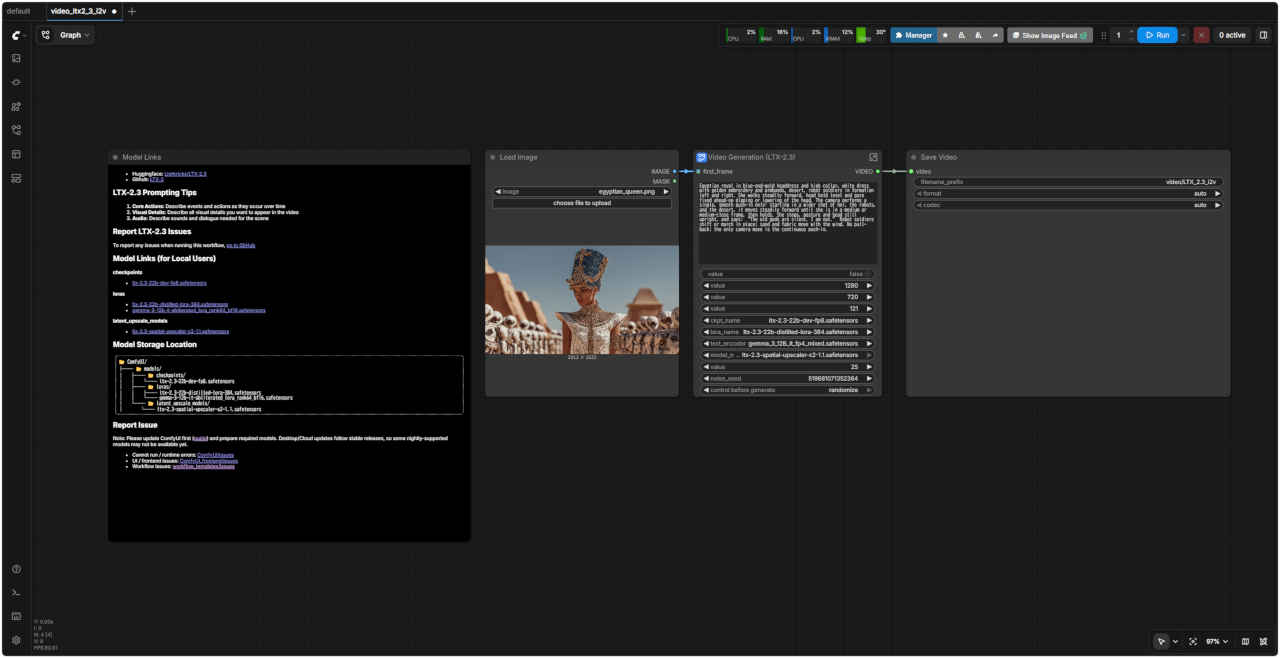 ↑ video_ltx2_3_i2v_org.json SubGraph 展開 → | 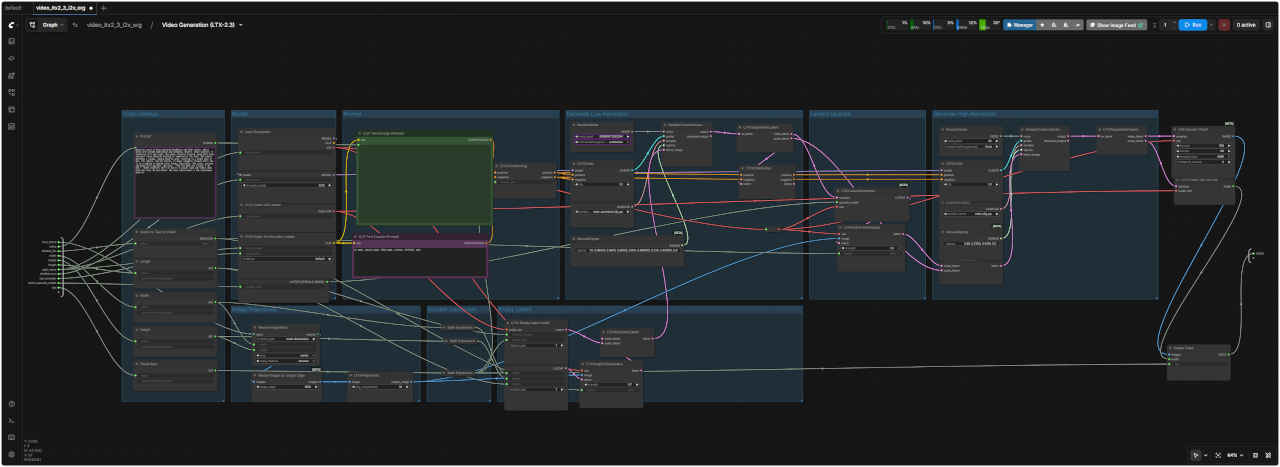 |
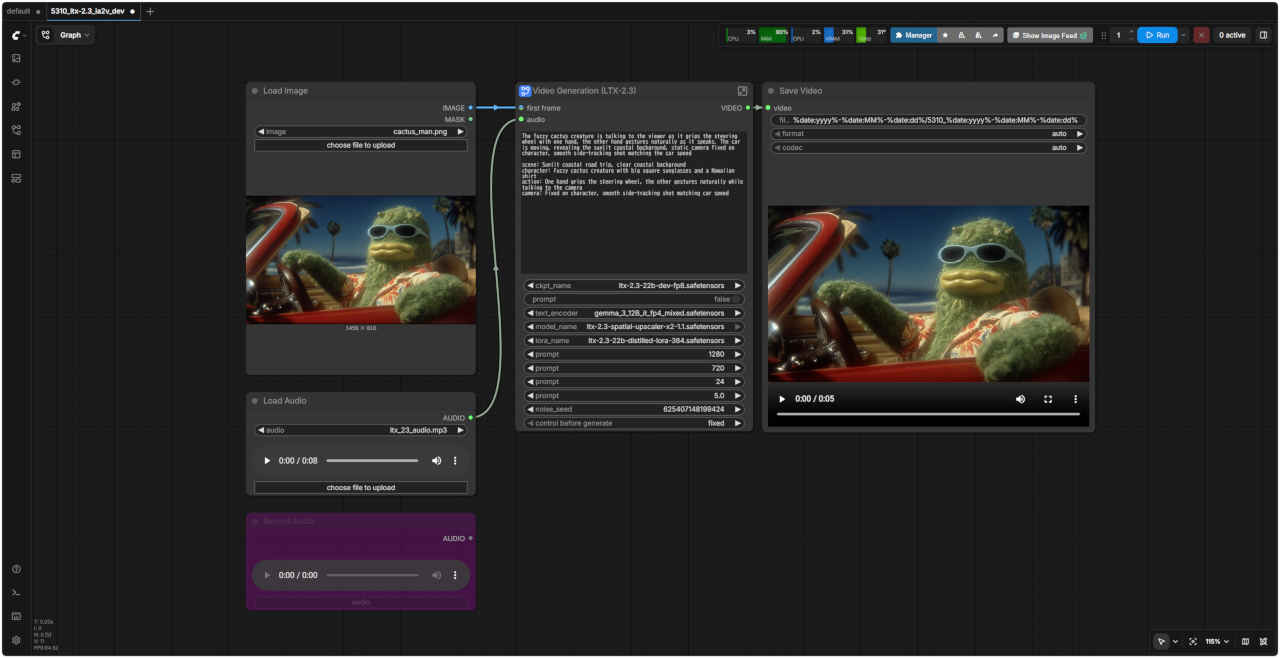
| 静止画像と音声データから動画生成 video_ltx2_3_ia2v_org.json | |
入力画像 cactus_man.png | Prompt: The fuzzy cactus creature is talking to the viewer as it grips the steering wheel with one hand, the other hand gestures naturally as it speaks. The car is moving, revealing the sunlit coastal background, static camera fixed on character, smooth side-tracking shot matching the car speed scene: Sunlit coastal road trip, clear coastal background character: Fuzzy cactus creature with big square sunglasses and a Hawaiian shirt action: One hand grips the steering wheel, the other gestures naturally while talking to the camera camera: Fixed on character, smooth side-tracking shot matching car speed |
| 毛むくじゃらのサボテンのような生き物が、片手でハンドルを握りながら、もう片方の手で自然なジェスチャーを交え、カメラに向かって話しかけています。車は動き、陽光に照らされた海岸線を背景に映し出しています。カメラはキャラクターに固定され、車の速度に合わせて滑らかな横移動ショットが用いられています。 シーン:陽光に照らされた海岸沿いのドライブ、澄んだ海岸線の背景 キャラクター:大きな四角いサングラスとハワイアンシャツを着た毛むくじゃらのサボテンのような生き物 動作:片手でハンドルを握り、もう片方の手で自然なジェスチャーを交えながらカメラに向かって話す カメラ:キャラクターに固定され、車の速度に合わせて滑らかな横移動ショット | |
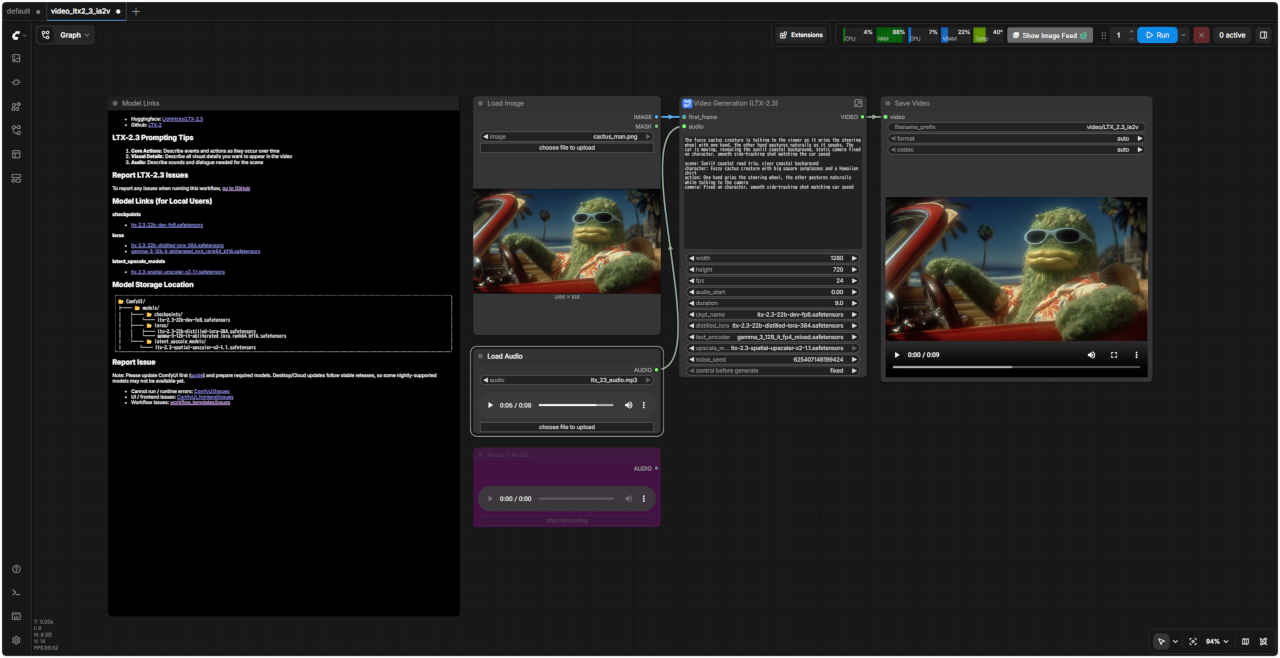 ↑ video_ltx2_3_ia2v_org.json SubGraph 展開 → | 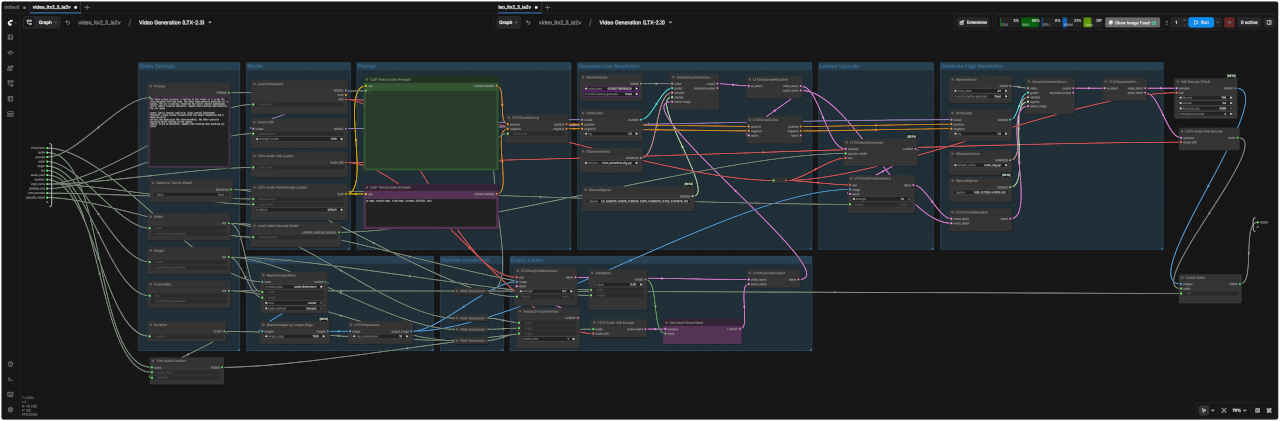 |
| < 内部で生成されたプロンプトの例 > Style: realistic with cinematic lighting. In a close-up, high-tech modular machinery self-assembling dynamically in midair—precision robotic parts clicking together, magnetic connectors connecting, and glowing circuits connecting subtly. Subtle smoke and light flares drift through the air. The final product displays a clean, clear surface with large, glowing engraved text “LTX-2.3” centered and unobstructed. Dramatic lighting highlights the titanium textures. Extremely detailed titanium textures are visible everywhere, catching the light. Sharp focus creates a sense of precision. Ambient sounds include faint clicks and whirs as the machinery assembles itself. Behind the machinery, other patrons move subtly in and out of focus. |
| スタイル:映画のような照明を用いたリアルな表現。クローズアップでは、ハイテクなモジュール式機械が空中でダイナミックに自己組み立てされる様子が映し出される。精密なロボット部品がカチッと音を立てて組み合わさり、磁気コネクタが接続され、光る回路が微妙に接続される。かすかな煙と光のフレアが空中を漂う。完成品は、中央に大きく光る「LTX-2.3」の刻印文字が遮られることなく、すっきりとした表面を呈する。ドラマチックな照明がチタンの質感を際立たせる。至る所に極めて精緻なチタンの質感が見られ、光を捉えている。シャープなフォーカスが精密さを感じさせる。機械が組み立てられる際の微かなクリック音や唸り音が環境音として聞こえる。機械の背後では、他の客が微妙にピントが合ったり外れたりする。 |
| 5300 Text to Video 基本ワークフロー | 5300 SubGraph |
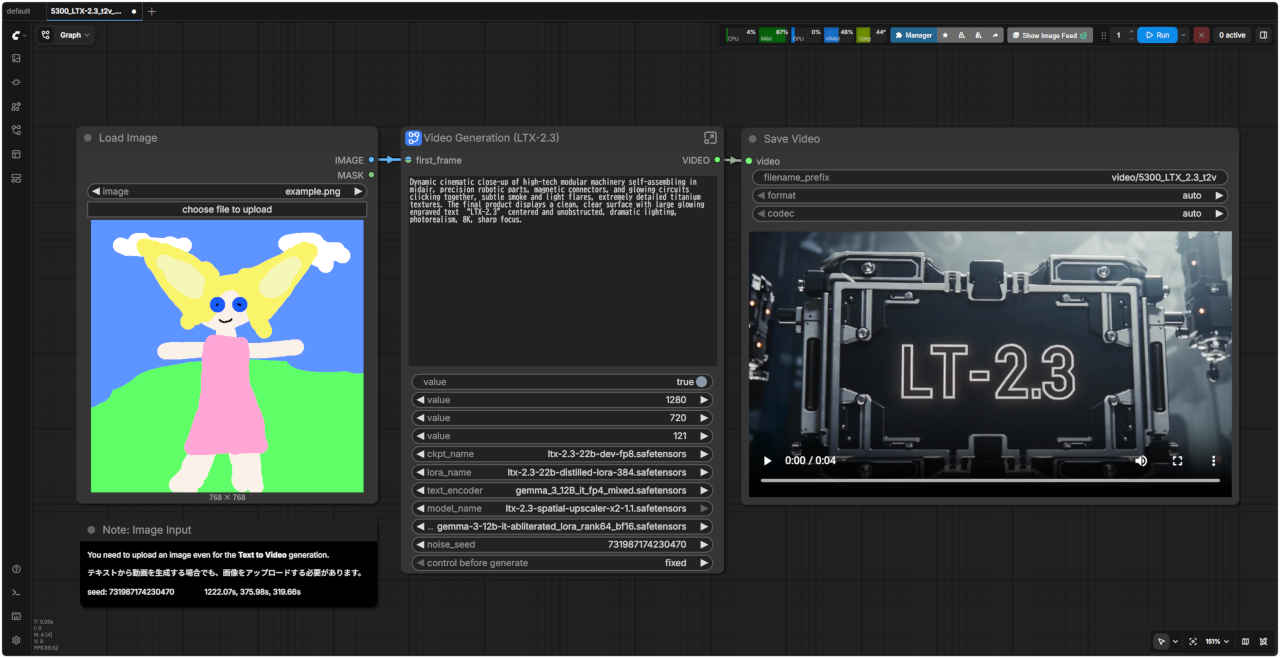 | 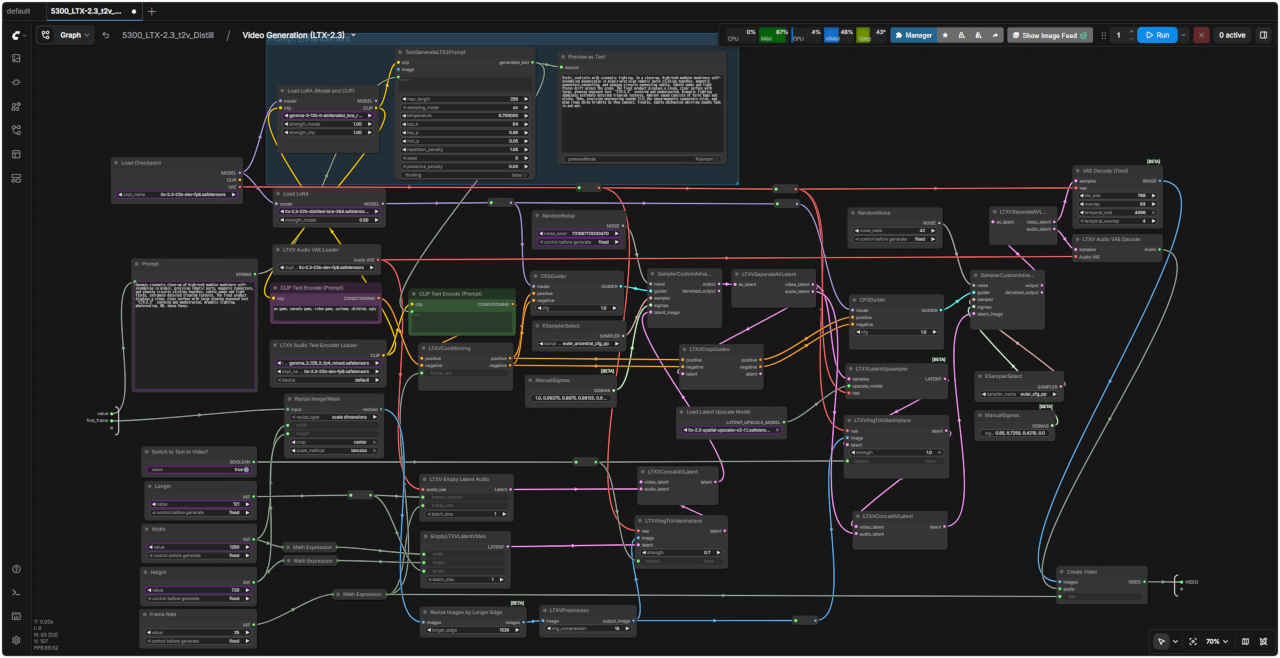 |
| 「LTX/」5300_LTX-2.3_t2v_dev.json | |
| 5301 Image to Video 基本ワークフロー | 5301 SubGraph |
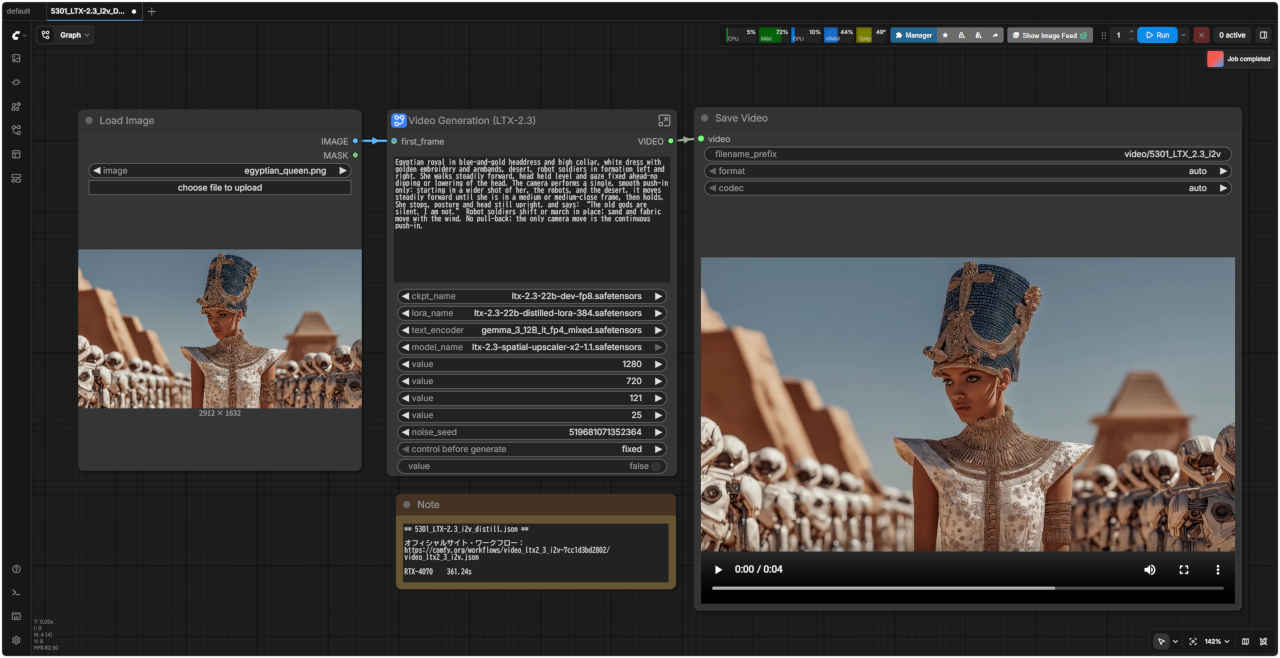 | 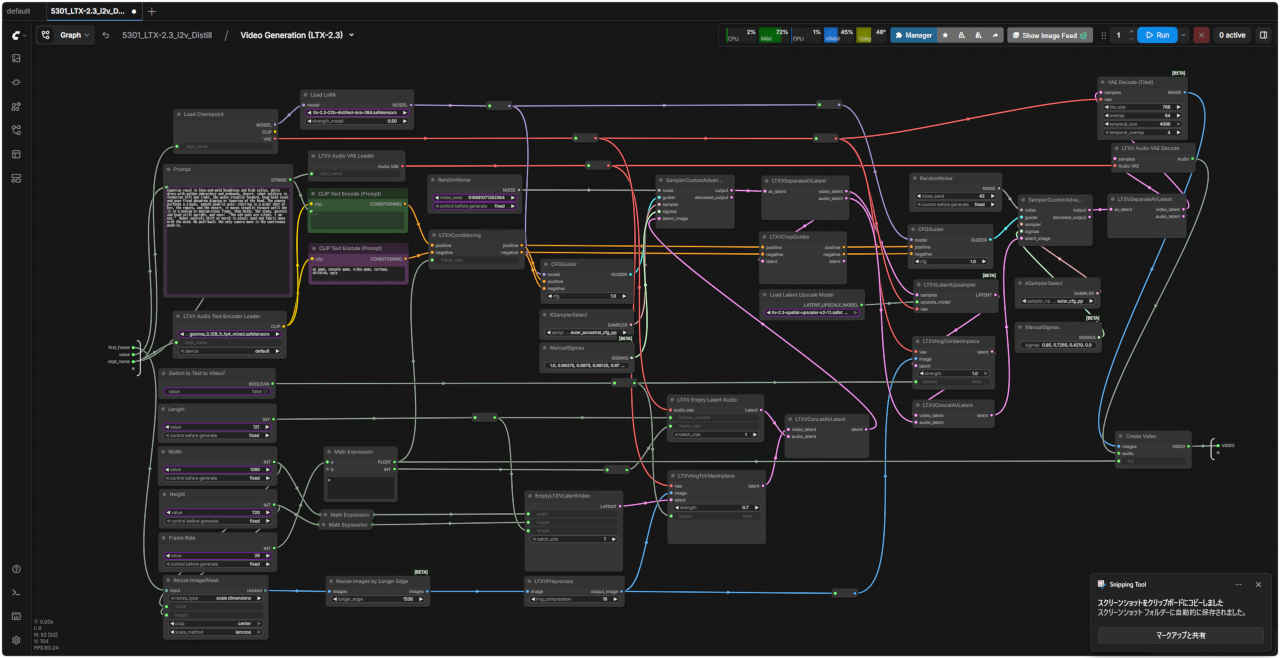 |
| 「LTX/」5301_LTX-2.3_i2v_dev.json | |
| 5302 Text to Video 基本ワークフロー (simple) | 5303 Image to Video 基本ワークフロー (simple) |
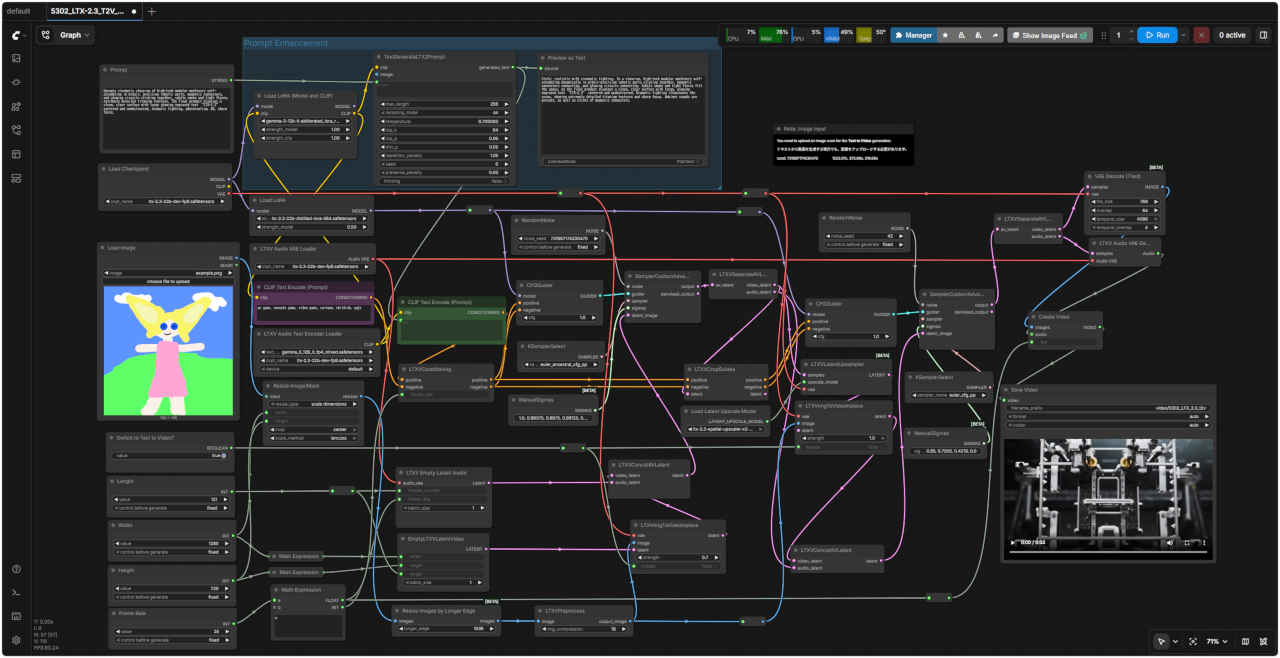 | 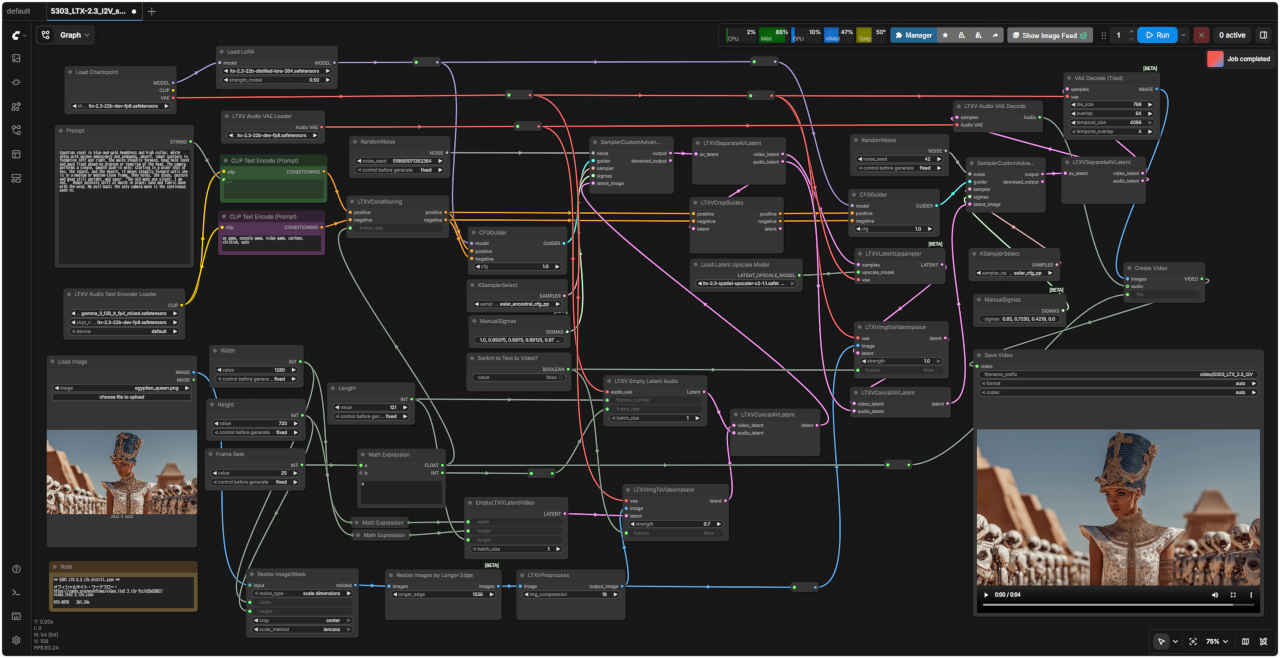 |
| 「LTX/」5302_LTX-2.3_T2V_dev_simple.json | 「LTX/」5303_LTX-2.3_I2V_dev_simple.json |
| 5302_LTX-2.3_T2V_simple.json | 5303_LTX-2.3_I2V_simple.json |
| 5310 Image Audio to Video 基本ワークフロー | 5310 SubGraph |
 | 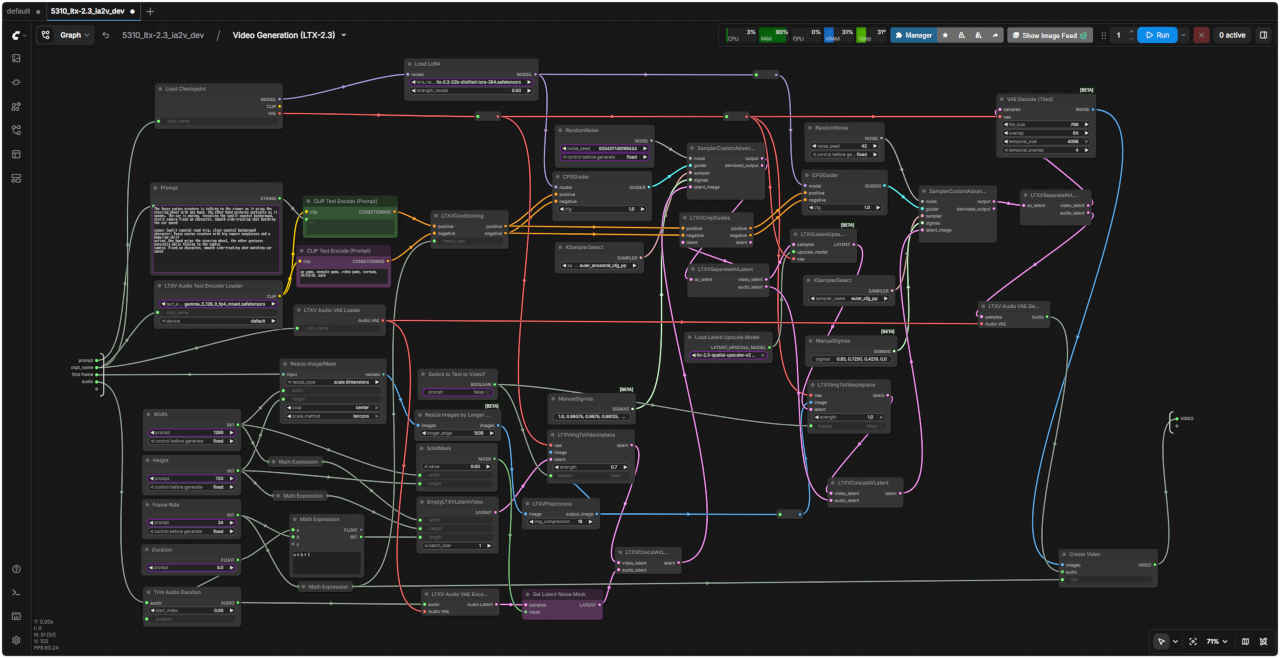 |
| 「LTX/」5310_LTX-2.3_ia2v_dev.json | |
| 5311 Image Audio to Video 基本ワークフロー (simple) | |
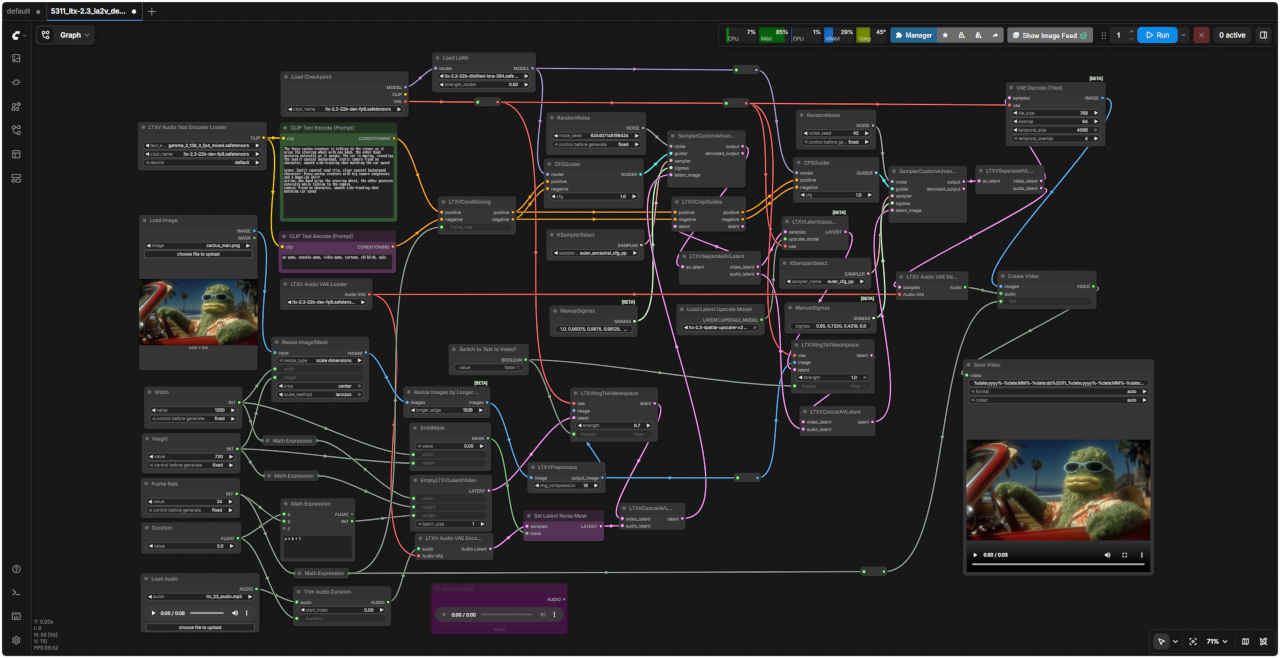 | |
| 「LTX/」5311_LTX-2.3_ia2v_dev_simple.json | |
| 5310_LTX-2.3_ia2v_dev.json.json | |
| 「ltx-2.3-22b-dev-fp8.safetensors」標準(dev) fp8 モデルでは VRAM 8GB 以下の環境ではメモリー不足のようなので GGUF 量子化モデルにしてみる |
| LTX-2.3-dev GGUF モデル | |||
| タイプ | ビット数 | モデルサイズ | 内容 |
| Q2_K | 2 | 8.28 GB | 2ビット量子化。16ブロックのスーパーブロックで、各ブロックは16のウェイトを持つ。1ウェイトあたり2.5625ビットになる |
| Q3_K_M | 3 | 18.8 GB | 3ビット量子化。16ブロックのスーパーブロックで、各ブロックは16のウェイトを持つ。1ウェイトあたり3.4375ビットになる |
| Q3_K_S | 9.95 GB | 3ビット量子化。16ブロックのスーパーブロックで、各ブロックは16のウェイトを持つ。1ウェイトあたり3.4375ビットになる | |
| Q4_K_M | 4 | 14.3 GB | 4ビット量子化。8ブロックのスーパーブロックで、各ブロックは32のウェイトを持つ。1ウェイトあたり4.5ビットになる |
| Q4_K_S | 13.1 GB | ||
| Q5_K_M | 5 | 16.1 GB | 5ビット量子化。8ブロックのスーパーブロックで、各ブロックは32のウェイトを持つ。1ウェイトあたり5.5ビットになる |
| Q5_K_S | 16.2 GB | ||
| Q6_K | 6 | 17.8 GB | 6ビット量子化。16ブロックのスーパーブロックで、各ブロックは16のウェイトを持つ。1ウェイトあたり6.5625ビットになる |
| Q8_0 | 8 | 22.8 GB | 8ビット近似値に量子化。各ブロックは32のウェイトを持つ |
| F16 | 16 | 42.0 GB | 16ビット 標準IEEE754 半精度浮動小数点数 |
| 5340 Text to Video 基本ワークフロー (GGUF) | 5340 SubGraph |
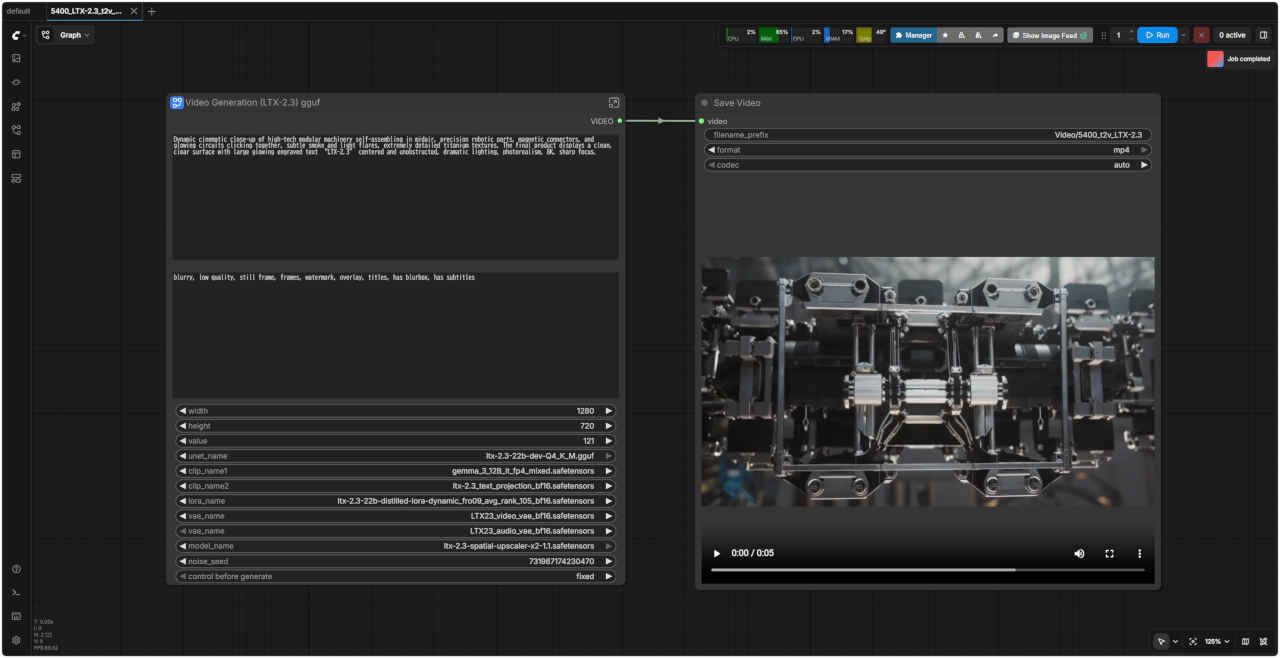 | 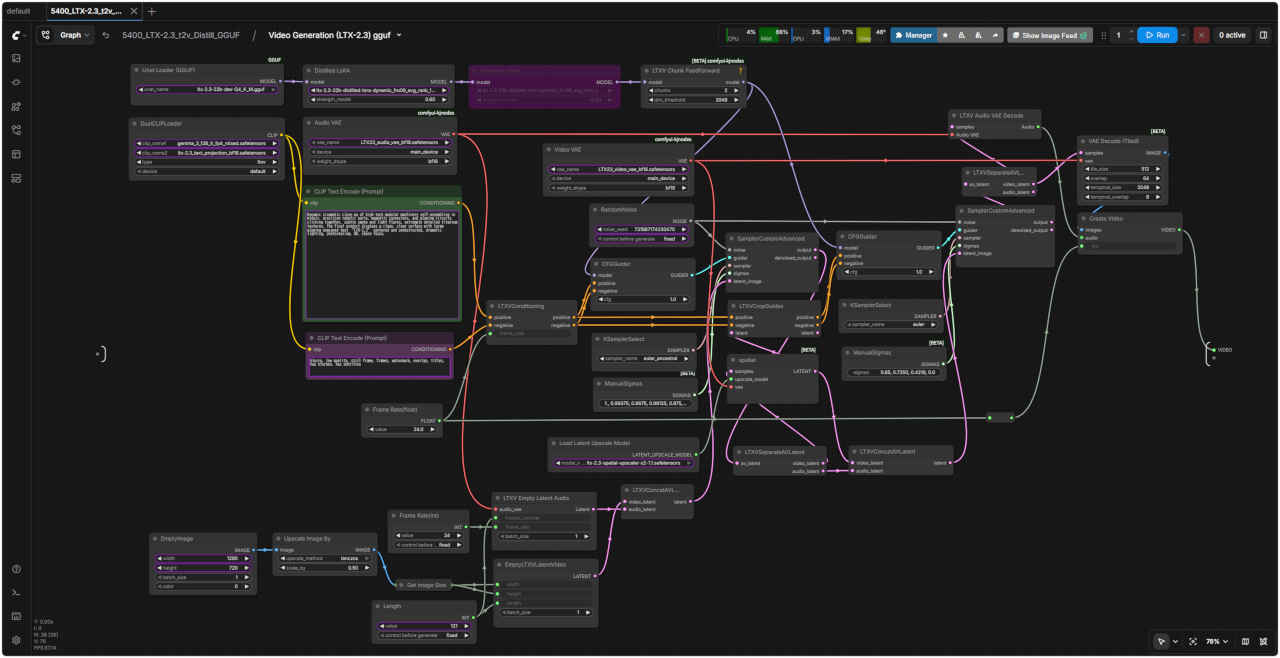 |
| 「LTX/」5340_LTX-2.3_t2v_dev_GGUF.json | |
| 5341 Image to Video 基本ワークフロー (GGUF) | 5341 SubGraph |
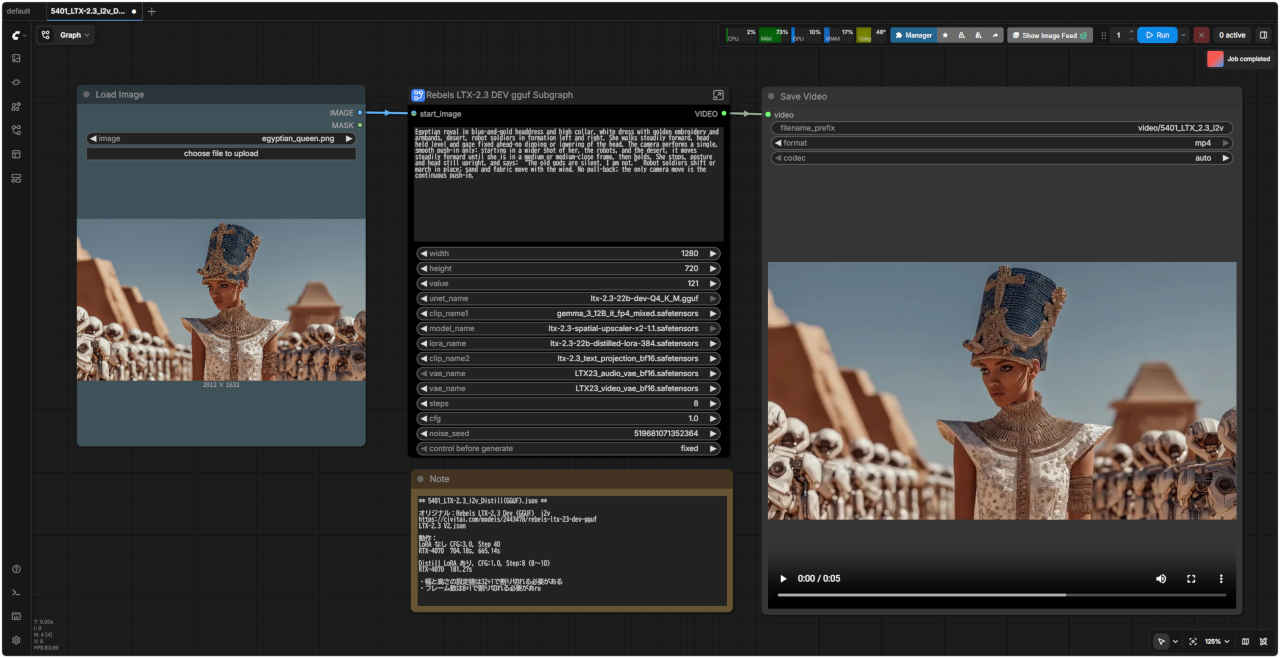 | 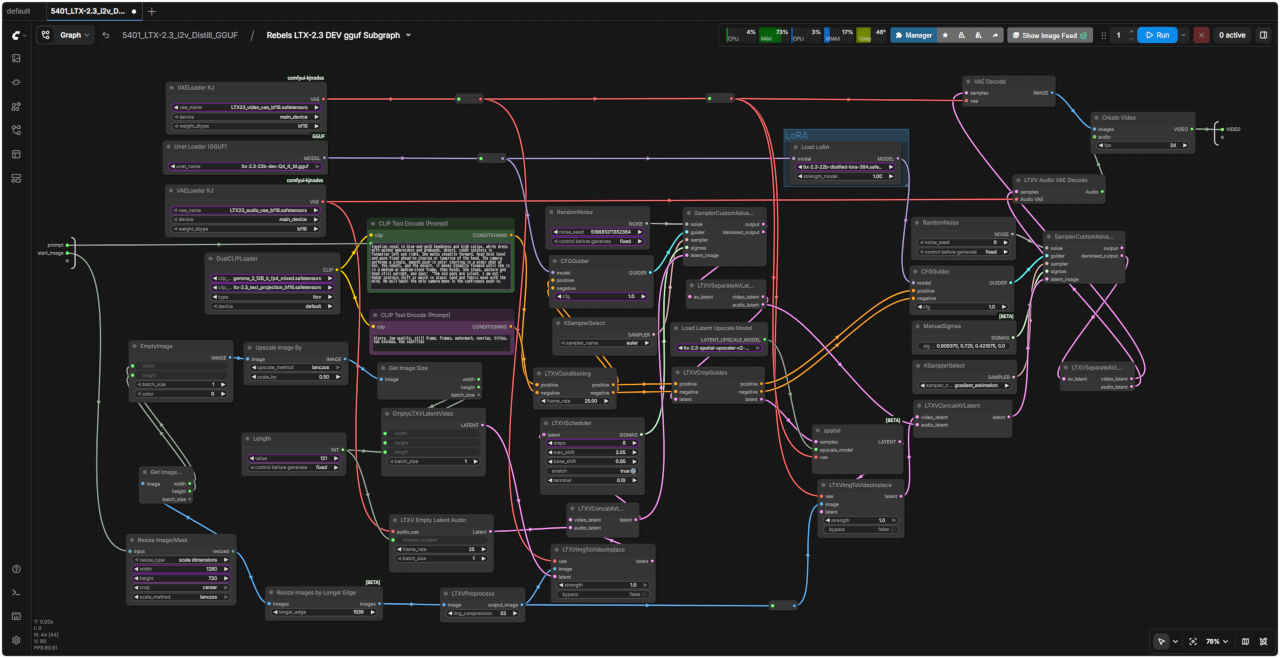 |
| 「LTX/」5341_LTX-2.3_i2v_dev_GGUF.json | |
| 5342 Text to Video 基本ワークフロー (GGUF 展開版) | 5343 Image to Video 基本ワークフロー (GGUF 展開版) |
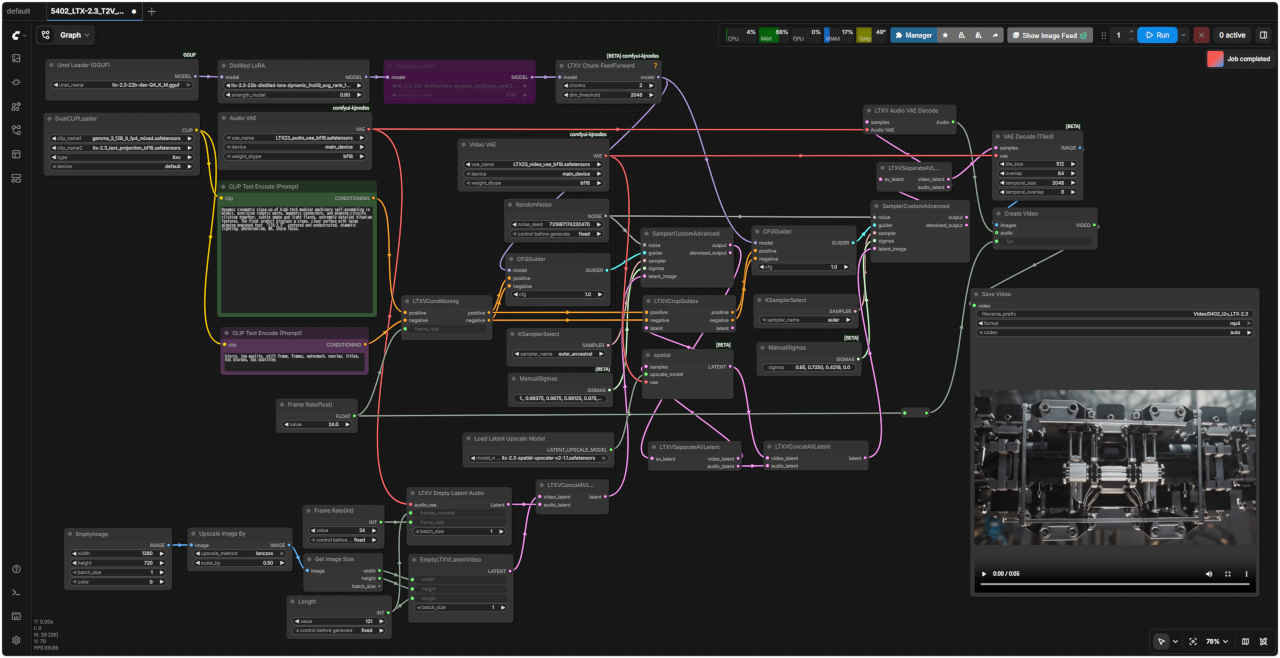 | 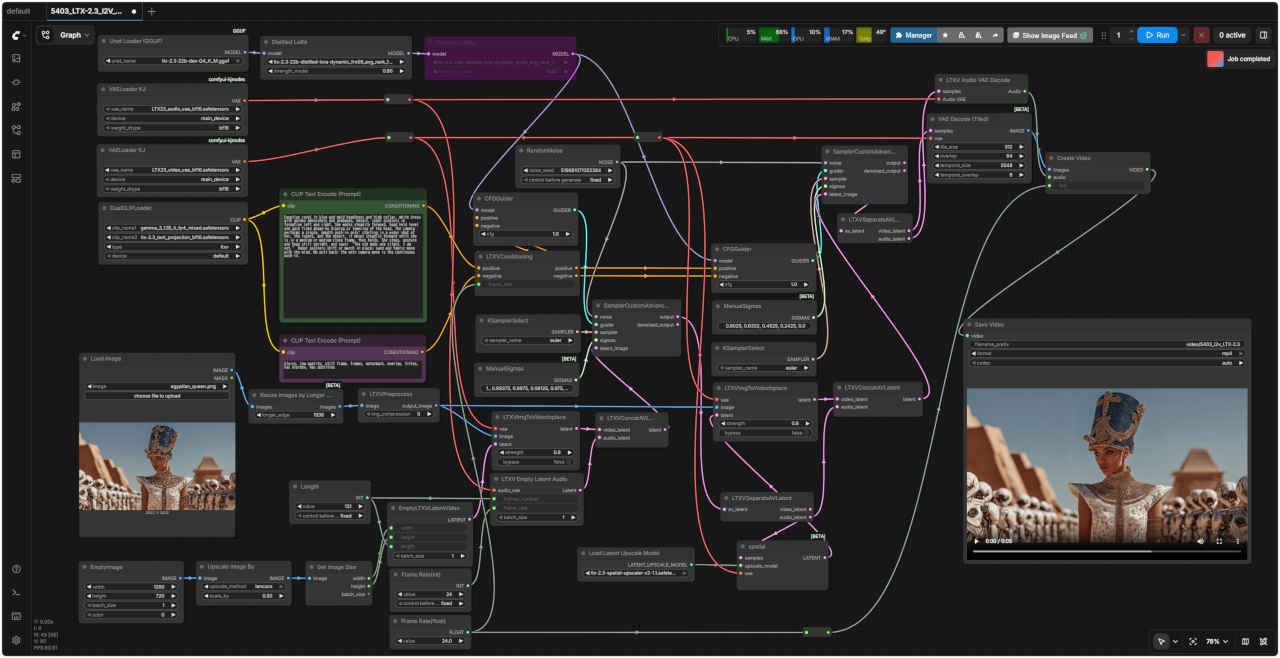 |
| 「LTX/」5342_LTX-2.3_T2V_GGUF.json | 「LTX/」5343_LTX-2.3_I2V_dev_GGUF.json |
| 5340_LTX-2.3_t2v_dev_GGUF.json | 5341_LTX-2.3_i2v_dev_GGUF.json |
| 5350 Image Audio to Video 基本ワークフロー (GGUF) | 5350 SubGraph |
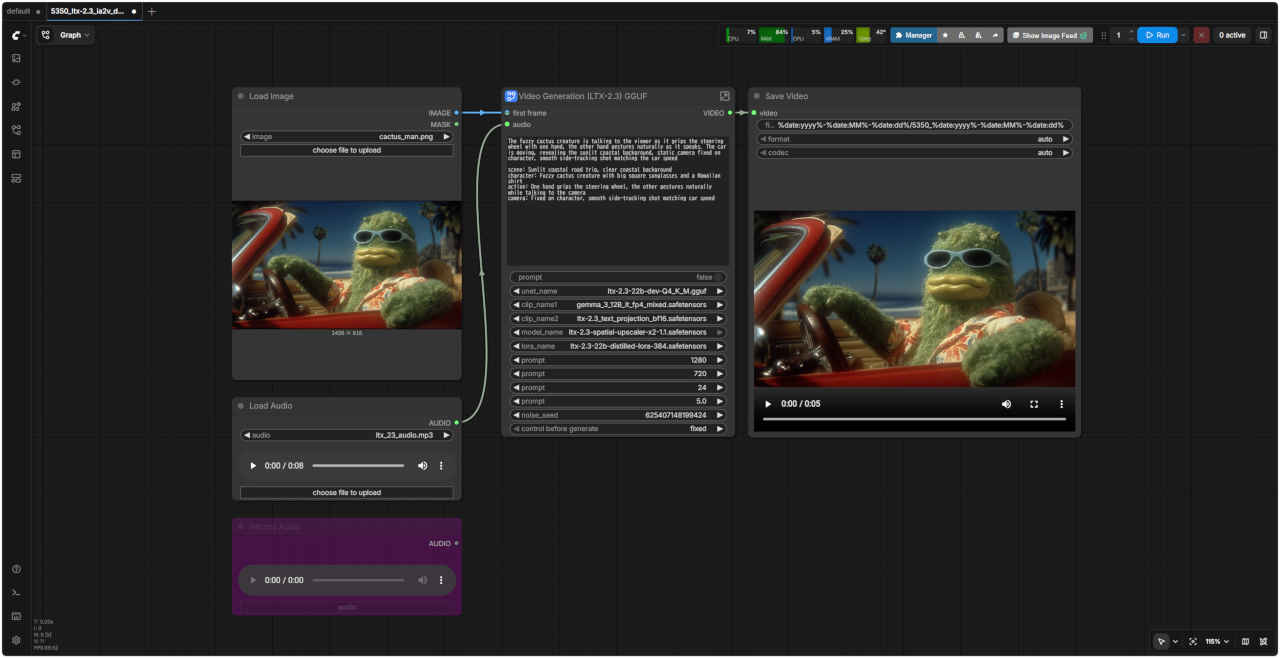 | 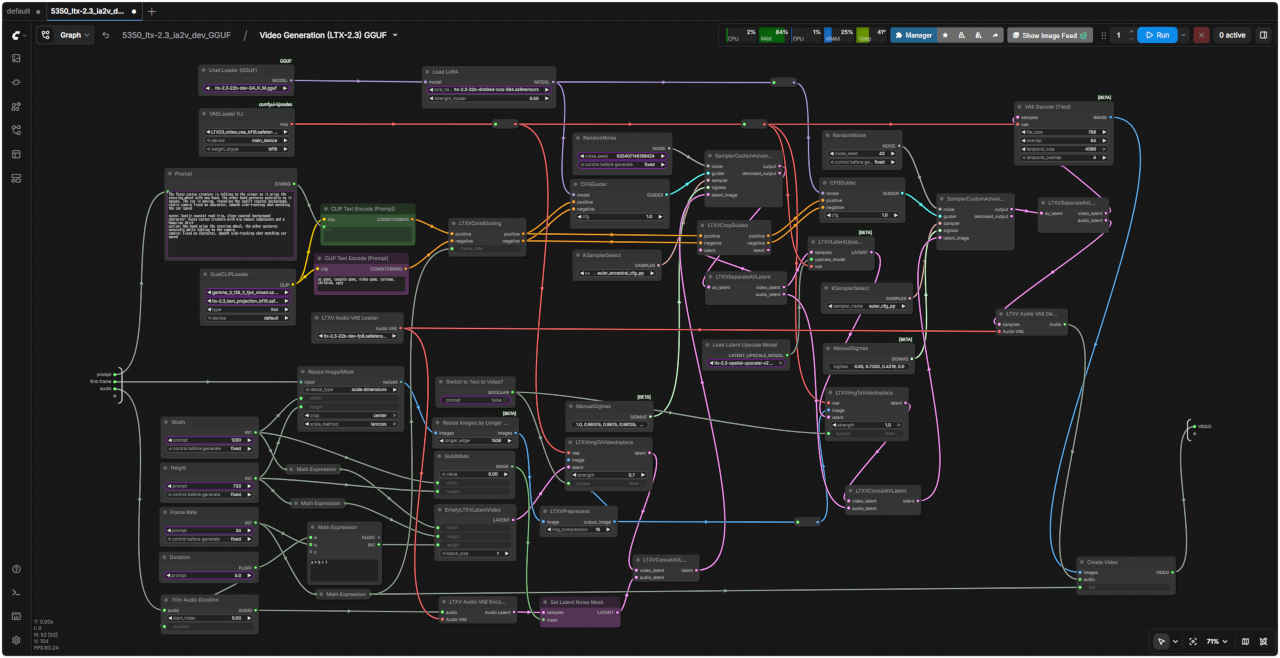 |
| 「LTX/」5350_LTX-2.3_ia2v_dev_GGUF.json | |
| 5351 Image Audio to Video 基本ワークフロー (GGUF 展開版) | |
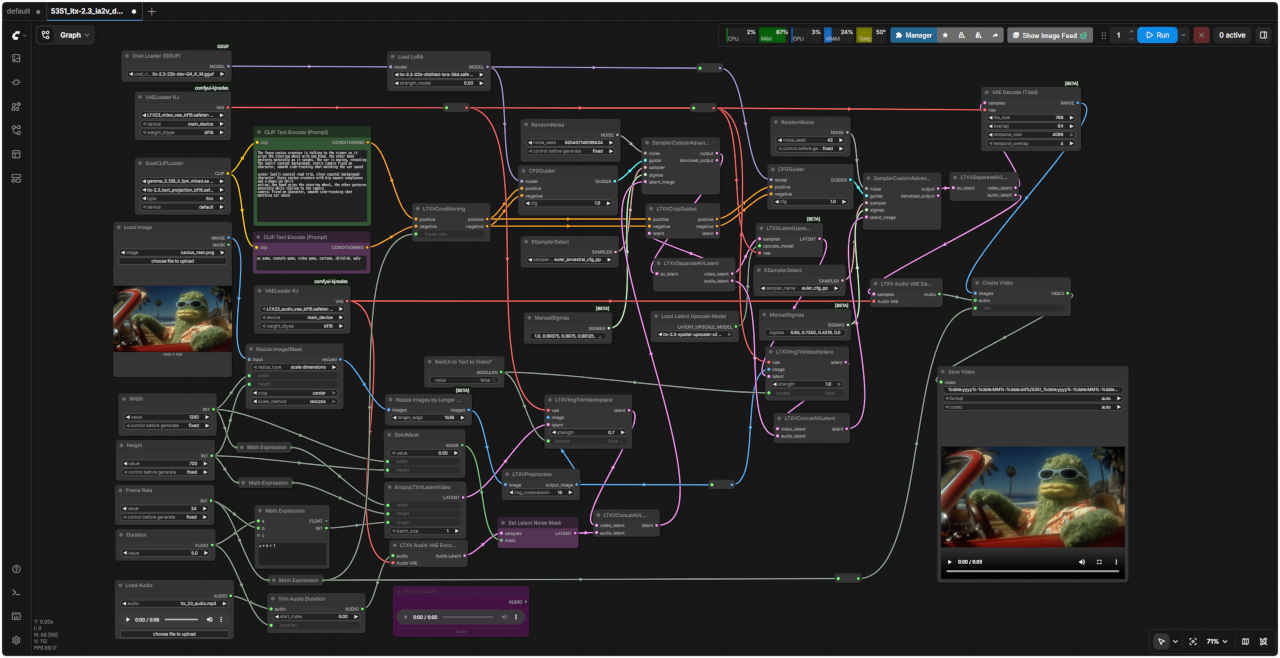 | |
| 「LTX/」5351_LTX-2.3_ia2v_dev_GGUF.json | |
| 5350_LTX-2.3_ia2v_dev.json.json | |
| 基本的に標準テンプレート (dev) のワークフローで LoRA (ltx-2.3-22b-distilled-lora-384) ノードをバイパスして、モデルを変更することで機能する 「Text to Video 基本ワークフロー」については若干の修正を加える(後述) |
| 5400 Text to Video 基本ワークフロー (distilled) | 5400 SubGraph (distilled) |
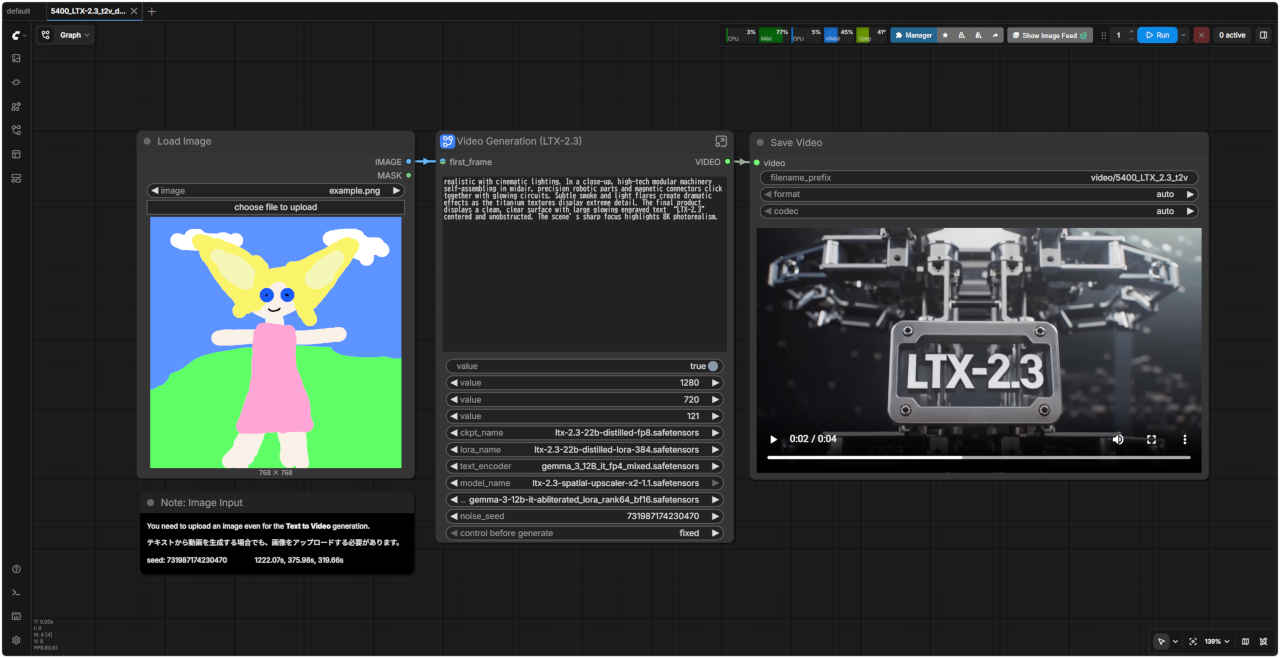 | 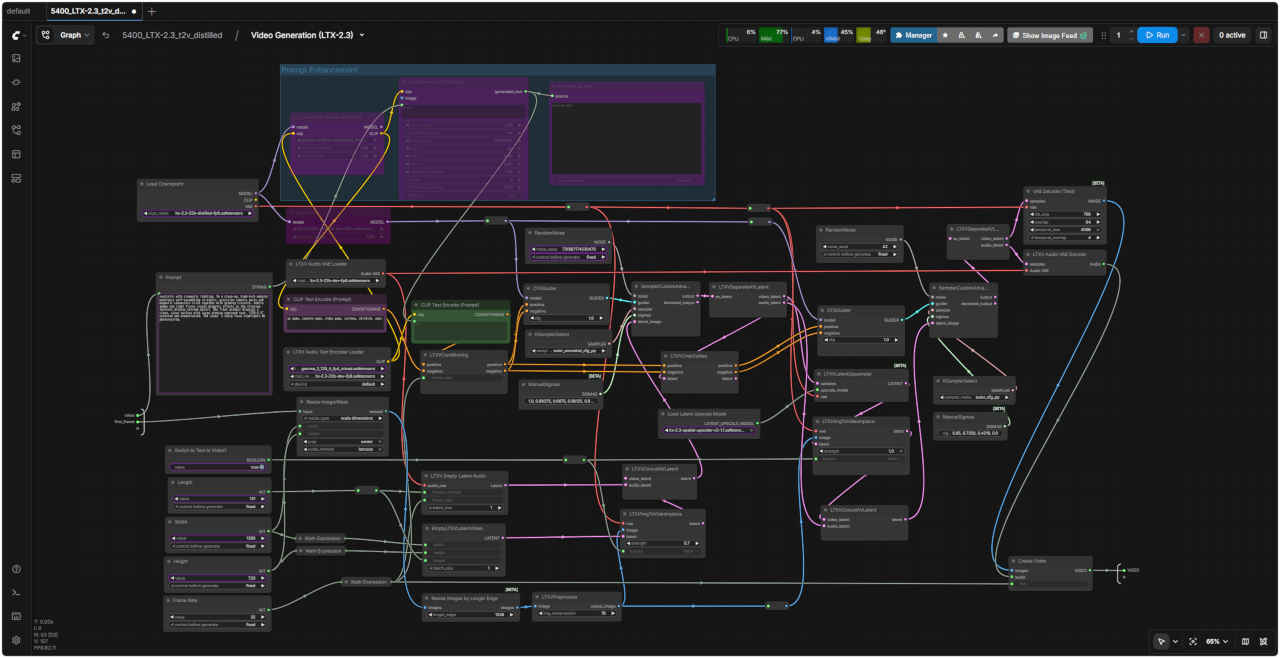 |
| 「LTX/」5400_LTX-2.3_t2v_distilled.json | |
| 5401 Image to Video 基本ワークフロー (distilled) | 5401 SubGraph (distilled) |
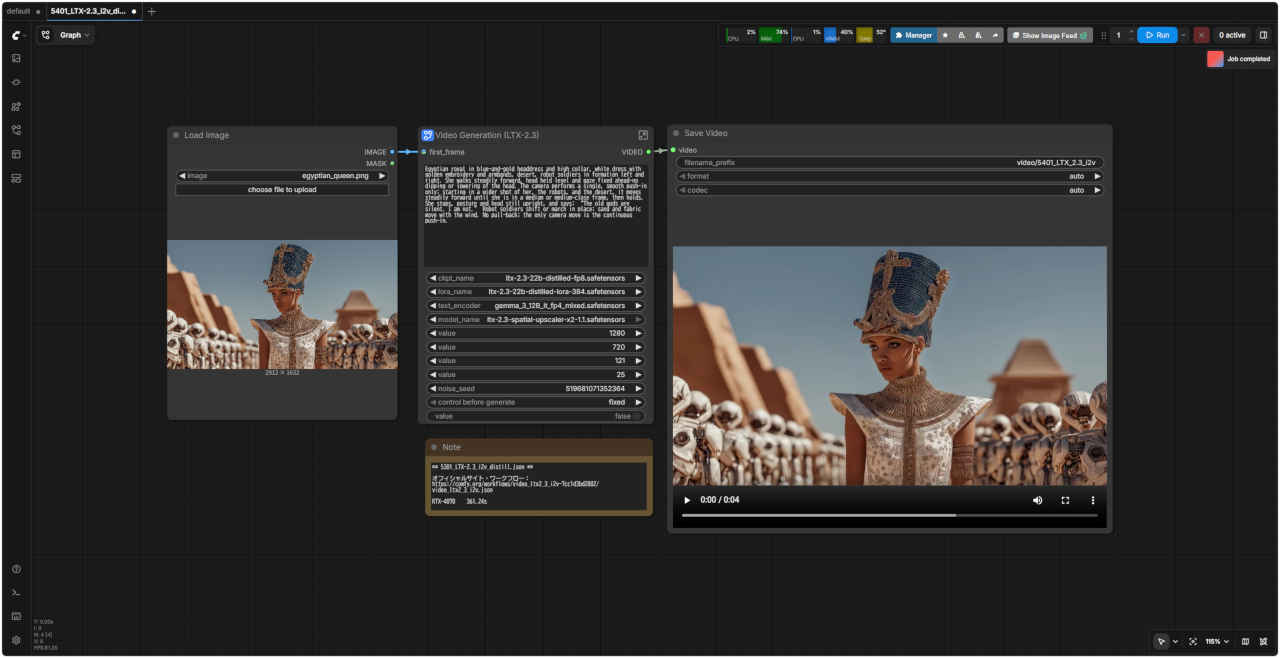 | 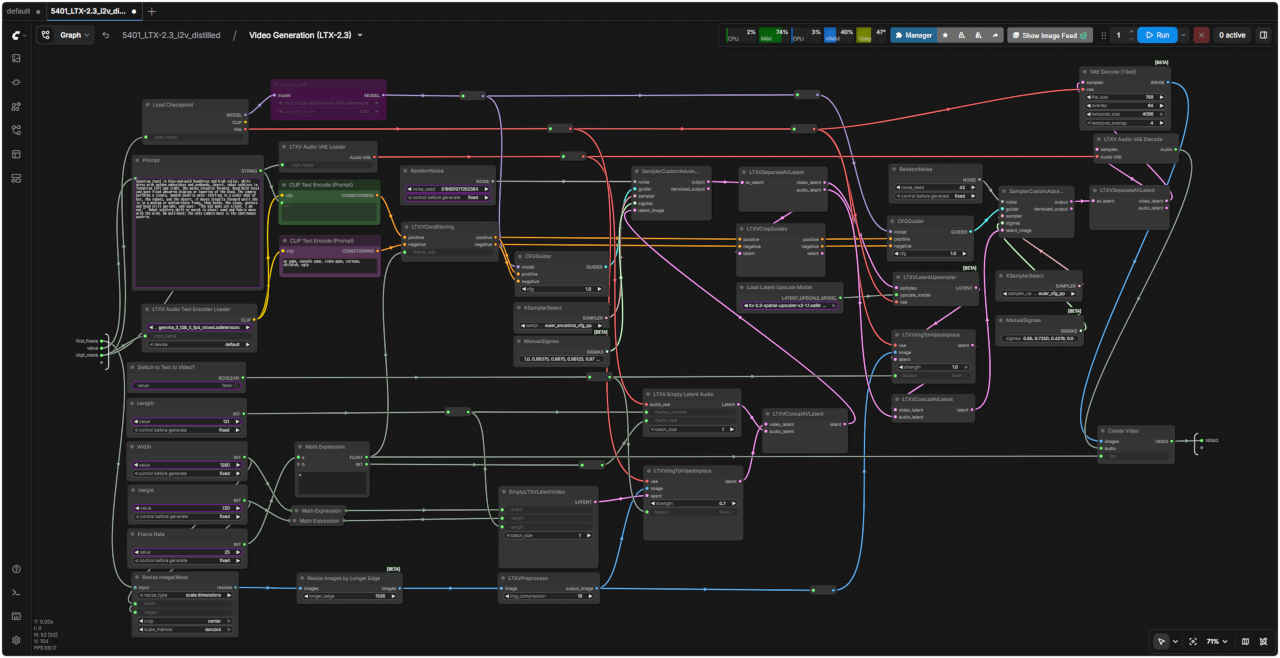 |
| 「LTX/」5401_LTX-2.3_i2v_distilled.json | |
| 5402 Text to Video 基本ワークフロー (distilled/simple) | 5403 Image to Video 基本ワークフロー (distilled/simple) |
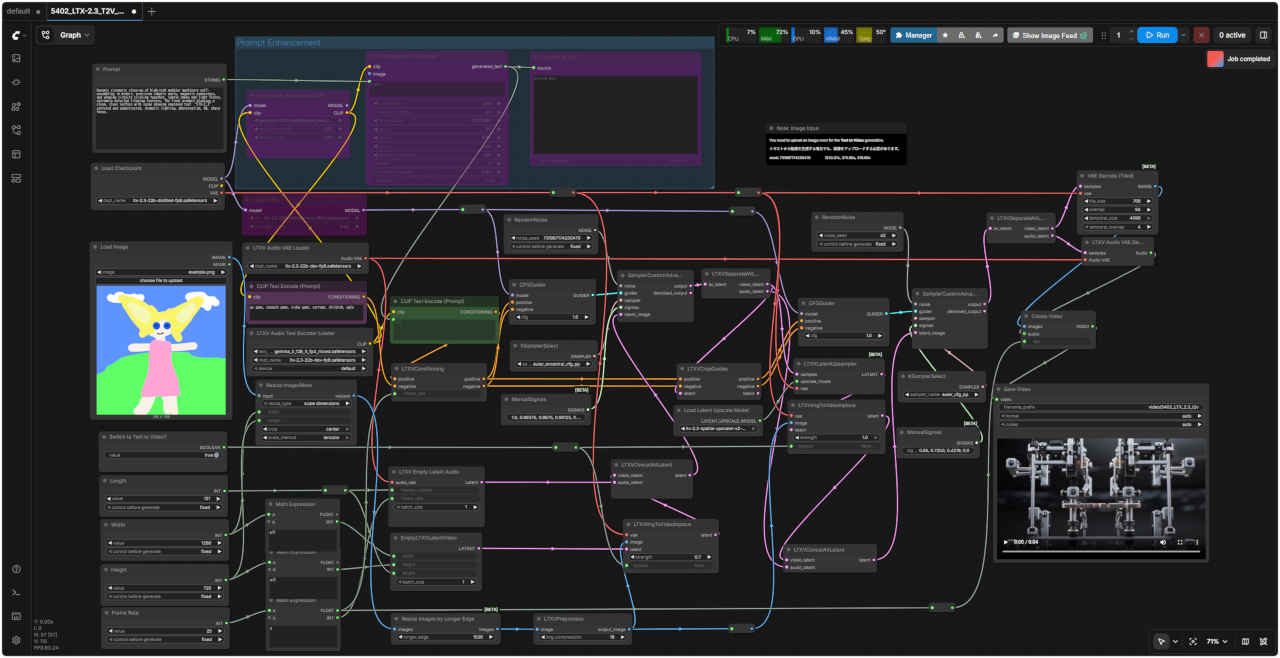 | 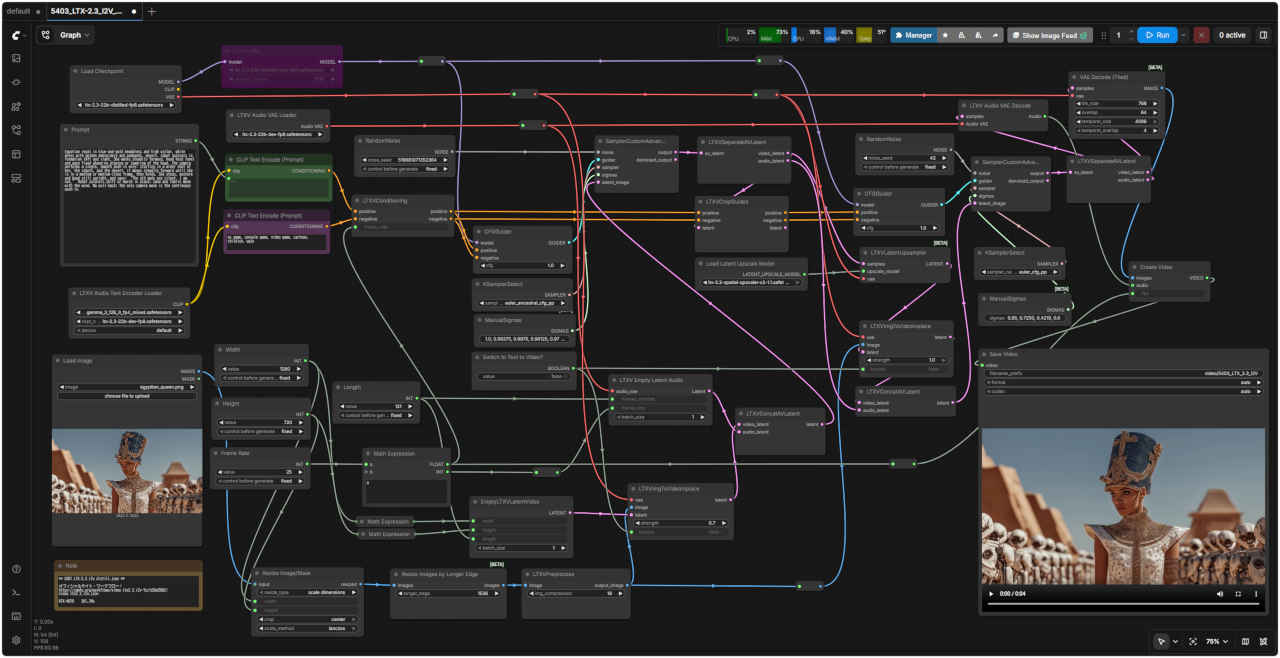 |
| 「LTX/」5402_LTX-2.3_T2V_distilled_simple.json | 「LTX/」5403_LTX-2.3_I2V_distilled_simple.json |
| オリジナルのワークフロー | プロンプト生成をバイパス |
| Prompt: Dynamic cinematic close-up of high-tech modular machinery self-assembling in midair, precision robotic parts, magnetic connectors, and glowing circuits clicking together, subtle smoke and light flares, extremely detailed titanium textures. The final product displays a clean, clear surface with large glowing engraved text “LTX-2.3” centered and unobstructed, dramatic lighting, photorealism, 8K, sharp focus. | Prompt: realistic with cinematic lighting. In a close-up, high-tech modular machinery self-assembling in midair, precision robotic parts and magnetic connectors click together with glowing circuits. Subtle smoke and light flares create dramatic effects as the titanium textures display extreme detail. The final product displays a clean, clear surface with large glowing engraved text “LTX-2.3” centered and unobstructed. The scene’s sharp focus highlights 8K photorealism. |
| 空中で自己組み立てされるハイテクモジュール式機械のダイナミックなシネマティッククローズアップ。精密なロボット部品、磁気コネクタ、光る回路がカチッと音を立てて組み合わさり、かすかな煙と光のフレア、極めて精緻なチタンの質感。最終製品は、中央に大きく光る刻印文字「LTX-2.3」が遮るものなく配置された、清潔でクリアな表面を呈し、ドラマチックな照明、フォトリアリズム、8K、シャープなフォーカスを実現しています。 | 映画のようなライティングによるリアルな描写。クローズアップでは、ハイテクなモジュール式機械が空中で自己組み立てされ、精密なロボット部品と磁気コネクタが光る回路と共にカチッと嵌合する様子が描かれています。かすかな煙と光のフレアがドラマチックな効果を生み出し、チタンの質感は極めて精緻なディテールを際立たせています。完成品は、中央に大きく光る「LTX-2.3」の刻印文字が遮るものなく配置された、すっきりとしたクリアな表面を呈しています。シーンのシャープなフォーカスが8Kフォトリアリズムを際立たせています。 |
| 静止画像と音声データから動画生成 | ||
| 入力画像 | 入力音声 | プロンプト |
 woman4.png | seikai.mp3 | カメラを見て、真ん中に'LTX-2.3'のロゴマークの入った白いTシャツを着て明るく話す表情豊かな女性のミディアムショット、上半身が映り、胸と肩が画面内に収まっている。「セイカイ。いいカンジだよ。」とほほ笑んで話します。 |
| 5410 Image Audio to Video 基本ワークフロー (distilled) | 5410 SubGraph |
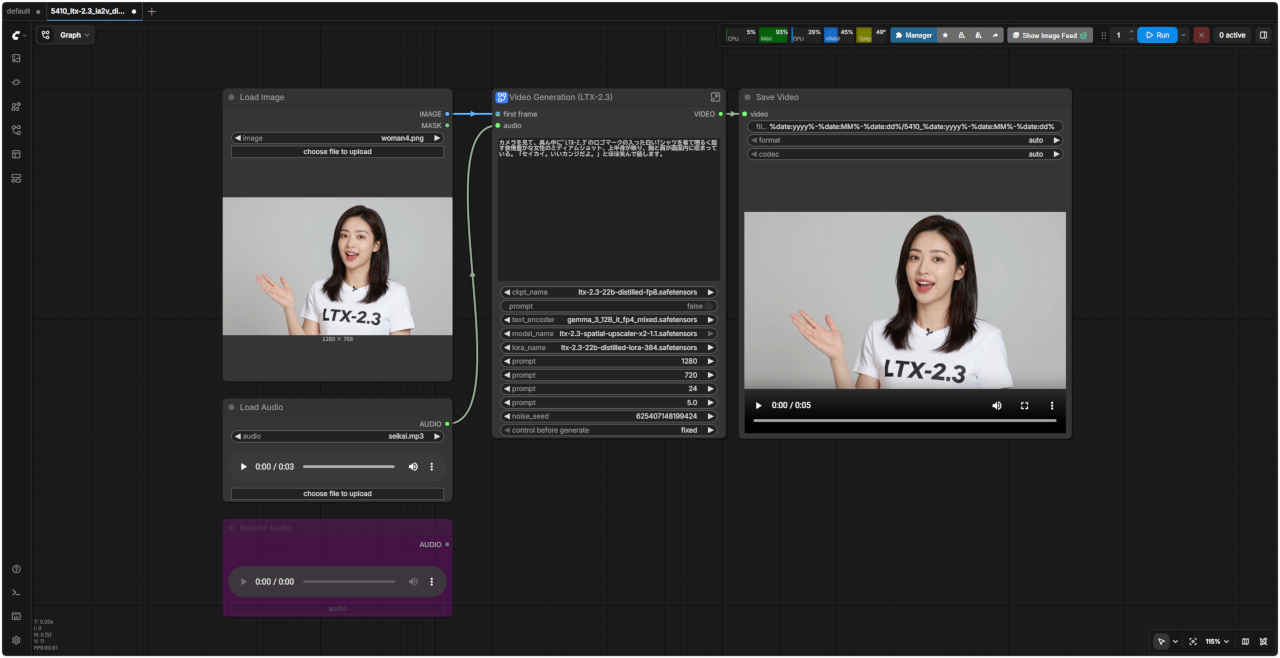 | 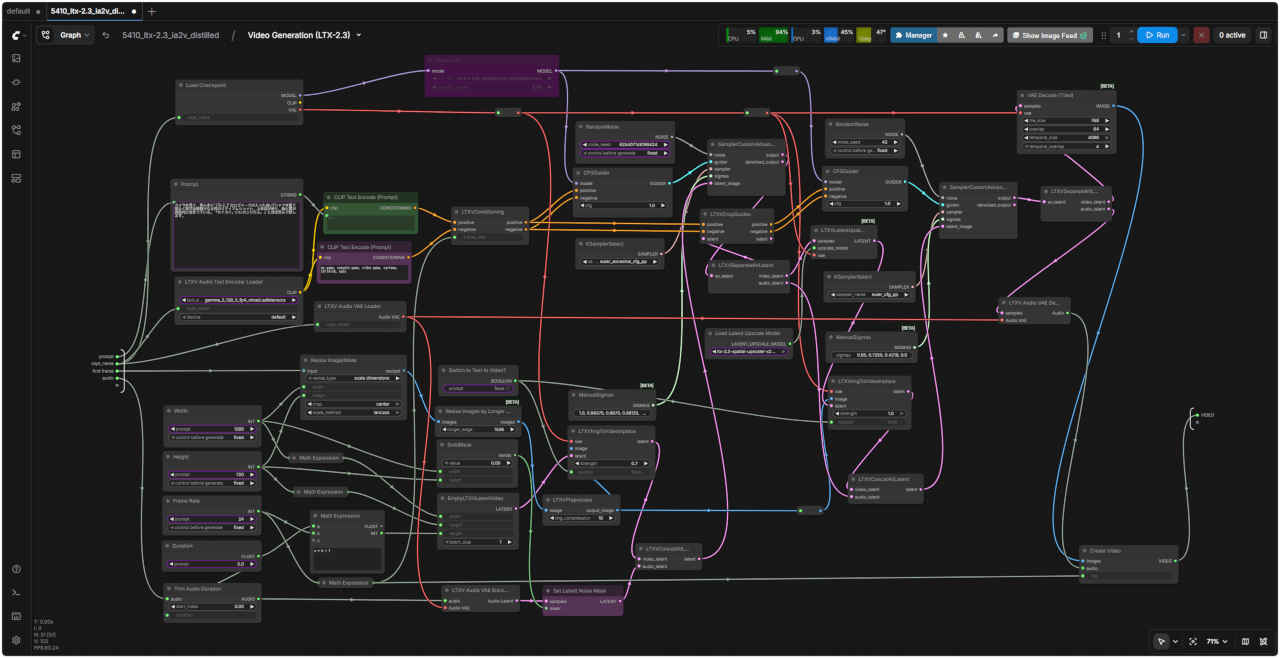 |
| 「LTX/」5410_LTX-2.3_ia2v_distilled.json | |
| 5411 Image Audio to Video 基本ワークフロー (distilled/simple) | |
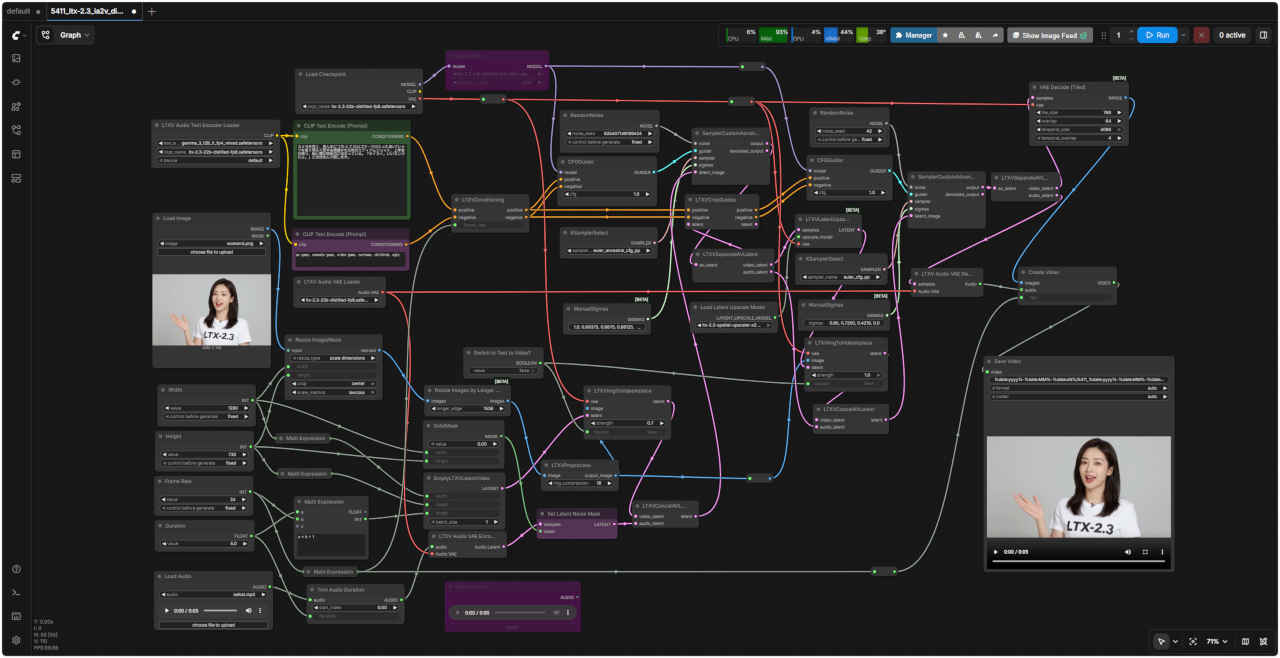 | |
| 「LTX/」5411_LTX-2.3_ia2v_distilled_simple.json | |
| 5410_LTX-2.3_ia2v_distilled.json.json | |
| 5440 Text to Video 基本ワークフロー distilled (GGUF) | 5440 SubGraph |
| | |
| 「LTX/」5440_LTX-2.3_t2v_distilled_GGUF.json | |
| 5441 Image to Video 基本ワークフロー distilled (GGUF) | 5441 SubGraph |
| | |
| 「LTX/」5441_LTX-2.3_i2v_distilled_GGUF.json | |
| 5442 Text to Video 基本ワークフロー distilled (GGUF 展開版) | 5443 Image to Video 基本ワークフロー distilled (GGUF 展開版) |
| | |
| 「LTX/」5442_LTX-2.3_T2V_distilled_GGUF.json | 「LTX/」5443_LTX-2.3_I2V_distilled_GGUF.json |
| 5450 Image Audio to Video 基本ワークフロー distilled (GGUF) | 5450 SubGraph |
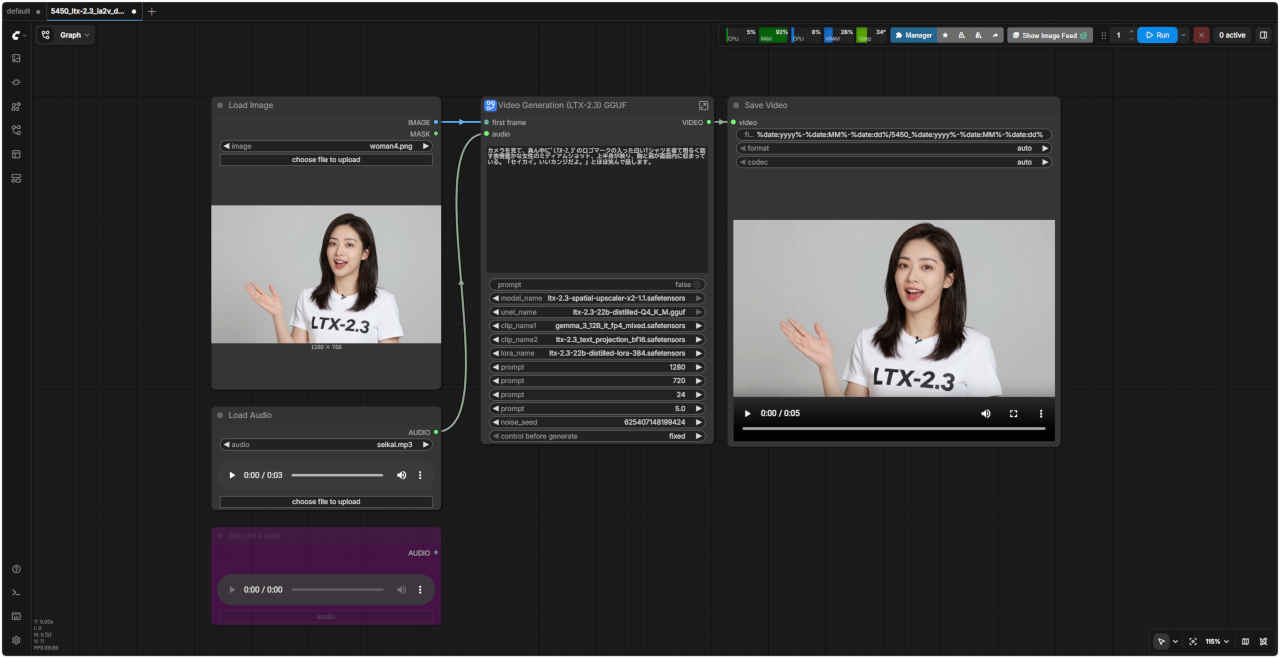 | 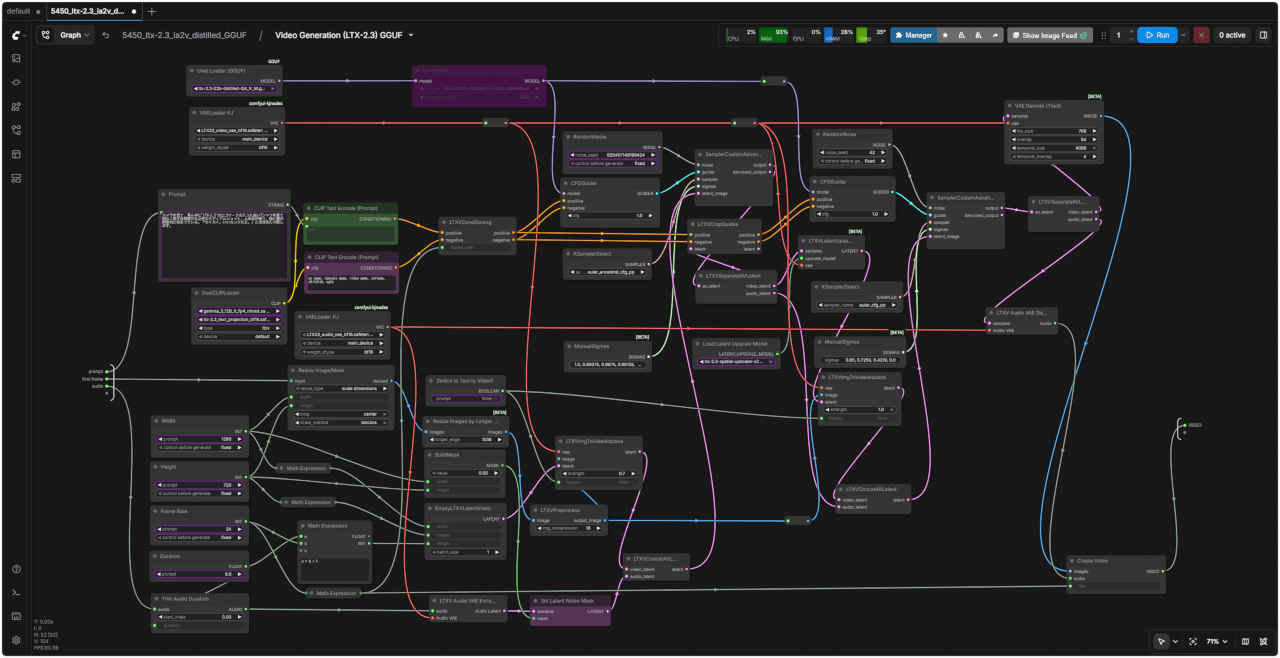 |
| 「LTX/」5450_LTX-2.3_ia2v_distilled_GGUF.json | |
| 5351 Image Audio to Video 基本ワークフロー distilled (GGUF 展開版) | |
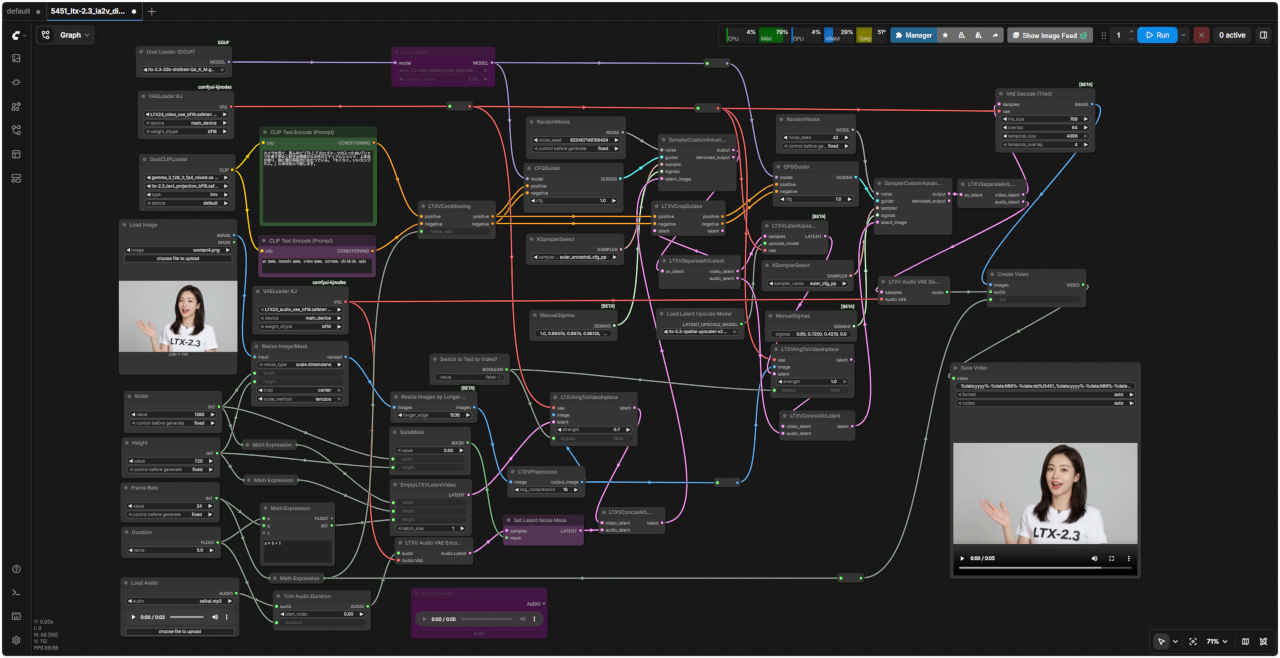 | |
| 「LTX/」5451_LTX-2.3_ia2v_distilled_GGUF.json | |
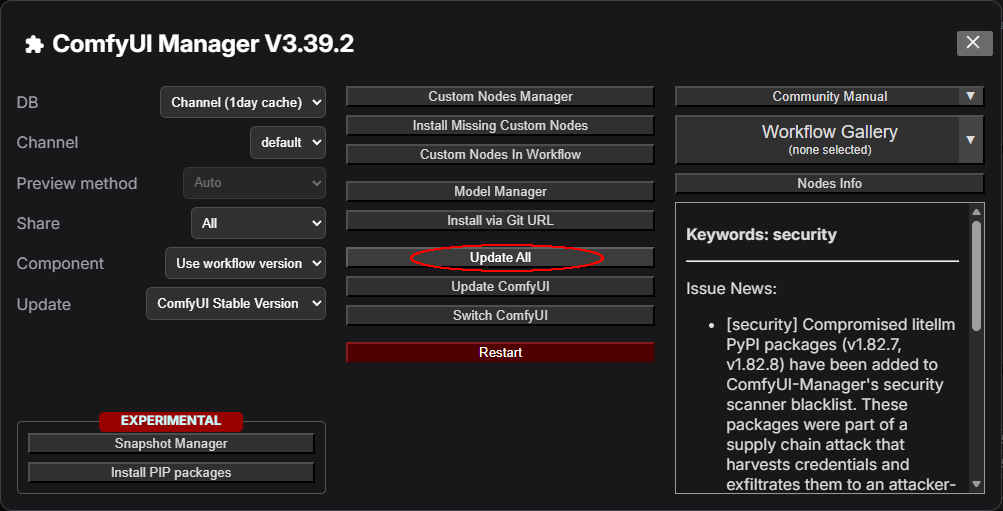
| ComfyUI サイトとは別に LTX2.3 開発元の Lightricks オフィシャルサイトにもワークフローのサンプルが用意されているので検証する → PSA: 公式のLTX 2.3ワークフローを使ってください。ComfyUIに含まれているものではなく、こちらの方がかなり良いです。 |
| 旧 | 変更後 | 適応箇所 |
| ltx-2.3-22b-dev.safetensors | ltx-2.3-22b-dev-fp8 | 5 |
| ltx-2.3-22b-distilled-lora-384.safetensors | ltx-2.3-22b-distilled-lora-384 | 2 |
| confy_gemma_3.12B_it.safetensors | gemma_3_12B_it_fp4_mixed | 1 |
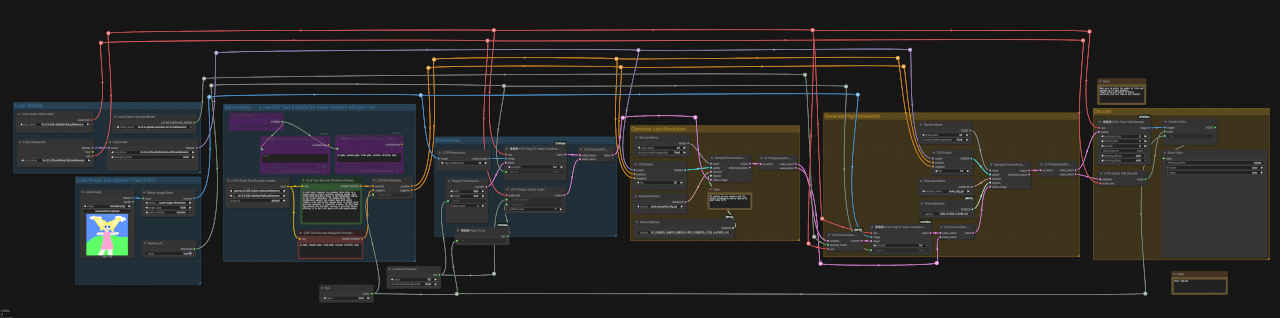
| 標準版(dev) / 蒸留版(distilled) Text to Video, Image to Video |
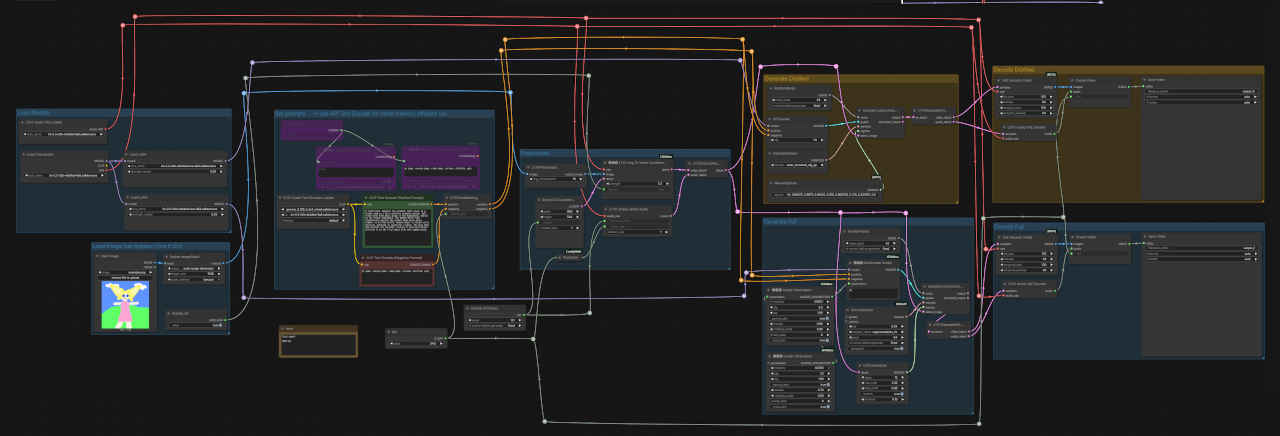 |
| 「~beta」LTX-2.3_T2V_I2V_Single_Stage_Distilled_Full_org.json |
| 通常版(dev) Text to Video / Image to Video | 蒸留版(distilled) Text to Video / Image to Video |
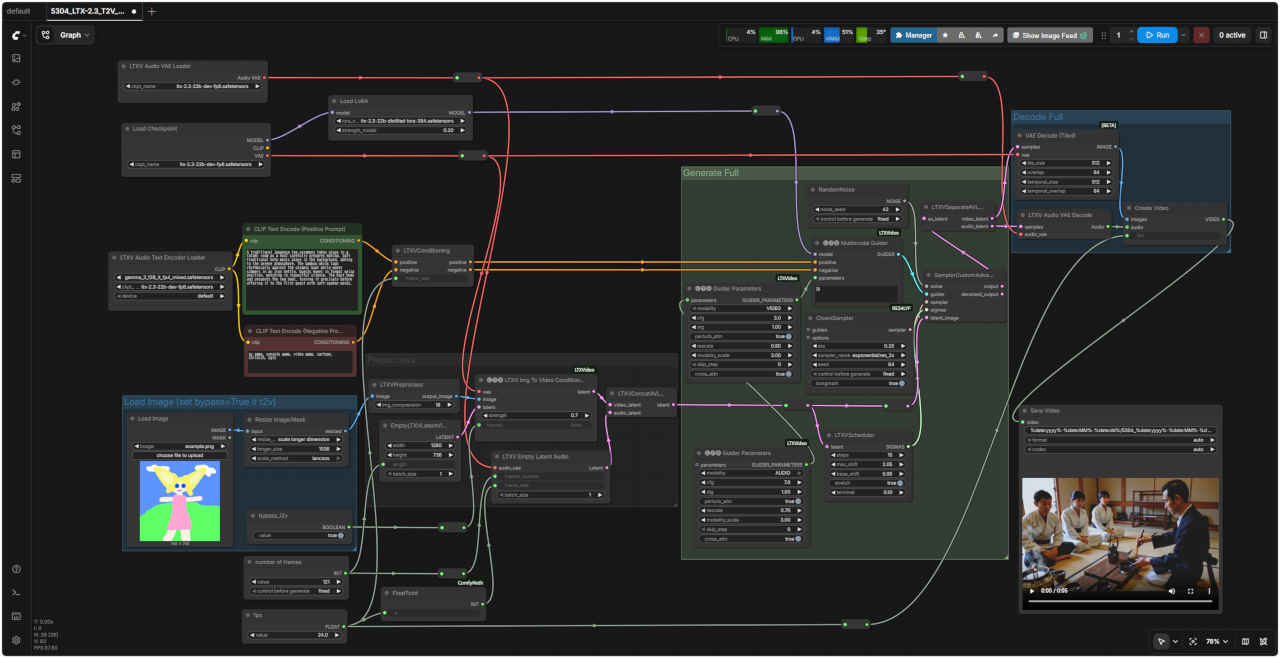 | 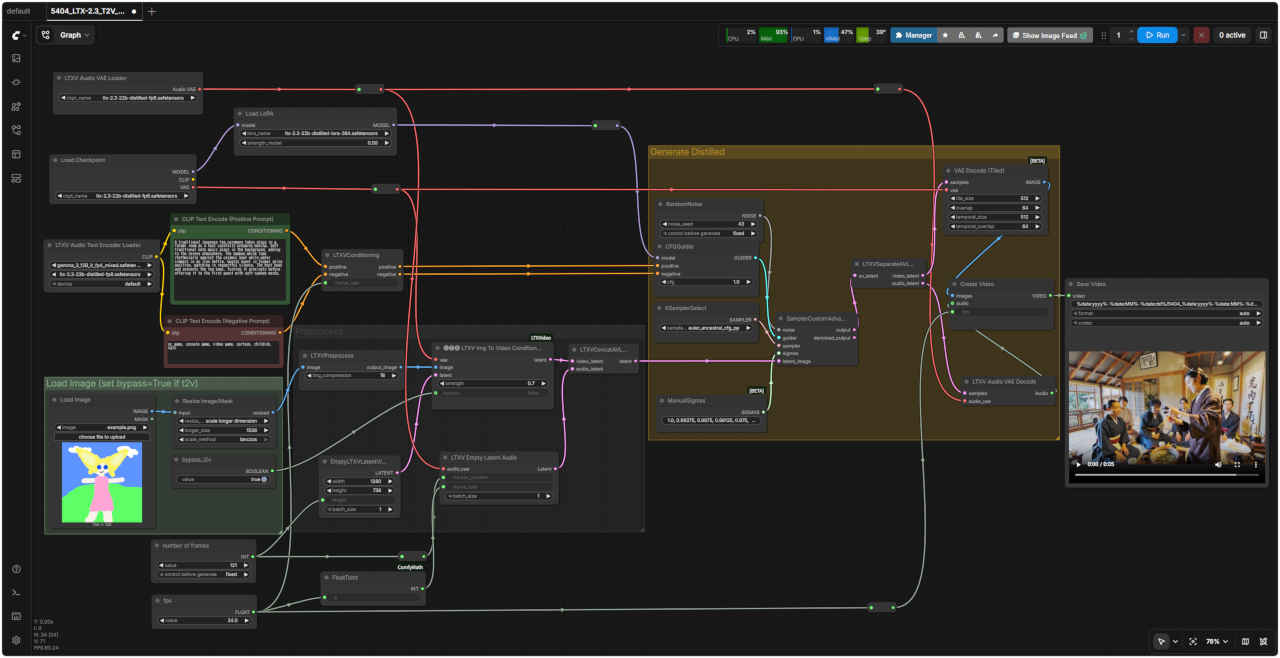 |
| 「LTX/」5304_LTX-2.3_T2V_I2V_1st_dev.json | 「LTX/」5404_LTX-2.3_T2V_I2V_1st_distilled.json |
| Prompt: A traditional Japanese tea ceremony takes place in a tatami room as a host carefully prepares matcha. Soft traditional koto music plays in the background, adding to the serene atmosphere. The bamboo whisk taps rhythmically against the ceramic bowl while water simmers in an iron kettle. Guests kneel in formal seiza position, watching in respectful silence. The host bows and presents the tea bowl, turning it precisely before offering it to the first guest with soft-spoken words. | |
| 畳の部屋で、亭主が丁寧に抹茶を点てる伝統的な日本の茶道が繰り広げられる。静謐な琴の音色が背景に流れ、穏やかな雰囲気を醸し出す。鉄のやかんで湯が沸く中、竹製の茶筅が陶器の茶碗をリズミカルに叩く。客は正座の姿勢で跪き、静かにその様子を見守る。亭主は一礼し、茶碗を丁寧に回してから、最初の客にそっと口づけながら差し出す。 | |
| 旧 | 変更後 | 適応箇所 |
| ltx-2.3-22b-dev.safetensors | ltx-2.3-22b-dev-fp8 | 5 |
| ltx-2.3-22b-distilled-lora-384.safetensors | ltx-2.3-22b-distilled-lora-384 | 1 |
| confy_gemma_3.12B_it.safetensors | gemma_3_12B_it_fp4_mixed | 1 |
| 蒸留版(distilled) Text to Video, Image to Video |
 |
| 「~beta」LTX-2.3_T2V_I2V_Two_Stage_Distilled_org_org.json |
| 蒸留版(distilled) Text to Video / Image to Video | |
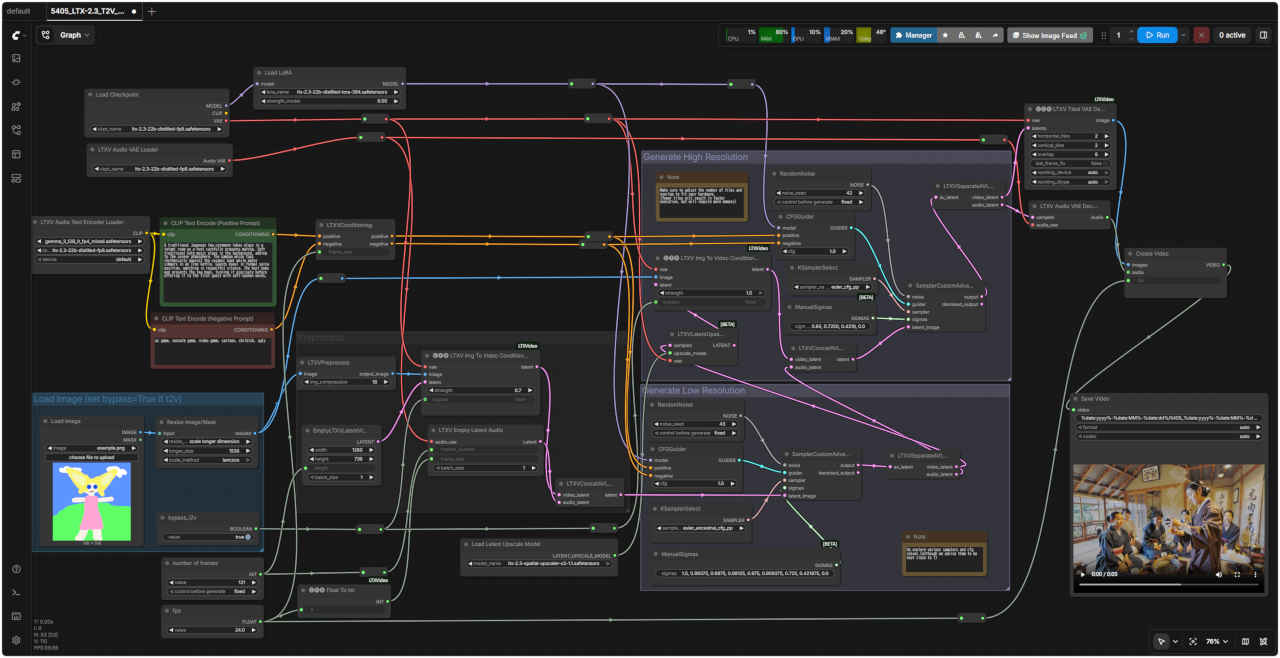 | |
| 「LTX/」5405_LTX-2.3_T2V_I2V_2st_distilledlled.json |
| 通常版(dev) Text to Video / Image to Video 1stage | 蒸留版(distilled) Text to Video / Image to Video 1stage |
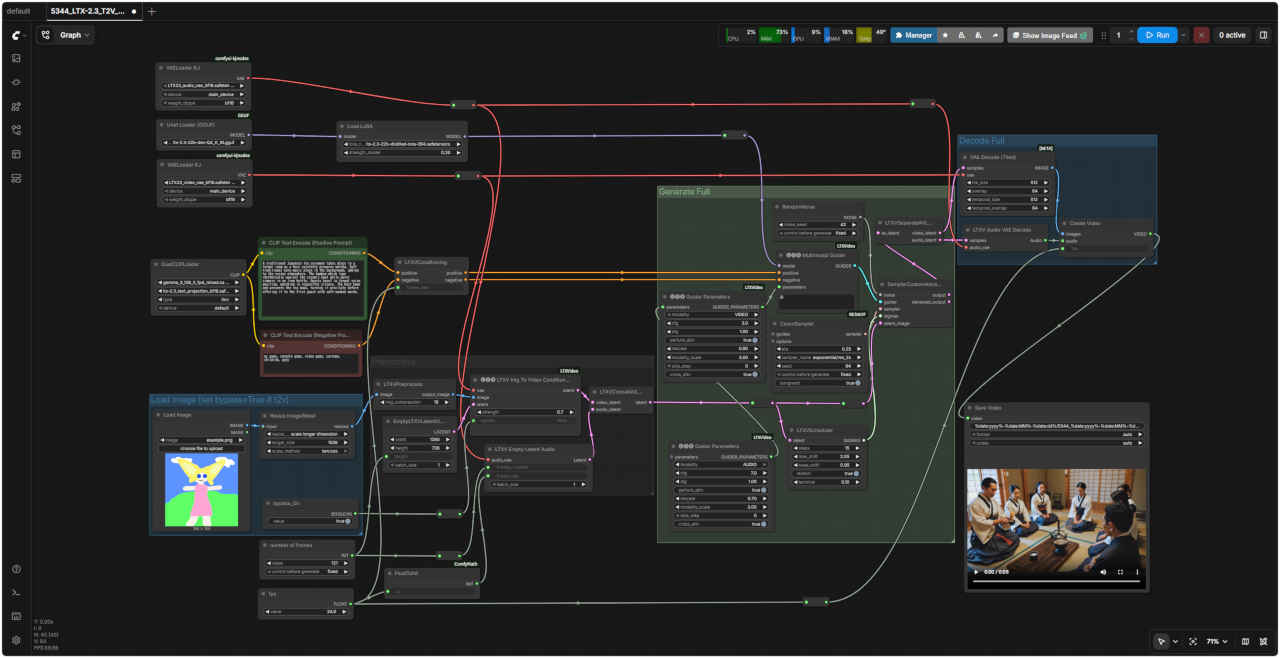 | 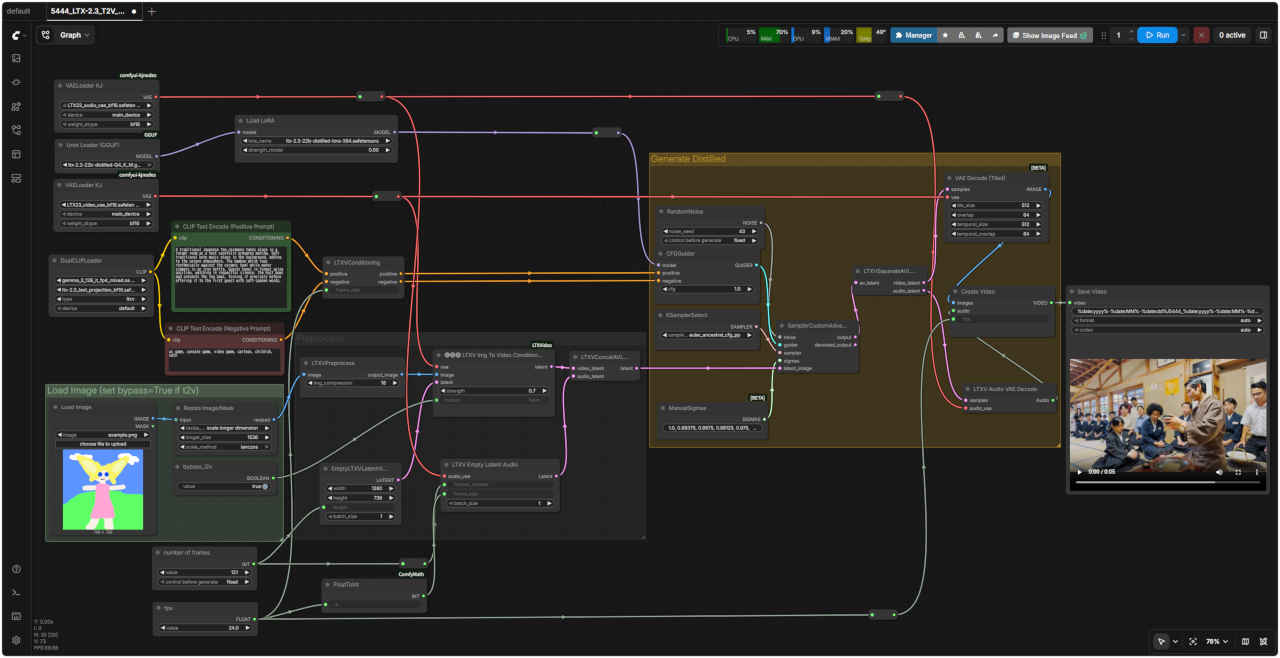 |
| 「LTX/」5344_LTX-2.3_T2V_I2V_1st_dev_GF.json | 「LTX/」5444_LTX-2.3_T2V_I2V_1st_distil_GF.json |
| 蒸留版(distilled) Text to Video, Image to Video 2stage | |
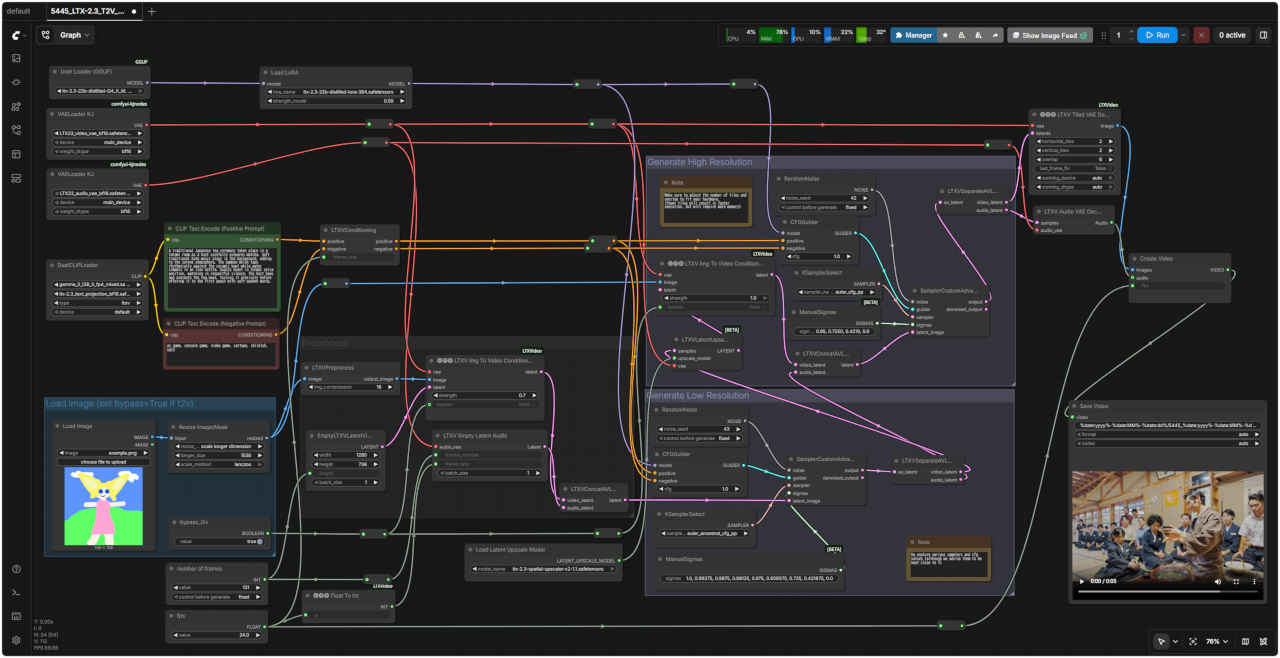 | |
| 「LTX/」5445_LTX-2.3_T2V_I2V_2st_distil_GF.json |
| 通常 2stage の生成では、一度低解像度で生成したものを Hires.fix する。これを拡張して 3 Stage の生成をする 非常に小さな解像度で生成したものを 2 倍 Hires.fix、さらにそれをもう 2 倍 Hires.fix する。コミュニティでは明確に結果が良いとされている → Comfy with ComfyUI: LTX-2.3 |
| 蒸留版(distilled) Text to Video 3 Stage | 蒸留版(distilled) Text to Video 3 Stage (GGUF) |
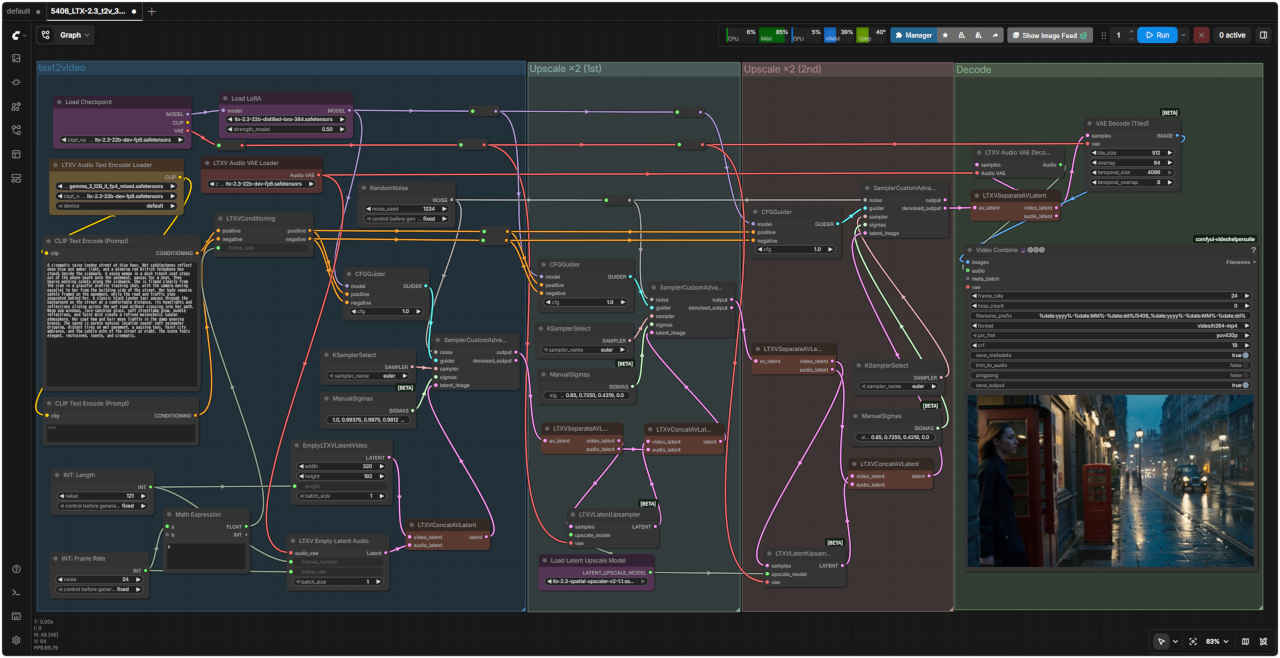 | 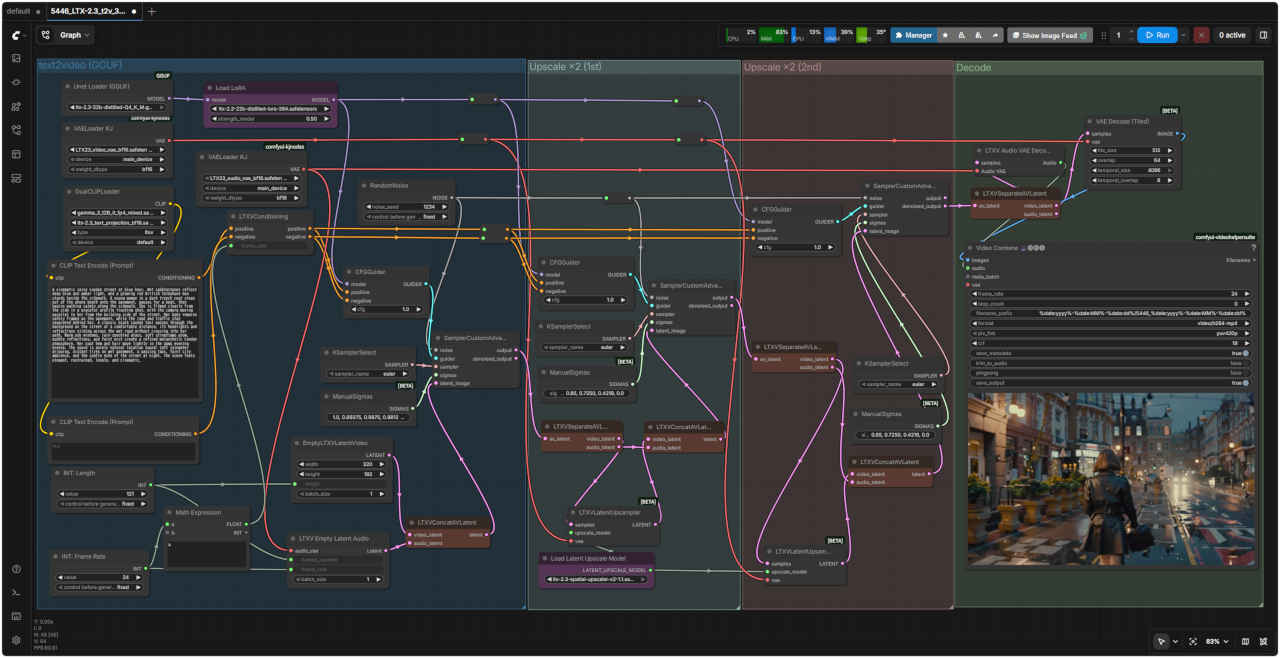 |
| 「LTX/」5406_LTX-2.3_t2v_3st_distilled.json | 「LTX/」5447_LTX-2.3_i2v_3st_distilled_GF.json |
| Prompt: A cinematic rainy London street at blue hour. Wet cobblestones reflect deep blue and amber light, and a glowing red British telephone box stands beside the sidewalk. A young woman in a dark trench coat steps out of the phone booth onto the pavement, pauses for a beat, then begins walking calmly along the sidewalk. She is filmed clearly from the side in a graceful profile tracking shot, with the camera moving parallel to her from the building side of the street. Her body remains safely framed on the pavement, while the road and traffic stay separated behind her. A classic black London taxi passes through the background on the street at a comfortable distance, its headlights and reflections sliding across the wet road without crossing into her path. Warm pub windows, rain-speckled glass, soft streetlamp glow, puddle reflections, and faint mist create a refined melancholic London atmosphere. Her coat hem and hair move lightly in the damp evening breeze. The sound is purely natural location sound: soft rainwater dripping, distant tires on wet pavement, a passing taxi, faint city ambience, and the subtle echo of the street at night. The scene feels elegant, restrained, lonely, and cinematic. | |
| 映画のような雨のロンドンの街並み、夕暮れ時。濡れた石畳は深い青と琥珀色の光を反射し、歩道脇には赤く光るイギリスの電話ボックスが立っている。暗いトレンチコートを着た若い女性が電話ボックスから歩道に出て、一瞬立ち止まり、それから静かに歩道を歩き始める。彼女は優雅な横顔のトラッキングショットで横から鮮明に捉えられ、カメラは通りの建物側から彼女と平行に移動する。彼女の体は歩道にしっかりと収まり、道路と交通は彼女の背後で分離されている。背景の通りでは、クラシックな黒いロンドンタクシーが適度な距離を保って通り過ぎ、ヘッドライトと反射光は濡れた路面を滑るように進み、彼女の進路を遮ることはない。温かいパブの窓、雨粒のついたガラス、柔らかな街灯の光、水たまりの反射、そしてかすかな霧が、洗練された物憂げなロンドンの雰囲気を醸し出している。彼女のコートの裾と髪は、湿った夕方のそよ風に軽く揺れる。音は純粋に自然の音だ。雨粒が静かに滴る音、濡れた舗装路を走る遠くのタイヤの音、通り過ぎるタクシーの音、かすかな街のざわめき、そして夜の街路に響く繊細なこだま。その情景は、優雅で抑制され、孤独感があり、まるで映画のワンシーンのようだ。 | |
| 蒸留版(distilled) Image to Video 3 Stage | 蒸留版(distilled) Image to Video 3 Stage (GGUF) |
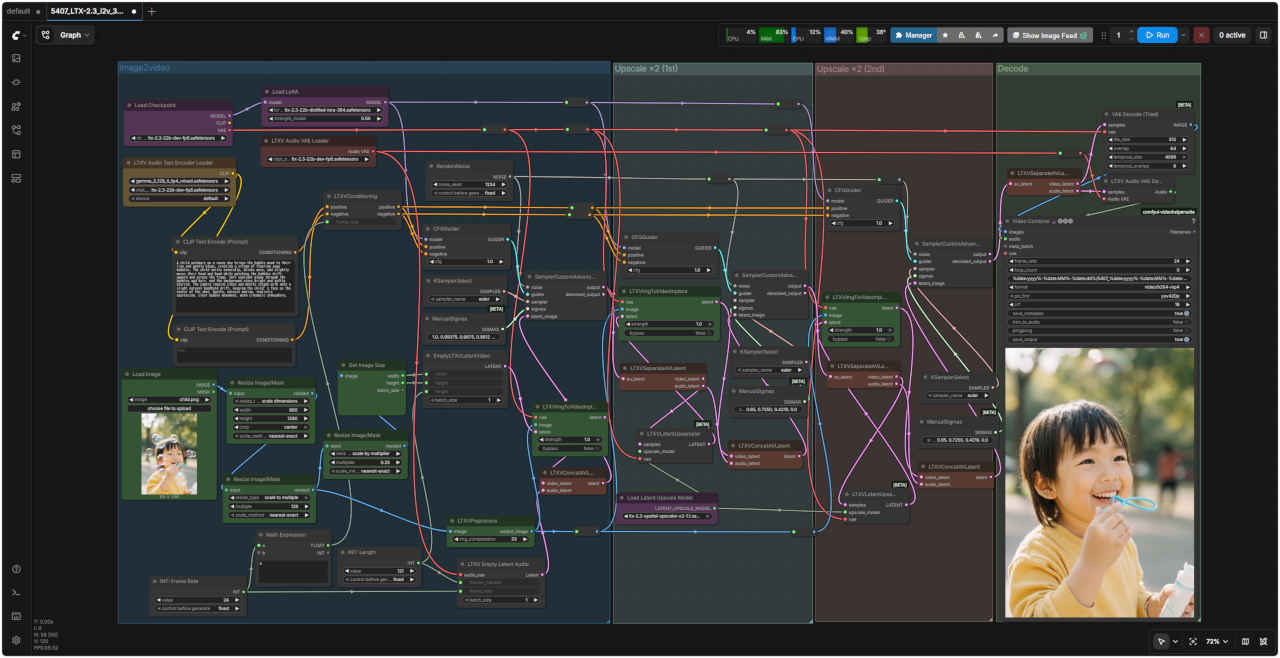 | 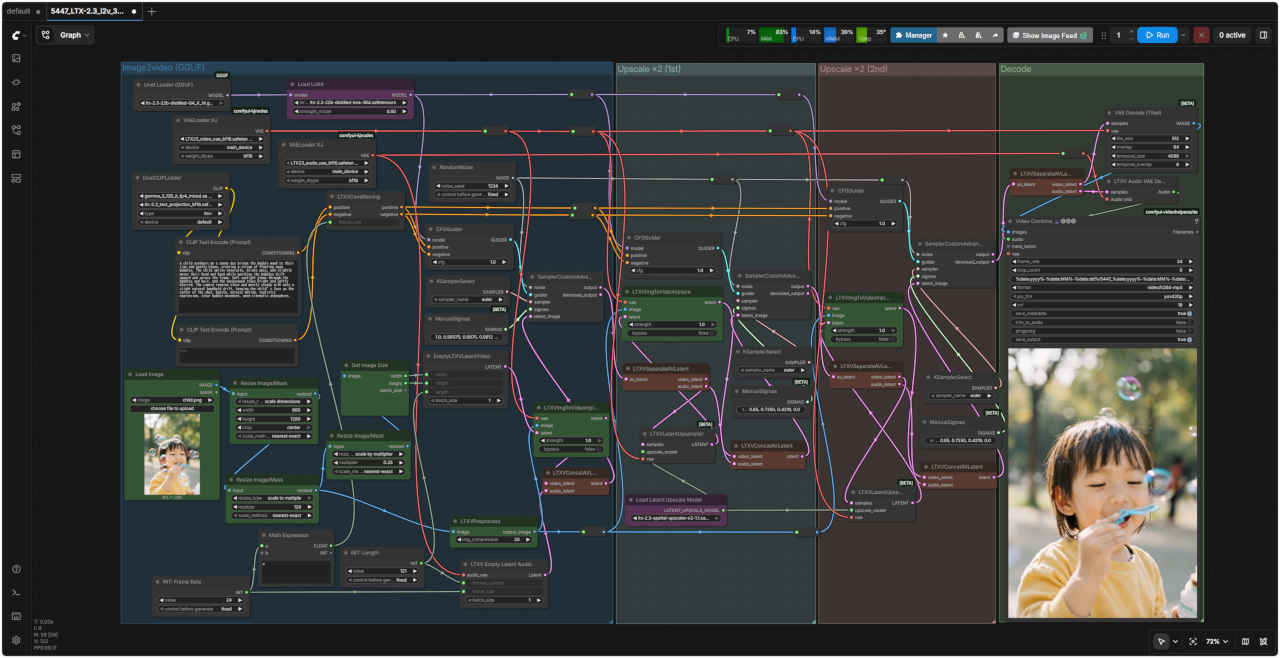 |
| 「LTX/」5407_LTX-2.3_i2v_3st_distilled.json | 「LTX/」5447_LTX-2.3_i2v_3st_distilled_GF.json |
| Prompt: A child outdoors on a sunny day brings the bubble wand to their lips and gently blows, creating a stream of floating soap bubbles. The child smiles naturally, blinks once, and slightly moves their head and hand while watching the bubbles drift upward and across the frame. Soft sunlight glows through the bubbles and hair, and the background stays bright and softly blurred. The camera remains close and mostly steady with only a slight natural handheld drift, keeping the child’s face as the center of the shot. Gentle, natural motion, realistic expression, clear bubble movement, warm cinematic atmosphere. | |
| 晴れた日に、屋外で子供がシャボン玉の棒を口元に当て、そっと息を吹きかけると、水面に浮かぶシャボン玉が次々と現れる。子供は自然な笑顔を見せ、一度まばたきをし、頭と手を少し動かしながら、シャボン玉が上へ、そして画面を横切って漂っていく様子を見つめる。柔らかな陽光がシャボン玉と髪の毛を通して輝き、背景は明るく、柔らかくぼかされている。カメラは子供の顔を中心に据え、ほとんど手持ちで自然なわずかな揺れがあるものの、子供の顔に寄り添うように撮影されている。優しく自然な動き、リアルな表情、はっきりとしたシャボン玉の動き、温かみのある映画のような雰囲気。 | |
| 蒸留版(distilled) Audio to Video 3 Stage | 蒸留版(distilled) Audio to Video 3 Stage (GGUF) |
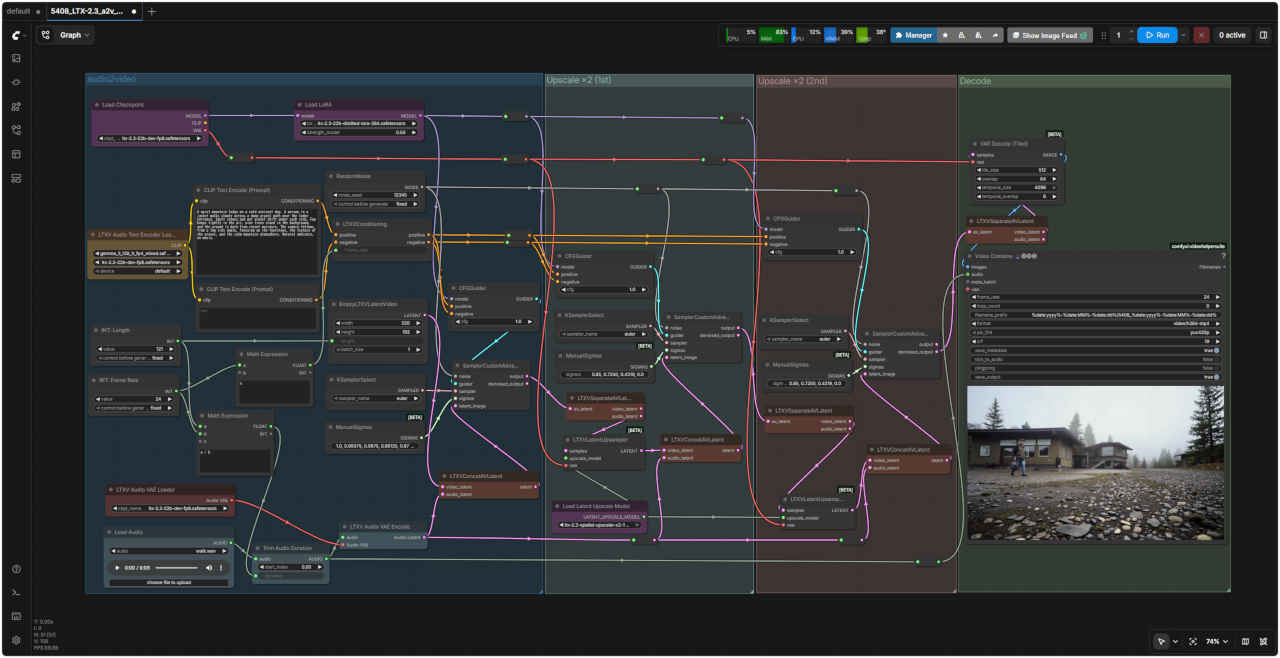 | 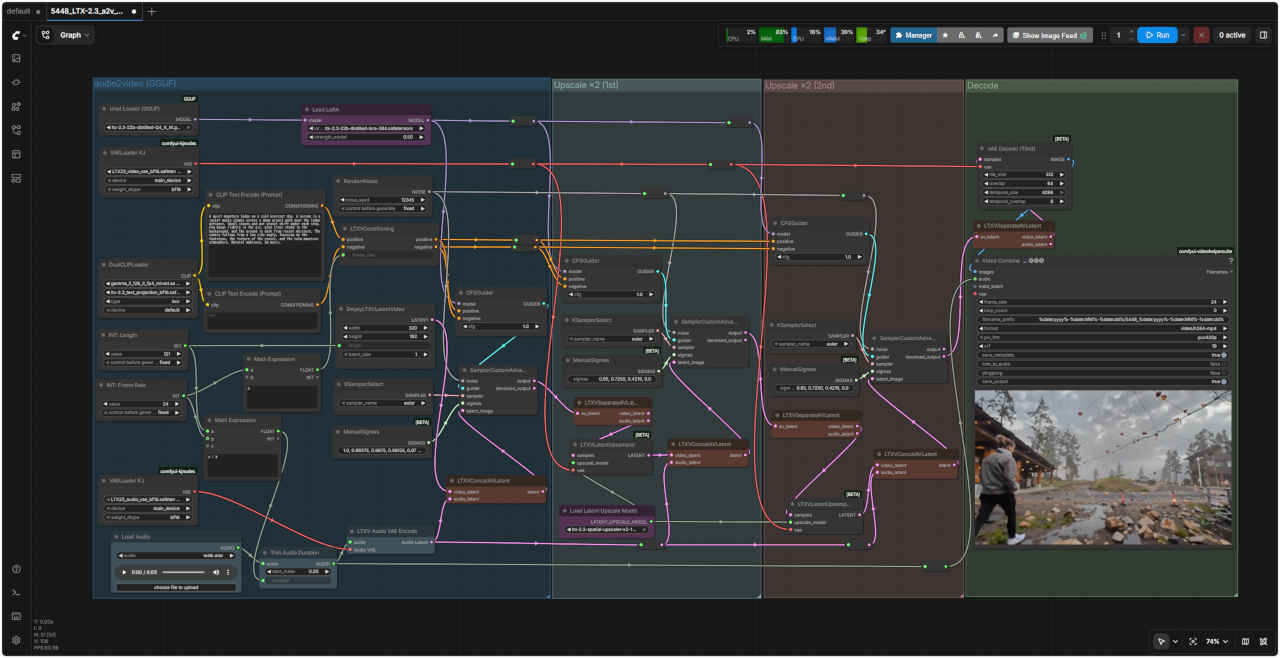 |
| 「LTX/」5408_LTX-2.3_a2v_3st_distilled.json | 「LTX/」5448_LTX-2.3_a2v_3st_distilled_GF.json |
| Prompt: A quiet mountain lodge on a cold overcast day. A person in a jacket walks slowly across a damp gravel path near the lodge entrance. Small stones and wet gravel shift under each step. Fog hangs lightly in the air, pine trees stand in the background, and the ground is dark from recent moisture. The camera follows from a low side angle, focusing on the footsteps, the texture of the gravel, and the calm mountain atmosphere. Natural ambience, no music. | |
| 曇り空の寒い日、静かな山小屋。ジャケットを着た人が、小屋の入り口近くの湿った砂利道をゆっくりと歩いている。小石や濡れた砂利が、一歩ごとに動く。霧が薄く立ち込め、背景には松の木が立ち、地面は最近の湿気で黒ずんでいる。カメラは低い横からのアングルで、足跡、砂利の質感、そして穏やかな山の雰囲気に焦点を当てて追う。音楽なしの自然な雰囲気。 | |
| ノード | 通常モデル 対応 | GGUF 対応 |
| Checkpoint | 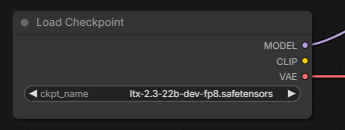 Load Checkpoint | 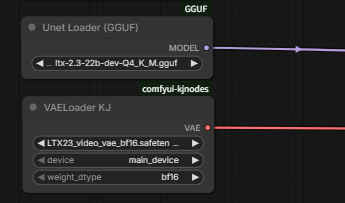 Unet Loader (GGUF) / VAE Loder KJ |
| VAE | 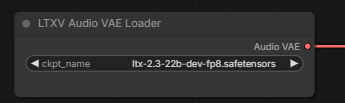 Load Audio VAE | 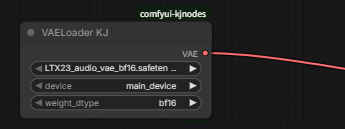 VAE Encoder KJ |
| Text Encoder | 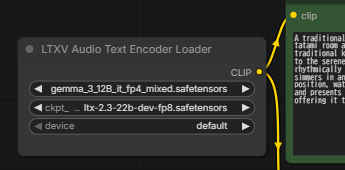 LTXV Audio Text Encoder Loader | 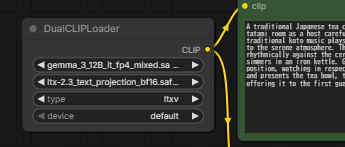 Dual CLIP Loader |
| 5491 Image to Video 自動プロンプト 基本ワークフロー | 5491 SubGraph |
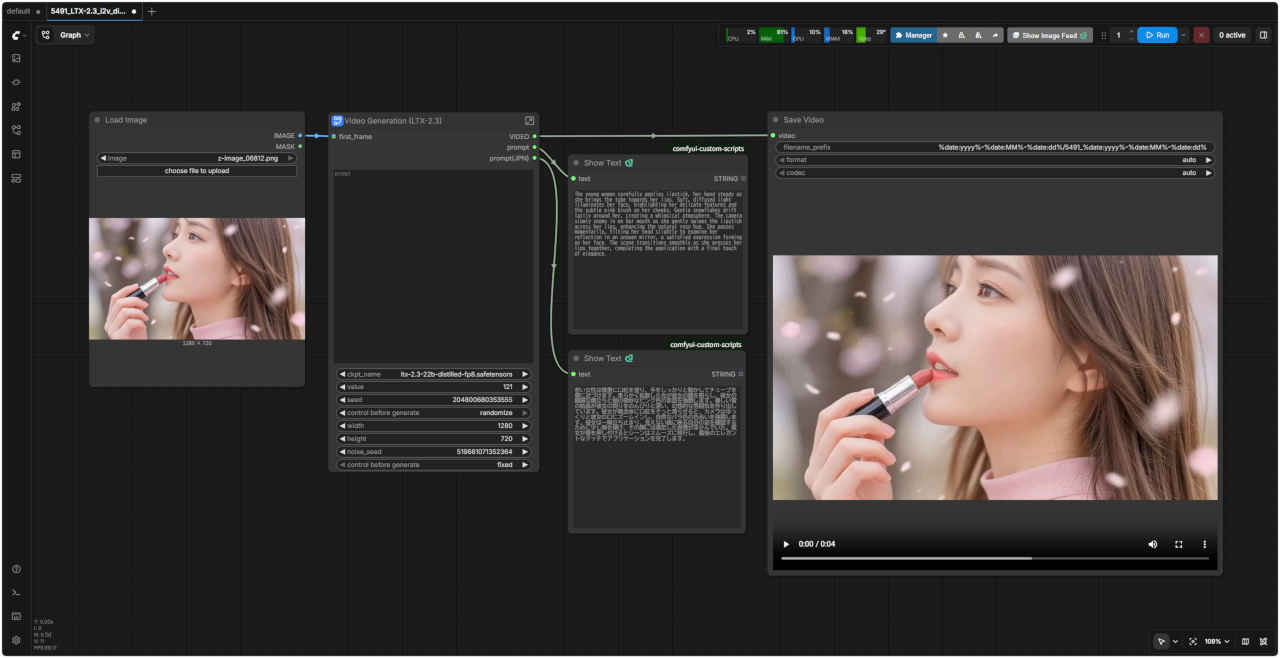 | 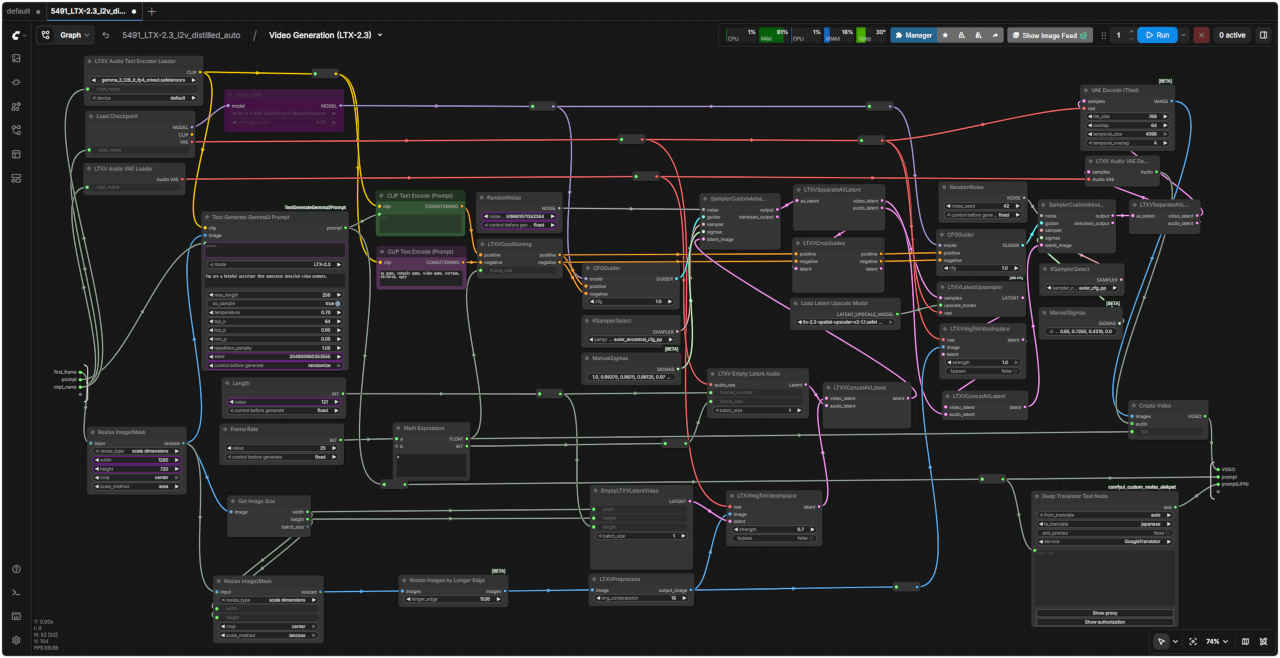 |
| 「LTX/」5491_LTX-2.3_i2v_distilled_auto.json | |
| プロンプトなしで入力画像から生成された動画 |