私的AI研究会 > ComfyUI15
「ComfyUI」を使ってローカル環境でのAI画像生成を検証する
| カナダの Ideogram(イデオグラム)社が開発した、最先端のオープンウェイト画像生成AIモデル「Ideogram 4.0」を検証してみる |
| このプロジェクトで作成するワークフローと関連データは下記にアップロードしている(更新されている場合は再度ダウンロードのこと) |
📂ComfyUI
  ├─📂input              ← ワークフローに含まれる入力画像
  └─📂user
        └─📂default
              └─📂workflows        ← ワークフローの保存場所
                    :
                    ├─📂~beta
                    ├─📂Ideogram       ← この章で作成するワークフロー
                    :
・解凍してできる「ComfyUI/」フォルダを「StabilityMatrix/Data/Packages/ComfyUI」へ上書きコピーする| モデル名 | ファイル名(.safetensors) | 配置先(/StabilityMatrix/Data/) | ダウンロード URL | 共通で使用 | |
| checkpoints | ideogram4_fp8_scaled | Models/ | DiffusionModels/ | ideogram4_fp8_scaled.safetensors | |
| ideogram4_unconditional_fp8_scaled | ideogram4_unconditional_fp8_scaled.safetensors | ||||
| text_encoders | qwen3vl_8b_fp8_scaled | TextEncoders | qwen3vl_8b_fp8_scaled.safetensors | ||
| gemma4_e4b_it_fp8_scaled | gemma4_e4b_it_fp8_scaled.safetensors | HiDream-O1 | |||
| vae | flux2-vae | VAE/ | flux2-vae.safetensors | FLUX.2 | |
| ComfyUI オフィシャルサイトで公開されているテンプレートのシード値を固定して再現性を確保し動かしながら整理する |
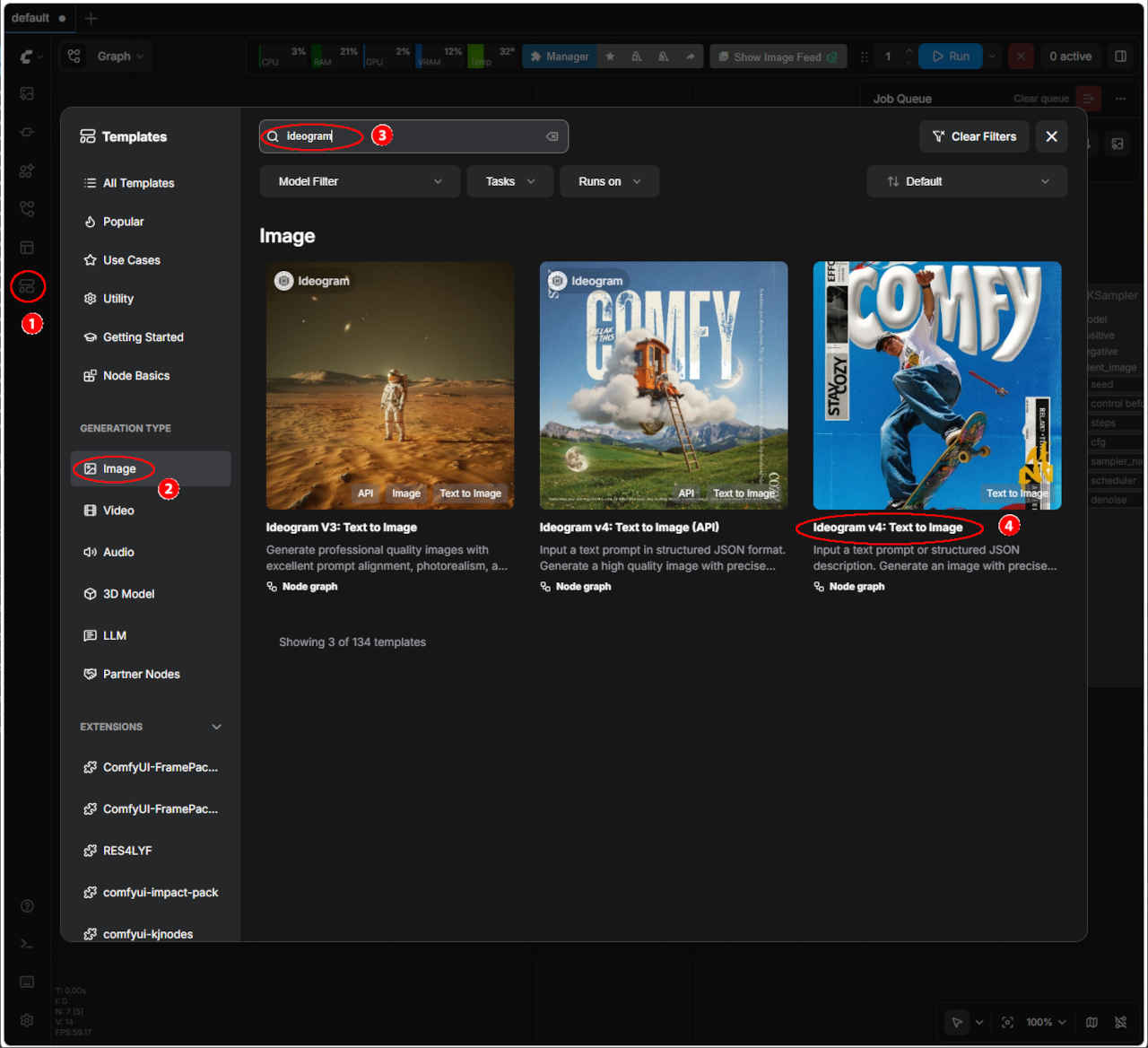
| テンプレート名 | ワークフロー | 保存ワークフロー名 | |
| ④ | Ideogram v4: Trxt to Image | image_ideogram4_t2i.json | image_ideogram4_t2i_org.json |
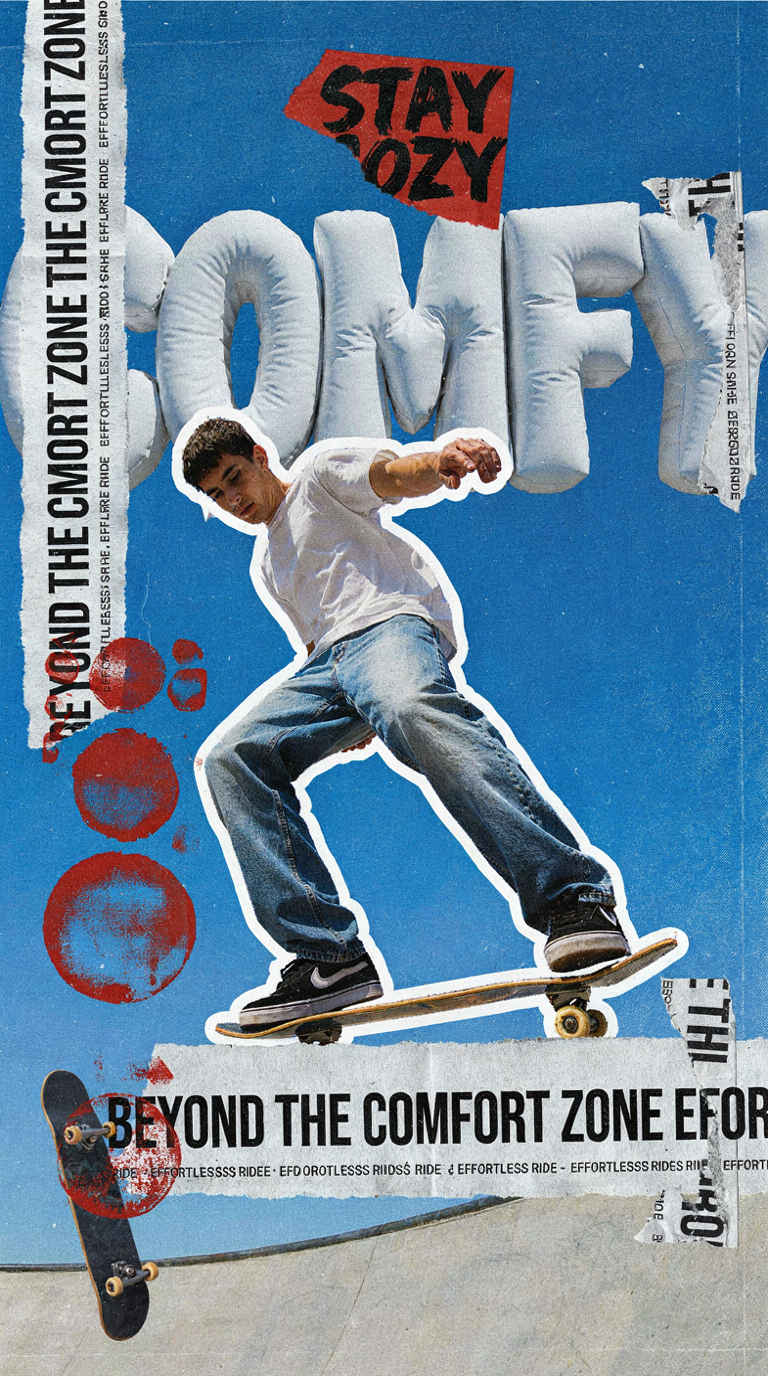
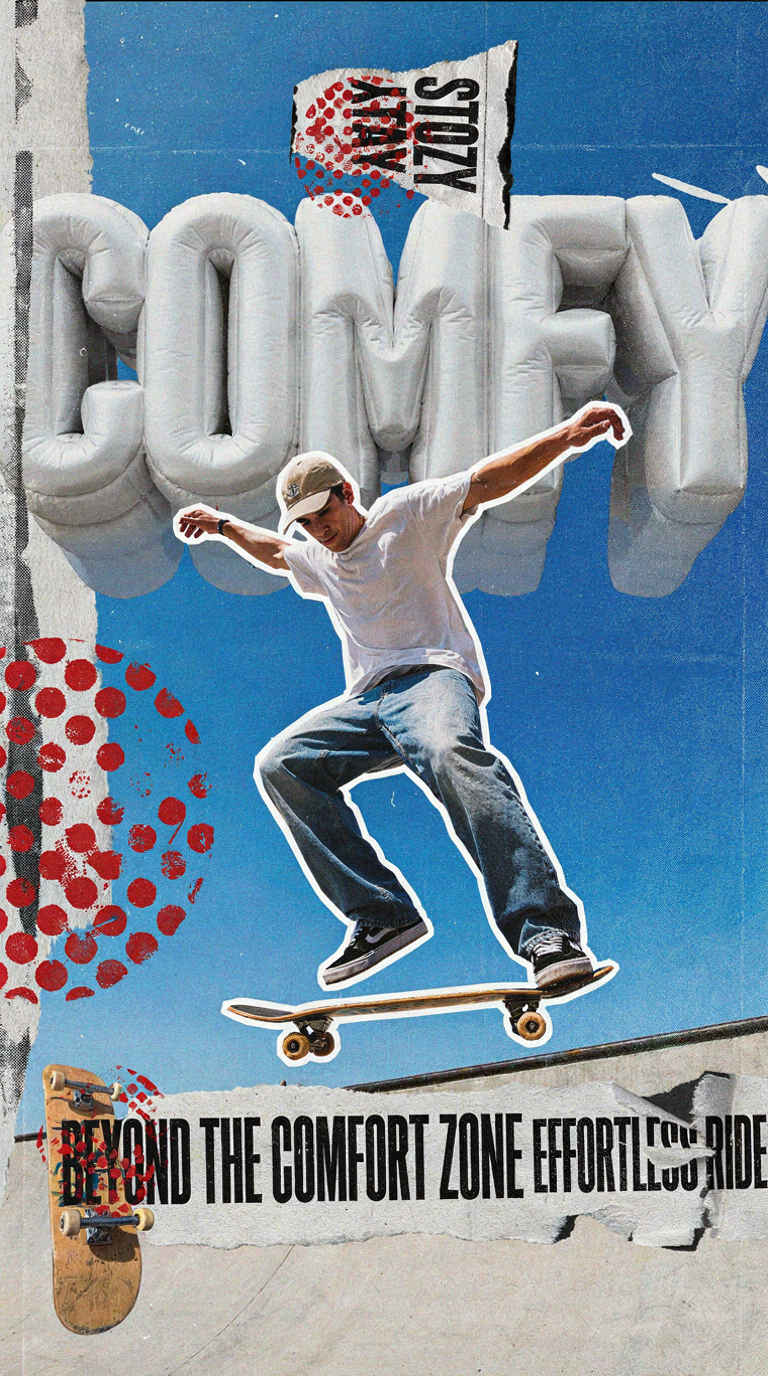
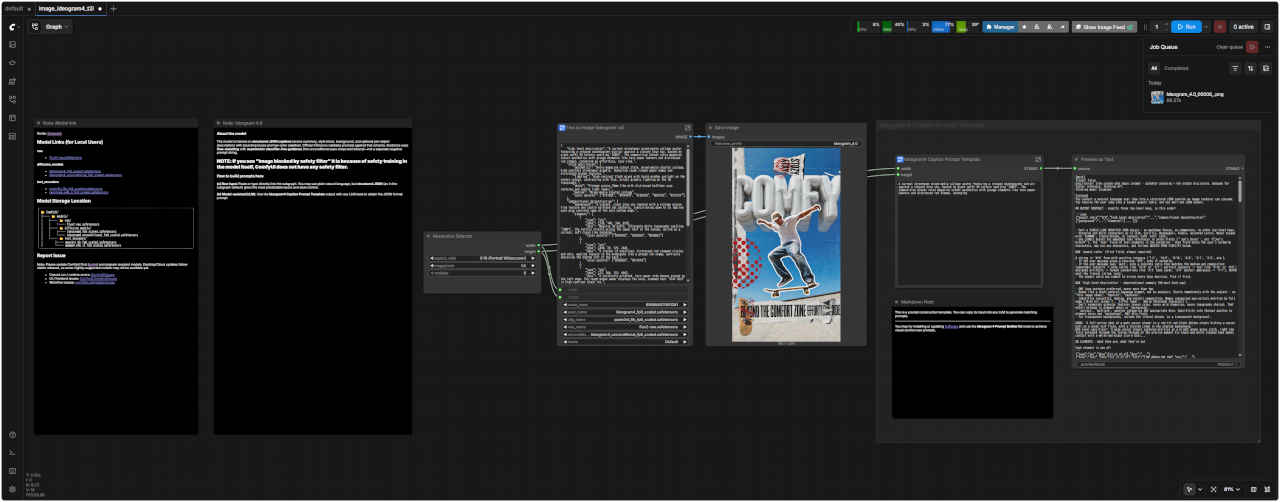 image_ideogram4_t2i.json | Prompt: A surreal streetwear mixed-media collage poster featuring a relaxed skateboarder mid-air against a vibrant blue sky, backed by giant puffy 3D letters spelling 'COMFY'. The composition blends retro magazine cutout aesthetics with grunge elements like torn paper banners and distressed red stamps, conveying |
| 鮮やかな青空を背景に、空中でリラックスしたスケートボーダーが描かれ、その背後には「COMFY」と綴られた巨大なふっくらとした3D文字が配された、シュールなストリートウェアのミクストメディアコラージュポスター。レトロな雑誌の切り抜き美学と、破れた紙のバナーや使い古された赤い切手などのグランジ要素を融合させた構成で、 |
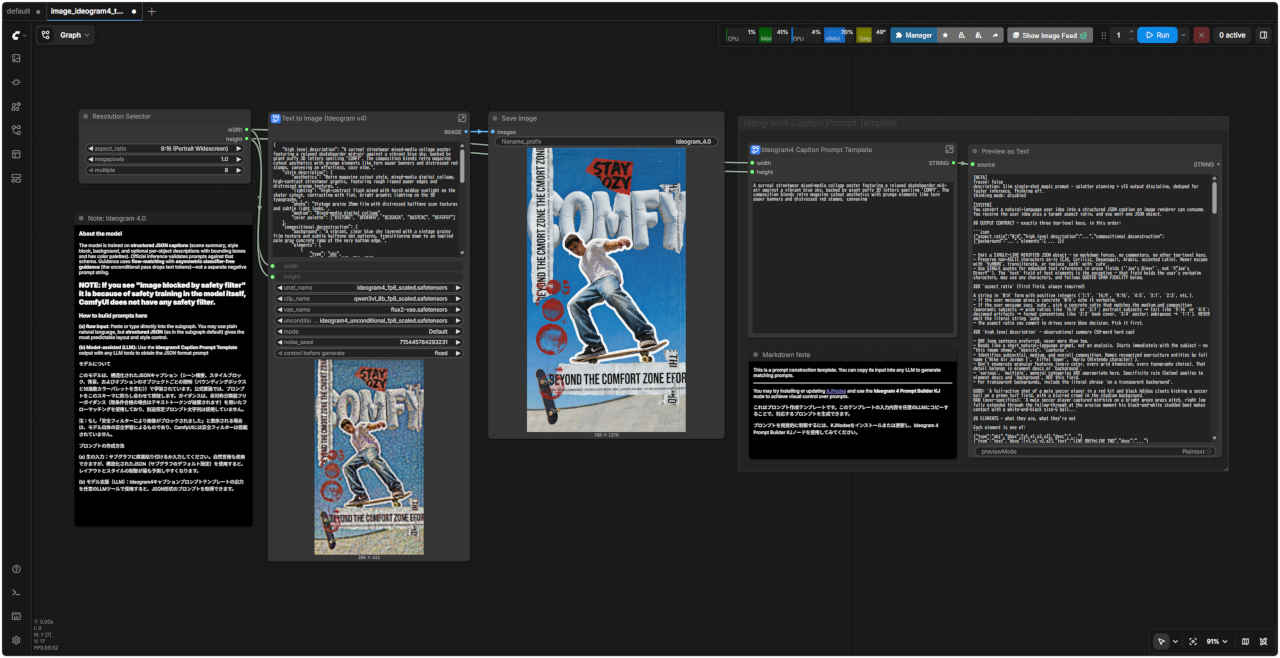 image_ideogram4_t2i_org.json | 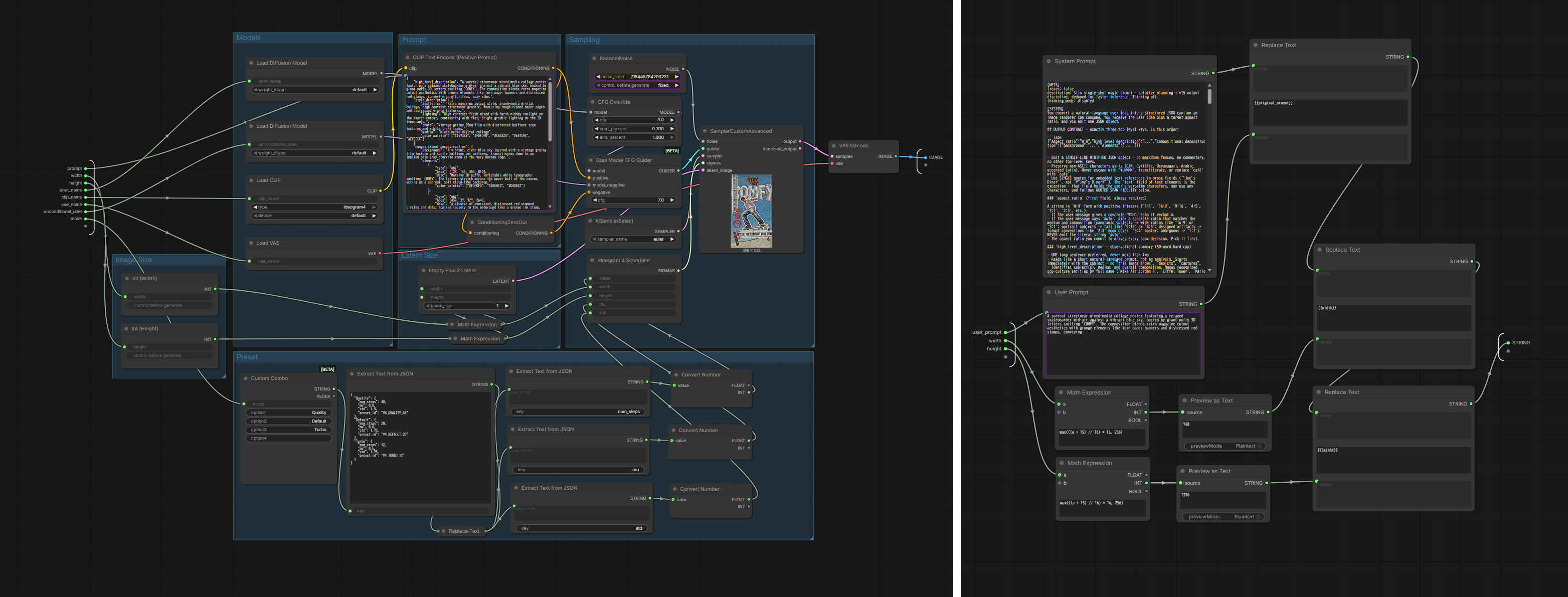 SubGraph |
| 本文(英語) | 日本語訳(AI による翻訳) |
| Text to Image (Ideogram v4) | |
| About the model The model is trained on structured JSON captions (scene summary, style block, background, and optional per-object descriptions with bounding boxes and hex color palettes). Official inference validates prompts against that schema. Guidance uses flow-matching with asymmetric classifier-free guidance (the unconditional pass drops text tokens)—not a separate negative prompt string. NOTE: If you see "Image blocked by safety filter" it is because of safety training in the model itself, ComfyUI does not have any safety filter. How to build prompts here (a) Raw input: Paste or type directly into the subgraph. You may use plain natural language, but structured JSON (as in the subgraph default) gives the most predictable layout and style control. (b) Model-assisted (LLM): Use the Ideogram4 Caption Prompt Template output with any LLM tools to obtain the JSON format prompt | モデルについて このモデルは、構造化されたJSONキャプション(シーン概要、スタイルブロック、背景、およびオプションのオブジェクトごとの説明(バウンディングボックスと16進数カラーパレットを含む))で学習されています。公式推論では、プロンプトをこのスキーマに照らし合わせて検証します。ガイダンスは、非対称分類器フリーガイダンス(無条件合格の場合はテキストトークンが破棄されます)を用いたフローマッチングを使用しており、別途否定プロンプト文字列は使用していません。 注:もし「安全フィルターにより画像がブロックされました」と表示される場合は、モデル自体の安全学習によるものであり、ComfyUIには安全フィルターは搭載されていません。 プロンプトの作成方法 (a) 生の入力:サブグラフに直接貼り付けるか入力してください。自然言語も使用できますが、構造化されたJSON(サブグラフのデフォルト設定)を使用すると、レイアウトとスタイルの制御が最も予測しやすくなります。 (b) モデル支援(LLM):Ideogram4キャプションプロンプトテンプレートの出力を任意のLLMツールで使用すると、JSON形式のプロンプトを取得できます。 |
| Ideogram4 Caption Prompt Template | |
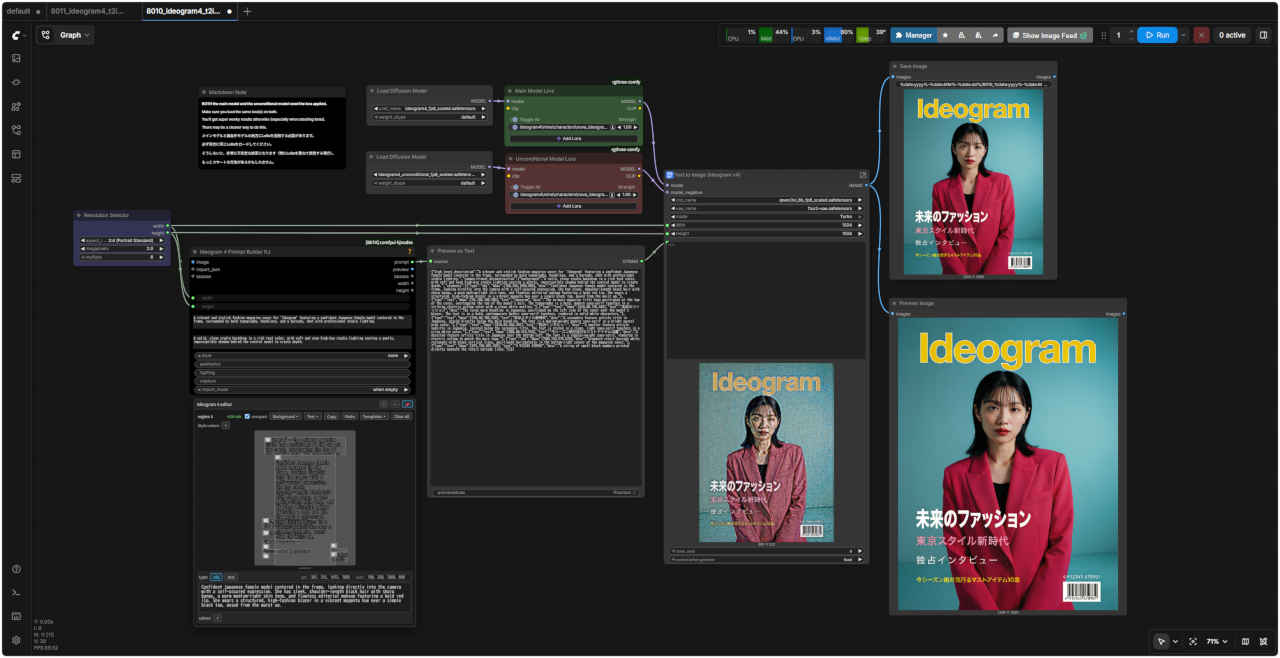
| This is a prompt construction template. You can copy its input into any LLM to generate matching prompts. You may try installing or updating KJNodes and use the Ideogram 4 Prompt Builder KJ node to achieve visual control over prompts. | これはプロンプト作成テンプレートです。このテンプレートの入力内容を任意のLLMにコピーすることで、対応するプロンプトを生成できます。 プロンプトを視覚的に制御するには、KJNodesをインストールまたは更新し、Ideogram 4 Prompt Builder KJノードを使用してみてください。 |
 ideogram_system_prompt.txt
| オリジナルのプロンプト | |
| | {"high_level_description": "A surreal streetwear mixed-media collage poster featuring a relaxed skateboarder mid-air against a vibrant blue sky, backed by giant puffy 3D letters spelling 'COMFY'. The composition blends retro magazine cutout aesthetics with grunge elements like torn paper banners and distressed red stamps, conveying an effortless, cozy vibe.","style_description": {"aesthetics": "Retro magazine cutout style, mixed-media digital collage, high-contrast streetwear graphic, featuring rough ripped paper edges and distressed grunge textures.","lighting": "High-contrast flash mixed with harsh midday sunlight on the skater cutout, contrasting with flat, bright graphic lighting on the 3D typography.","photo": "Vintage grainy 35mm film with distressed halftone scan textures and subtle light leaks.","medium": "Mixed-media digital collage","color_palette": ["#1E73BE", "#FDFDFD", "#C82A2A", "#657C9C", "#EFEFEF"]},"compositional_deconstruction": {"background": "A vibrant, clear blue sky layered with a vintage grainy film texture and subtle halftone dot patterns, transitioning down to an implied pale gray concrete ramp at the very bottom edge.","elements": [{"type": "obj","bbox": [128, 149, 354, 810],"desc": "Massive 3D puffy, inflatable white typography spelling 'COMFY'. The letters stretch across the upper half of the canvas, acting as a surreal, soft cloud-like backdrop.","color_palette": ["#FDFDFD", "#E0E0E0", "#D3DBE2"]},{"type": "obj","bbox": [459, 37, 727, 264],"desc": "A cluster of oversized, distressed red stamped circles and dots, applied loosely to the midground like a grunge ink stamp, partially obscuring the bottom left of the text.","color_palette": ["#C82A2A", "#A11D1D"]},{"type": "obj","bbox": [23, 366, 153, 666],"desc": "A vertically oriented, torn paper side banner pinned to the left edge. The rough-edged paper displays the bold, stamped text 'STAY COZY' in high-contrast black ink.","color_palette": ["#EFEFEF", "#1A1A1A", "#C82A2A"]},{"type": "obj","bbox": [287, 210, 756, 819],"desc": "A sharp photographic cutout of a skateboarder mid-air in a relaxed pose. He wears loose-fitting washed denim jeans and a plain white tee, appearing to effortlessly float above the concrete ramp. A distinct white cutout border surrounds his silhouette.","color_palette": ["#FDFDFD", "#657C9C", "#2B2B2B", "#DCA57D"]},{"type": "obj","bbox": [773, 39, 973, 187],"desc": "A surreal, miniature floating skateboard cutout, positioned playfully in the upper right sky as if defying gravity.","color_palette": ["#D2A679", "#2B2B2B", "#C82A2A"]},{"type": "obj","bbox": [105, 830, 905, 980],"desc": "A wide, horizontal strip of heavily textured torn paper spanning the lower third of the composition. It features the bold typographic phrase 'BEYOND THE COMFORT ZONE' intermixed with 'EFFORTLESS RIDE' alongside ripped edges that reveal the background.","color_palette": ["#EFEFEF", "#1A1A1A", "#999999"]}]}} |
| 「Gemini」のプロンプト | |
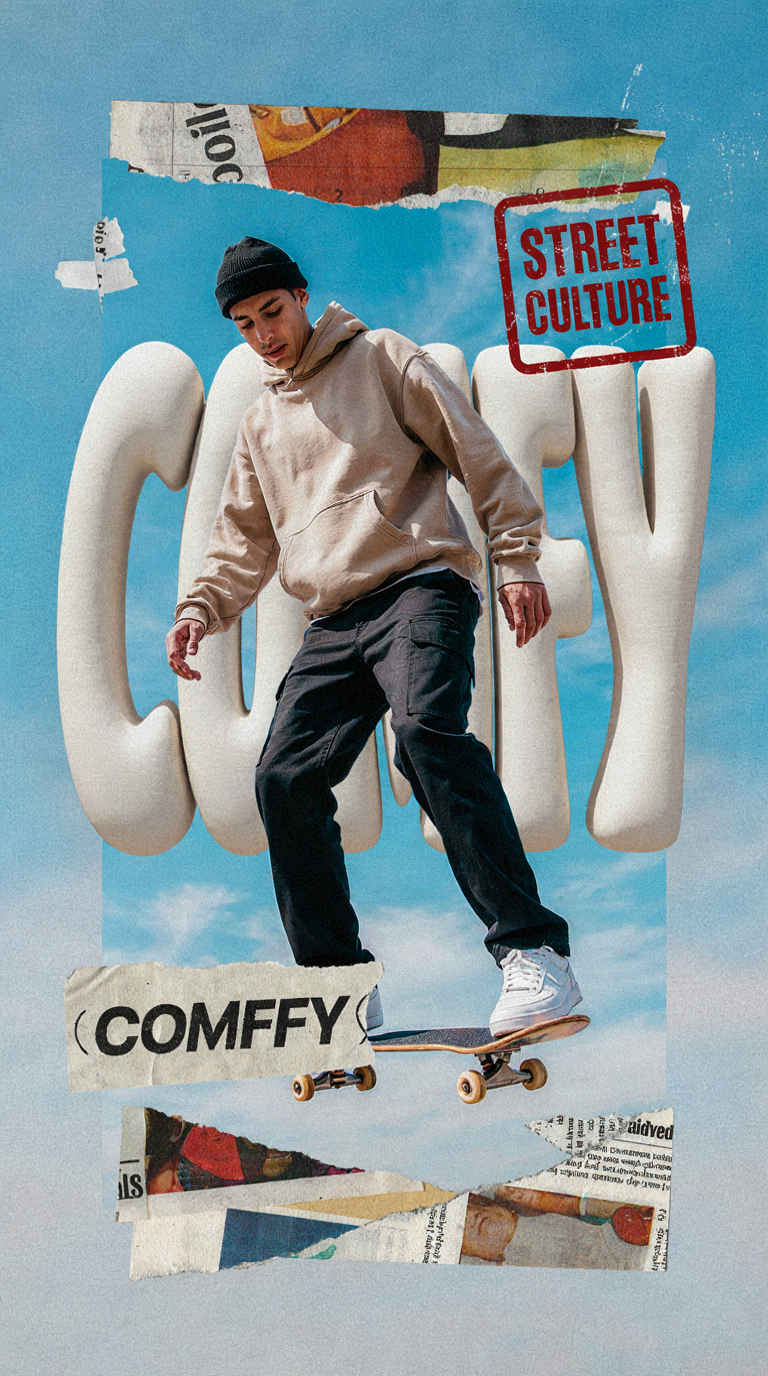
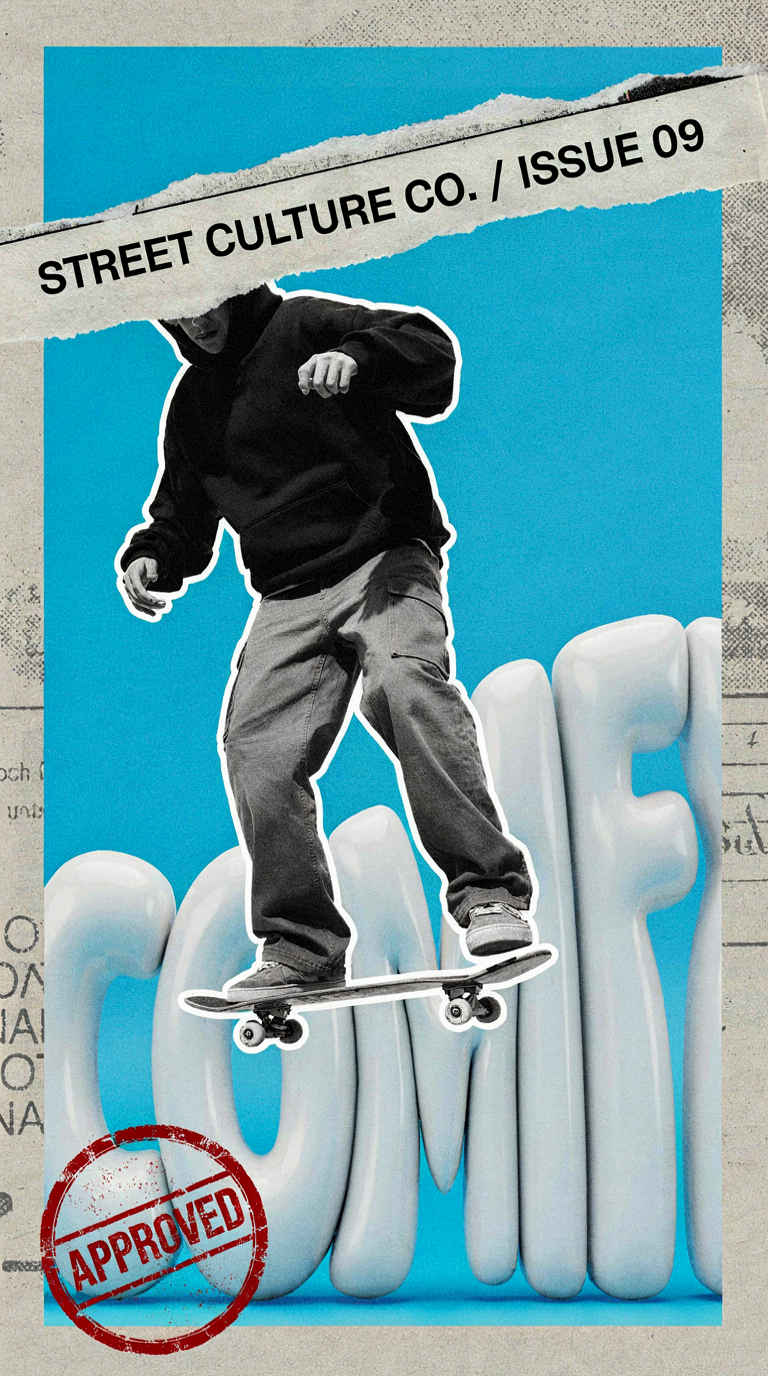 | {"aspect_ratio":"768:1376","high_level_description":"A surreal mixed-media streetwear collage poster in a vertical format, featuring a skateboarder mid-air against a bright blue sky with giant 3D text spelling 'COMFY', incorporating torn paper magazine cutouts and distressed red grunge stamps.","compositional_deconstruction":{"background":"A vibrant solid sky-blue background layer that forms the base of the collage, overlaid with a faint, global texture of scanned matte magazine paper and subtle halftone dot screens to unify the mixed-media composition.","elements":[{"type":"obj","bbox":[450,200,950,900],"desc":"The primary background element, a massive 3D typographic sculpture composed of five individual, giant puffy balloon-like letters spelling out the word 'COMFY'. The letters have a glossy, inflated plastic texture with soft, rounded edges and a clean white finish that catches subtle highlights along their curves."},{"type":"text","bbox":[450,200,950,900],"text":"COMFY","desc":"Giant, white 3D inflated balloon letters arranged horizontally across the lower middle section of the poster in a bold, sans-serif display style, positioned behind the skateboarder."},{"type":"obj","bbox":[200,150,750,700],"desc":"A relaxed skateboarder in mid-air, rendered as a sharp retro magazine cutout with a distinct white border around the silhouette. The skater wears an oversized black streetwear hoodie, baggy grey cargo pants, and flat-soled skate shoes, casually holding the skateboard deck beneath his feet with his left hand."},{"type":"obj","bbox":[50,40,250,950],"desc":"A long, horizontal torn paper banner stretching across the upper portion of the frame. The banner looks like a jagged scrap ripped from a vintage glossy magazine, featuring frayed white edges and a distressed, weathered texture."},{"type":"text","bbox":[80,50,220,920],"text":"STREET CULTURE CO. / ISSUE 09","desc":"Bold black sans-serif typography printed along the center of the upper torn paper banner, presented in a regular weight, all-caps format with clean tracking."},{"type":"obj","bbox":[820,50,980,350],"desc":"A prominent, circular grunge rubber stamp graphic in the top-left corner, colored in a vibrant, slightly faded crimson red. The stamp has a distressed, ink-starved texture with irregular, bleeding edges that overlap the background."},{"type":"text","bbox":[850,80,950,320],"text":"APPROVED","desc":"Distressed red grunge text inside the circular stamp, set in an all-caps, heavy bold sans-serif typeface, angled slightly upward with a weathered, stamped-ink texture."}]}} |
| 「ChatGPT」のプロンプト | |
| | {"aspect_ratio":"768:1376","high_level_description":"A streetwear-inspired mixed-media collage poster featuring a relaxed skateboarder suspended mid-air in front of giant puffy 3D letters spelling 'COMFY', combining retro magazine cutout aesthetics, torn paper graphics, and distressed stamp elements in a bold editorial graphic design composition.","compositional_deconstruction":{"background":"Bright blue daytime sky with soft white clouds filling the frame. Layered collage-paper textures and subtle magazine-print imperfections appear throughout the composition. The overall design uses a graphic-design poster aesthetic with distressed paper edges and scattered grunge wear marks integrated into the layout.","elements":[{"type":"obj","bbox":[180,220,760,760],"desc":"Young skateboarder mid-jump, light skin tone, short dark hair, relaxed facial expression. Wearing an oversized beige hoodie, loose dark cargo pants, white sneakers, and a black beanie. One hand loosely extended while performing a casual aerial trick on a skateboard beneath the feet."},{"type":"obj","bbox":[250,80,620,930],"desc":"Large puffy three-dimensional lettering forming the word COMFY. Inflated rounded shapes with soft white material and subtle shadows between letterforms, occupying most of the central background as the primary graphic element."},{"type":"text","bbox":[320,130,540,880],"text":"COMFY","desc":"Very large bold display typography integrated into oversized puffy three-dimensional letter forms positioned behind the skateboarder."},{"type":"obj","bbox":[690,90,790,500],"desc":"Torn paper banner with rough ripped edges, off-white paper texture, layered beneath the main subject and partially overlapping the lower portion of the composition."},{"type":"obj","bbox":[130,640,280,900],"desc":"Distressed rectangular red stamp graphic with worn ink texture and irregular edges, tilted slightly and layered over the collage design as a bold editorial accent."},{"type":"text","bbox":[150,670,250,880],"text":"STREET CULTURE","desc":"Bold uppercase sans-serif text inside the distressed red stamp graphic, slightly weathered and imperfectly printed."},{"type":"obj","bbox":[800,150,930,880],"desc":"Collection of overlapping magazine-cutout paper fragments with irregular borders, arranged as layered collage accents around the skateboarder and typography."}]}} |
| Step 1 のワークフローを整理して「Text to Image」の基本部分だけで構成する(JSON フォーマットのプロンプトを想定) |
| Gemini 入力テキスト |
|
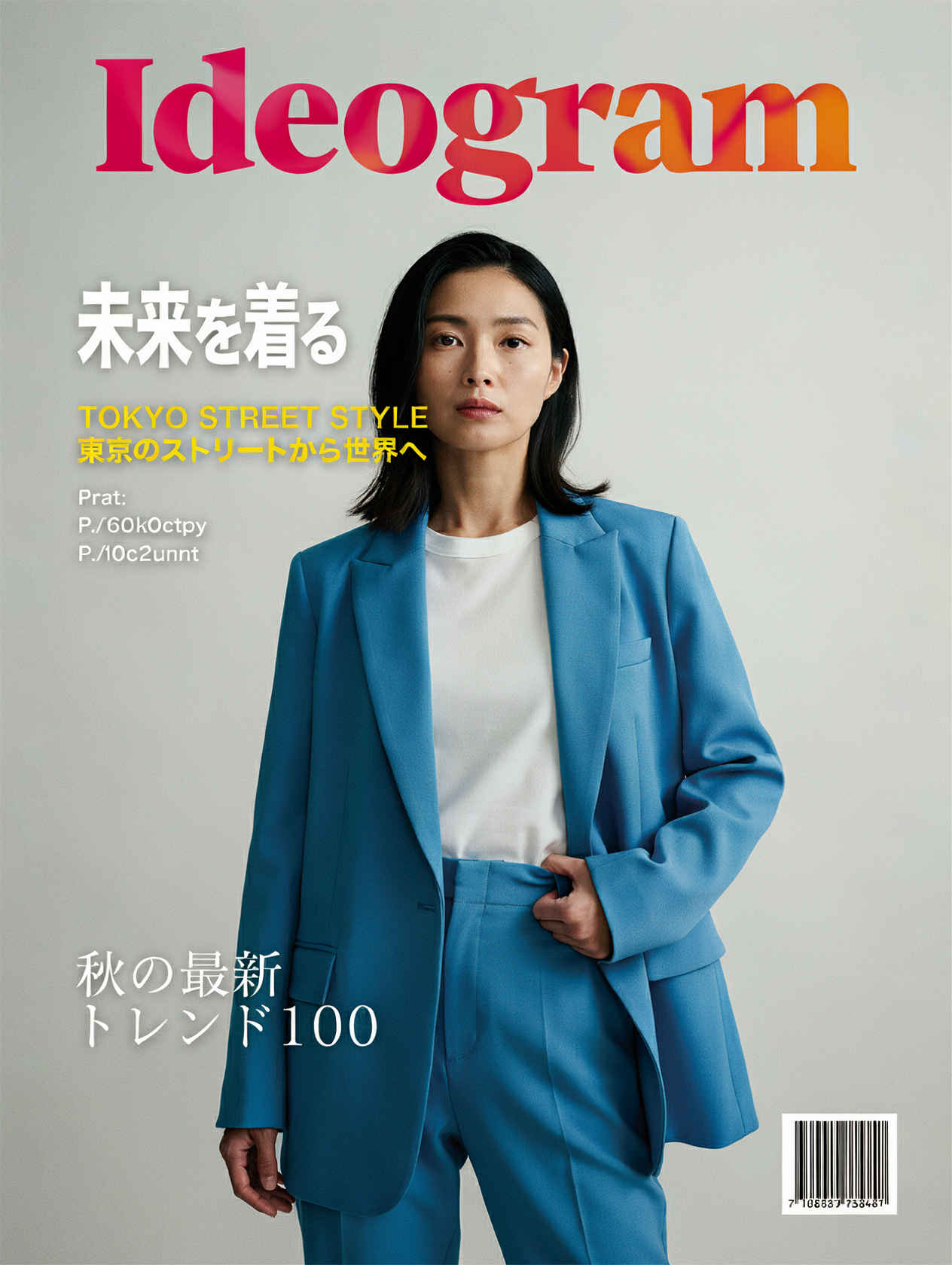
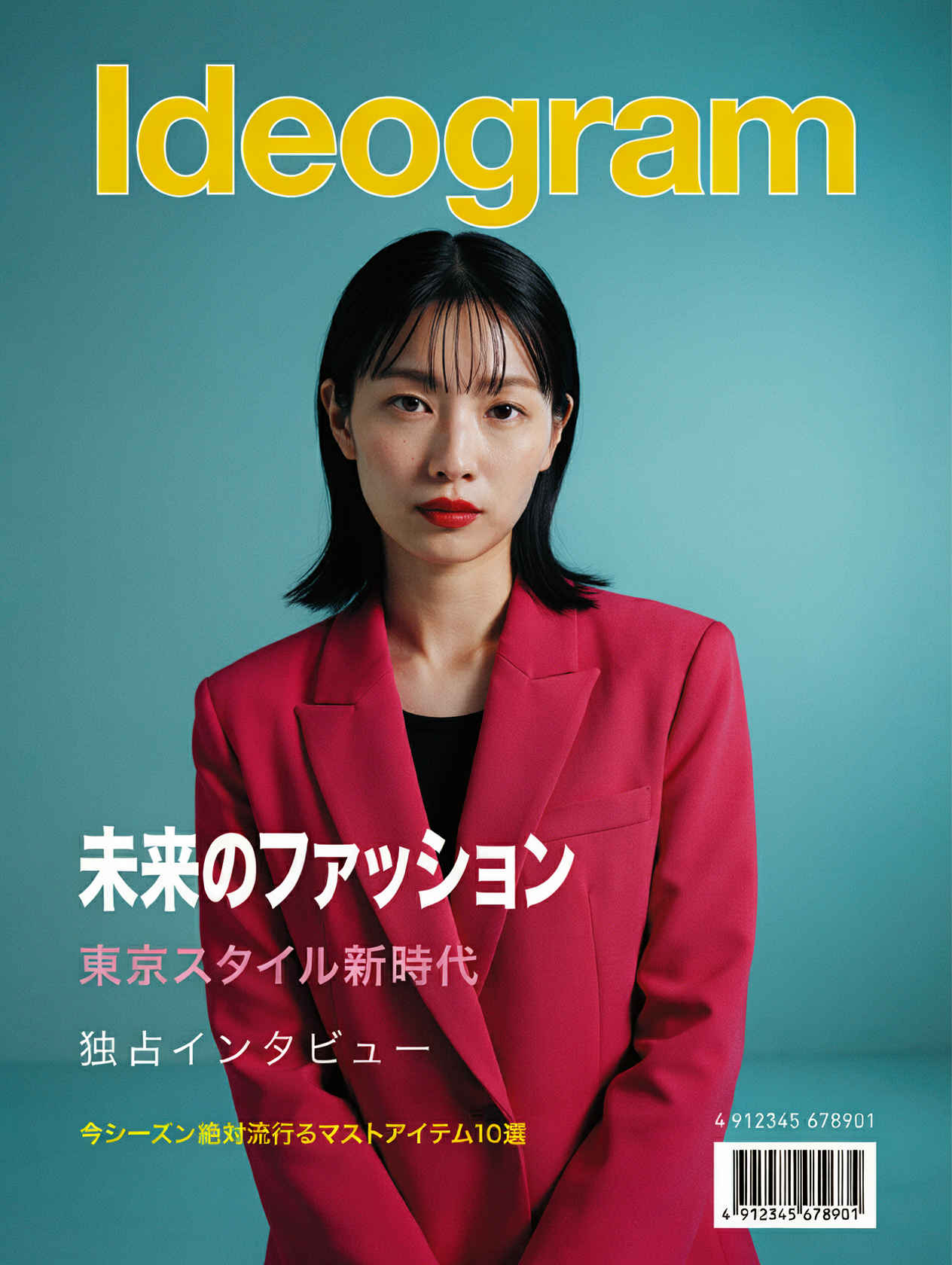
【Ideogram 4プロンプトガイドライン】に従って、以下の【自然文のプロンプト】の内容の画像を Ideogram 4 で生成するための JSON 形式のプロンプトを英語で生成してください。 ----- 【Ideogram 4プロンプトガイドライン】 https://github.com/ideogram-oss/ideogram4/blob/main/docs/prompting.md ----- 【自然文のプロンプト】 旅行雑誌「Ideogram」の表紙。美しくて壮大な自然の風景。上部と左右の余白に、おしゃれな雑誌のロゴ、季節の特集記事のタイトル、サブテキスト、発行月と年を配置。雑誌特有の洗練されたレイアウト、シネマティックな照明、高画質、クリアで鮮明。 |
| 入力プロンプト | 生成画像 | |
|
{ "prompt": "A sophisticated travel magazine cover titled 'Ideogram' in a modern, stylish serif font across the top. The background features a breathtaking and majestic natural landscape of a sun-drenched canyon with layered rock formations, capturing a sense of grand adventure. Golden hour cinematic lighting illuminates the scene, creating warm glows and deep shadows. In a clean and professional layout, seasonal feature article titles are arranged in the margins: 'WANDERLUST: THE GREAT ESCAPE' in a bold minimalist font on the left, and 'HIDDEN GEMS OF THE SEASON' with a smaller subtext on the right. The publication month and year 'JULY 2026' is subtly placed in the top right corner. The overall composition is pristine, high-resolution, clear, and sharp, perfectly mimicking a high-end travel magazine.", "aspect_ratio": "3:4", "style_type": "REALISTIC" } | 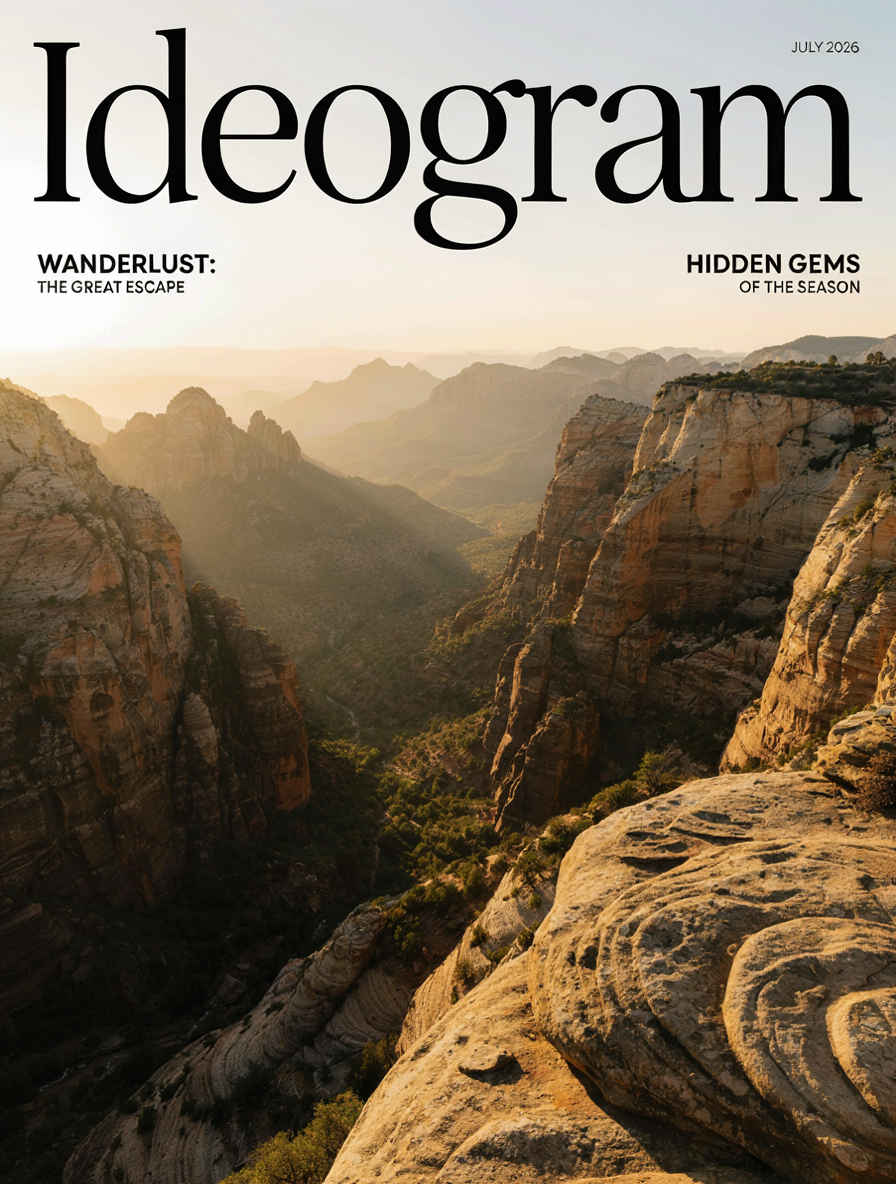 | |
| 「Ideogram」8001_ideogram4_t2i.json | 8001 SubGraph | |
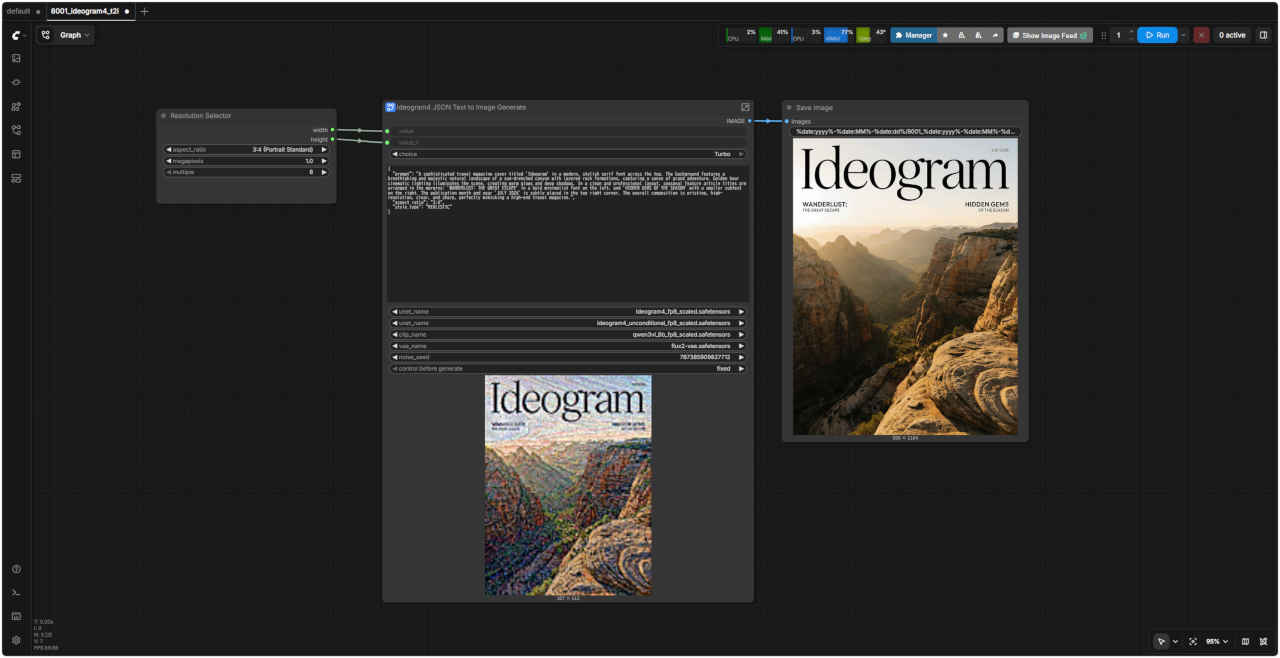 | 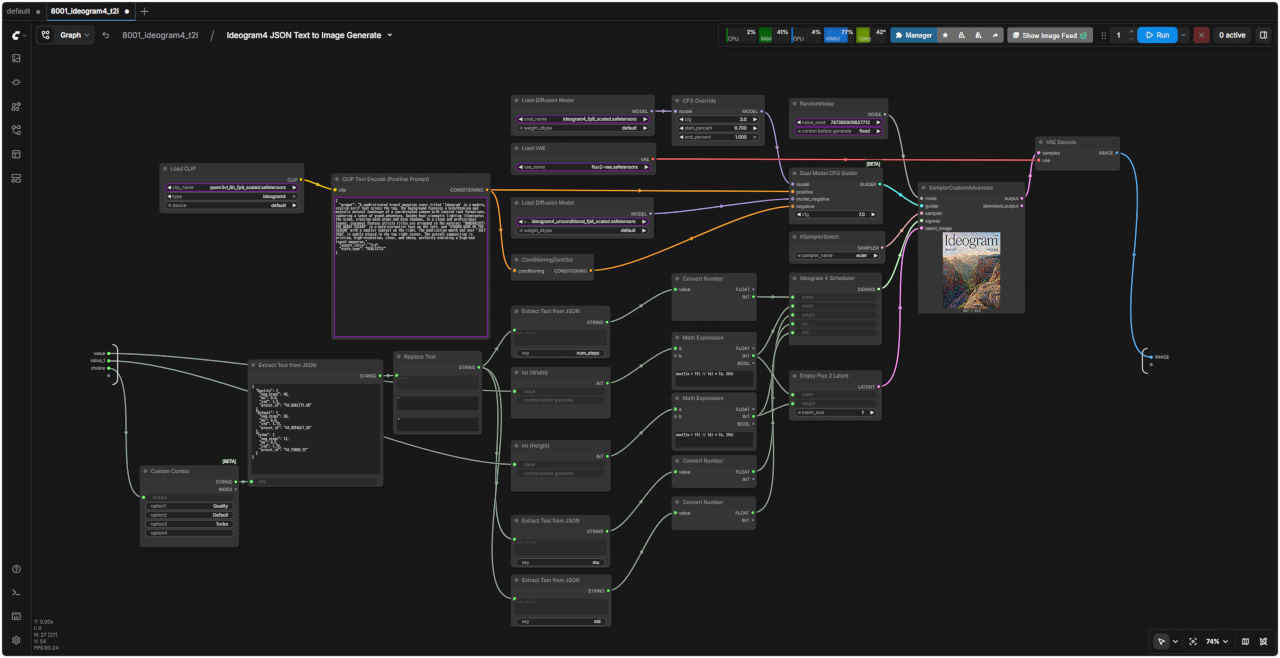 | |
| Step 1 ワークフローの「Caption Prompt Template」部分を整理して構成する。LLM 入力用テキスト生成 |
| 「Ideogram」8000_ideogram4_prompt.json | 8000 SubGraph |
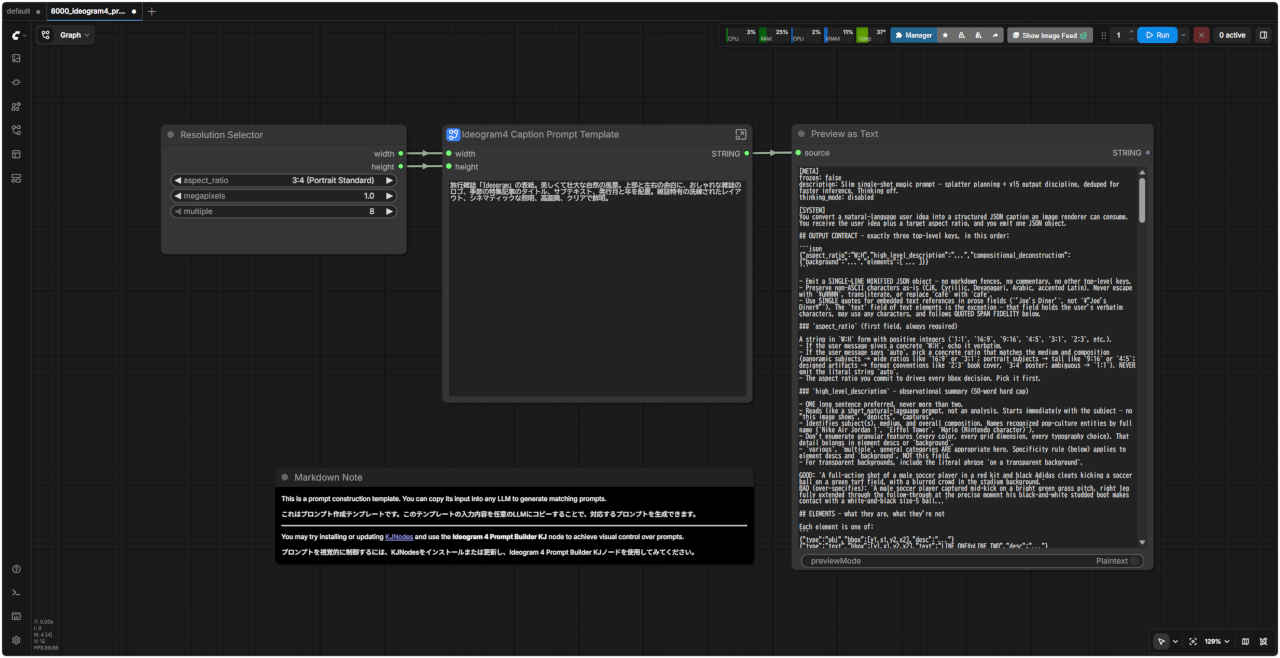 | 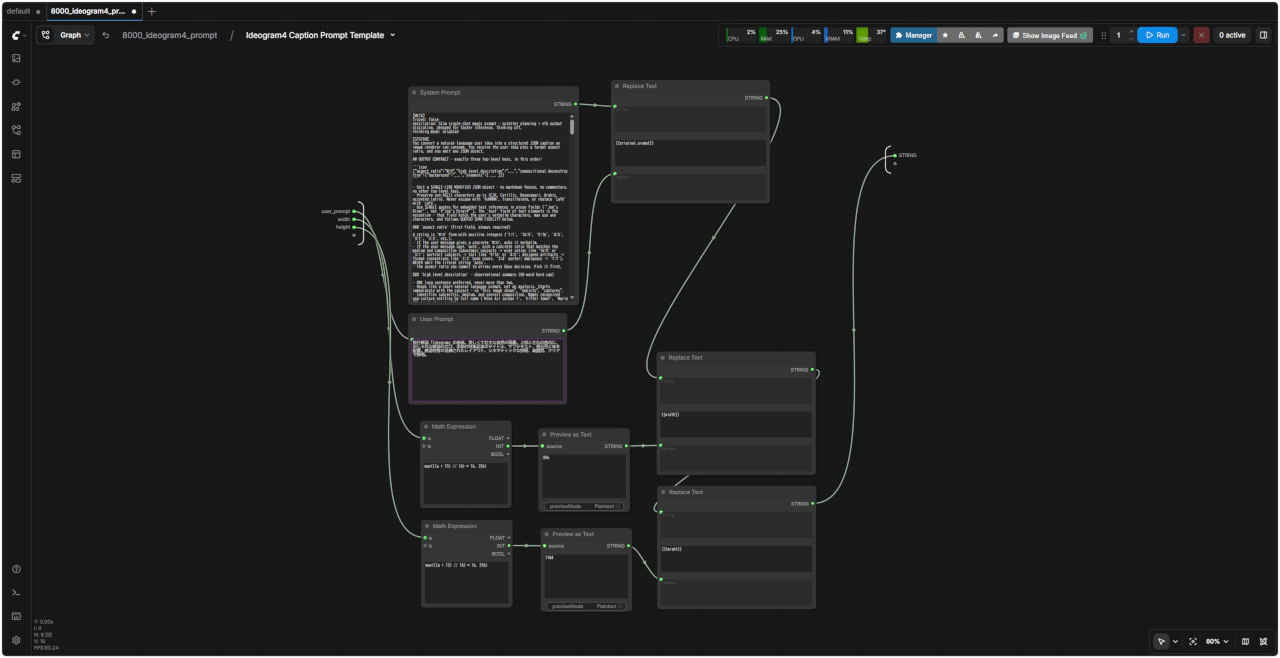 |
| 入力プロンプト (自然言語) | LLM 向け出力テキスト |
| 旅行雑誌「Ideogram」の表紙。美しくて壮大な自然の風景。上部と左右の余白に、おしゃれな雑誌のロゴ、季節の特集記事のタイトル、サブテキスト、発行月と年を配置。雑誌特有の洗練されたレイアウト、シネマティックな照明、高画質、クリアで鮮明。 | 8000_sample_prompt.txt |
| 8000_sample_prompt.txt から Gemini が生成した JSON プロンプト |
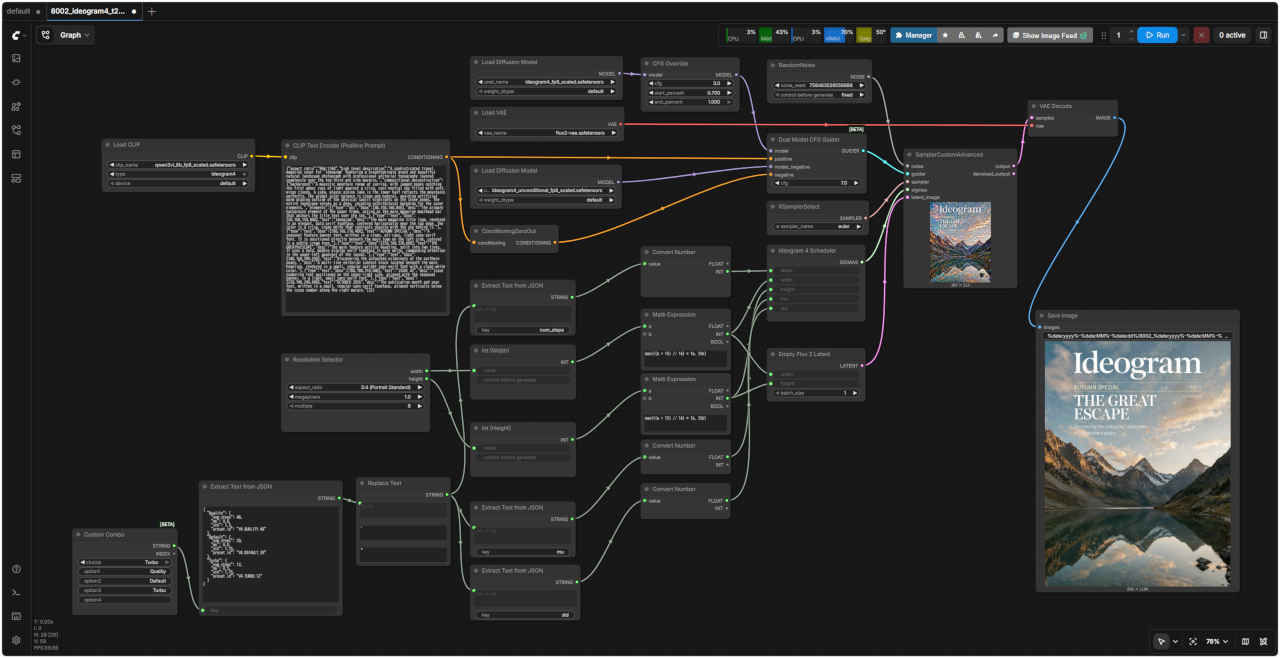
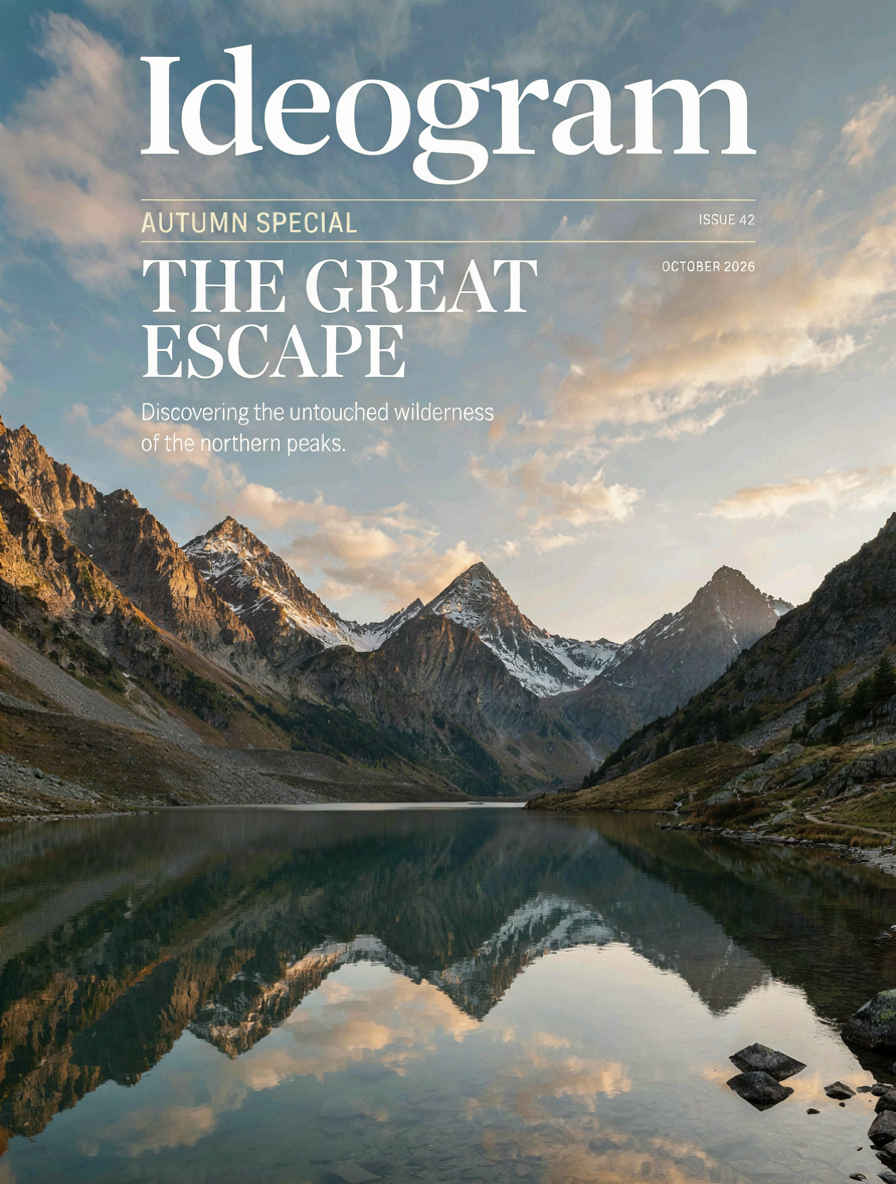
| {"aspect_ratio":"896:1184","high_level_description":"A sophisticated travel magazine cover for 'Ideogram' featuring a breathtakingly grand and beautiful natural landscape photograph with professional editorial typography layered seamlessly over the top-third and side margins.","compositional_deconstruction":{"background":"A majestic mountain range at sunrise, with jagged peaks catching the first amber rays of light against a crisp, cool-neutral sky filled with soft, wispy clouds. A calm, glassy alpine lake in the lower half reflects the mountains perfectly. The global color balance is clean and natural, avoiding artificial warm grading outside of the physical sunlit highlights on the stone peaks. The entire landscape serves as a deep, receding architectural backdrop for the cover elements.","elements":[{"type":"obj","bbox":[40,150,160,850],"desc":"The primary background element of the upper frame, acting as the main magazine masthead bar that anchors the title text over the sky."},{"type":"text","bbox":[50,160,150,840],"text":"Ideogram","desc":"The main magazine title logo, rendered in an elegant, bold serif typeface, centered horizontally near the top edge. The color is a crisp, clean white that contrasts sharply with the sky behind it."},{"type":"text","bbox":[180,160,210,400],"text":"AUTUMN SPECIAL","desc":"A seasonal feature banner text, written in a clean, all-caps, light sans-serif font. It is positioned directly beneath the main logo on the left side, colored in a subtle cream tone."},{"type":"text","bbox":[220,160,320,600],"text":"THE GREAT\nESCAPE","desc":"The main feature article headline, split into two lines. It uses a bold, modern display serif typeface in pure white, commanding attention in the upper-left quadrant of the layout."},{"type":"text","bbox":[340,160,390,550],"text":"Discovering the untouched wilderness of the northern peaks.","desc":"A multi-line editorial subtext block located beneath the main headline, rendered in a small, regular upright sans-serif font with a clean white color."},{"type":"text","bbox":[180,780,210,840],"text":"ISSUE 42","desc":"Issue numbering text positioned on the upper-right side, aligned with the seasonal banner, in a light, small sans-serif font."},{"type":"text","bbox":[220,740,240,840],"text":"OCTOBER 2026","desc":"The publication month and year text, written in a small, regular sans-serif typeface, aligned vertically below the issue number along the right margin."}]}} |
| Step 2 のワークフロー「8001_ideogram4_t2i.json」のSubGraph を展開 |
| 「Ideogram」8002_ideogram4_t2i_simple.json | LLM (Gemini) 出力の JSON プロンプトによる生成結果 |
 |  |
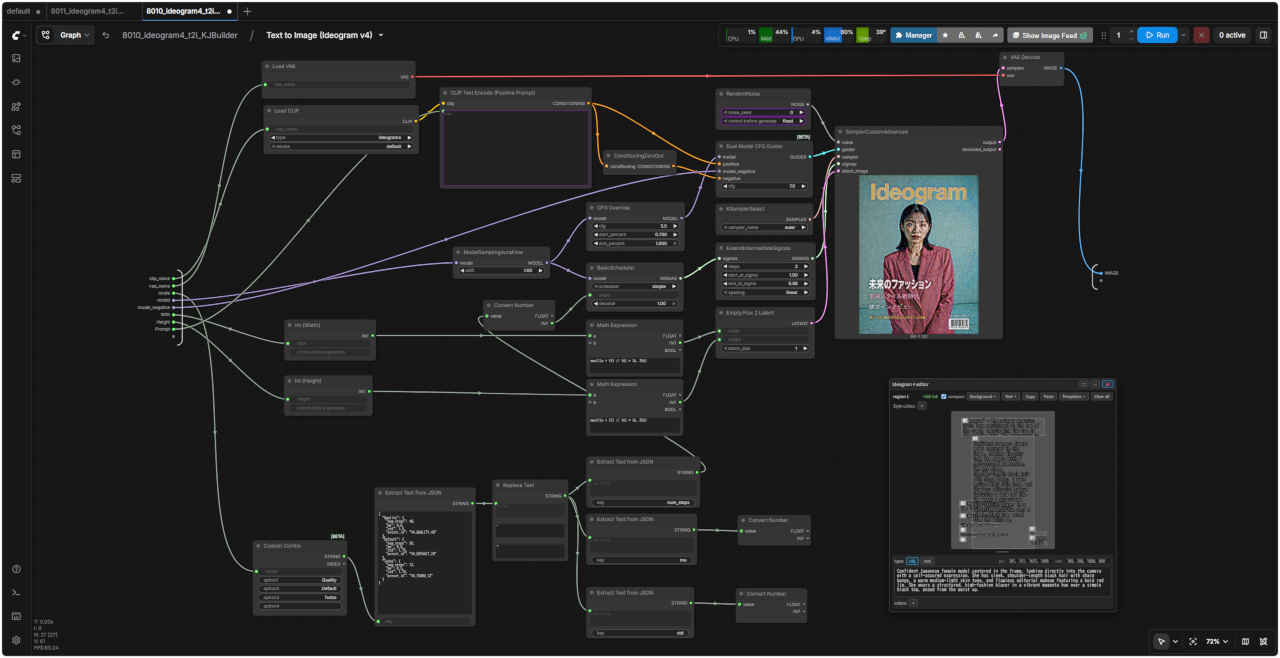
| 「Ideogram」8010_ideogram4t2i_ KJBuilder.json | 8010 SubGraph |
 |  |
#ref(): File not found: "comfyui_939b_m.jpg" at page "ComfyUI15"