私的AI研究会 > ComfyUI9f
「ComfyUI」を使ってローカル環境でのAI画像生成を検証する
| 2026年7月発表されたテキスト、画像、動画、音声をひとつの文脈として同時に処理できる最新の汎用マルチモーダル動画生成AIモデルの検証 |
| このプロジェクトで作成するワークフローと関連データは下記にアップロードしている(更新されている場合は再度ダウンロードのこと) |
📂ComfyUI
  └─📂user
        └─📂default
              └─📂workflows        ← ワークフローの保存場所
                    :
                    ├─📂MiniMax       ← この章で作成するワークフロー
                    :
・解凍してできる「ComfyUI/」フォルダを「StabilityMatrix/Data/Packages/ComfyUI」へ上書きコピーする| ワークフロー | 機 能 | モデル | CPU | CPU | |||||
| RTX 4070 | RTX 4060 | RTX 4060L | RTX 3050 | GTX 1050 | i7-1260P | i7-1185G7 | |||
| 5601_minimax_h3_t2v | Text to Video 基本ワークフロー | INT8 ConvRot | 04:19.59 | 09:16.60 | 10:51.20 | 19:22.06 | × | 非対応 | |
| 5602_minimax_h3_i2v | Image to Video 基本ワークフロー | 03:34.93 | 10:01.54 | 11:49.05 | 18:52.87 | × | |||
| 5603_minimax_h3_i2v | Image to Video2 基本フロー | 03:42.03 | 10:16.53 | 12:43.39 | 20:35.08 | × | |||
| 5604_minimax_h3_r2v | Reference to Video 基本フロー | 04:42.74 | 10:58.62 | 12:43.99 | 20:25.79 | × | |||
| 5701_minimax_h3_t2i | Text to Image 基本ワークフロー | 01:09.74 | 02:31.63 | 03:28.06 | 04:02.17 | 11:32.71 | |||
| 5702_minimax_h3_i2i | Image to Image 基本フロー | 00:33.92 | 08:03.26 | 02:34.53 | 05:11.32 | 37:11.18 | |||
| 5703_minimax_h3_r2i | Reference to Video2 基本フロー | 01:26.31 | 03:57.67 | 04:01.92 | 07:58.25 | × | |||
| 条件 | RTX 4070 | RTX 4060 | RTX 4060L | RTX 3050 | GTX 1050 | コメント |
| SageAttention なし Step 20:あり Step 20 (%) | 69.6 | 74.8 | 77.2 | 83.3 | × | SageAttention の効果 |
| SageAttention あり Step 20:あり Step 4 (%) | 52.6 | 57.6 | 43.0 | 40.1 | × | 4 Step Turbo モデルの効果 |
| SageAttention なし Step 20:あり Step 4 (%) | 36.9 | 42.4 | 23.7 | 35.2 | × | SageAttention + 4 Step Turbo モデル の効果 |
| 拡張ノード(検索名) | 拡張ノード URL | 主な機能 / 参照ページ | 特記事項 |
| rgthree | rgthree-comfy | ノードをスイッチで切り替える | すべてのノードに必須 |
| ComfyUI_Custom_Nodes_AlekPet | ComfyUI_Custom_Nodes_AlekPet | プロンプトを日本語入力する | |
| Video Helper Suite | Kosinkadink/ComfyUI-VideoHelperSuite | 動画を扱うための便利なノード群 | 参照動画入力 |
| MiniMax H3 Image Studio | ComfyUI-MiniMax-H3-Image-Studio | MiniMax H3で画像を生成する | MiniMax H3 で静止画像を生成する場合 |
| モデル名 | ファイル名(.safetensors) | 配置先(/StabilityMatrix/Data/) | ダウンロード URL | サイズ | |
| diffusion_models | minimax_h3_fl2va_pruned_int8_convrot | Models/ | DiffusionModels/ | minimax_h3_fl2va_pruned_int8_convrot.safetensors | 19.5GB |
| minimax_h3_ref2va_pruned_int8_convrot | minimax_h3_ref2va_pruned_int8_convrot.safetensors | 19.5GB | |||
| fastvideo_fasth3_8step_v2_pruned_int8_convrot | fastvideo_fasth3_8step_v2_pruned_int8_convrot.safetensors | 22.1GB | |||
| text_encoders | qwen3vl_32b_minimax_h3_nvfp4_awq | TextEncoders/ | qwen3vl_32b_minimax_h3_nvfp4_awq.safetensors | 14.6GB | |
| vae | minimax_h3_video_vae_fp16 | VAE/ | minimax_h3_video_vae_fp16.safetensors | 4.8GB | |
| minimax_h3_video_vae_int8_convrot | minimax_h3_video_vae_int8_convrot.safetensors | 2.81GB | |||
| minimax_h3_audio_vae_fp32 | minimax_h3_audio_vae_fp32.safetensors | 0.6GB | |||
| フォルダ | ワークフロー名 (.json) | モデル | 機能 (参照ページ) | 特記事項(同じ機能のワークフロー .json) |
| MiniMax | 5601_minimax_h3_t2v | INT8 ConvRot | Text to Video 基本ワークフロー | (video_minimax_h3_t2v.json) |
| 5602_minimax_h3_i2v | Image to Video 基本ワークフロー | (video_minimax_h3_i2v.json) | ||
| 5603_minimax_h3_i2v | Image to Video2 基本ワークフロー | 5602 エンド:フレーム指定あり | ||
| 5604_minimax_h3_r2v | Reference to Video 基本ワークフロー | (video_minimax_h3_r2v.json) | ||
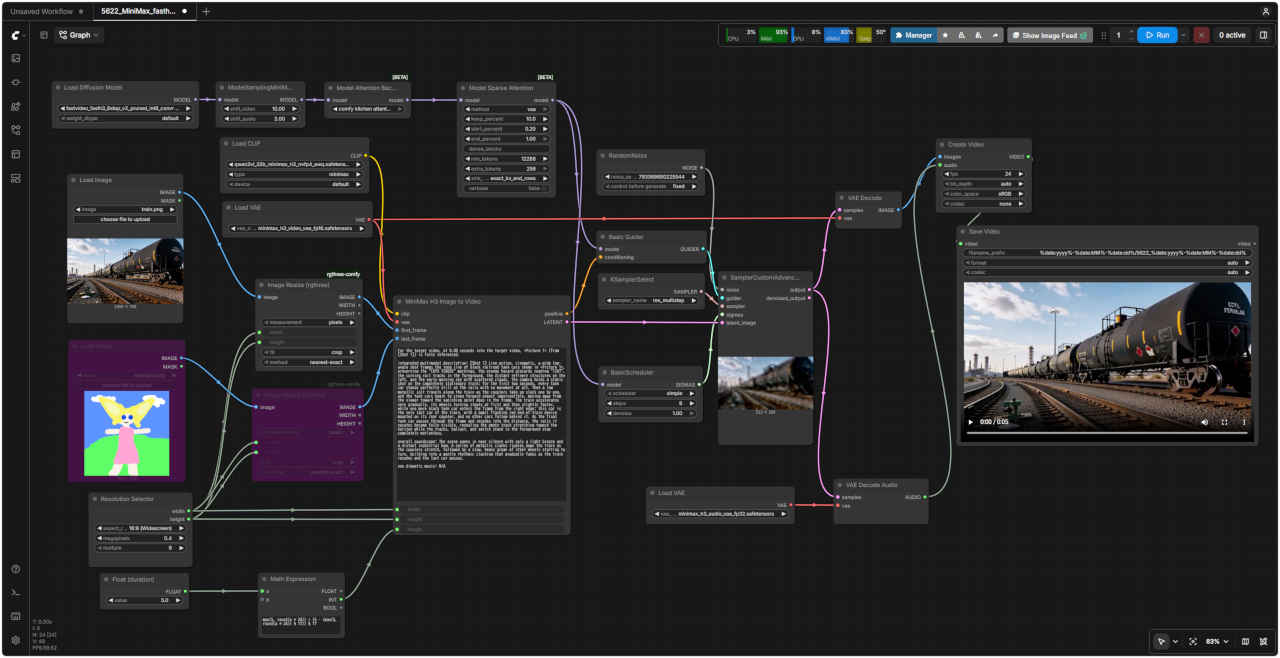
| 5621_MiniMax_fasth3_t2v | INT8 ConvRot Fast H3 | Fast H3: Text to Video 基本フロー | (video_fastvideo_fasth3_t2v.json) | |
| 5622_MiniMax_fasth3_i2v | Fase H3: Image to Video 基本フロー | (video_fastvideo_fasth3_i2v.json) |
| フォルダ | ワークフロー名 (.json) | モデル | 機能 (参照ページ) | 特記事項(同じ機能のワークフロー .json) |
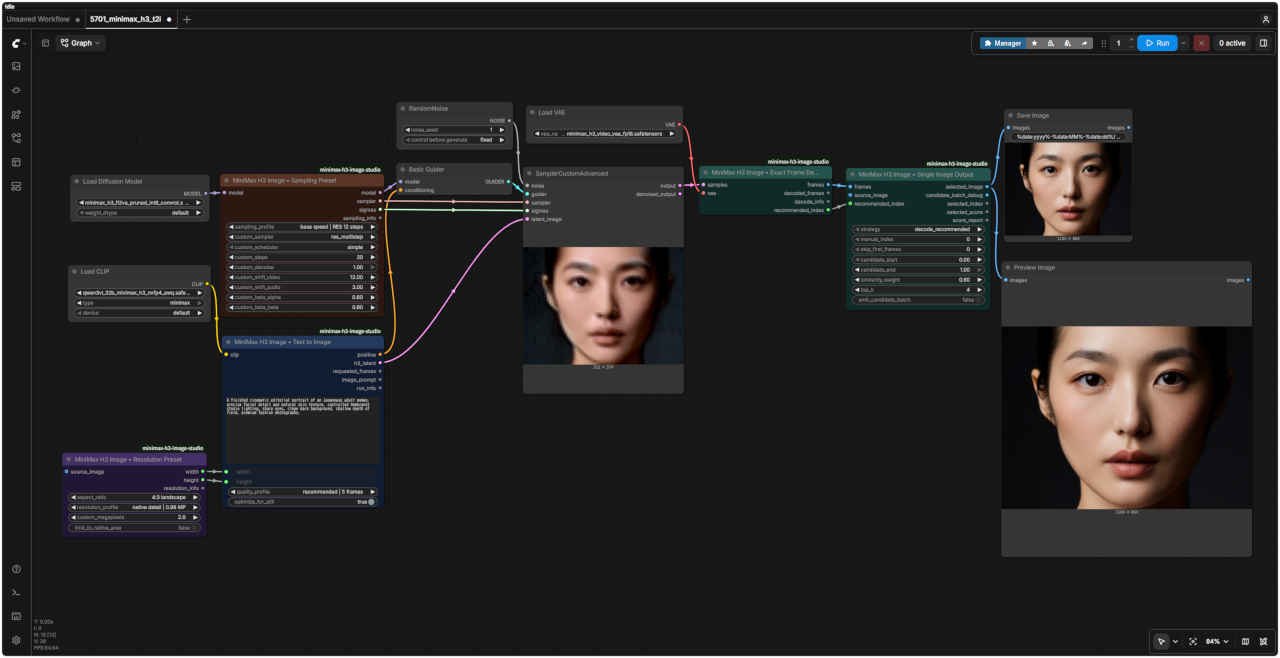
| MiniMax | 5701_minimax_h3_t2i | INT8 ConvRot | Text to Image 基本ワークフロー | 拡張ノード ComfyUI-MiniMax-H3-Image-Studio による |
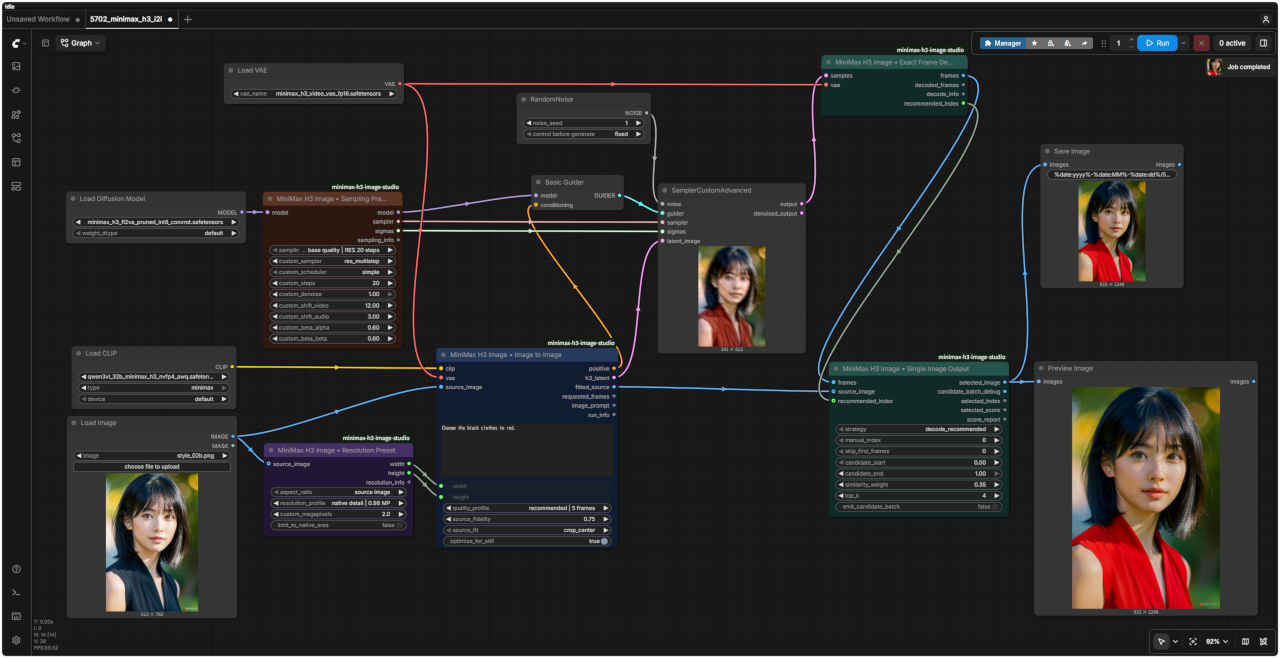
| 5702_minimax_h3_i2i | Image to Image 基本ワークフロー | |||
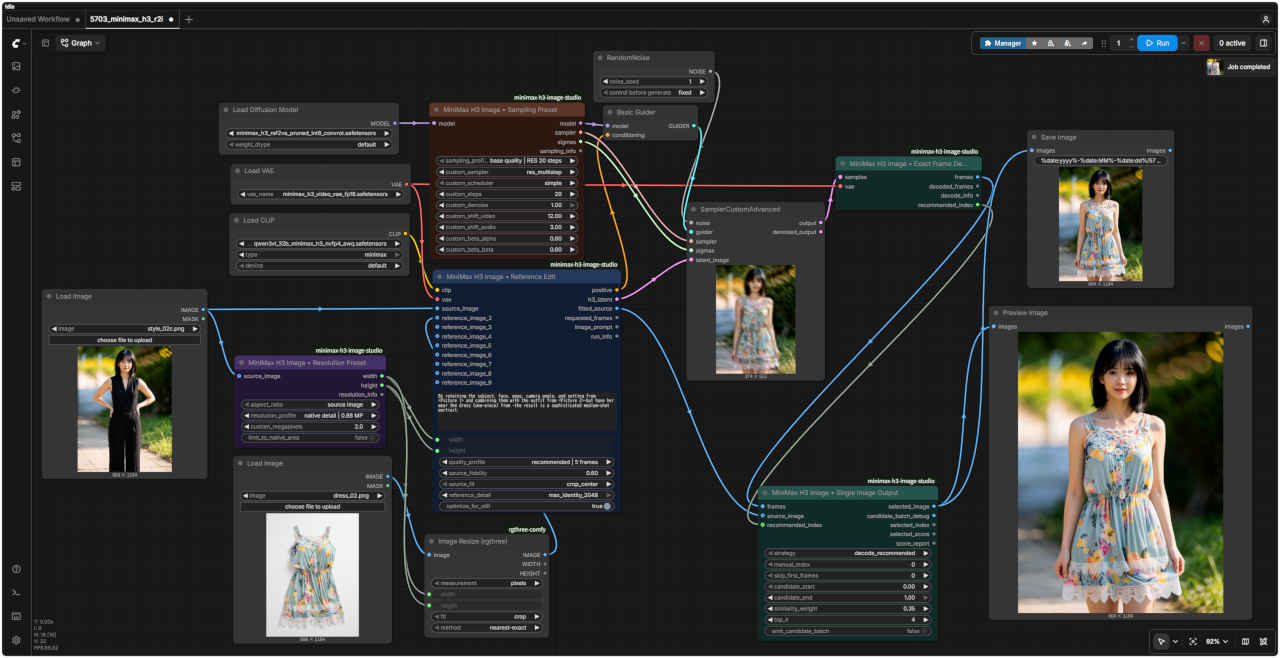
| 5703_minimax_h3_r2i | Reference to Video2 基本ワークフロー |
| ComfyUI オフィシャルサイトで公開されているテンプレートの動作を確認する |
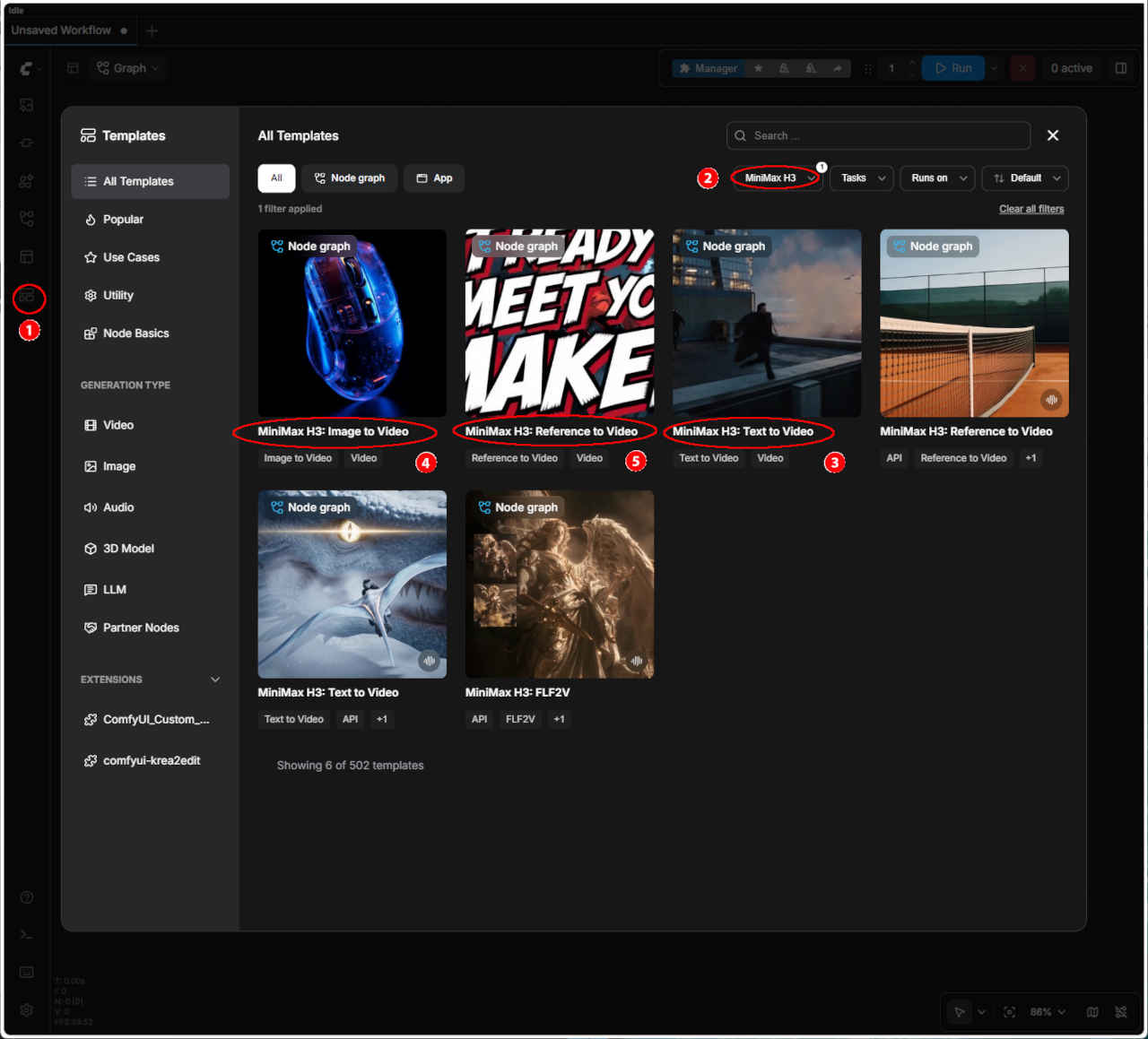 | ① 左端のメニューから「Template」を選択 ②「MiniMax H3」を選択する ・表示された一覧からワークフローを選ぶ ③「MiniMax H3: Text to Video」 ④「MiniMax H3: Image to Video」 ⑤「MiniMax H3: Reference to Video」 ・ワークフローでエラーが発生する場合はモデルの配置を確認する | |
| テンプレート名 | 保存ワークフロー名 | |
| ③ MiniMax H3: Text to Video | video_minimax_h3_t2v.json | |
| ④ MiniMax H3: Image to Video | video_minimax_h3_i2v.json | |
| ⑤ MiniMax H3: Reference to Video | video_minimax_h3_r2v.json | |
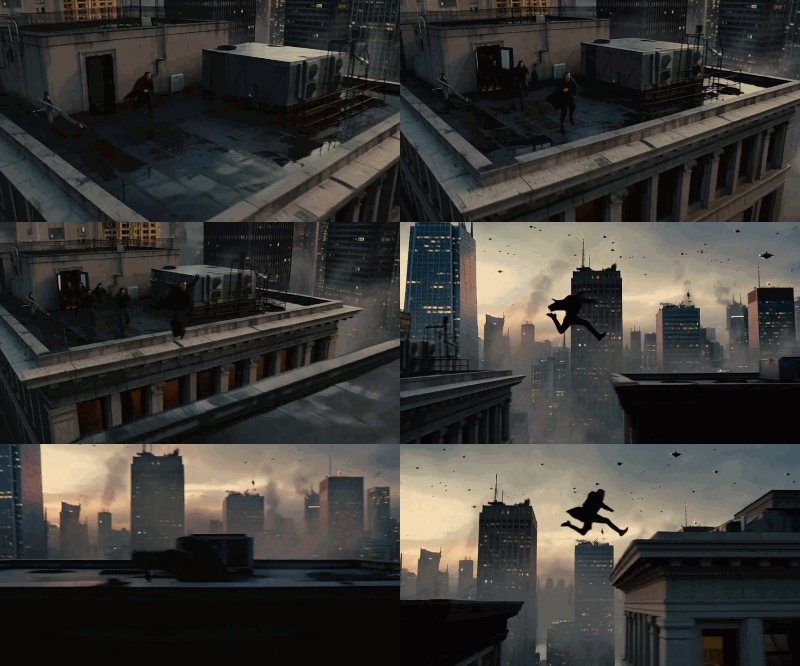
| 生成動画 864x480 | Size Settings Reference | ||
| megapixels | Aspect | Output (multiple = 32) | |
| 0.2 | 16:9 | 608 x 352 | |
| 0.3 | 16:9 | 736 x 416 | |
| 0.4 | 16:9 | 864 x 480 | |
| 0.5 | 16:9 | 960 x 544 | |
| 0.6 | 16:9 | 1056 x 608 | |
| 0.7 | 16:9 | 1152 x 640 | |
| 0.8 | 16:9 | 1216 x 672 | |
| 0.9 | 16:9 | 1280 x 736 | |
| 0.98 | 16:9 | 1344 x 768 | |
| 1.0 | 16:9 | 1376 x 768 | |
| 1.2 | 16:9 | 1504 x 832 | |
| 1.5 | 16:9 | 1664 x 928 | |
| 1.8 | 16:9 | 1824 x 1024 | |
| 2.0 | 16:9 | 1920 x 1088 | |
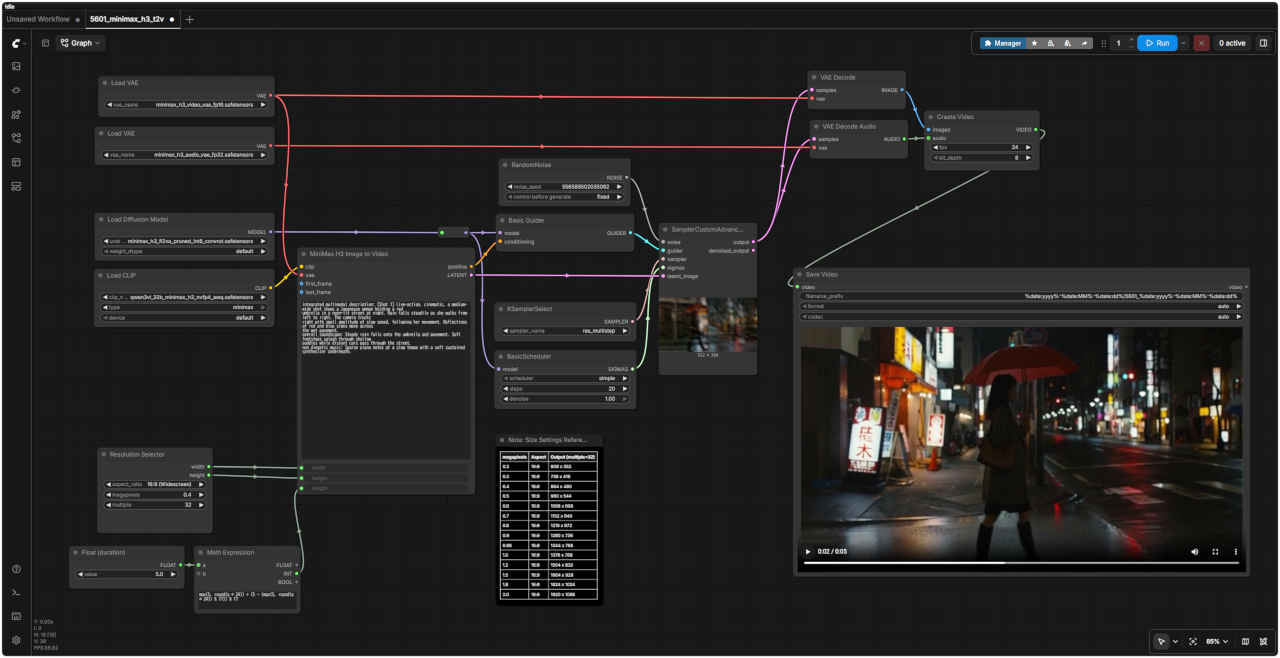
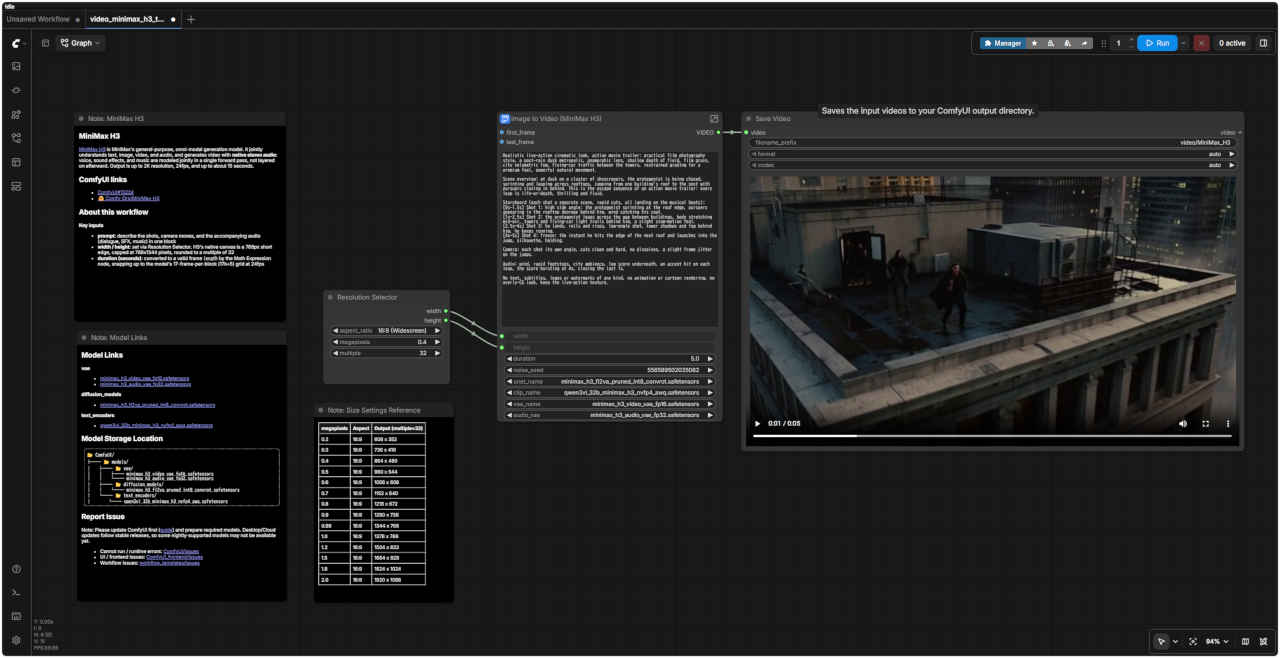
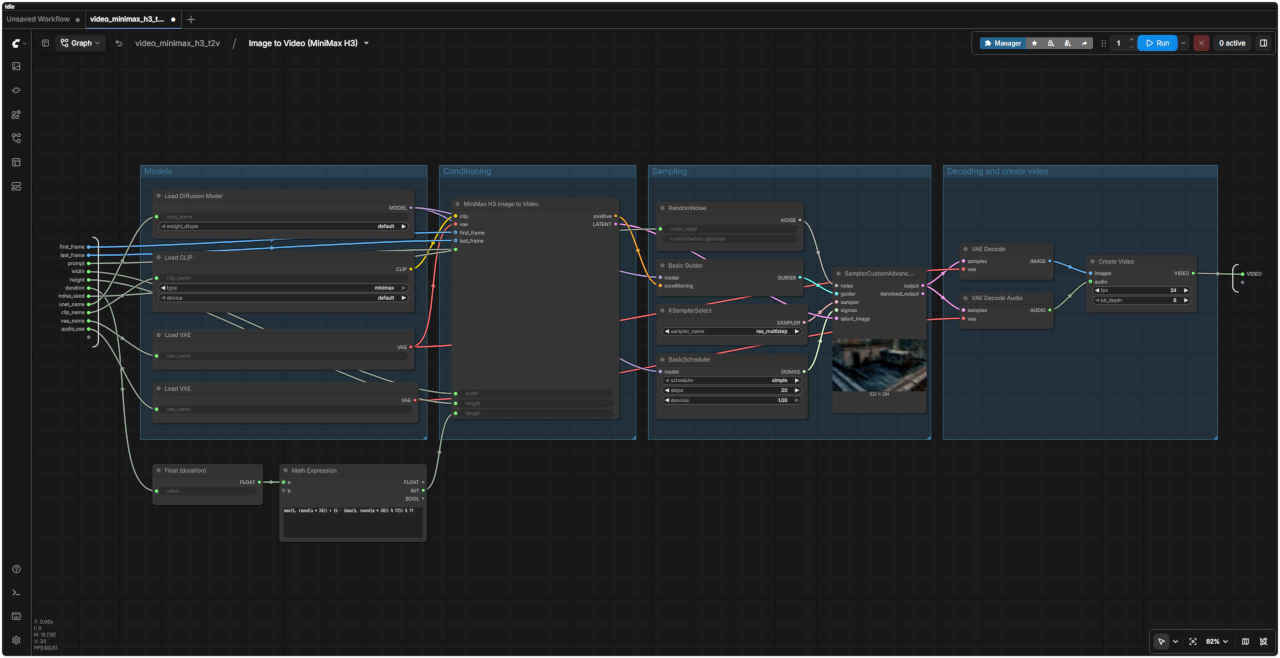
| MiniMax H3: Text to Video ワークフロー | MiniMax H3: Text to Video SubGraph |
 |  |
| 「MiniMax/」video_minimax_h3_t2v.json | |
| MiniMax H3 | |
| MiniMax H3は、MiniMaxが提供する汎用的なマルチモーダル生成モデルです。テキスト、画像、動画、音声を統合的に理解し、ステレオ音声を伴う動画を生成します。音声(セリフ、効果音、音楽)は後から重ね合わせるのではなく、単一の推論プロセス(フォワードパス)内で統合的に生成されます。出力仕様は、最大解像度2K、24fps、最大約15秒間です。 | |
| 主な入力項目 | |
| prompt(プロンプト) | ショットの内容、カメラワーク、および付随する音声(セリフ、効果音、音楽)を一つのブロックにまとめて記述します。 |
| width / height(幅 / 高さ) | Resolution Selector(解像度選択ノード)で設定します。H3のネイティブなキャンバスサイズは短辺768pxを基準とし、上限は768x1344ピクセル、値は32の倍数に丸められます。 |
| duration (seconds)(長さ(秒)) | Math Expressionノードによって適切なフレーム数に変換されます。24fpsにおいて、モデルの仕様である「1ブロックあたり17フレーム(17k+5)」のグリッドに合わせて切り上げ処理が行われます。 |
| 入力静止画像 | 生成動画 640x640 |
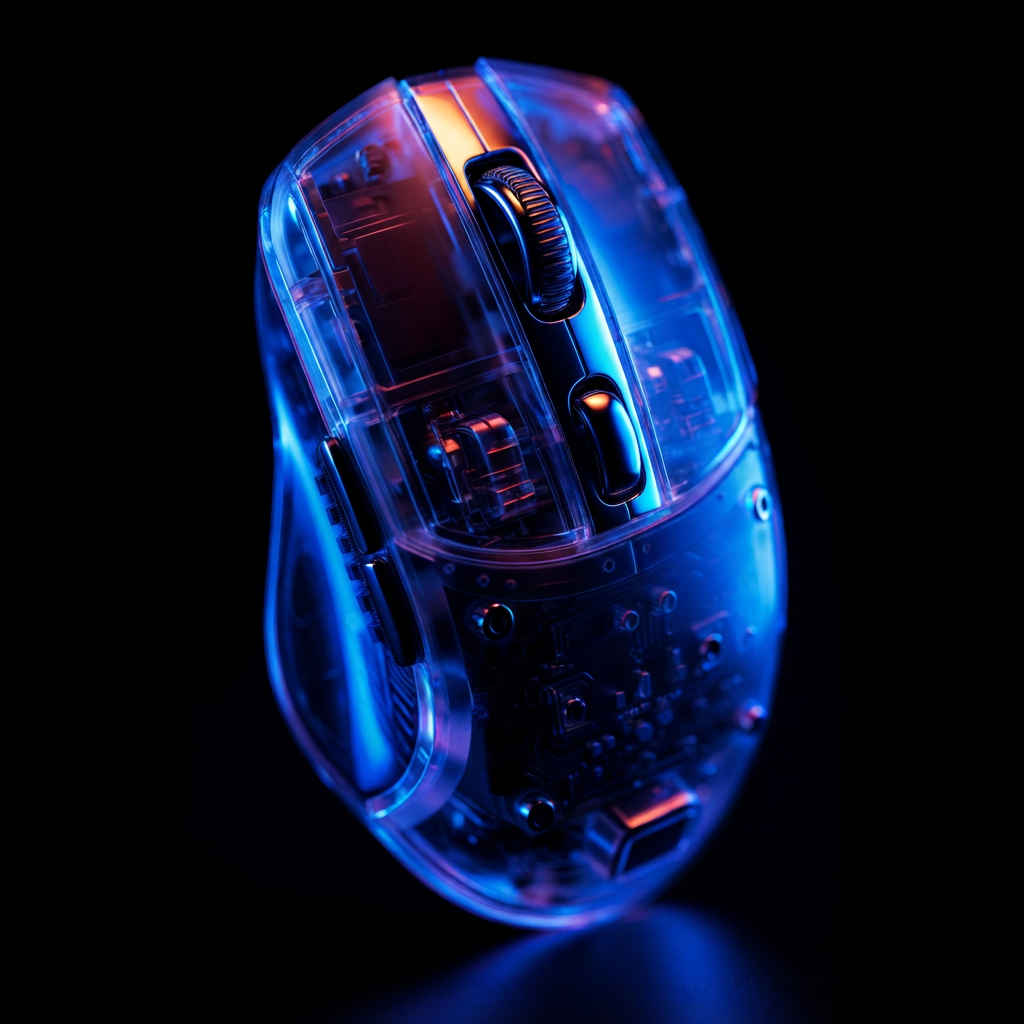 transparent_rgb_gaming_mouse.png |
| MiniMax H3: Text to Video ワークフロー | MiniMax H3: Text to Video SubGraph |
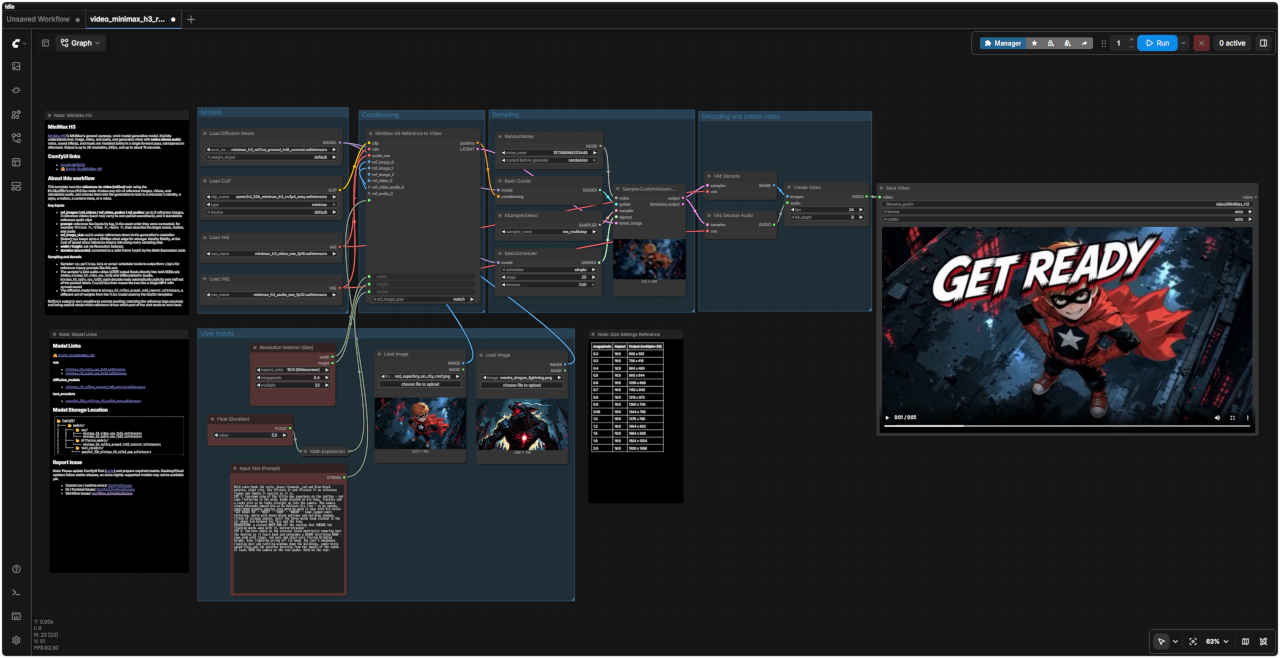
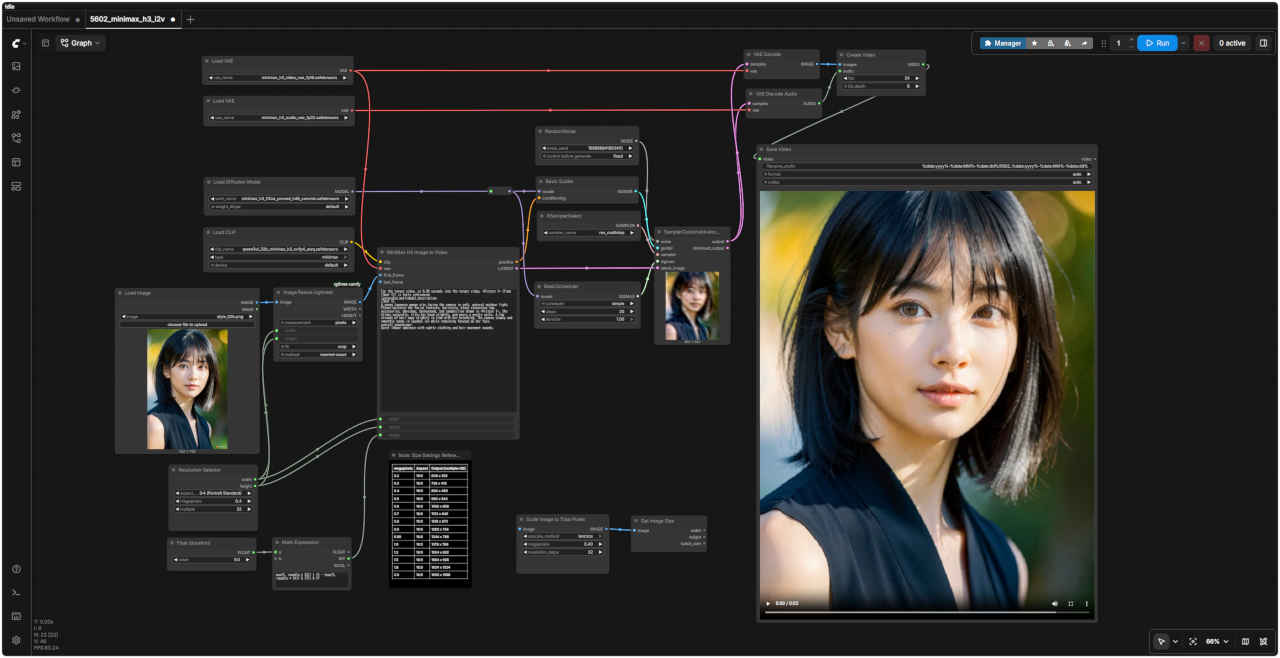
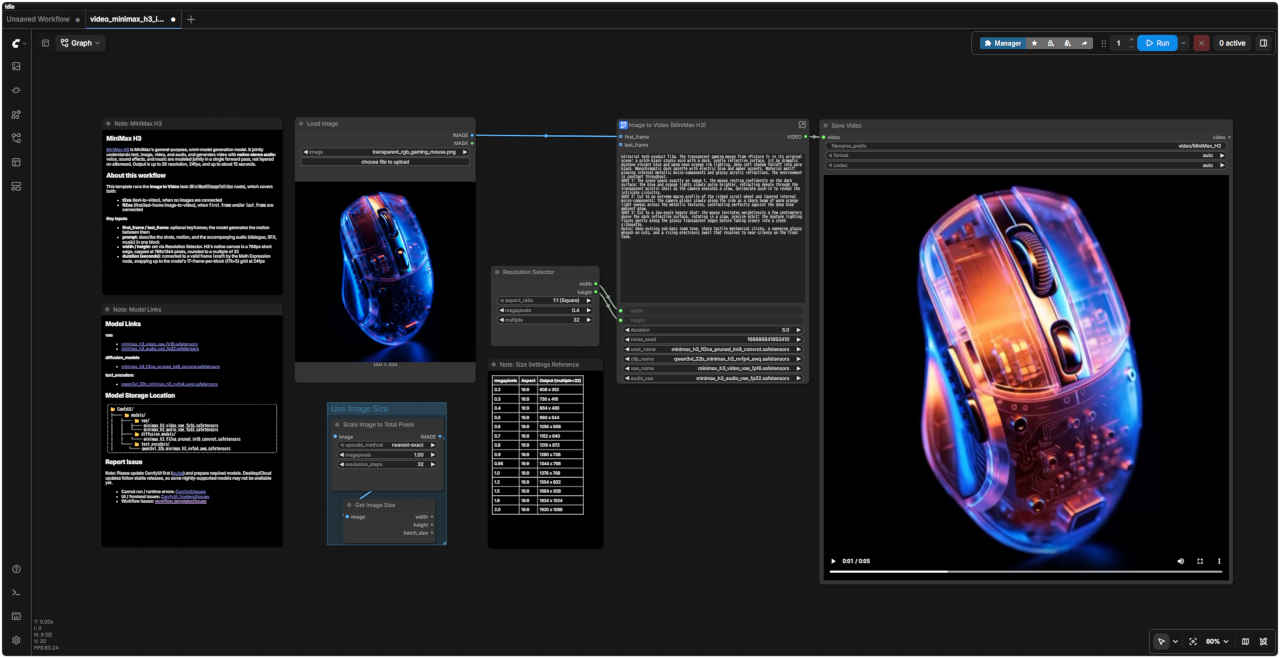 | 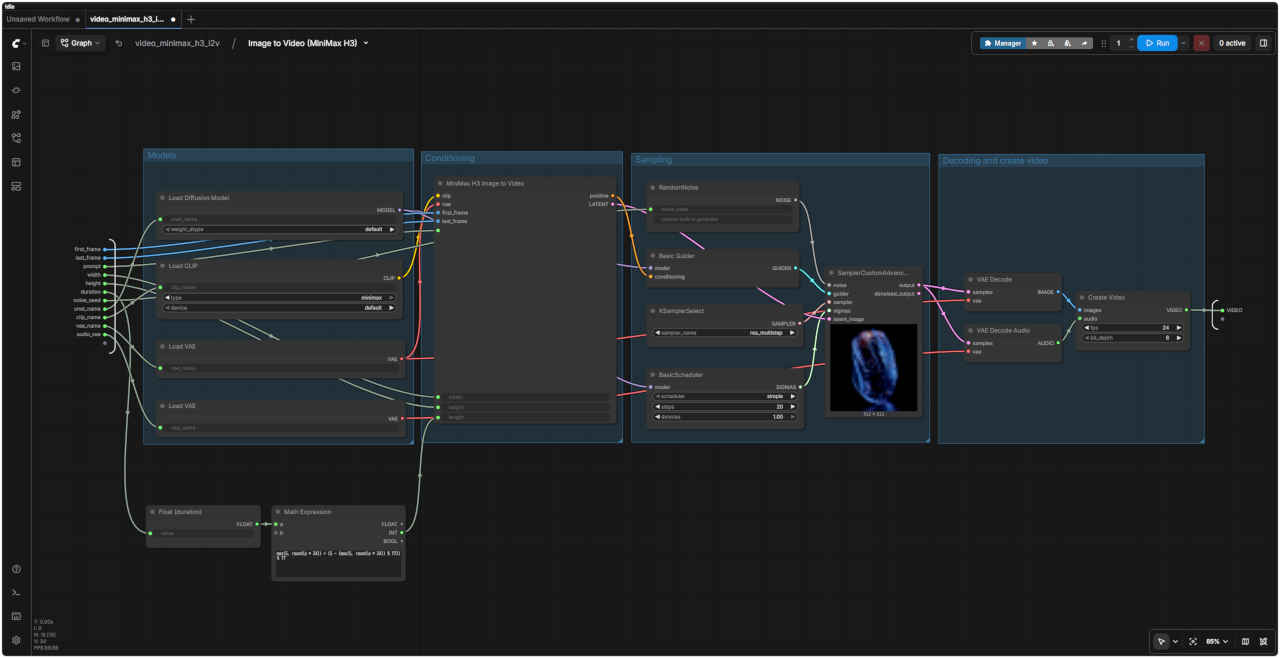 |
| 「MiniMax/」video_minimax_h3_i2v.json | |
| About this workflow(このワークフローについて) | |
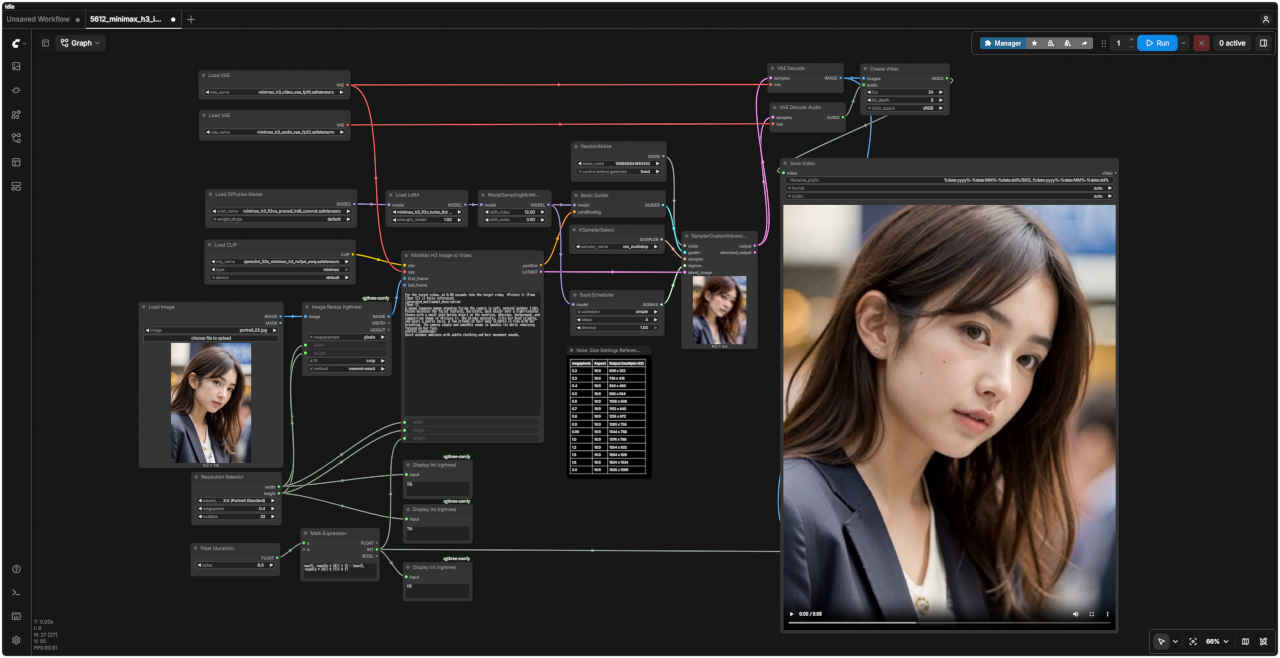
| このテンプレートは「Image to Video」タスク(MiniMaxH3ImageToVideoノード)を実行するもので、以下の両方のケースに対応しています。 ・t2va (text-to-video):画像が接続されていない場合 ・fl2va (first/last-frame image-to-video):first_frame(開始フレーム)やlast_frame(終了フレーム)が接続されている場合 | |
| 主な入力項目 | |
| first_frame / last_frame | オプションのキーフレーム。モデルはこれらのフレーム間の動きを生成します。 |
| prompt(プロンプト) | ショットの内容、カメラワーク、および付随する音声(セリフ、効果音、音楽)を一つのブロックにまとめて記述します。 |
| width / height(幅 / 高さ) | Resolution Selector(解像度選択ノード)で設定します。H3のネイティブなキャンバスサイズは短辺768pxを基準とし、上限は768x1344ピクセル、値は32の倍数に丸められます。 |
| duration (seconds)(長さ(秒)) | Math Expressionノードによって適切なフレーム数に変換されます。24fpsにおいて、モデルの仕様である「1ブロックあたり17フレーム(17k+5)」のグリッドに合わせて切り上げ処理が行われます。 |
| 参照用静止画像 ① | 参照用静止画像 ② |
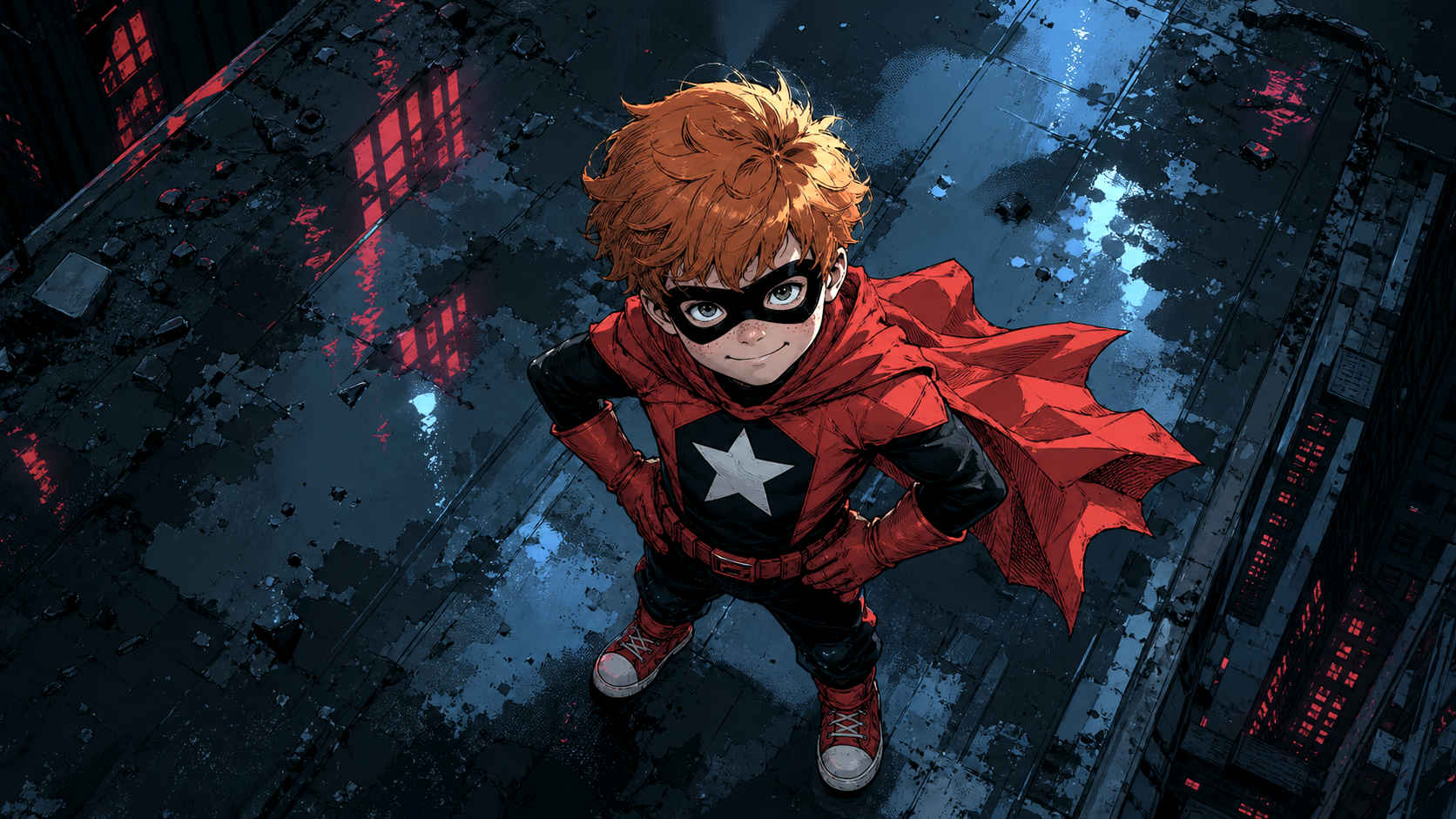 red_superboy_on_city_roof.png | 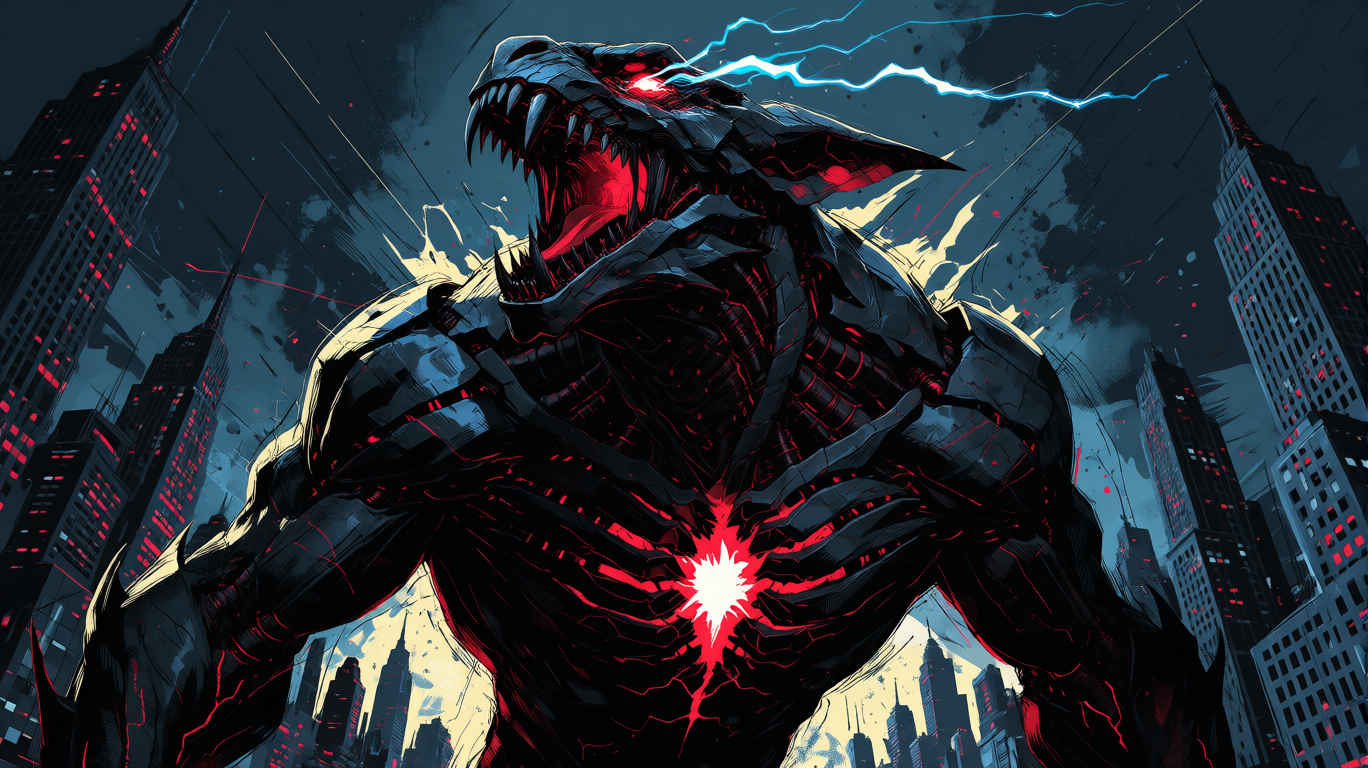 mecha_dragon_lightning.png |
| About this workflow(このワークフローについて) | |
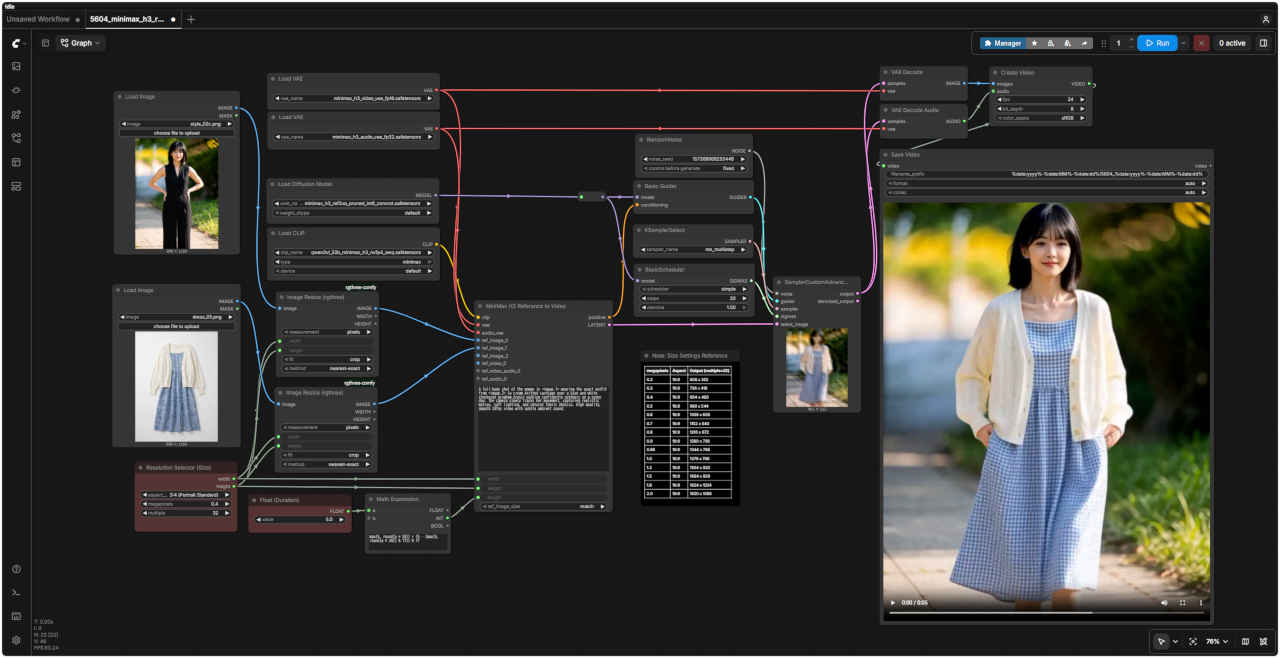
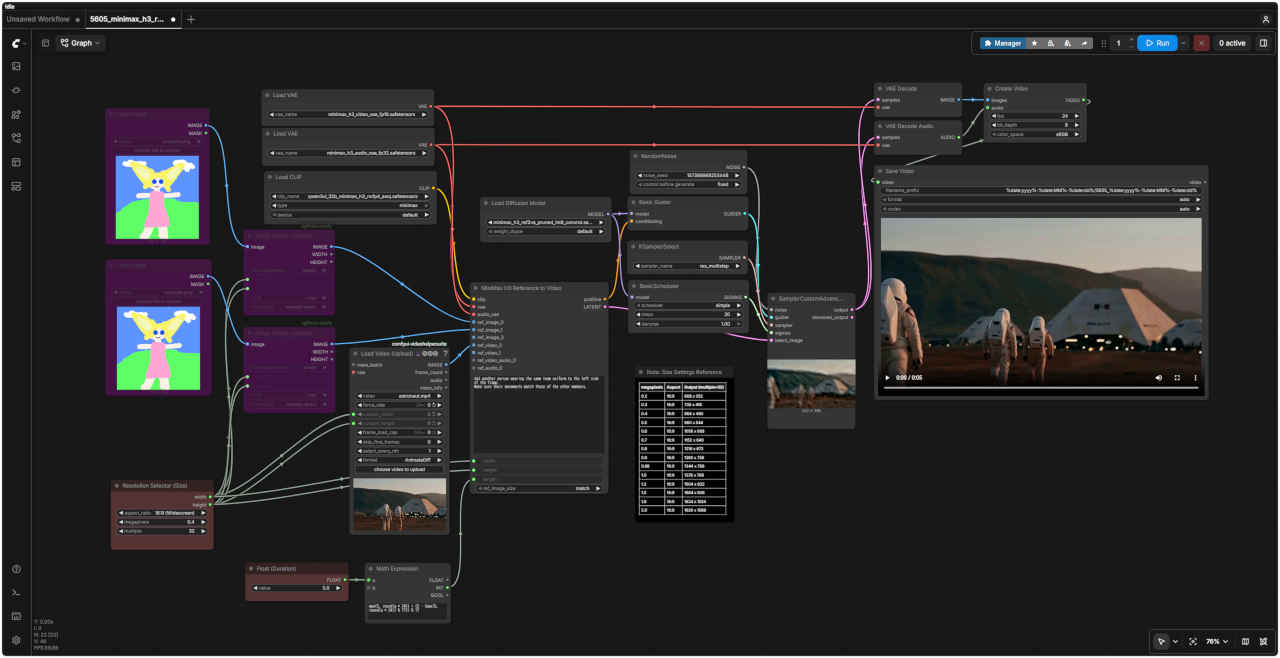
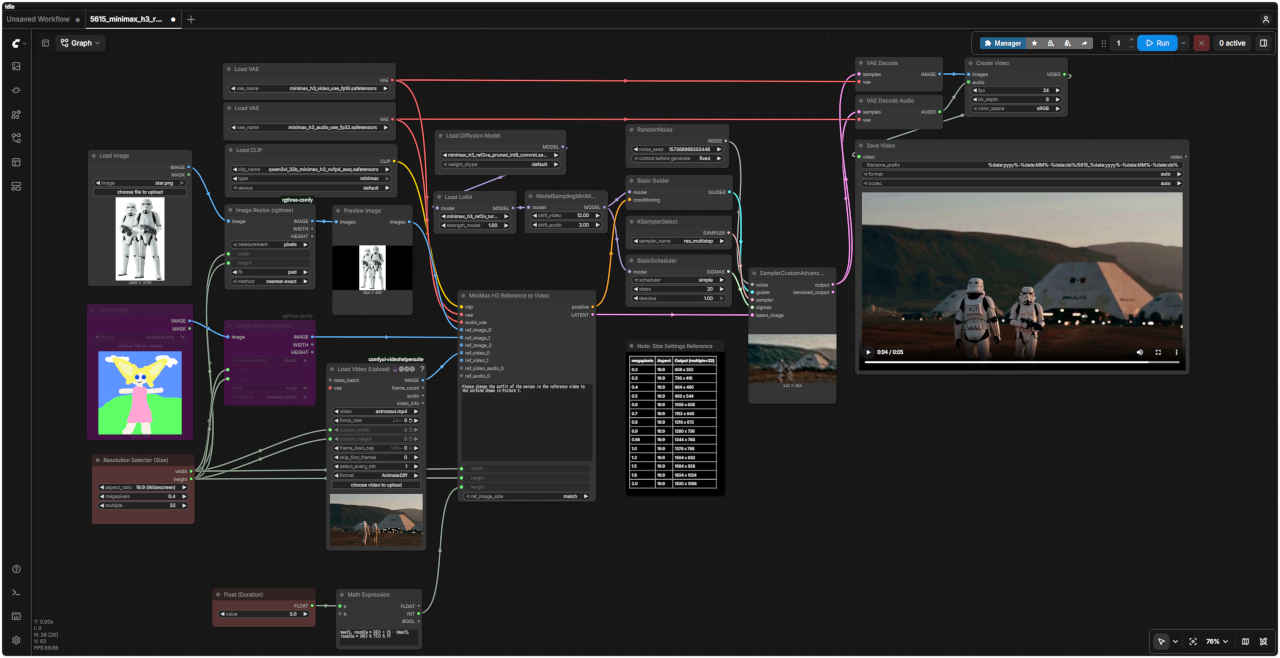
| このテンプレートは、`MiniMaxH3ReferenceToVideo`ノードを使用して reference-to-video (ref2va) タスクを実行します。参照用の画像、動画、音声を任意に組み合わせて生成に反映させることで、キャラクターの同一性、スタイル、動き、カメラワーク、あるいは音声を固定(維持)することができます。 | |
| 主な入力項目 | |
| ref_images / ref_videos / ref_video_audios / ref_audios | 最大9枚の参照画像、3つの参照動画(それぞれ対応する音声トラックを含むことが可能)、および3つの独立した参照音声クリップ。 |
| prompt(プロンプト) | 接続した順序通りにタグ(例: `<Picture 1>`、`<Video 1>`、`<Audio 1>`)を使って入力を参照し、その後にターゲットとなるシーン、動き、音声を記述します。 |
| ref_image_size | `match`は参照画像を生成解像度に合わせて縮小します(高速);`max`は短辺を最大2048pxに維持して同一性の再現度を高めますが、すべてのサンプリングステップで参照トークンが処理されるため、速度は低下します。 |
| width / height(幅 / 高さ) | Resolution Selector(解像度選択ノード)で設定します。H3のネイティブなキャンバスサイズは短辺768pxを基準とし、上限は768x1344ピクセル、値は32の倍数に丸められます。 |
| duration (seconds)(長さ(秒)) | Math Expressionノードによって適切なフレーム数に変換されます。24fpsにおいて、モデルの仕様である「1ブロックあたり17フレーム(17k+5)」のグリッドに合わせて切り上げ処理が行われます。 |
| サンプリングとデコード | |
| Sampler(サンプラー) | `res_multistep` を使用します。今回のようなリファレンスを多用するプロンプトでは、`simple` スケジューラーよりも `beta` や `normal` スケジューラーの方が良好な結果が得られる傾向があります。 |
| ・サンプラーから出力される音声と映像が統合された `LATENT` データは、`VAEDecode`(映像用:`minimax_h3_video_vae_fp16`)と `VAEDecodeAudio`(音声用:`minimax_h3_audio_vae_fp32`)の両方に直接入力されます。各デコードノードは、統合されたLatentデータから自身の担当分(映像または音声)を自動的に抽出します。その後、`CreateVideo` ノードがこれら2つを合成し、音声が同期された単一のMP4ファイルを作成します。 ・ここで使用する拡散モデルは `minimax_h3_ref2va_pruned_int8_convrot.safetensors` です。これは、t2v/i2vテンプレートで使用される `fl2va` モデルとは異なる重みセットを持つモデルです。 | |
| Ref2va の出力はプロンプトの文言に非常に敏感に反応します。リファレンスタグを正確に指定し、どのリファレンスがショットのどの部分を制御するのかを明確に記述することが、最良の結果を得るための鍵となります。 | |
| FastVideo FastH3 は、MiniMax H3 を DMD2 で蒸留した 8ステップ版 ・元のモデルは 20step で生成するが FastH3 は 8STEP で生成可能。プロンプトの書き方は同じで、音声・動画・効果音なども一緒に生成できる ・テキストからの生成(t2v)と、最初/最後のフレームを与える生成(fl2v)に対応複数の参照画像を使う(r2v)には未対応 |
| Text to Video | Image To Video | 生成時間 (RTX-4070Ti) | |
| 生成動画 | 入力画像 | 生成動画 | |
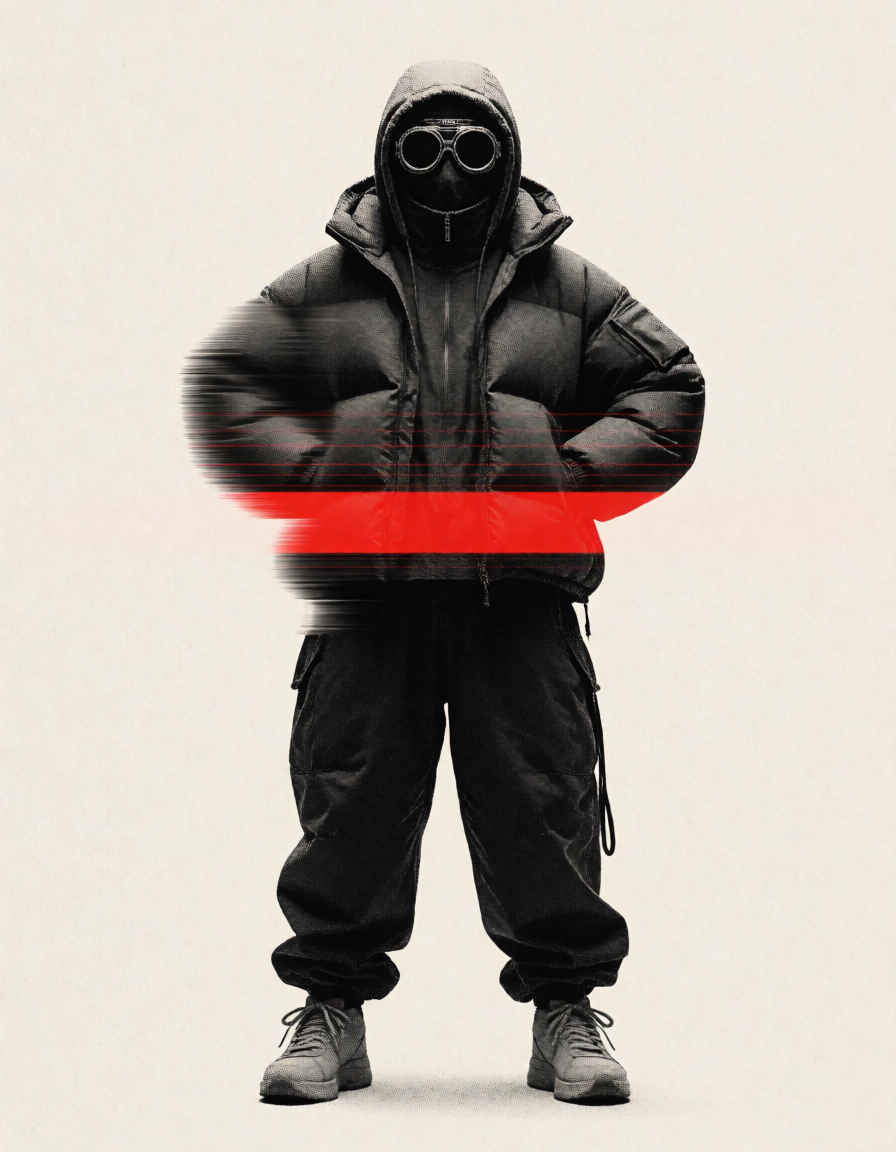 |  | ||
| Fast H3: Text to Video ワークフロー | Fast H3: Text to Video SubGraph |
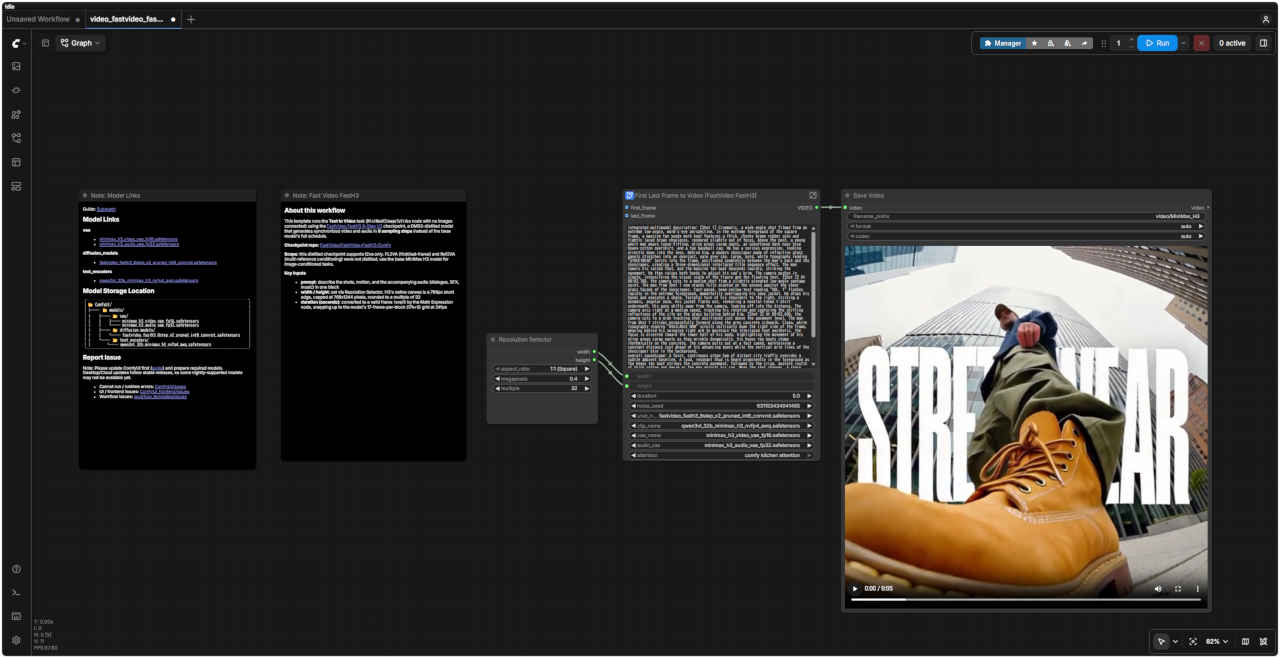 | 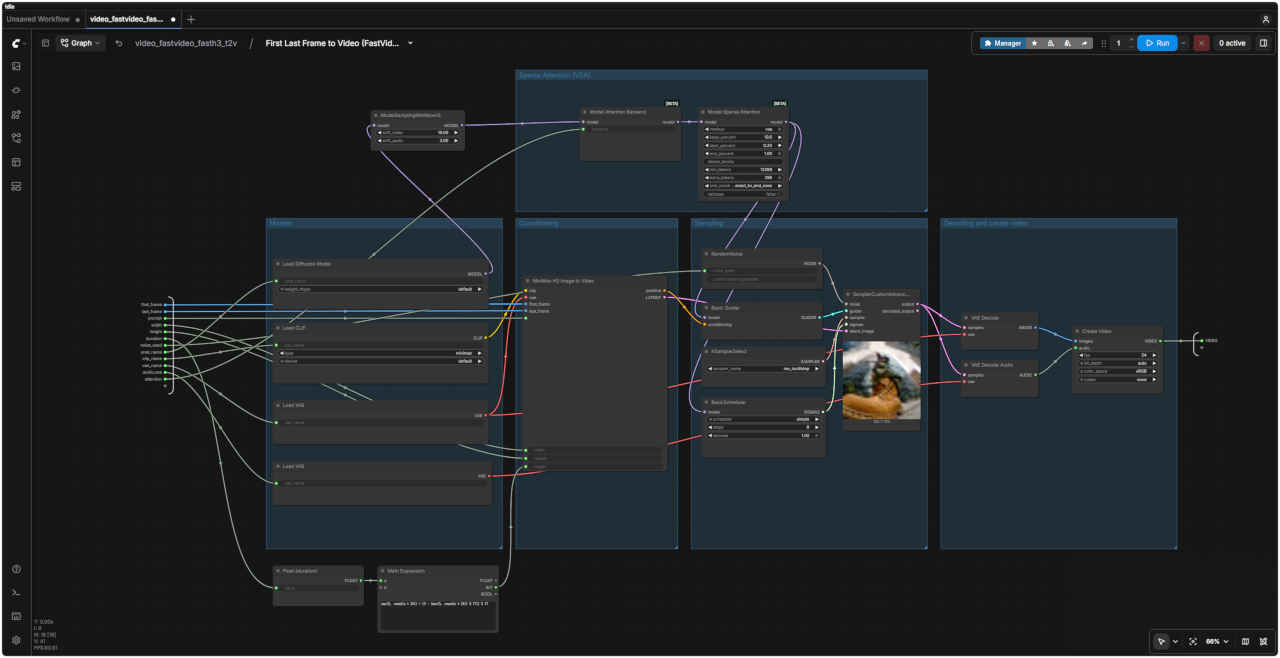 |
| 「MiniMax/」video_fastvideo_fasth3_t2v.json | |
| Fast Video FastH3 |
| このテンプレートは、「Text to Video(テキストから動画への生成)」タスク(画像を入力しない状態の MiniMaxH3ImageToVideo ノードを使用)を実行します。使用するチェックポイントは「FastVideo FastH3 8-Step V2」で、これはDMD2技術を用いて蒸留(distilled)されたモデルです。ベースモデルの完全なスケジュール(全ステップ)ではなく、わずか8回のサンプリングステップで、映像と音声が同期した動画を生成します。 チェックポイントのリポジトリ: FastVideo/FastVideo-FastH3-Comfy 適用範囲: この蒸留済みチェックポイントは t2va(テキストから動画・音声への生成)のみをサポートしています。FL2VA(最初と最後のフレームに基づく生成)や Ref2VA(複数の参照画像による条件付け)は蒸留されていません。画像による条件付けが必要なタスクには、ベースとなる MiniMax H3 モデルを使用してください。 |
| Fast H3: Image to Video ワークフロー | Fast H3: Image to Video SubGraph |
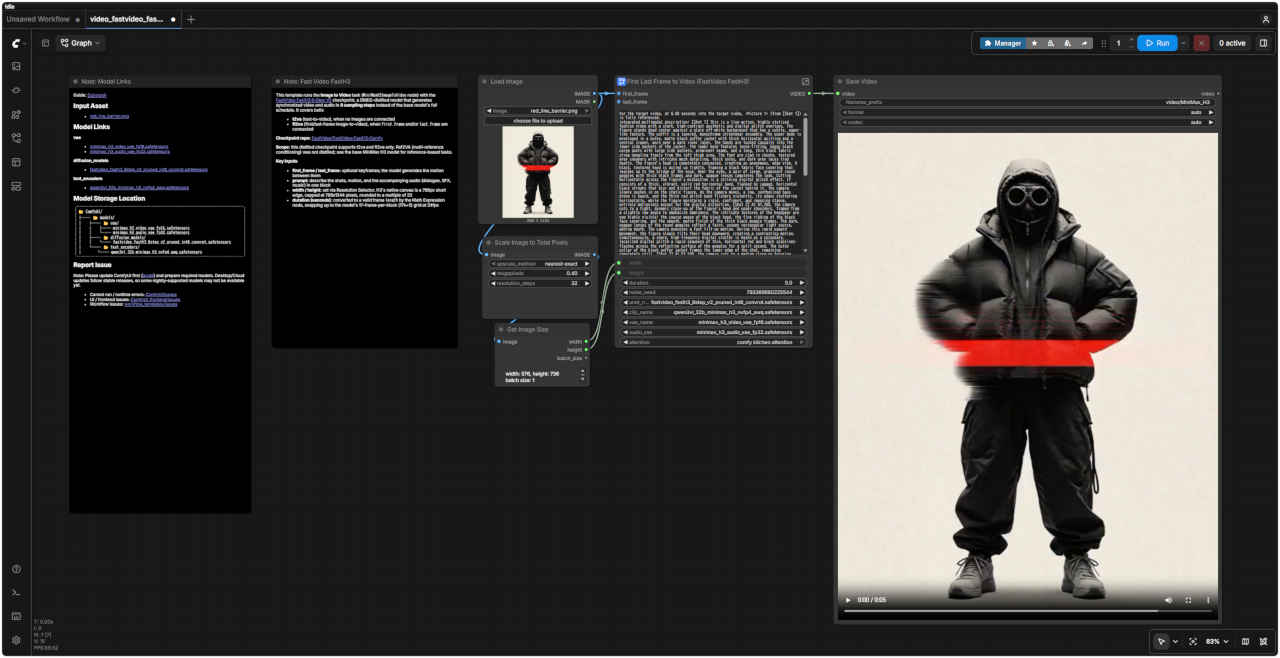 | 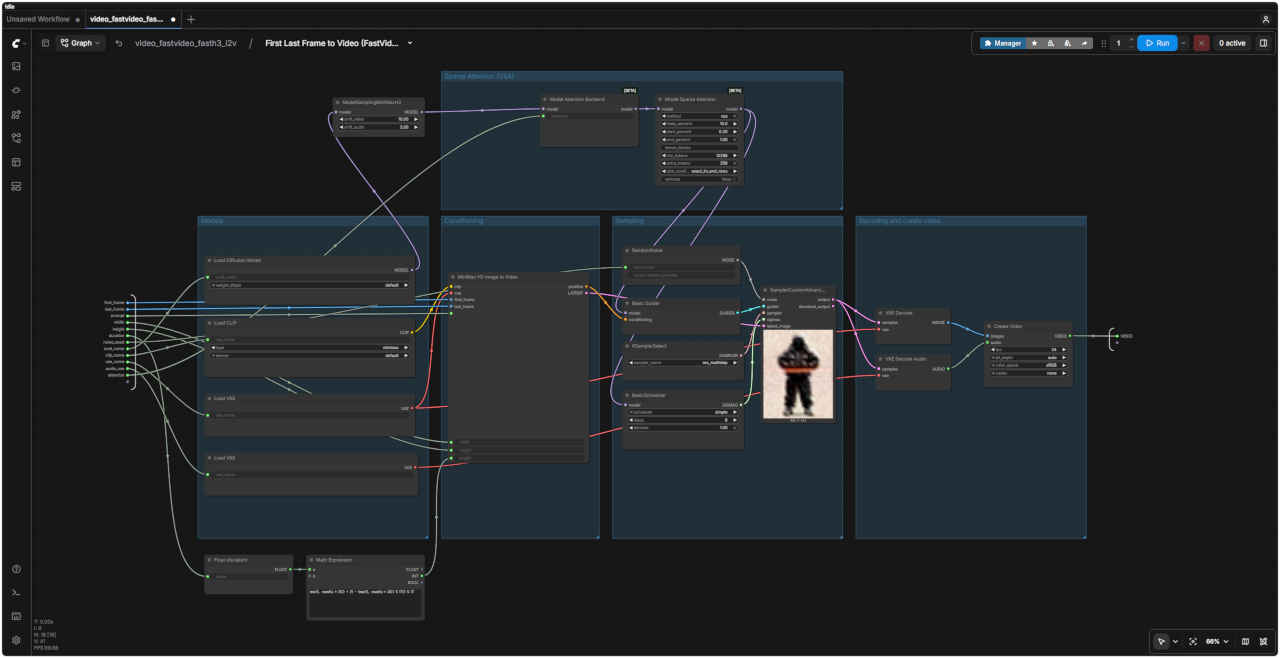 |
| 「MiniMax/」video_fastvideo_fasth3_i2v.json | |
| Fast Video FastH3 | |
| このテンプレートは、「FastVideo FastH3 8-Step V2」チェックポイントを使用して「Image to Video」タスク(MiniMaxH3ImageToVideoノード)を実行します。このチェックポイントはDMD2技術で蒸留(distilled)されたモデルであり、ベースモデルの完全なスケジュールではなく、わずか8回のサンプリングステップで、映像と音声が同期した動画を生成します。以下の両方のモードに対応しています。 t2va (text-to-video): 画像が接続されていない場合 fl2va (first/last-frame image-to-video): first_frame(開始フレーム)やlast_frame(終了フレーム)の画像が接続されている場合 チェックポイントのリポジトリ: FastVideo/FastVideo-FastH3-Comfy 適用範囲: この蒸留済みチェックポイントは t2va および fl2va にのみ対応しています。Ref2VA(複数参照画像による条件付け)機能は蒸留されていないため、参照画像を使用するタスクにはベースとなる MiniMax H3 モデルを使用してください。 | |
| 主な入力項目 | |
| first_frame / last_frame | 任意のキーフレーム。モデルはこれらのフレーム間の動きを生成します |
| prompt | ショットの内容、動き、および付随する音声(セリフ、効果音、音楽)を1つのブロックにまとめて記述します |
| width / height | 「Resolution Selector」で設定します。H3のネイティブなキャンバスサイズは短辺768px(最大768x1344px)で、32の倍数に丸められます |
| duration (seconds) | 「Math Expression」ノードによって適切なフレーム数に変換されます。24fpsにおいて、モデルの仕様である「1ブロックあたり17フレーム(17k+5)」のグリッドに合わせて、切り上げ(スナップアップ)処理が行われます |
| ComfyUI オフィシャルサイトで公開されているテンプレートのシード値を固定して再現性を確保し動かしながら整理する |
| プロンプト |
|
integrated_multimodal_description: [Shot 1] Live-action, cinematic, a medium-wide shot shows a Japanease woman holding a red umbrella in a neon-lit street at night. Rain falls steadily as she walks from left to right. The camera trucks right with small amplitude at slow speed, following her movement. Reflections of red and blue signs move across the wet pavement. overall_soundscape: Steady rain falls onto the umbrella and pavement. Soft footsteps splash through shallow puddles while distant cars pass through the street. non_diegetic_music: Sparse piano notes at a slow tempo with a soft sustained synthesizer underneath. |
| 統合型マルチモーダル記述: [ショット1] 実写、映画的な映像。夜、ネオンが輝く通りで赤い傘を差した日本人女性が映し出されるミディアムワイド・ショット。雨が絶え間なく降る中、彼女は画面左から右へと歩いていく。カメラは彼女の動きを追うように、ゆっくりとした速度で、わずかな振幅を伴いながら右へ移動(トラック)する。濡れた路面には、赤や青の看板の光が反射し、揺れ動いている。 全体的な音響風景: 傘や路面に絶え間なく雨が降り注ぐ音。浅い水たまりを歩く柔らかな足音と、通りを過ぎていく遠くの車の音が聞こえる。 非劇伴(ノン・ダイエジェティック・ミュージック): ゆったりとしたテンポで奏でられる控えめなピアノの音色と、その下で響く柔らかな持続音のシンセサイザー。 |
| プロンプト | 入力画像 first_frame | |
|
For the target video, at 0.00 seconds into the target video, <Picture 1> (from [Shot 1]) is fully referenced. integrated_multimodal_description: [Shot 1] A young Japanese woman sits facing the camera in soft, natural outdoor light. Please maintain the facial features, hairstyle, black sleeveless top, accessories, physique, background, and composition shown in <Picture 1>. She blinks naturally, tilts her head slightly, and wears a gentle smile. A few strands of hair sway slightly in time with her breathing. The camera slowly and smoothly zooms in (pushes in) while remaining focused on her face. overall_soundscape: Quiet indoor ambience with subtle clothing and hair movement sounds. | 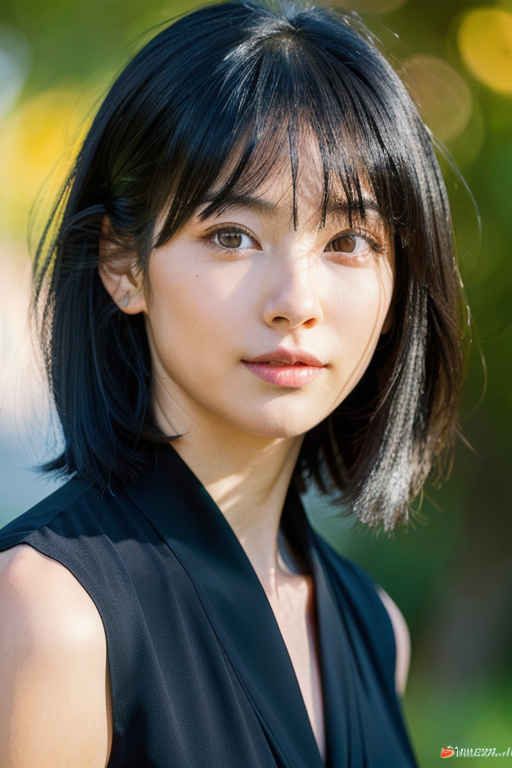 | |
| 対象の動画において、開始時点(0.00秒)では、<Picture 1>([Shot 1]より)の状態が全面的に参照されます。 統合マルチモーダル記述: [Shot 1] 屋外の柔らかな自然光の中、若い日本人女性がカメラに向かって座っています。<Picture 1>に示されている顔立ち、髪型、黒いノースリーブのトップス、アクセサリー、体型、背景、構図を維持してください。彼女は自然にまばたきをし、少し首を傾げ、穏やかな笑みを浮かべています。呼吸に合わせて、数本の髪の毛がわずかに揺れます。カメラは彼女の顔に焦点を合わせたまま、ゆっくりと滑らかにズームイン(プッシュイン)していきます。 全体的な音響環境: 静かな屋内の環境音に加え、衣服や髪が動くかすかな音が聞こえます。 | ||
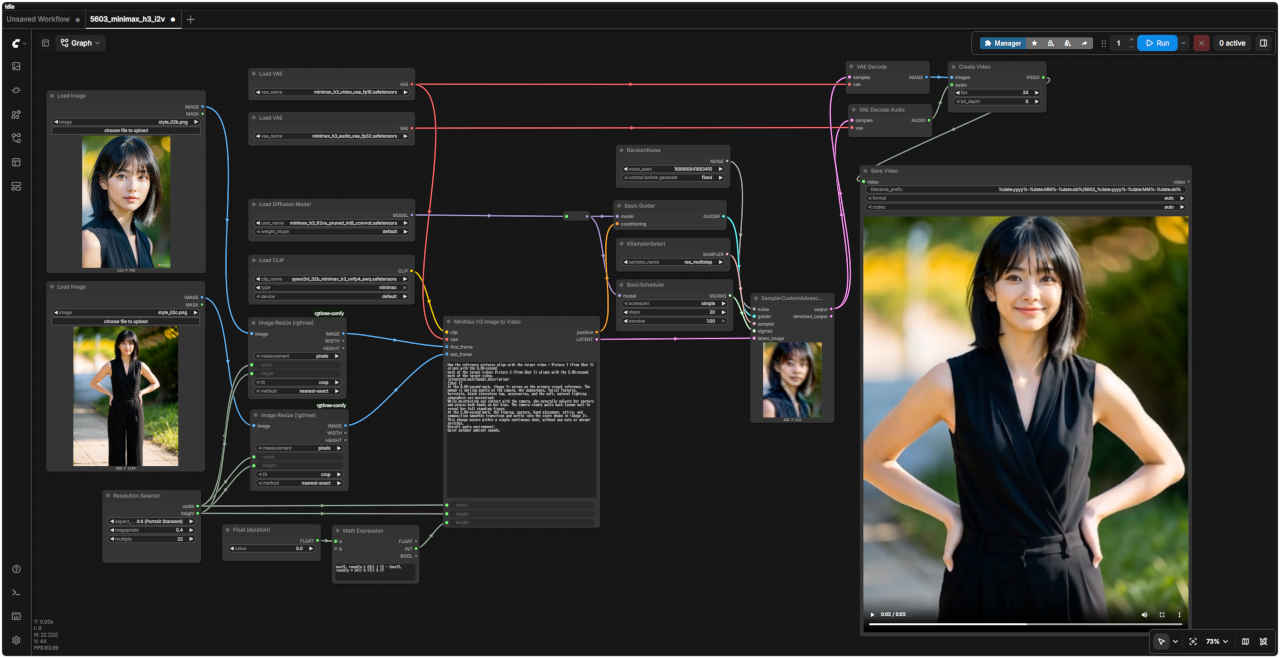
| 静止画像から動画生成 Image to Video V2 (最終フレーム保存) | |
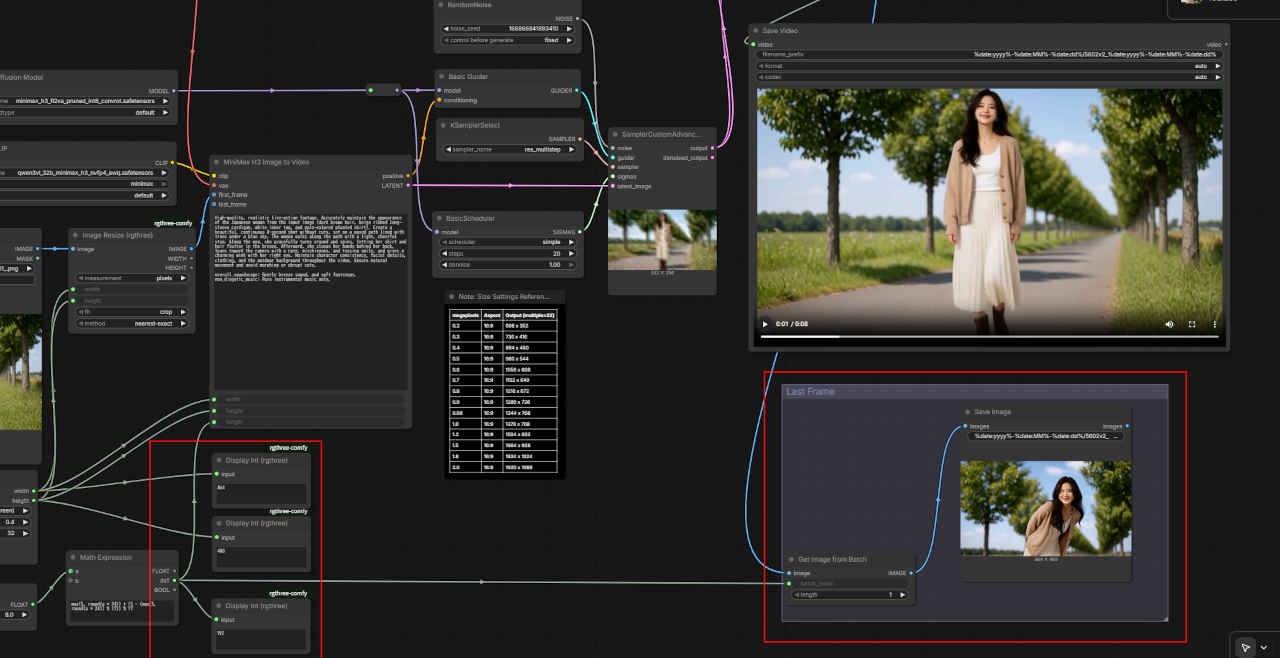 | 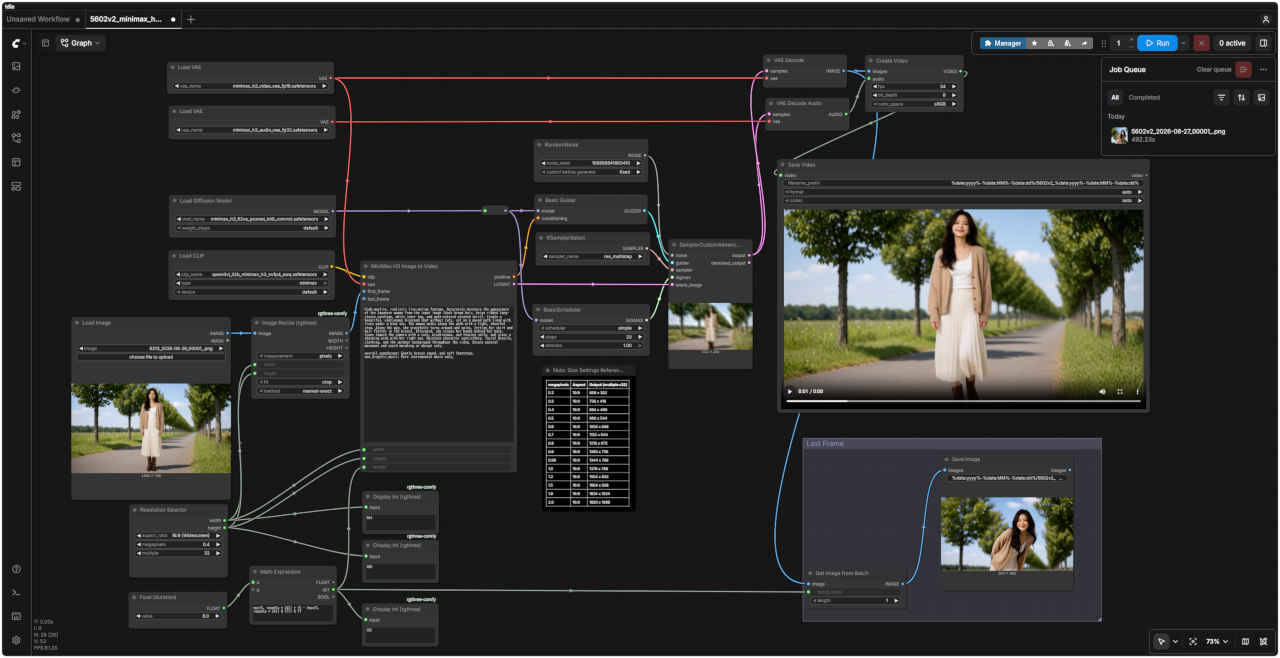 |
| 追加部分 | 「MiniMax/」5602v2_minimax_h3_i2v.json |
| 入力画像 | プロンプト | 生成画像 |
| | Using the same background, pull the camera back significantly to capture a wide shot showing the woman's full body (from head to toe). She is wearing long black trousers and has her hands on her hips. Please accurately maintain her appearance, facial features, hairstyle, style, lighting, and natural physique. | 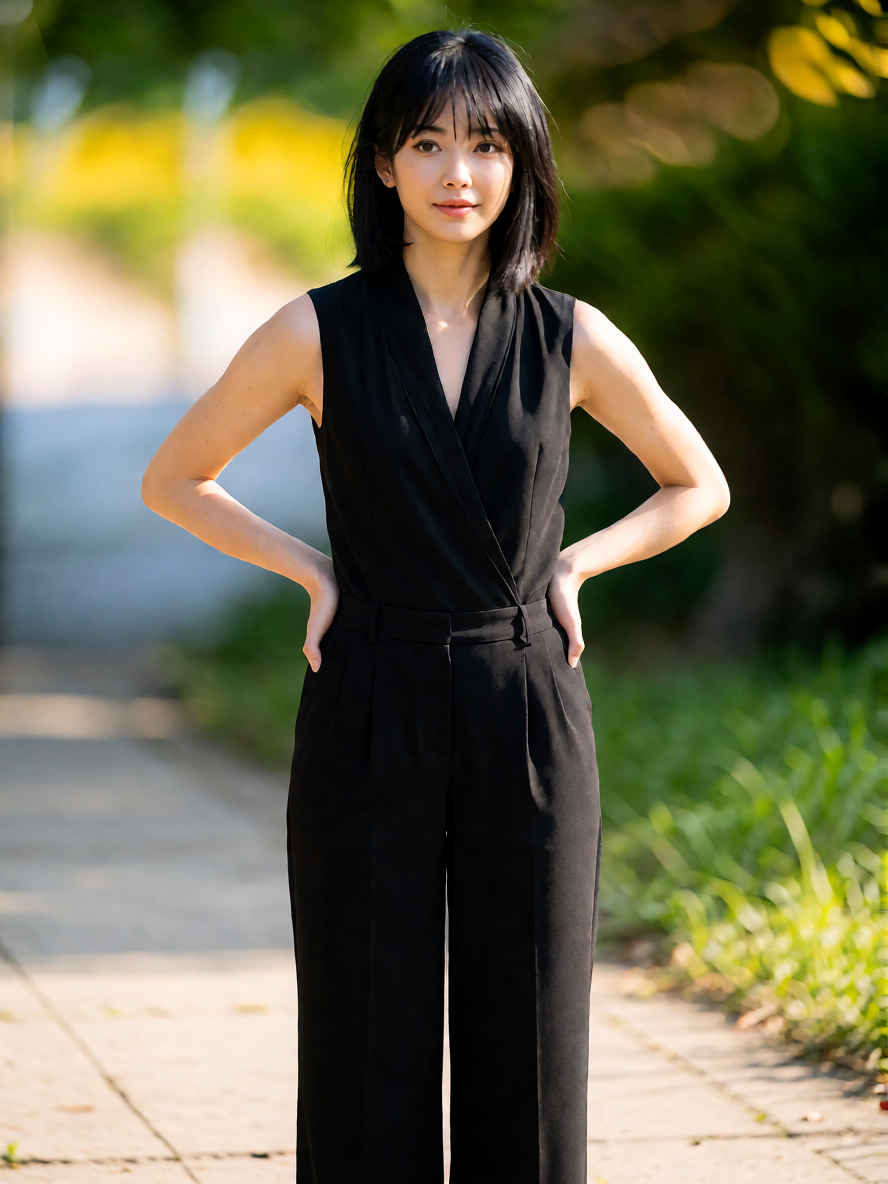 |
| 同じ背景で、女性の全身(頭からつま先まで)が収まるワイドショットになるよう、カメラを大きく引いてください。彼女は黒のロングパンツで腰に手を当てています。彼女の容姿、顔立ち、髪型、スタイル、照明、そして自然な体型を正確に維持してください。 |
| プロンプト | 入力画像 ① first_frame | 入力画像 ② last_frame |
|
How the reference pictures align with the target video — Picture 1 (from Shot 1) aligns with the 0.00-second mark of the target video; Picture 2 (from Shot 1) aligns with the 5.00-second mark of the target video. integrated_multimodal_description: [Shot 1] At the 0.00-second mark, <Image 1> serves as the primary visual reference. The woman is smiling gently at the camera. Her appearance, facial features, hairstyle, black sleeveless top, accessories, and the soft, natural lighting atmosphere are maintained. While maintaining eye contact with the camera, she naturally adjusts her posture and places both hands on her hips. The camera slowly pulls back (zooms out) to reveal her full standing figure. At the 5.00-second mark, the framing, posture, hand placement, attire, and composition smoothly transition and settle into the state shown in <Image 2>. This change occurs within a single continuous shot, without any cuts or abrupt switches. Overall audio environment: Quiet outdoor ambient sounds. | | |
| 参照画像とターゲット動画の対応関係:画像1(ショット1由来)はターゲット動画の0.00秒時点に対応し、画像2(ショット1由来)はターゲット動画の5.00秒時点に対応しています。 統合マルチモーダル記述: [ショット1] 0.00秒時点では、<画像1>が主要な視覚的参照となります。女性はカメラに向かって穏やかに微笑んでいます。彼女の容姿、顔立ち、髪型、黒いノースリーブのトップス、アクセサリー、そして柔らかく自然な照明の雰囲気はそのまま維持されています。 カメラと視線を合わせたまま、彼女は自然に姿勢を整え、両手を腰に当てます。カメラはゆっくりと後退(ズームアウト)し、彼女の全身を映し出します。 5.00秒時点では、フレーミング、姿勢、手の位置、服装、構図が滑らかに変化し、<画像2>の状態へと移行します。この変化は、カットや急激な切り替えを伴わない、単一の連続したショットの中で行われます。 全体的な音声環境: 静かな屋外の環境音。 |
| プロンプト | 入力画像 ① ref_image_0 | 入力画像 ② ref_image_1 |
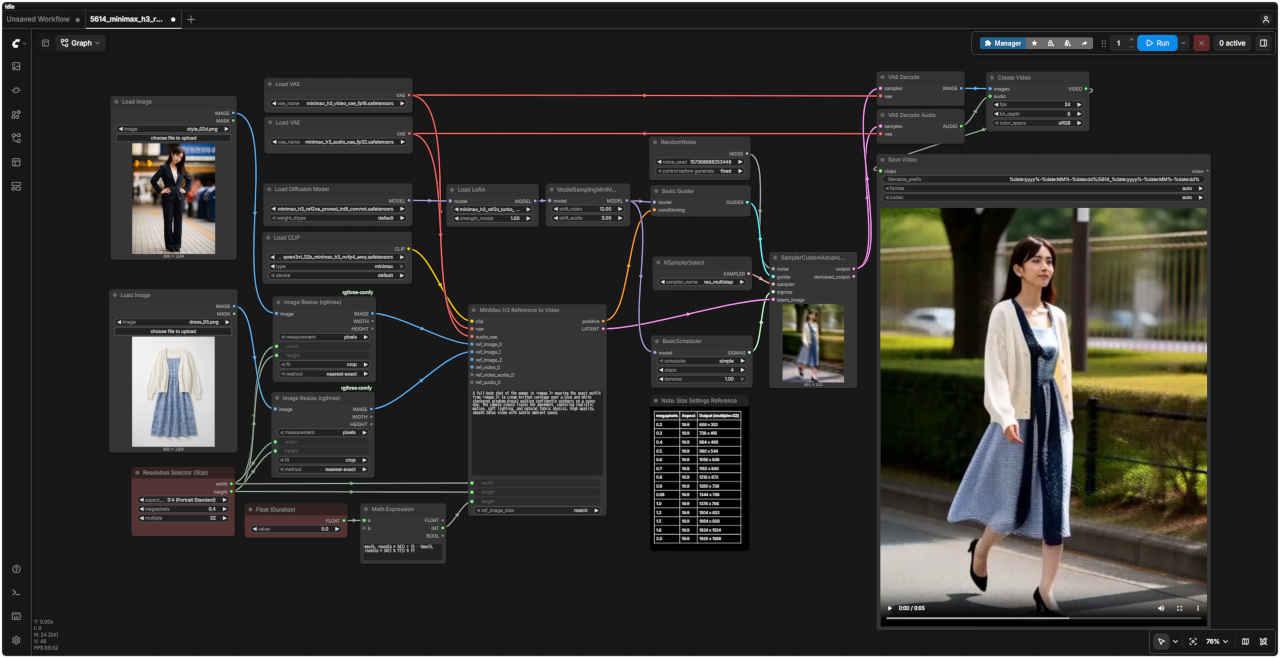
| A full-body shot of the woman in <image_1> wearing the exact outfit from <image_2> (a cream knitted cardigan over a blue and white checkered gingham dress) walking confidently outdoors on a sunny day. The camera slowly tracks her movement, capturing realistic motion, soft lighting, and natural fabric physics. High quality, smooth 24fps video with subtle ambient sound. | | 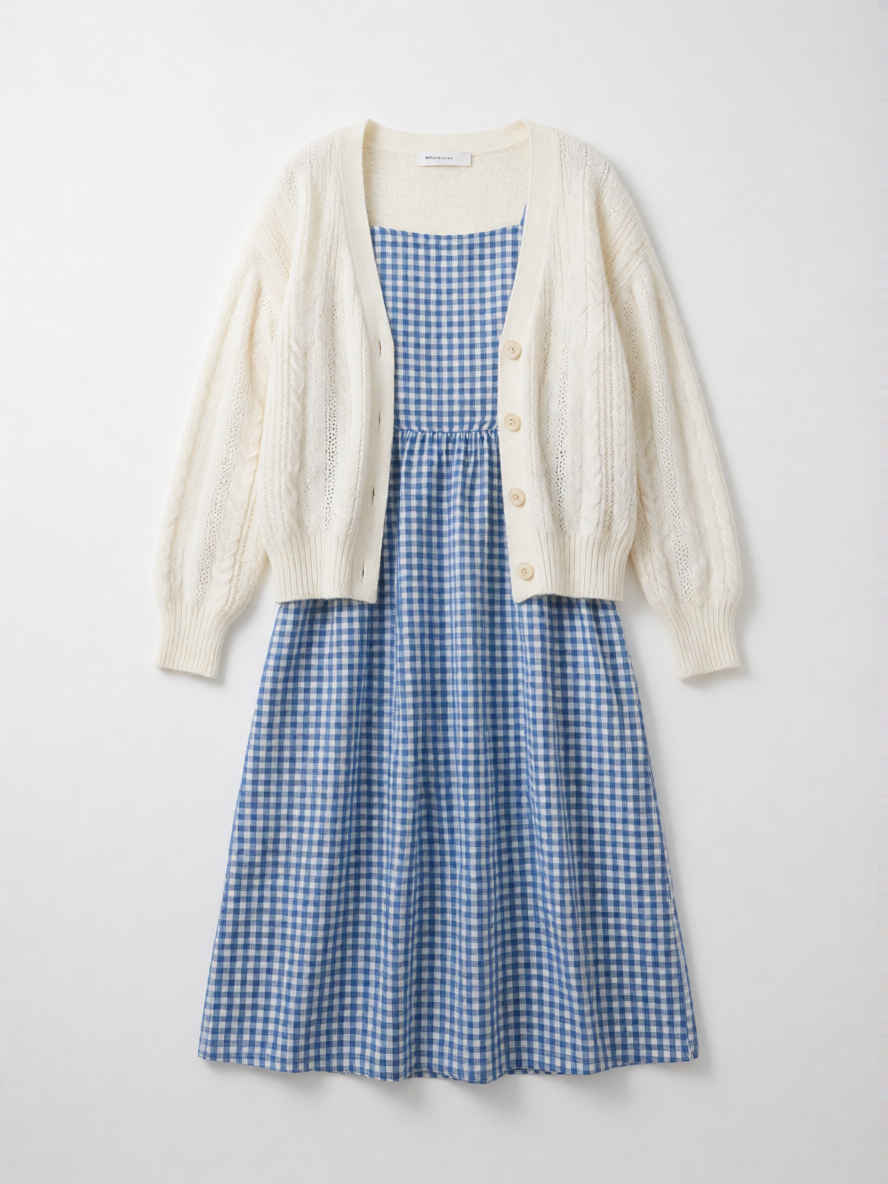 |
| 晴れた日に屋外を自信に満ちた様子で歩く、<image_1>の女性の全身ショット。<image_2>と全く同じ服装(青と白のギンガムチェックのワンピースに、クリーム色のニットカーディガンを羽織ったスタイル)を着用しています。カメラが彼女の動きをゆっくりと追い、リアルな動作、柔らかな光、そして自然な生地の質感を捉えます。繊細な環境音を伴う、高品質で滑らかな24fpsの映像です。 |
| プロンプト | 入力動画 ref_video | |
|
Add another person wearing the same team uniform to the left side of the frame. Make sure their movements match those of the other members. | ||
| 画面左側に、同じチームユニフォームを着た人物をもう一人追加してください。 その人物の動きが他のメンバーの動きと一致するようにしてください。 | ||
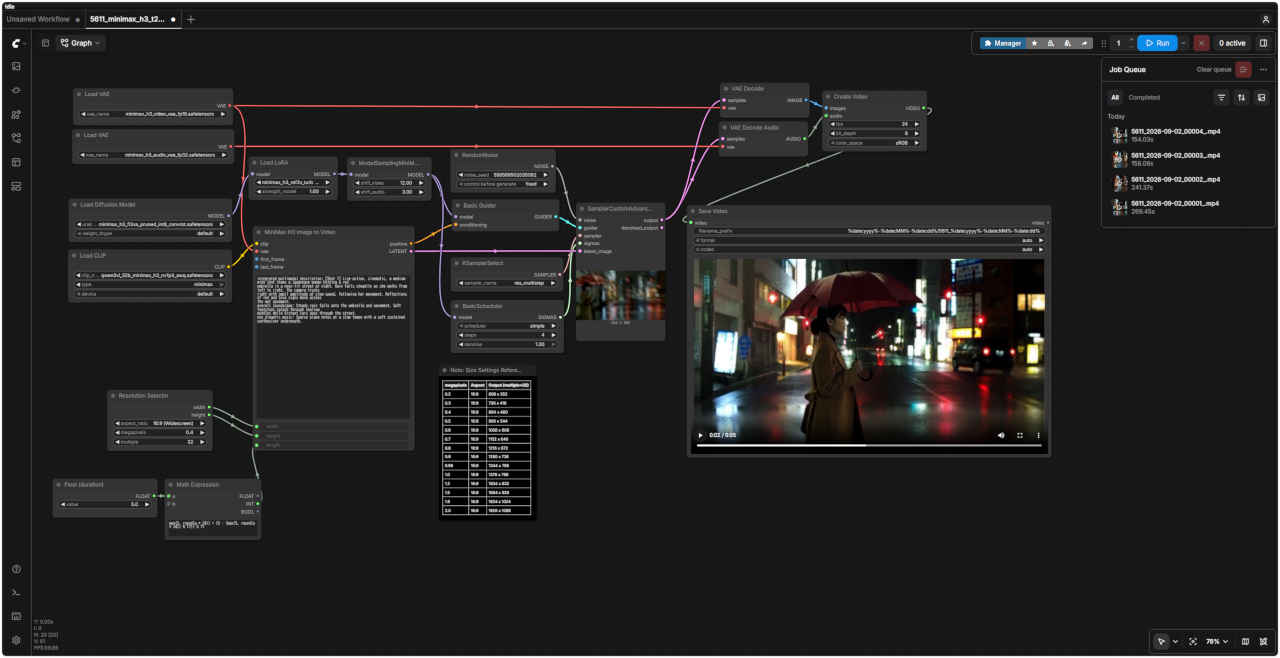
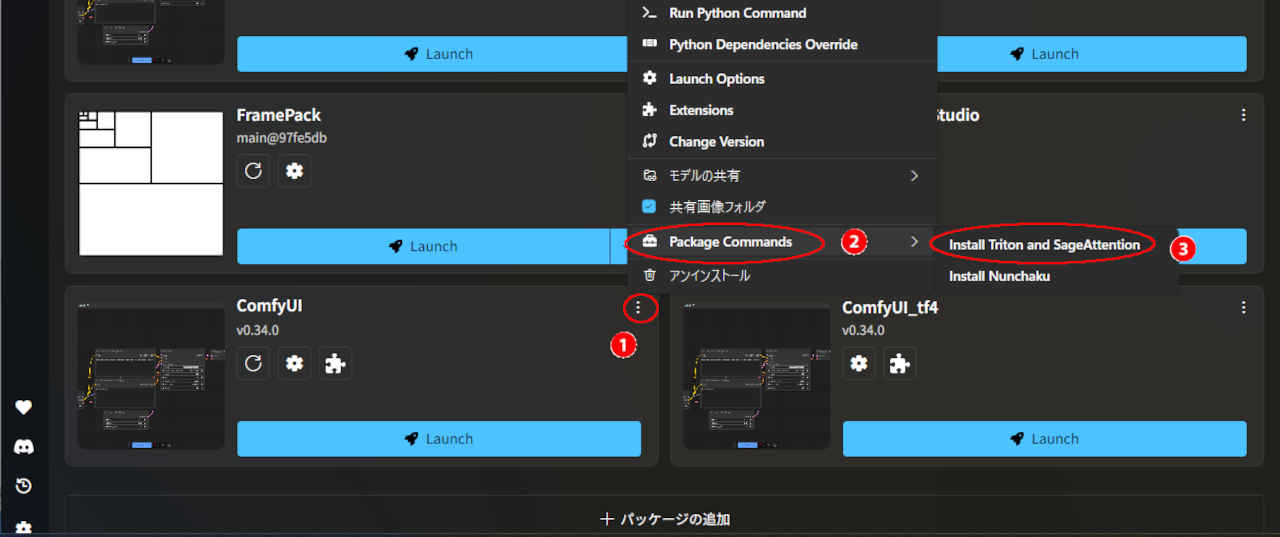
| Step数を減らして高速化する 4Step LoRA はいくつかあるが、標準ノードのみで動作する「lightx2v」を検証する → https://huggingface.co/lightx2v/Minimax-h3-Turbo |
| プロンプト |
|
integrated_multimodal_description: [Shot 1] Live-action, cinematic, a medium-wide shot shows a Japanease woman holding a yellow umbrella in a neon-lit street at night. Rain falls steadily as she walks from left to right. The camera trucks right with small amplitude at slow speed, following her movement. Reflections of red and blue signs move across the wet pavement. overall_soundscape: Steady rain falls onto the umbrella and pavement. Soft footsteps splash through shallow puddles while distant cars pass through the street. non_diegetic_music: Sparse piano notes at a slow tempo with a soft sustained synthesizer underneath. |
| 統合的マルチモーダル記述: [ショット1] 実写・シネマティックな映像。夜、ネオンが輝く通りで、黄色い傘を差した日本人女性が映し出される(ミディアムワイド・ショット)。雨が絶え間なく降る中、彼女は画面左から右へと歩いていく。カメラは彼女の動きを追うように、ゆっくりと、かつ小さく右へ移動(トラック)する。濡れた路面には、赤や青の看板の光が反射し、揺れ動いている。 全体的な音響風景: 傘や路面に絶え間なく雨が降り注ぐ音。浅い水たまりを歩く柔らかな足音と、通りを過ぎ去る遠くの車の音が聞こえる。 非劇伴音楽: ゆったりとしたテンポで奏でられる控えめなピアノの音色と、その下で柔らかく持続するシンセサイザーの響き。 |
| プロンプト | 入力画像 first_frame | |
|
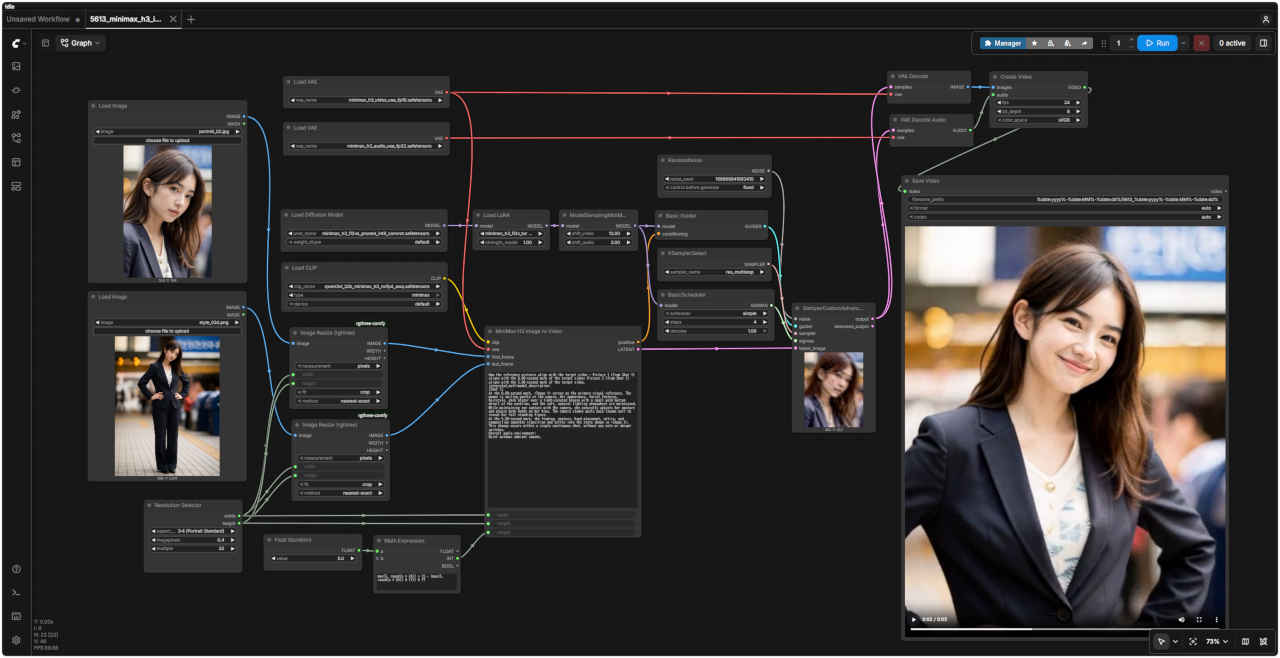
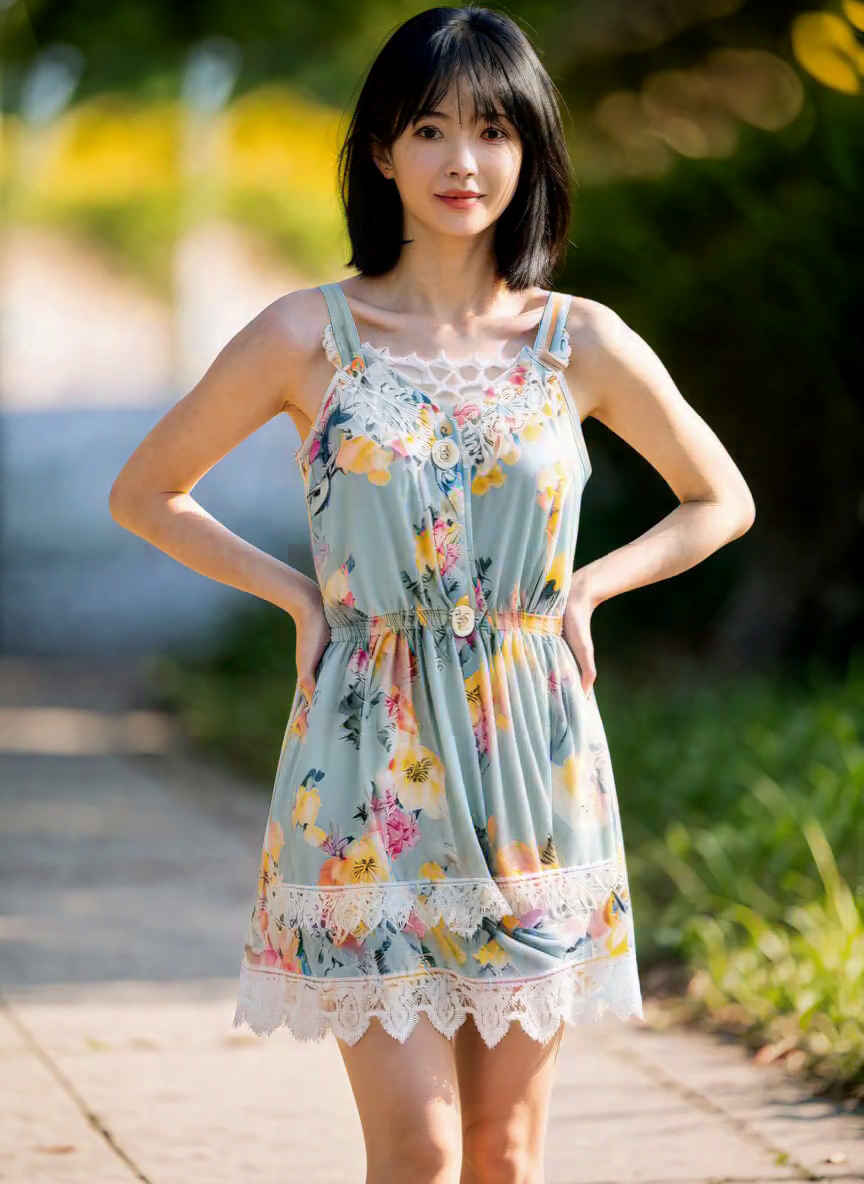
For the target video, at 0.00 seconds into the target video, <Picture 1> (from [Shot 1]) is fully referenced. integrated_multimodal_description: [Shot 1] A young Japanese woman standing facing the camera in soft, natural outdoor light. Please maintain the facial features, hairstyle, dark blazer over a light-colored blouse with a small gold button detail at the neckline, physique, background, and composition shown in <Picture 1>. She blinks naturally, tilts her head slightly, and wears a gentle smile. A few strands of hair sway slightly in time with her breathing. The camera slowly and smoothly zooms in (pushes in) while remaining focused on her face. overall_soundscape: Quiet outdoor ambience with subtle clothing and hair movement sounds. | 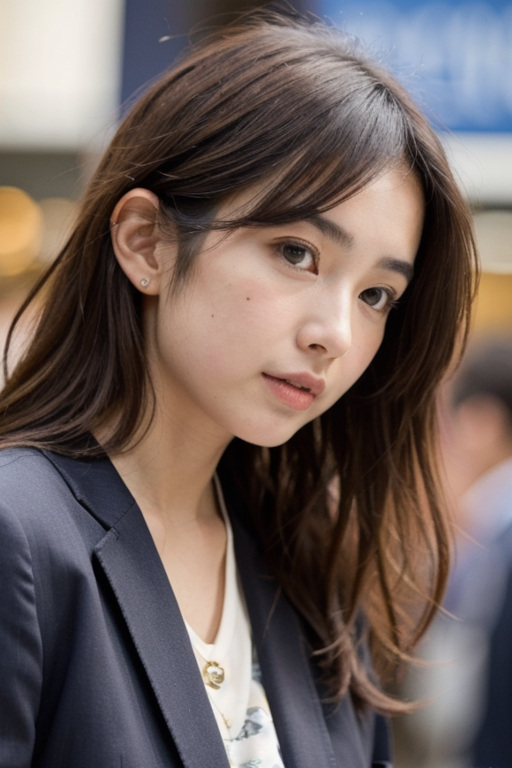 | |
| 対象の動画において、開始時点(0.00秒)では、<Picture 1>([Shot 1]より)の状態が全面的に参照されます。 統合マルチモーダル記述: [Shot 1] 屋外の柔らかな自然光の中、カメラに向かって立っている若い日本人女性。<Picture 1>に示されている顔立ち、髪型、服装(明るい色のブラウスの上に濃い色のブレザーを着用し、ブラウスの襟元には小さな金のボタンのディテールがある)、体型、背景、構図を維持してください。彼女は自然にまばたきをし、少し首を傾げ、穏やかな笑みを浮かべています。呼吸に合わせて数本の髪がわずかに揺れます。カメラは彼女の顔に焦点を合わせたまま、ゆっくりと滑らかにズームイン(プッシュイン)していきます。 全体的な音響環境: 静かな屋外の環境音に加え、衣服や髪が動く際の微かな音が聞こえます。 | ||
| 入力画像 | プロンプト | 生成画像 |
| | Using the same background, pull the camera back significantly to capture a wide shot showing the woman's full body (from head to toe). She is wearing long dark trousers and has her hands on her hips. Please accurately maintain her appearance, facial features, hairstyle, style, lighting, and natural physique. | 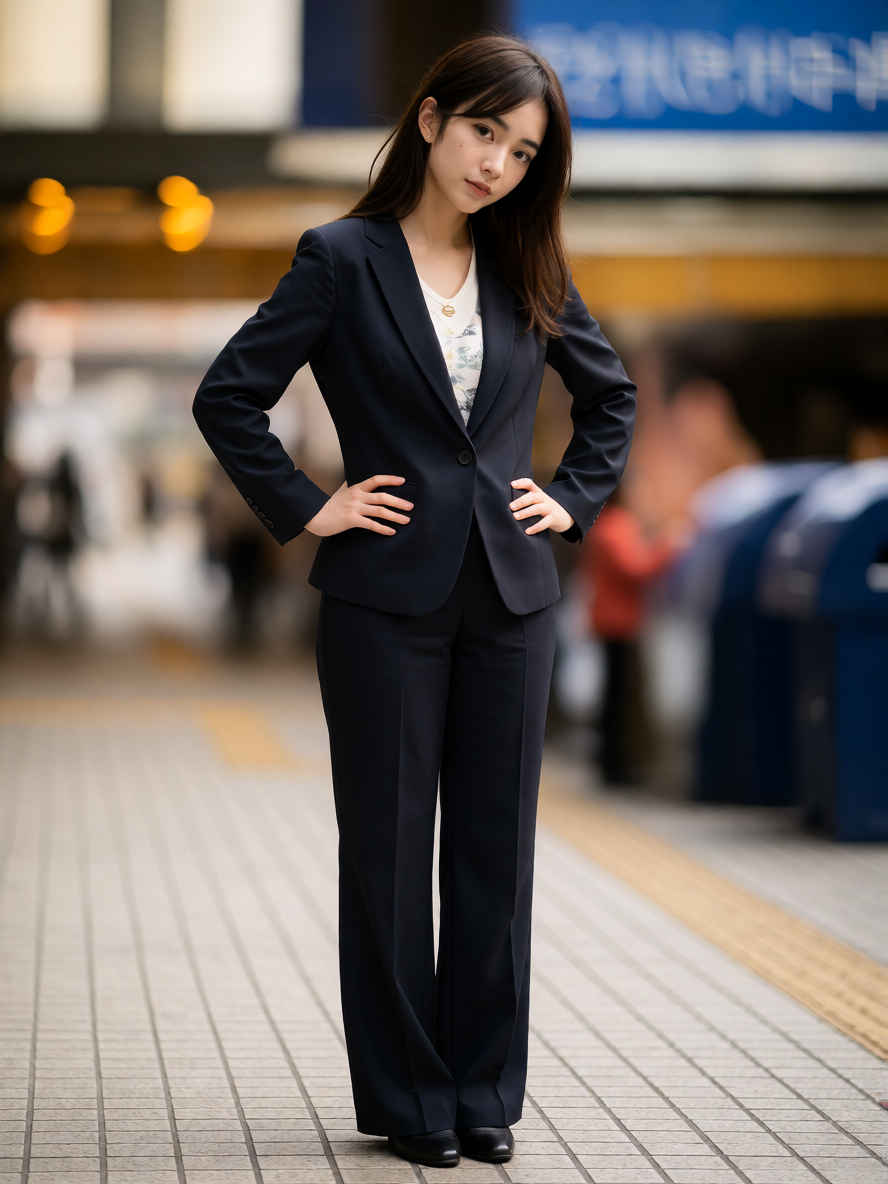 |
| 同じ背景を使用し、カメラを大きく引いて、女性の全身(頭からつま先まで)を捉えたワイドショットを撮影してください。彼女は暗い色の長いズボンを着用し、腰に手を当てています。外見、顔立ち、髪型、スタイル、照明、そして自然な体型を正確に維持してください。 |
| プロンプト | 入力画像 ① first_frame | 入力画像 ② last_frame |
|
How the reference pictures align with the target video — Picture 1 (from Shot 1) aligns with the 0.00-second mark of the target video; Picture 2 (from Shot 1) aligns with the 5.00-second mark of the target video. integrated_multimodal_description: [Shot 1] At the 0.00-second mark, <Image 1> serves as the primary visual reference. The woman is smiling gently at the camera. Her appearance, facial features, hairstyle, dark blazer over a light-colored blouse with a small gold button detail at the neckline, and the soft, natural lighting atmosphere are maintained. While maintaining eye contact with the camera, she naturally adjusts her posture and places both hands on her hips. The camera slowly pulls back (zooms out) to reveal her full standing figure. At the 5.00-second mark, the framing, posture, hand placement, attire, and composition smoothly transition and settle into the state shown in <Image 2>. This change occurs within a single continuous shot, without any cuts or abrupt switches. Overall audio environment: Quiet outdoor ambient sounds. | | |
| 参照画像とターゲット動画の対応関係:画像1(ショット1由来)はターゲット動画の0.00秒時点に対応し、画像2(ショット1由来)はターゲット動画の5.00秒時点に対応しています。 統合されたマルチモーダル記述: [ショット1] 0.00秒時点では、<画像1>が主要な視覚的参照となります。女性はカメラに向かって穏やかに微笑んでいます。彼女の容姿、顔立ち、髪型、明るい色のブラウス(襟元に小さな金のボタンのあしらいあり)の上に濃い色のブレザーを着用した服装、そして柔らかく自然な照明の雰囲気が維持されています。 カメラと視線を合わせたまま、彼女は自然に姿勢を整え、両手を腰に当てます。カメラはゆっくりと引き(ズームアウトし)、彼女の全身を映し出します。 5.00秒時点では、フレーミング、姿勢、手の位置、服装、構図が滑らかに変化し、<画像2>の状態へと落ち着きます。この変化は、カットや急激な切り替えを伴わない、単一の連続したショットの中で行われます。 全体的な音声環境: 静かな屋外の環境音。 |
| プロンプト | 入力画像 ① ref_image_0 | 入力画像 ② ref_image_1 |
| A full-body shot of the woman in <image_1> wearing the exact outfit from <image_2> (a cream knitted cardigan over a blue and white checkered gingham dress) walking confidently outdoors on a sunny day. The camera slowly tracks her movement, capturing realistic motion, soft lighting, and natural fabric physics. High quality, smooth 24fps video with subtle ambient sound. | | |
| 晴れた日に屋外を自信に満ちた様子で歩く、<image_1>の女性の全身ショット。<image_2>と全く同じ服装(青と白のギンガムチェックのワンピースに、クリーム色のニットカーディガンを羽織ったスタイル)を着用しています。カメラが彼女の動きをゆっくりと追い、リアルな動作、柔らかな光、そして自然な生地の質感を捉えます。繊細な環境音を伴う、高品質で滑らかな24fpsの映像です。 |
| プロンプト | 入力画像 ref_image0 | 入力動画 ref_video0 |
| Please change the outfit of the person in the reference video to the uniform shown in Picture 1. |  | |
| 参考動画の人物の服装を、画像1の制服に変更してください。 |
| Text to Video | Image to Video | Image to Video 2 | Reference to Video |
| Step = 20 | |||
| Step = 4, Turbo LoRA | |||
| ComfyUI オフィシャルサイトで公開されている 8 Step テンプレートのシード値を固定して再現性を確保し動かしながら整理する |
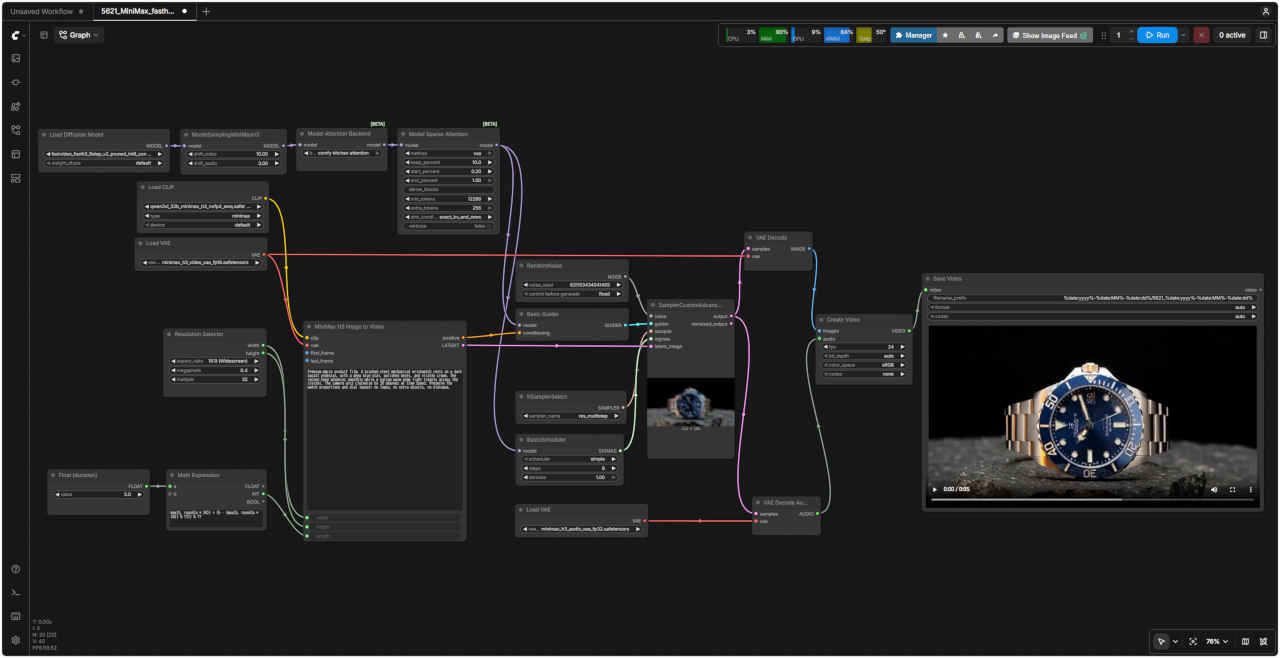
| プロンプト → https://www.seedance.tv/blog/minimax-h3-prompting-guide |
| Premium macro product film. A brushed-steel mechanical wristwatch rests on a dark basalt pedestal, with a deep blue dial, polished bezel, and visible crown. The second hand advances smoothly while a narrow warm edge light travels across the crystal. The camera arcs clockwise by 30 degrees at slow speed. Preserve the watch proportions and dial layout; no logos, no extra objects, no dialogue. |
| 高級感のあるマクロ撮影の製品映像。ヘアライン仕上げのステンレス製機械式腕時計が、黒い玄武岩の台座に置かれています。深い青色の文字盤、ポリッシュ仕上げのベゼル、そしてリューズが見えています。秒針が滑らかに動き、温かみのある細いエッジライトが風防(クリスタル)上を移動していきます。カメラは時計の周囲を時計回りに、ゆっくりと30度の弧を描くように移動します。時計のプロポーションと文字盤のレイアウトは正確に維持してください。ロゴや余計な物体、セリフは一切含めないでください。 |
| プロンプト → https://www.ipentec.com/document/ai-image/video-generation-minimax-h3-fl2va-ref2va-comparison | 入力画像 first_frame | |
| &clipboard{For the target video, at 0.00 seconds into the target video, <Picture 1> (from [Shot 1]) is fully referenced. integrated_multimodal_description: [Shot 1] Live-action, cinematic, a wide low-angle shot frames the long line of black railroad tank cars shown in <Picture 1>, preserving the "CBTX 728035" markings, the orange hazard placards reading "1267", the curving rail tracks in the foreground, the distant refinery structures on the left, and the early-morning sky with scattered clouds. The camera holds a static shot on the completely stationary train; for the first two seconds, every tank car stands perfectly still on the rails with no movement at all. Then a low metallic jolt travels along the train as the couplers take up slack one by one, and the tank cars begin to creep forward almost imperceptibly, moving away from the viewer toward the vanishing point deep in the frame. The train accelerates very gradually, its wheels turning slowly at first and then slightly faster, while one more black tank car enters the frame from the right edge; this car is the very last car of the train, with a small flashing red end-of-train device mounted on its rear coupler, and no other cars follow behind it. As the final tank car passes through the frame and recedes into the distance, the rails it vacates become fully visible, revealing the empty track stretching toward the horizon while the tracks, ballast, and switch stand in the foreground stay completely motionless. overall_soundscape: The scene opens in near silence with only a light breeze and a distant industrial hum. A series of metallic clanks ripples down the train as the couplers stretch, followed by a slow, heavy groan of steel wheels starting to turn, building into a gentle rhythmic clacking that gradually fades as the train recedes and the last car passes. non_diegetic_music: N/A | 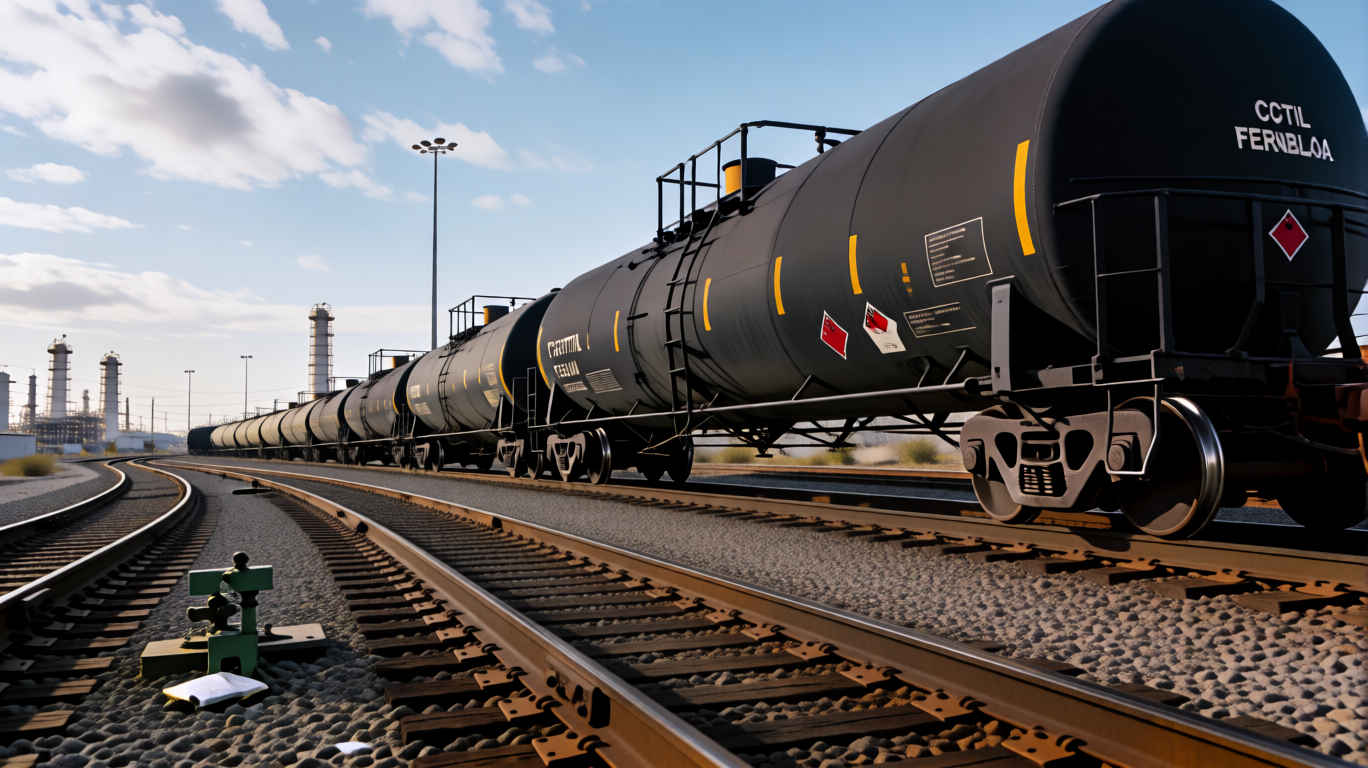 | |
| 対象の動画において、開始から0.00秒の時点で、<Picture 1>([Shot 1]より)の映像が全面的に参照されています。 統合マルチモーダル記述: [Shot 1] 実写かつ映画的な映像。ワイドなローアングルショットで、<Picture 1>に示される黒い鉄道用タンク車の長い列が捉えられています。「CBTX 728035」の識別番号、「1267」と記されたオレンジ色の危険物表示板、手前のカーブする線路、左奥に見える製油所の構造物、そして雲が点在する早朝の空が収められています。カメラは完全に停止した列車を固定ショットで捉えており、最初の2秒間は、どのタンク車も線路上で微動だにしません。その後、連結器の遊びが順次解消されるにつれて、低い金属的な衝撃が列車を伝わり、タンク車はほとんど知覚できないほどの速度で前進し始め、視聴者から遠ざかって画面奥の消失点へと向かいます。列車はごく緩やかに加速し、車輪は最初はゆっくりと、やがて少し速く回転し始めます。その間、画面右端からもう1両の黒いタンク車が入ってきます。これが列車の最後尾車両であり、その連結器には小さな赤い点滅式の最後尾標識(EOTデバイス)が取り付けられており、その後ろに続く車両はありません。最後のタンク車が画面を通過して遠ざかるにつれて、それまで隠れていた線路が完全に見えるようになり、地平線に向かって伸びる空の線路が露わになります。一方、手前の線路、バラスト(砕石)、転轍機(ポイント)は完全に静止したままです。 全体的な音響風景: シーンは、微かな風の音と遠くで響く工場の稼働音以外、ほぼ無音の状態で始まります。連結器が伸びるにつれて、金属的な衝突音が列車を伝わり、続いて鋼鉄製の車輪が回転し始める際のゆっくりとした重々しい軋み音が響きます。やがて穏やかでリズミカルな走行音(ガタンゴトンという音)へと変化し、列車が遠ざかり最後尾車両が通過するにつれて、その音は徐々に消えていきます。 非劇伴音楽: なし | ||
| 動画生成モデル「MiniMax H3」を静止画像生成をする拡張ノード「ComfyUI-MiniMax-H3-Image-Studio」を検証する ・参考URL → https://www.techno-edge.net/article/2026/08/15/5396.html |
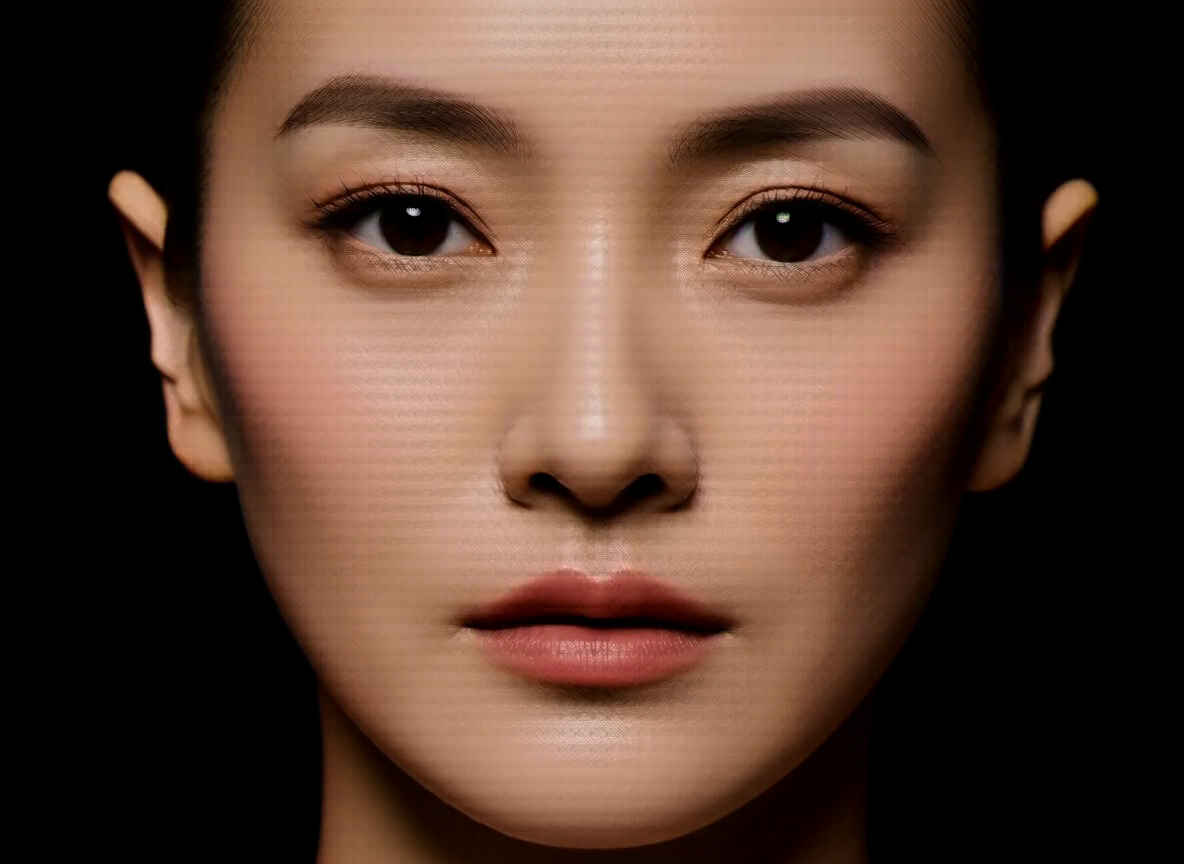
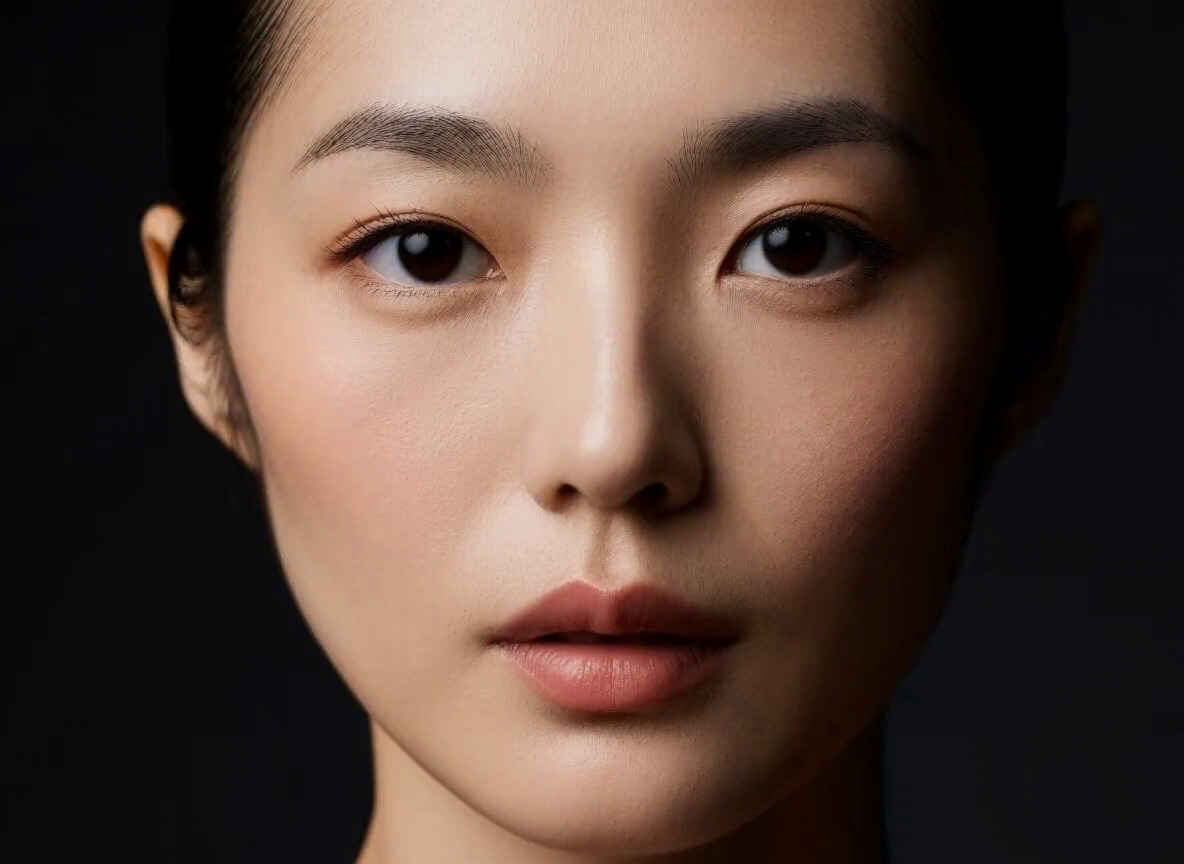
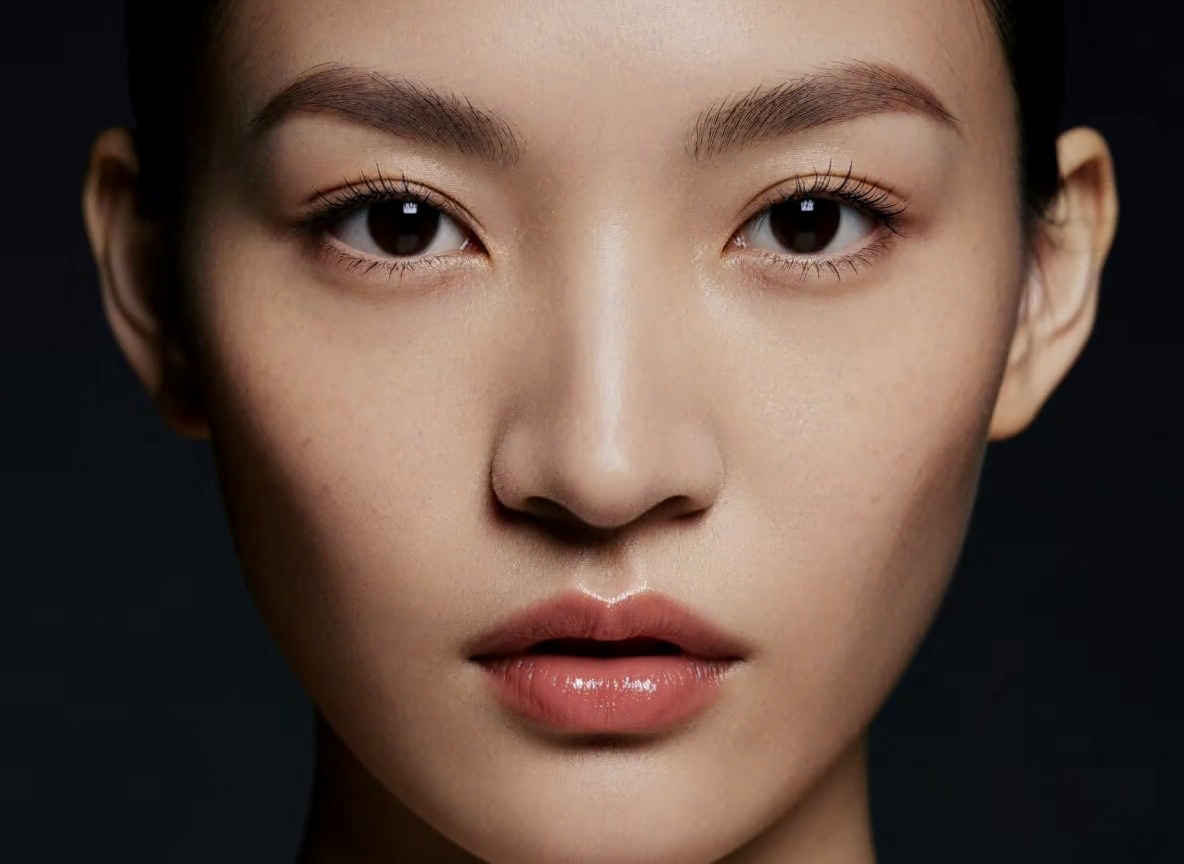
| プロンプト |
| A finished cinematic editorial portrait of an Japanease adult woman, precise facial detail and natural skin texture, controlled Rembrandt studio lighting, sharp eyes, clean dark background, shallow depth of field, premium fashion photography. |
| 日本人女性を捉えた、映画のような仕上がりのエディトリアル・ポートレート。精緻な顔のディテールと自然な肌の質感、計算されたレンブラント・スタジオ・ライティング、鋭い眼差し、すっきりとした暗い背景、浅い被写界深度を特徴とする、高級感あふれるファッション写真。 |
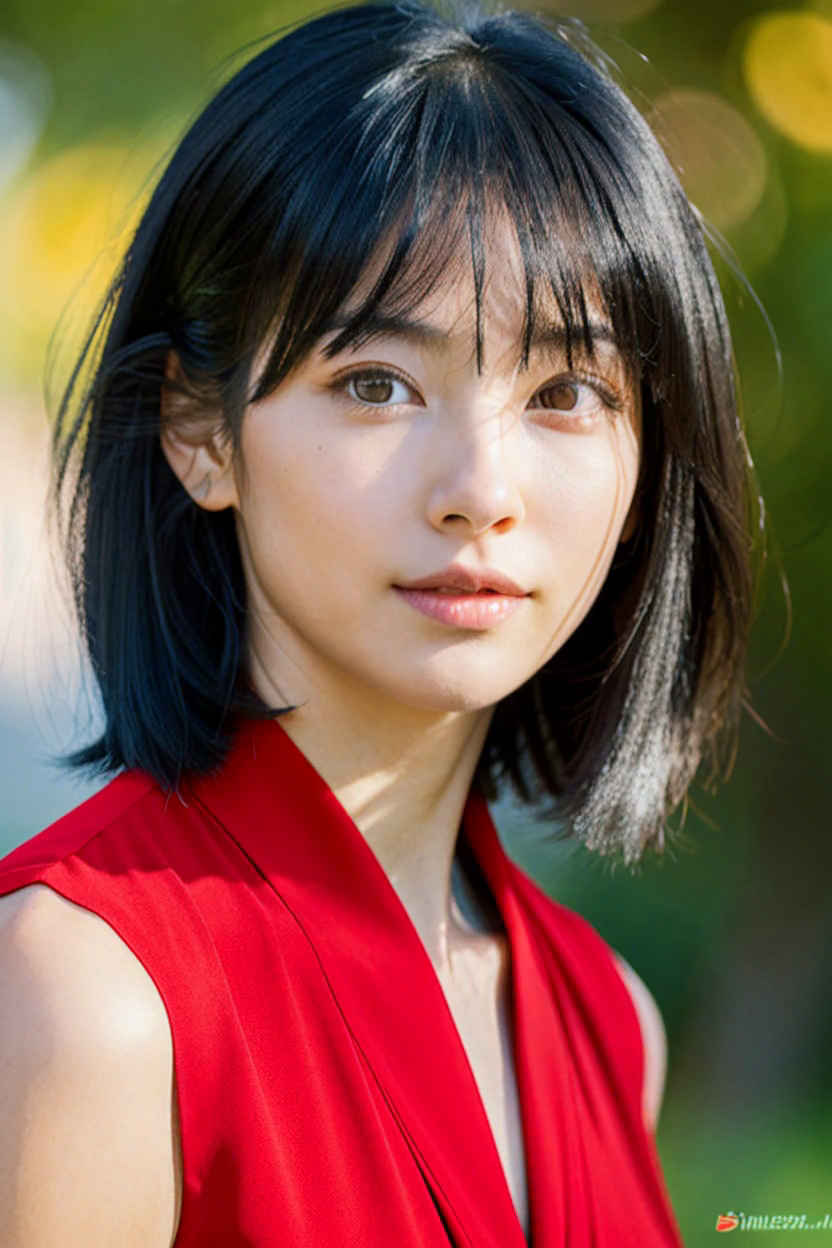
| プロンプト |
| Change the black clothes to red. |
| 黒い服を赤に変えてください。 |
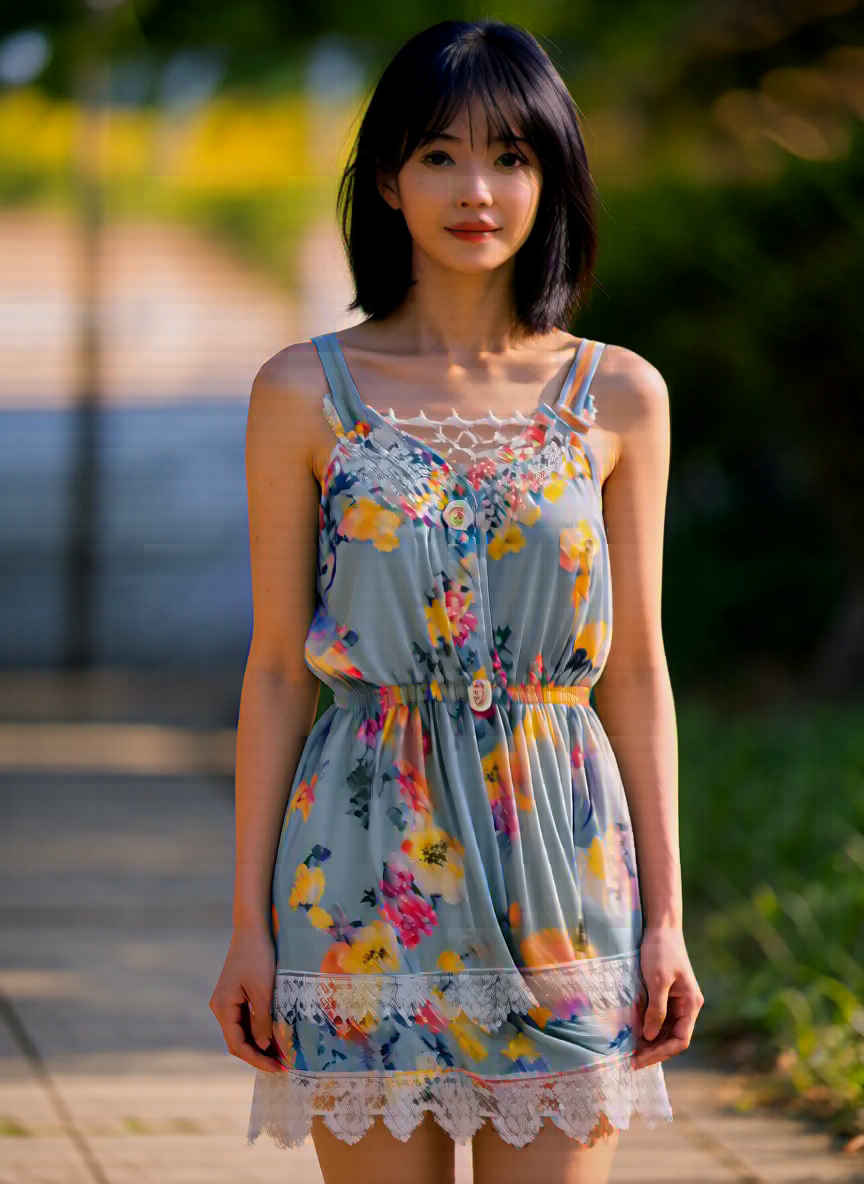
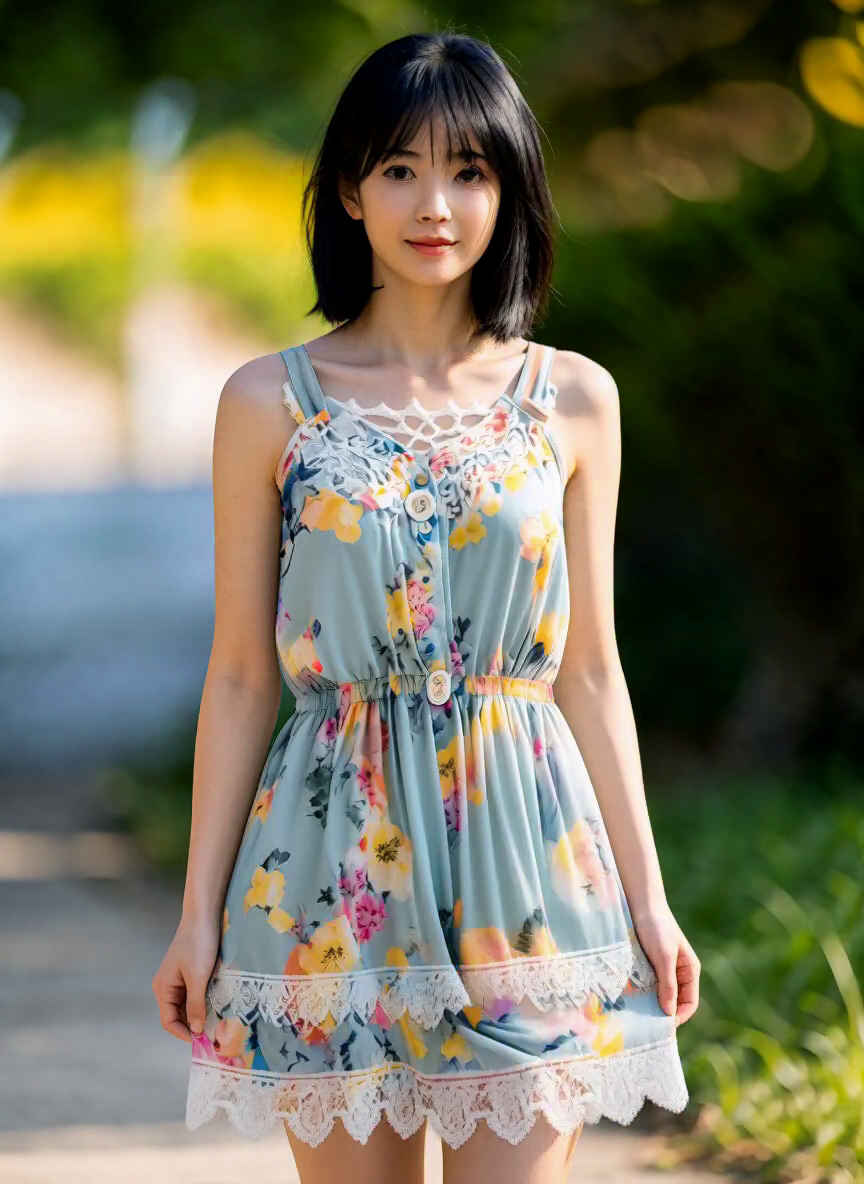
| プロンプト |
| By retaining the subject, face, pose, camera angle, and setting from <Picture 1> and combining them with the outfit from <Picture 2>—but have her wear the dress (one-piece) from —the result is a sophisticated medium-shot portrait. |
| <Picture 1>の被写体、表情、ポーズ、カメラアングル、背景設定を維持しつつ、<Picture 2>の衣装(ただしドレス/ワンピースを着用)を組み合わせることで、洗練されたミディアムショットのポートレートに仕上がります。 |
| 生成画像(quality_profile = 9) | |
 |
| プロファイル | フレーム数 | 備考 | |
| Single image | 単一画像 | 1 | T2I、I2I、またはREF2VA。実験的な画像用VAEとハイブリッド・チェックポイントを使用 |
| Recommended | 推奨 | 5 | デフォルト |
| Extended | 拡張 | 9 | より多くの時間的コンテキストを考慮 |
| High | 高 | 13 | メモリ使用量と実行時間が増加 |
| Maximum | 最大 | 20 | メモリ使用量と実行時間が最大 |
| Single image: 1 | Recommended: 5 | Extended: 9 |
 |  |  |
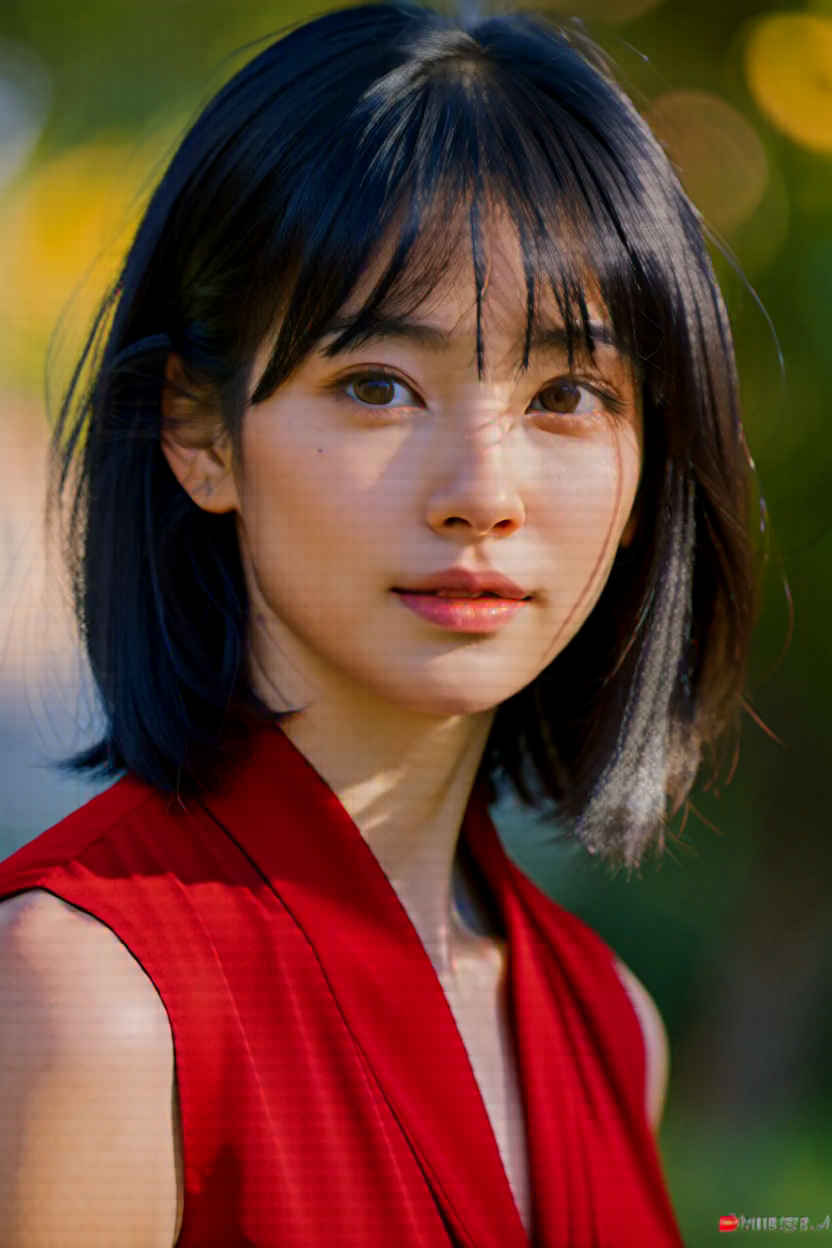 | 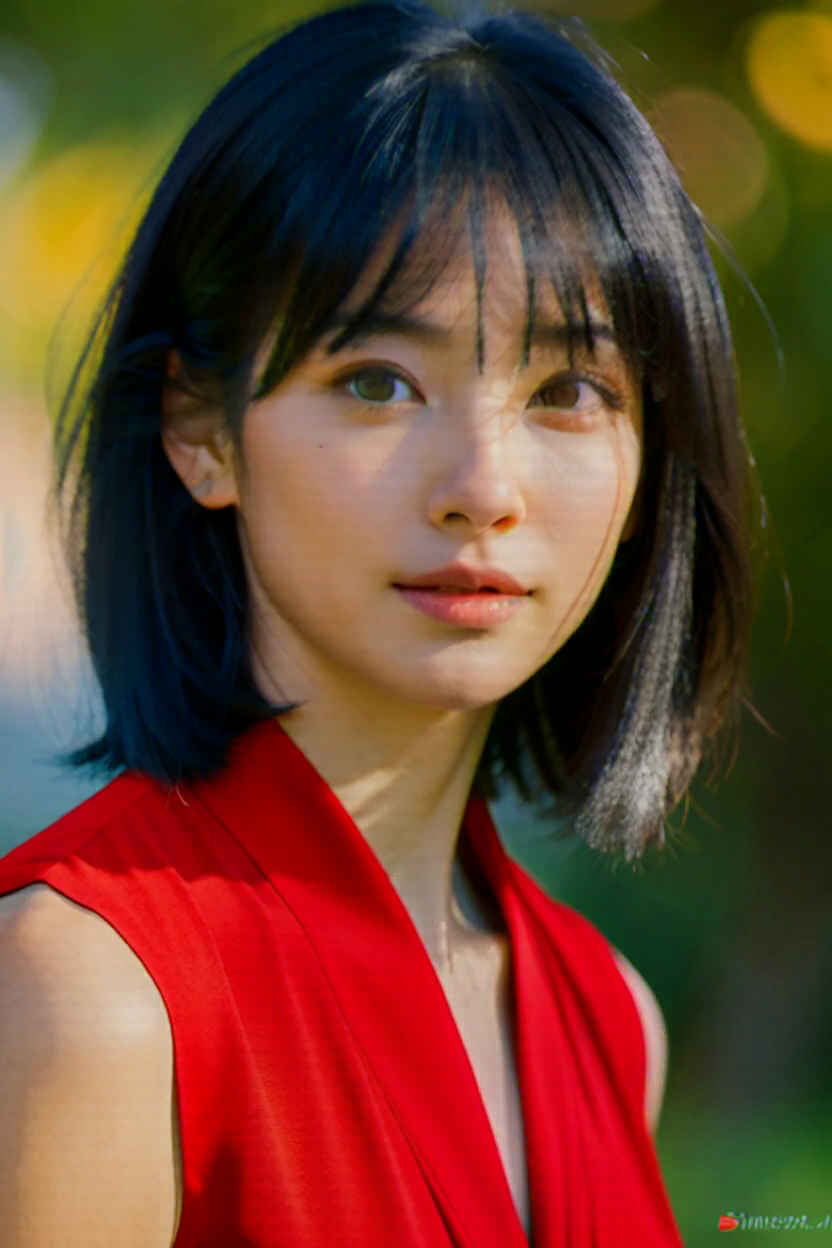 |  |
 |  | |
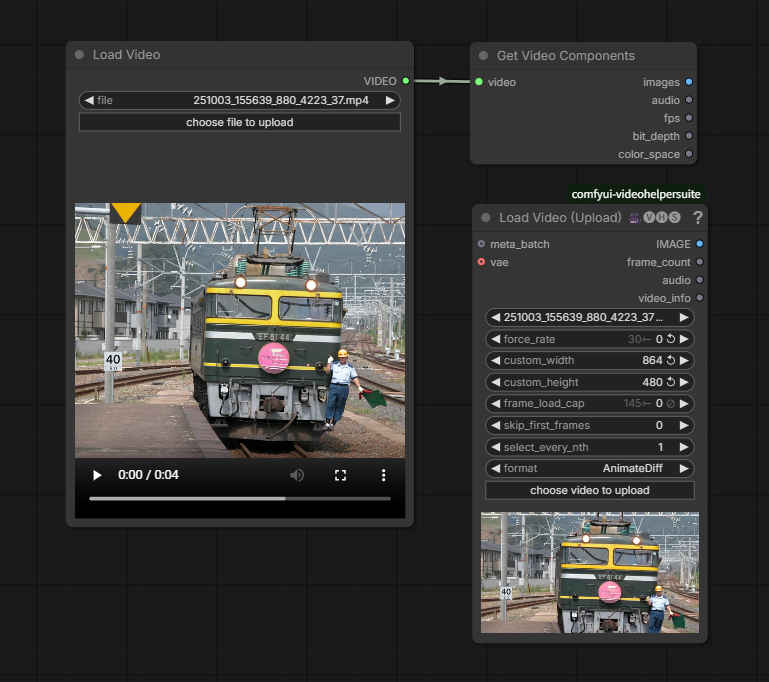
| パラメータ名 | 説明 |
| force_rate | フレームレートを指定(0で無効) |
| custom_width | リサイズする場合の幅(0で無効) |
| custom_height | リサイズする場合の高さ(0で無効) |
| frame_load_cap | 読み込むフレーム数の上限(0で無制限) |
| skip_first_frames | 最初にスキップするフレーム数 |
| select_every_nth | Nフレームごとに1フレーム取得(間引き) |
| format | 出力フォーマット(モデルに応じたプリセットが選択可能) |